What is a Proxy? Forward Proxy, Reverse Proxy and SOCKS5 Explained
DevOps

What is a Proxy? Forward Proxy, Reverse Proxy and SOCKS5 Explained

A proxy server is an intermediary between client and server. Learn the differences between Forward Proxy, Reverse Proxy, and SOCKS5 with real configuration examples for Squid and NGINX.

In this series: DevOps
  1. 1 What is an API Gateway? Single Entry Point for Microservices
  2. 2 What is NAT? Network Address Translation Explained
  3. 3 What is GitLab CI/CD? Automated Pipeline for Build, Test, and Deploy
  4. 4 What is Apache Kafka? Distributed Event Streaming Platform Explained
  5. 5 What is Serverless? FaaS, Cold Start, and When to Go Serverless
  6. 6 What is Subnet & CIDR? IP Network Segmentation and Routing
  7. 7 What is Kubernetes? The Most Popular Container Orchestration Platform Today
  8. 8 What is a Proxy? Forward Proxy, Reverse Proxy and SOCKS5 Explained
  9. 9 What is Nginx? Web server, reverse proxy, and load balancer in one
✦ Quick summary
A proxy server is an intermediary between client and server. Learn the differences between Forward Proxy, Reverse Proxy, and SOCKS5 with real configuration examples for Squid and NGINX.
How was this post?

Proxy is one of those networking concepts that appears everywhere yet is often misunderstood. Forward proxy, reverse proxy, SOCKS5 — each type serves a different purpose. This article clearly explains each one with real-world configuration examples.

What is a Proxy?

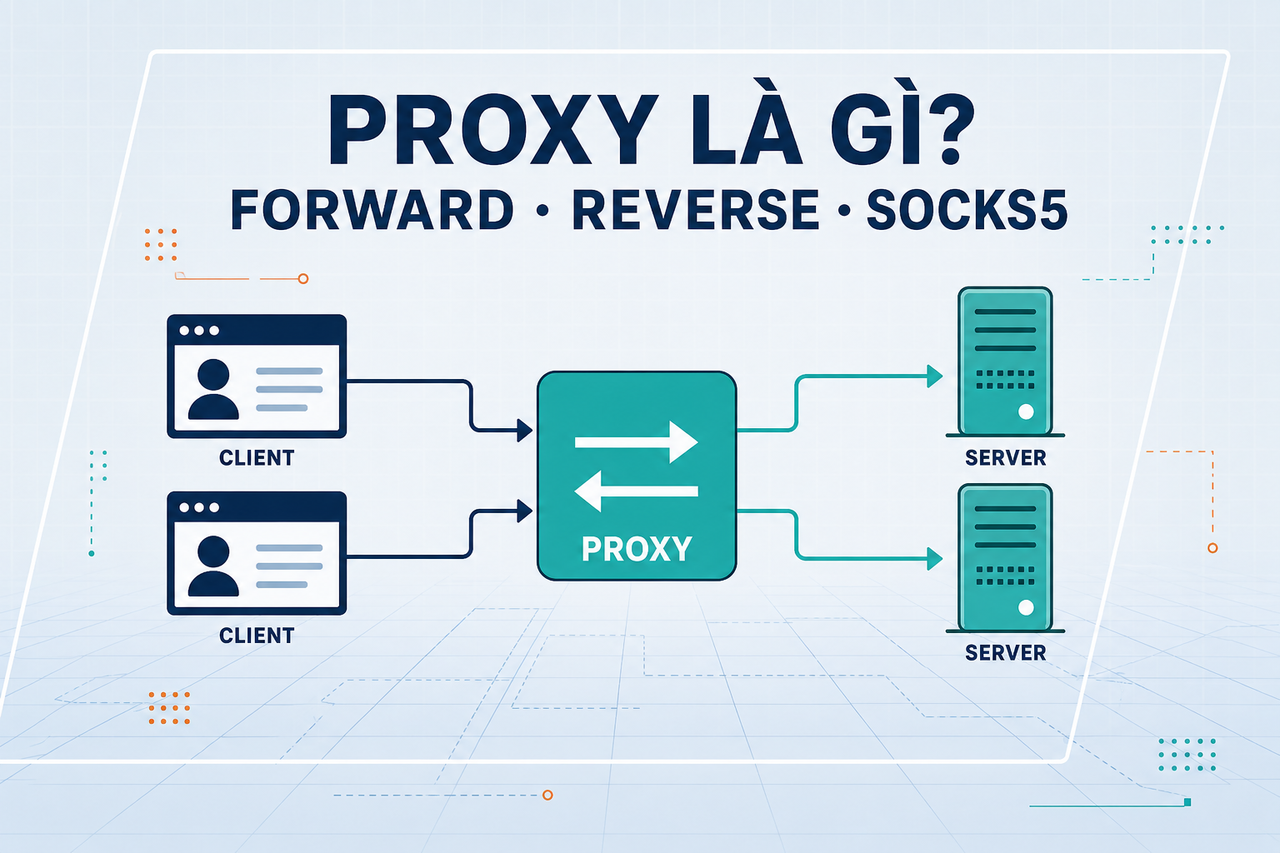
A proxy server is an intermediary server that acts on behalf of either a client or a server during network communication. Instead of the client connecting directly to the destination server, all traffic passes through the proxy.

Benefits of using a proxy:

  • Anonymity: Hides the real IP address of the client or server
  • Caching: Stores responses to serve repeated requests faster (without fetching from the origin)
  • Access control: Blocks or allows traffic based on policy
  • Load balancing: Distributes traffic across multiple backend servers
  • SSL termination: Handles TLS at the proxy level so backends can use plain HTTP

There are three main types of proxy: Forward Proxy, Reverse Proxy, and SOCKS5 Proxy.

Forward Proxy
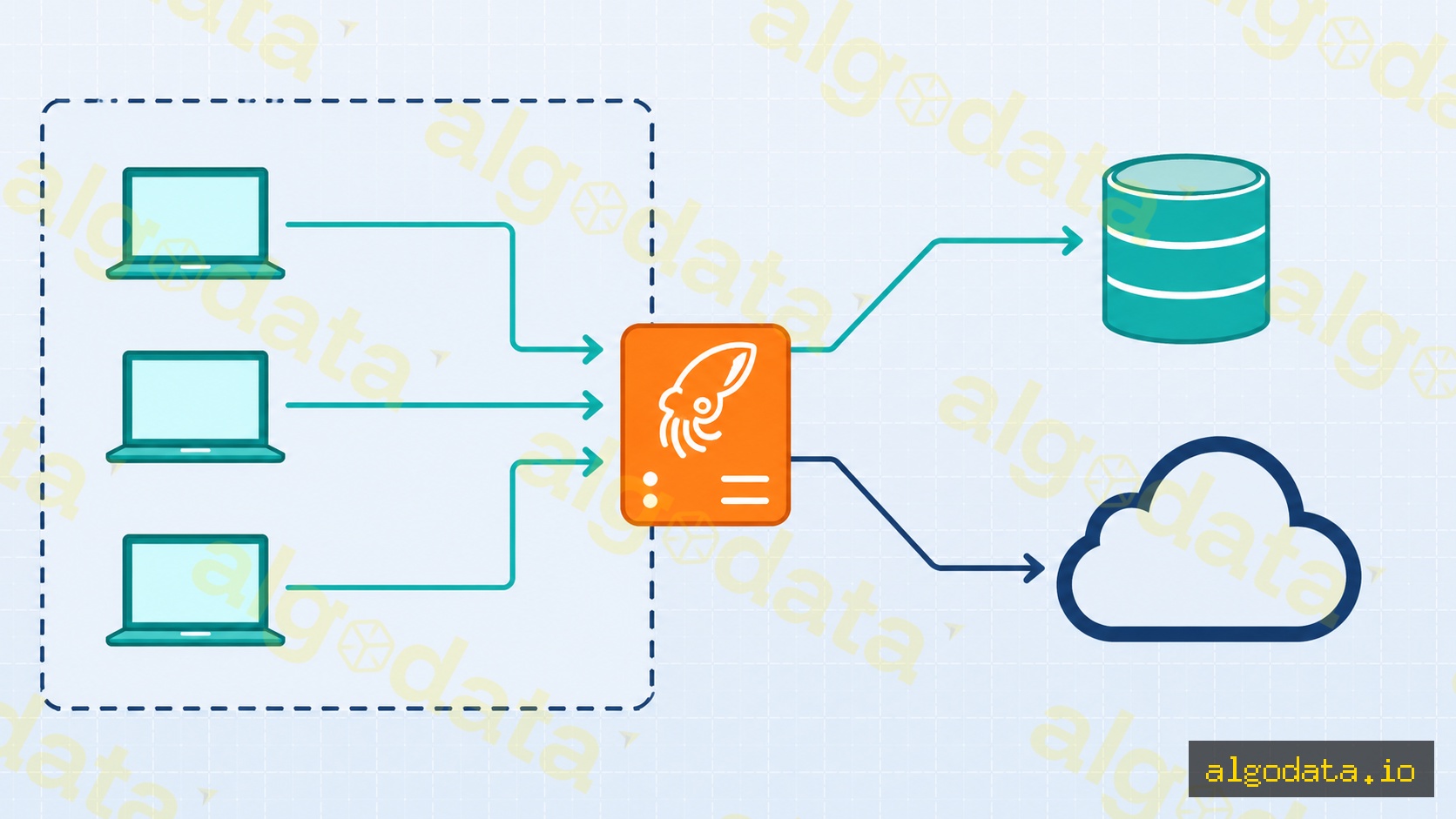
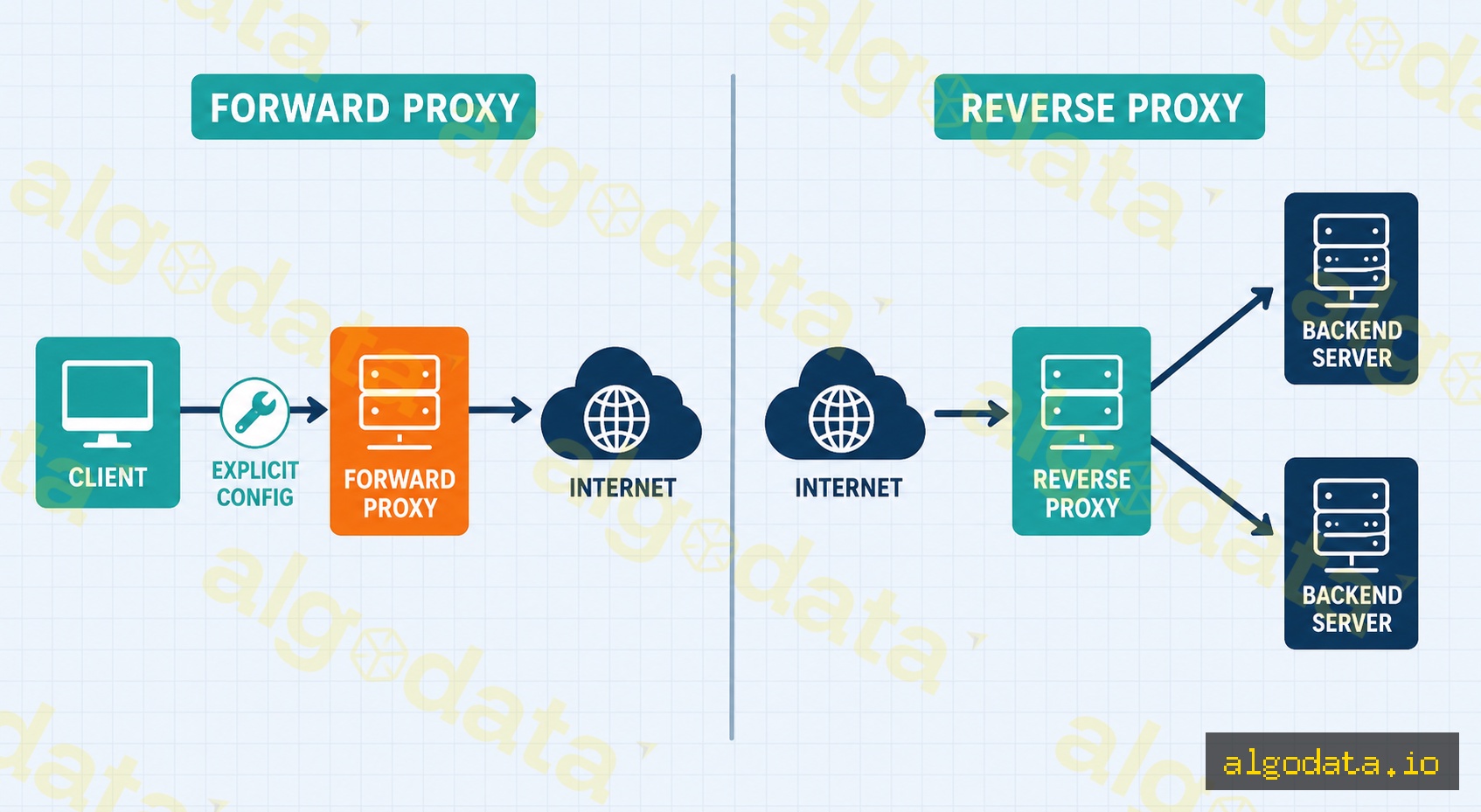
A Forward Proxy sits between the client and the internet. The client knows it is using a proxy and must configure it explicitly (in the browser, OS, or application).

Traffic flow:

Client → Forward Proxy → Internet → Destination Server

The destination server sees the proxy's IP, not the client's real IP.

Common use cases:

  • Corporate web filtering: IT departments block inappropriate websites (social media, games) and log web access
  • Bypassing geo-restrictions: A client in Vietnam uses a US-based proxy to access content restricted to the US
  • Development and debugging: Dev teams use proxies to intercept and inspect HTTP requests (Charles Proxy, mitmproxy)

Squid Forward Proxy — basic configuration:

Bash
 1# Install Squid
 2apt-get install squid
 3
 4# /etc/squid/squid.conf
 5http_port 3128
 6
 7# Allow internal network
 8acl localnet src 192.168.0.0/16
 9acl localnet src 10.0.0.0/8
10http_access allow localnet
11
12# Block social media
13acl social dstdomain .facebook.com .tiktok.com .youtube.com
14http_access deny social
15
16# Deny all other traffic
17http_access deny all
Bash
1# Test the proxy from a client
2curl -x http://proxy-server:3128 https://httpbin.org/ip
3# The response will return the proxy's IP, not the client's
4
5# Set proxy for the entire terminal session
6export http_proxy="http://proxy-server:3128"
7export https_proxy="http://proxy-server:3128"

Reverse Proxy
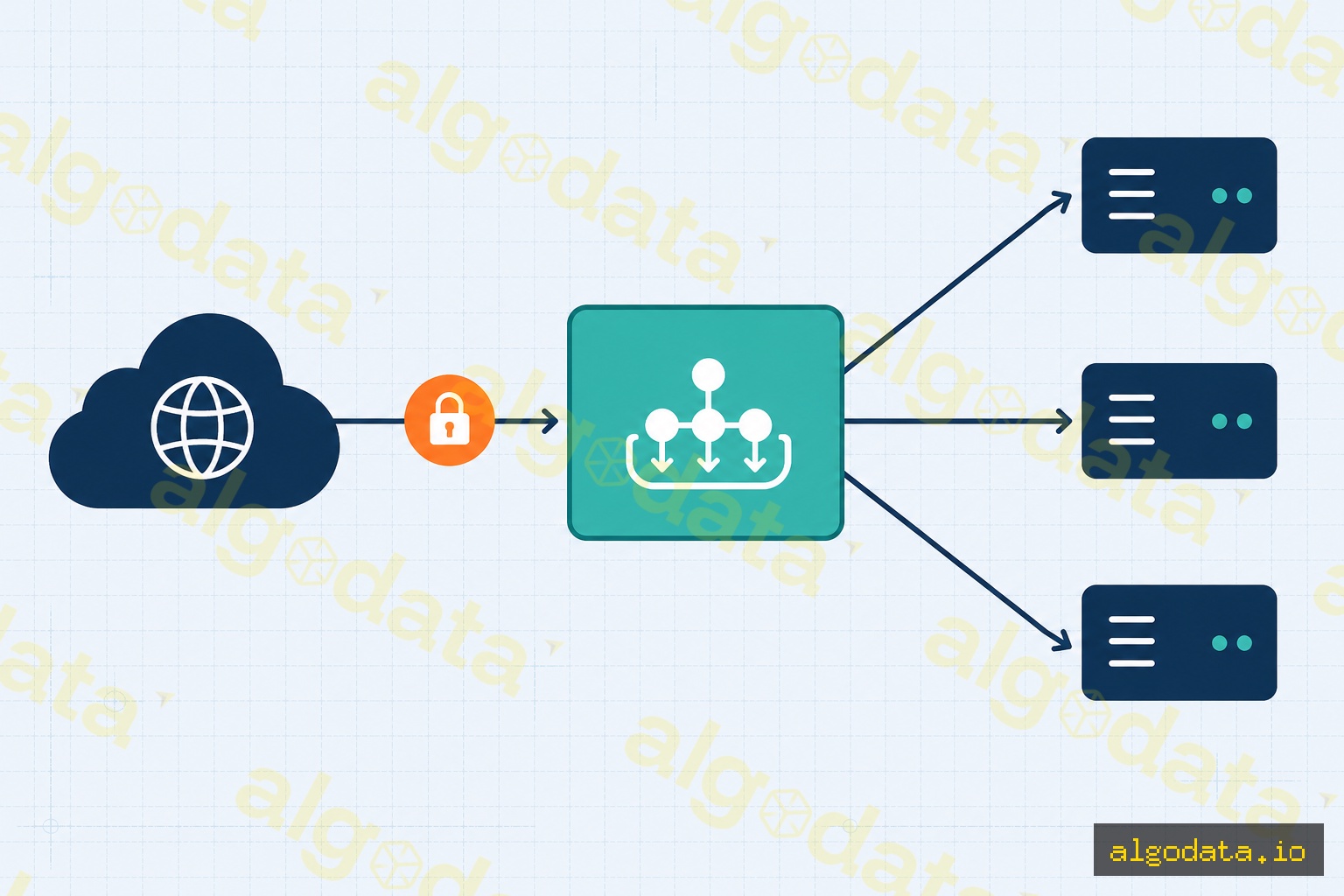
A Reverse Proxy sits in front of backend servers. The client (browser) does not know the proxy exists — they think they are connecting directly to the real server. The backend IP addresses are completely hidden from the client.

Traffic flow:

Client → Reverse Proxy → Backend Server 1
                       → Backend Server 2
                       → Backend Server 3

NGINX as a Reverse Proxy:

nginx
 1# /etc/nginx/sites-available/myapp
 2server {
 3    listen 80;
 4    server_name api.example.com;
 5
 6    location / {
 7        proxy_pass http://localhost:3000;
 8        proxy_set_header Host $host;
 9        proxy_set_header X-Real-IP $remote_addr;
10        proxy_set_header X-Forwarded-For $proxy_add_x_forwarded_for;
11        proxy_set_header X-Forwarded-Proto $scheme;
12    }
13}
14
15# Load balancing with upstream
16upstream backend_pool {
17    server 10.0.1.10:3000 weight=3;
18    server 10.0.1.11:3000 weight=1;
19    server 10.0.1.12:3000 backup;
20}
21
22server {
23    listen 443 ssl;
24    server_name api.example.com;
25
26    location /api/ {
27        proxy_pass http://backend_pool;
28    }
29}

Common use cases for a Reverse Proxy:

  • SSL termination: NGINX handles TLS; backends only need plain HTTP
  • Load balancing: Distributes requests across multiple instances
  • Static file serving: NGINX serves static assets; backends focus on business logic
  • Rate limiting: Limits requests from a single IP address
  • Security: Hides backend information (versions, IPs, ports)

SOCKS5 Proxy
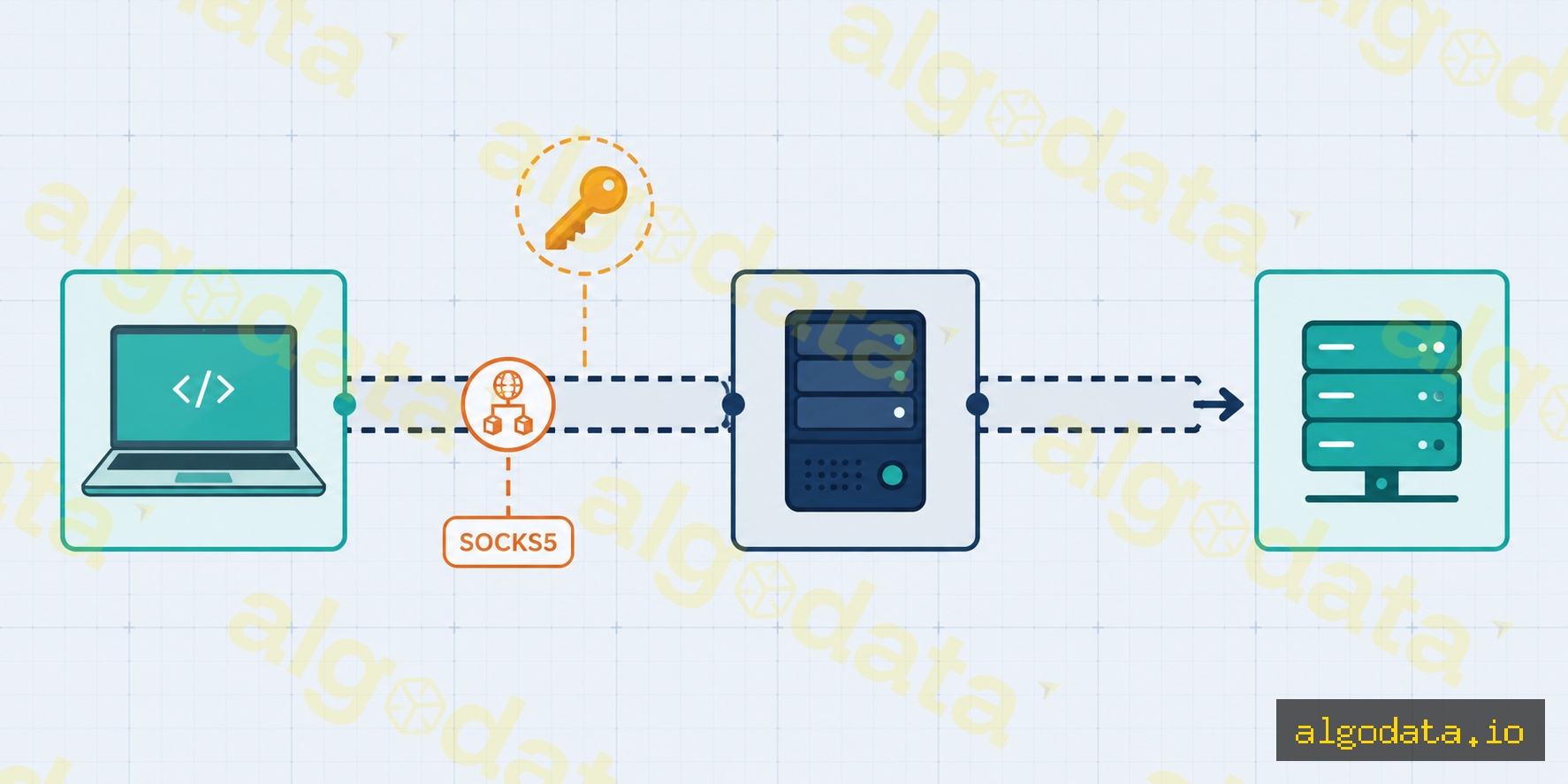
SOCKS5 is a proxy that operates at the session layer (OSI Layer 5) and is independent of the application protocol. It tunnels any TCP/UDP traffic — HTTP, SMTP, FTP, SSH, game traffic, and more.

Creating a SOCKS5 proxy via SSH tunnel:

Bash
 1# Create an SSH SOCKS5 tunnel (port 1080 on localhost)
 2ssh -D 1080 -N -f user@jumphost.example.com
 3# -D 1080: create a SOCKS5 proxy on port 1080
 4# -N: do not execute a remote command
 5# -f: run in the background
 6
 7# Test via SOCKS5
 8curl --socks5 127.0.0.1:1080 https://httpbin.org/ip
 9curl --socks5-hostname 127.0.0.1:1080 https://ifconfig.me
10
11# Use with git (proxy git pull through the SSH tunnel)
12git config --global http.proxy socks5://127.0.0.1:1080

Configuring SOCKS5 in Python (requests library):

Python
1import requests
2
3proxies = {
4    "http": "socks5://127.0.0.1:1080",
5    "https": "socks5://127.0.0.1:1080",
6}
7
8response = requests.get("https://httpbin.org/ip", proxies=proxies)
9print(response.json())  # Returns the proxy's IP, not the real IP

SOCKS5 vs HTTP Proxy:

Criteria HTTP Proxy SOCKS5
Protocol HTTP/HTTPS only Any TCP/UDP
Layer Application (L7) Session (L5)
Authentication Basic auth header Username/password
UDP support No Yes
Used for Web browsing Gaming, torrenting, SSH

Proxy vs VPN

Both proxies and VPNs hide your real IP and route traffic through an intermediary server, but they differ significantly in how they work:

Criteria Proxy VPN
Scope One application Entire OS
Encryption Varies (HTTP proxy = none) Always encrypted
DNS App-controlled Routed through VPN (prevents DNS leaks)
Speed Faster Slower (encryption overhead)
Setup Per-app configuration OS-level
Use case Web browsing, dev tools Remote work, full privacy

What is NGINX? Web Server, Reverse Proxy and Load Balancer

What is VPN? Virtual Private Network Explained

What is API Gateway? The Gateway to Microservices

Frequently Asked QuestionsQ&A
What is a proxy server in simple terms?
A proxy server is an intermediary that receives requests from a client, forwards them to the destination server, receives the response, and returns it to the client. The client never connects directly to the destination server — all communication flows through the proxy. Depending on the type, a proxy can hide the client's IP, hide the server's IP, cache content, or control and filter traffic.
What is the difference between a Forward Proxy and a Reverse Proxy?
A Forward Proxy sits on the client side: client → proxy → internet. The client knows it is using a proxy and configures it explicitly. The proxy hides the client's identity from the destination server. Used for: web filtering, bypassing geo-blocks, IP masking. A Reverse Proxy sits on the server side: internet → proxy → backend servers. The client is unaware the proxy exists — they think they are connecting directly to the real server. Used for: load balancing, SSL termination, caching, hiding backend infrastructure.
How is SOCKS5 different from an HTTP proxy?
An HTTP proxy only understands HTTP/HTTPS — it reads and can modify HTTP headers, and only works with web traffic. SOCKS5 operates at the session layer (OSI Layer 5) and is protocol-agnostic: it tunnels any TCP/UDP traffic (HTTP, SMTP, FTP, game traffic, etc.) without reading the content. SOCKS5 supports username/password authentication and UDP relay. It is well-suited for: SSH tunneling, gaming VPNs, and torrenting.
Does a proxy encrypt traffic?
An HTTP proxy does not encrypt — traffic travels in plaintext. The HTTPS CONNECT method creates a tunnel: the client sends a CONNECT request to the proxy, the proxy establishes a TCP tunnel to the server, and then the client performs a TLS handshake end-to-end — the proxy only relays encrypted bytes without reading the content. SOCKS5 also does not encrypt by itself but is often combined with an SSH tunnel to add encryption.
What is the difference between a proxy and a VPN?
A proxy only forwards traffic for a specific application (a browser or app explicitly configured to use it). A VPN creates an encrypted tunnel at the OS level — ALL device traffic goes through the VPN, including DNS. Proxies are generally faster because of less overhead. VPNs are more comprehensive and encrypt everything. A proxy can be bypassed if an app ignores proxy settings. A VPN cannot be bypassed at the application layer.
What is a transparent proxy?
A transparent proxy is one the client is unaware of — no configuration is needed on the client. Traffic is intercepted and redirected to the proxy at the network layer (typically via iptables REDIRECT or TPROXY). ISPs commonly use transparent proxies to cache web content. Enterprises use them to filter web traffic without configuring each device. A transparent proxy does not hide the client's IP.

Proxy là một trong những khái niệm mạng xuất hiện khắp nơi nhưng thường bị hiểu nhầm. Forward proxy, reverse proxy, SOCKS5 — mỗi loại phục vụ một mục đích khác nhau. Bài viết giải thích rõ từng loại với ví dụ cấu hình thực tế.

Proxy là gì?

Proxy (hay proxy server) là server trung gian hoạt động thay mặt cho client hoặc server trong quá trình giao tiếp mạng. Thay vì client kết nối trực tiếp đến server đích, mọi traffic đi qua proxy.

Ưu điểm của proxy:

  • Ẩn danh: Che giấu IP thực của client hoặc server
  • Cache: Lưu trữ response để phục vụ request lặp lại nhanh hơn (không cần fetch từ origin)
  • Kiểm soát truy cập: Chặn hoặc cho phép traffic theo policy
  • Load balancing: Phân phối traffic đến nhiều backend server
  • SSL termination: Xử lý TLS ở proxy, backend dùng HTTP đơn giản

Có ba loại proxy chính: Forward Proxy, Reverse Proxy, và SOCKS5 Proxy.

Forward Proxy

Forward Proxy đứng giữa client và internet. Client biết mình đang dùng proxy và phải cấu hình tường minh (trong browser, OS, hoặc app).

Luồng traffic:

Client → Forward Proxy → Internet → Server đích

Server đích thấy IP của proxy, không thấy IP thực của client.

Ứng dụng phổ biến:

  • Corporate web filtering: IT block các website không phù hợp (social media, game), log web access
  • Bypass geo-restriction: Client ở Việt Nam dùng proxy ở Mỹ để truy cập nội dung chỉ dành cho US
  • Development: Dev team dùng proxy để debug/intercept HTTP request (Charles Proxy, mitmproxy)
Kiểm tra IP sau khi cấu hình proxy

Sau khi cấu hình proxy cho client, luôn kiểm tra bằng curl -x http://proxy:3128 https://httpbin.org/ip hoặc truy cập ifconfig.me qua proxy. Nếu IP trả về vẫn là IP thực của bạn, proxy chưa được áp dụng — thường do biến môi trường http_proxy/https_proxy chưa được set, hoặc app bỏ qua proxy settings.

Squid Forward Proxy — cấu hình cơ bản:

Bash
 1# Cài đặt Squid
 2apt-get install squid
 3
 4# /etc/squid/squid.conf
 5http_port 3128
 6
 7# Cho phép mạng nội bộ
 8acl localnet src 192.168.0.0/16
 9acl localnet src 10.0.0.0/8
10http_access allow localnet
11
12# Chặn social media
13acl social dstdomain .facebook.com .tiktok.com .youtube.com
14http_access deny social
15
16# Từ chối tất cả traffic khác
17http_access deny all
Bash
1# Test proxy từ client
2curl -x http://proxy-server:3128 https://httpbin.org/ip
3# Response sẽ trả về IP của proxy, không phải IP của client
4
5# Set proxy cho toàn session terminal
6export http_proxy="http://proxy-server:3128"
7export https_proxy="http://proxy-server:3128"

Reverse Proxy

Reverse Proxy đứng trước backend servers. Client (browser) không biết proxy tồn tại — họ tưởng đang kết nối trực tiếp vào server thật. IP của backend hoàn toàn ẩn với client.

Luồng traffic:

Client → Reverse Proxy → Backend Server 1
                       → Backend Server 2
                       → Backend Server 3

NGINX làm Reverse Proxy:

nginx
 1# /etc/nginx/sites-available/myapp
 2server {
 3    listen 80;
 4    server_name api.example.com;
 5
 6    location / {
 7        proxy_pass http://localhost:3000;
 8        proxy_set_header Host $host;
 9        proxy_set_header X-Real-IP $remote_addr;
10        proxy_set_header X-Forwarded-For $proxy_add_x_forwarded_for;
11        proxy_set_header X-Forwarded-Proto $scheme;
12    }
13}
14
15# Load balancing với upstream
16upstream backend_pool {
17    server 10.0.1.10:3000 weight=3;
18    server 10.0.1.11:3000 weight=1;
19    server 10.0.1.12:3000 backup;
20}
21
22server {
23    listen 443 ssl;
24    server_name api.example.com;
25
26    location /api/ {
27        proxy_pass http://backend_pool;
28    }
29}

API Gateway là gì? Cổng vào của Microservices

Ứng dụng phổ biến của Reverse Proxy:

  • SSL termination: NGINX xử lý TLS, backend chỉ cần HTTP
  • Load balancing: Phân phối request đến nhiều instance
  • Static file serving: NGINX phục vụ file tĩnh, backend chỉ lo business logic
  • Rate limiting: Giới hạn request từ một IP
  • Security: Ẩn thông tin backend (version, IP, port)
X-Forwarded-For có thể bị giả mạo

Header X-Forwarded-For do client gửi lên có thể bị spoofed — attacker có thể tự set X-Forwarded-For: 127.0.0.1 để bypass IP-based rate limiting hoặc whitelist. Nếu backend dùng header này để kiểm soát truy cập, NGINX phải overwrite thay vì append: dùng proxy_set_header X-Forwarded-For $remote_addr (thay vì $proxy_add_x_forwarded_for). Chỉ tin tưởng X-Forwarded-For khi toàn bộ chain proxy nằm trong mạng bạn kiểm soát.

NGINX là gì? Web server, Reverse Proxy và Load Balancer

SOCKS5 Proxy

SOCKS5 là proxy hoạt động ở tầng session (OSI Layer 5), không phụ thuộc vào application protocol. Nó tunnel bất kỳ TCP/UDP traffic nào — HTTP, SMTP, FTP, SSH, game traffic...

Tạo SOCKS5 proxy qua SSH tunnel:

Bash
 1# Tạo SSH SOCKS5 tunnel (port 1080 trên localhost)
 2ssh -D 1080 -N -f user@jumphost.example.com
 3# -D 1080: tạo SOCKS5 proxy trên port 1080
 4# -N: không execute remote command
 5# -f: chạy nền (background)
 6
 7# Test qua SOCKS5
 8curl --socks5 127.0.0.1:1080 https://httpbin.org/ip
 9curl --socks5-hostname 127.0.0.1:1080 https://ifconfig.me
10
11# Dùng với git (proxy git pull qua SSH tunnel)
12git config --global http.proxy socks5://127.0.0.1:1080
SOCKS5 và DNS leak

Khi dùng SOCKS5 với nhiều ứng dụng, cần phân biệt hai chế độ: socks5:// (DNS resolve ở máy client trước khi gửi qua proxy) và socks5h:// (DNS resolve do proxy server thực hiện — an toàn hơn vì không lộ DNS query). Với curl, dùng --socks5-hostname để ép hostname gửi nguyên về proxy. Nếu chỉ dùng --socks5, DNS vẫn resolve local và có thể lộ domain bạn đang truy cập qua DNS của ISP.

Cấu hình SOCKS5 trong Python (requests library):

Python
1import requests
2
3proxies = {
4    "http": "socks5://127.0.0.1:1080",
5    "https": "socks5://127.0.0.1:1080",
6}
7
8response = requests.get("https://httpbin.org/ip", proxies=proxies)
9print(response.json())  # IP của proxy, không phải IP thực

SOCKS5 vs HTTP proxy:

Tiêu chí HTTP Proxy SOCKS5
Protocol HTTP/HTTPS chỉ Mọi TCP/UDP
Layer Application (L7) Session (L5)
Authentication Basic auth header Username/password
UDP support Không
Dùng cho Web browsing Gaming, torrenting, SSH

Proxy vs VPN

Cả proxy và VPN đều ẩn IP thực và route traffic qua server trung gian, nhưng rất khác nhau về cơ chế:

Tiêu chí Proxy VPN
Scope Một ứng dụng Toàn bộ OS
Mã hóa Tùy loại (HTTP proxy = không) Luôn mã hóa
DNS App quyết định Qua VPN (chống DNS leak)
Tốc độ Nhanh hơn Chậm hơn (overhead mã hóa)
Setup Per-app config OS-level
Use case Web browsing, dev tools Remote work, full privacy

VPN là gì? Mạng riêng ảo, WireGuard và OpenVPN

Câu hỏi thường gặpQ&A
Proxy là gì ngắn gọn?
Proxy là server trung gian nhận request từ client, forward đến server đích, nhận response, rồi trả về cho client. Client không kết nối trực tiếp đến server đích — mọi giao tiếp đều đi qua proxy. Tùy loại proxy, nó có thể ẩn IP client, ẩn IP server, cache nội dung, hoặc kiểm soát/lọc traffic.
Forward Proxy khác Reverse Proxy thế nào?
Forward Proxy đứng phía client: client → proxy → internet. Client biết mình đang dùng proxy và cấu hình tường minh. Proxy ẩn danh tính client với server đích. Dùng cho: web filtering, bypass geo-block, ẩn IP. Reverse Proxy đứng phía server: internet → proxy → backend servers. Client không biết proxy tồn tại — họ nghĩ đang kết nối trực tiếp vào server thật. Dùng cho: load balancing, SSL termination, caching, ẩn backend.
SOCKS5 khác HTTP proxy thế nào?
HTTP proxy chỉ hiểu HTTP/HTTPS — nó đọc và có thể modify HTTP headers, chỉ hoạt động với web traffic. SOCKS5 hoạt động ở tầng session (layer 5), protocol-agnostic: nó tunnel bất kỳ TCP/UDP traffic nào (HTTP, SMTP, FTP, game traffic...) mà không đọc nội dung. SOCKS5 hỗ trợ username/password authentication và UDP relay. Thích hợp cho: SSH tunneling, gaming VPN, torrenting.
Proxy có mã hóa traffic không?
HTTP proxy không mã hóa — traffic đi plaintext. HTTPS CONNECT method tạo tunnel: client gửi CONNECT request đến proxy, proxy tạo TCP tunnel đến server, sau đó client tự thực hiện TLS handshake end-to-end — proxy chỉ relay encrypted bytes mà không đọc được nội dung. SOCKS5 cũng không tự mã hóa nhưng thường kết hợp với SSH tunnel để có encryption.
Proxy vs VPN khác nhau thế nào?
Proxy chỉ forward traffic của một ứng dụng cụ thể (browser, app được cấu hình dùng proxy). VPN tạo tunnel mã hóa ở OS level — MỌI traffic của thiết bị đi qua VPN, kể cả DNS. Proxy thường nhanh hơn vì ít overhead. VPN toàn diện hơn và mã hóa mọi thứ. Proxy dễ bypass nếu app không tôn trọng proxy settings. VPN không thể bypass ở tầng app.
Transparent proxy là gì?
Transparent proxy là proxy mà client không biết mình đang dùng — không cần cấu hình gì trên client. Traffic bị chặn và redirect đến proxy ở tầng network (thường qua iptables REDIRECT hoặc TPROXY). ISP thường dùng transparent proxy để cache web content. Doanh nghiệp dùng để filter web mà không cần cấu hình từng máy. Transparent proxy không ẩn IP client.