- 1 What is an API Gateway? Single Entry Point for Microservices
- 2 What is NAT? Network Address Translation Explained
- 3 What is GitLab CI/CD? Automated Pipeline for Build, Test, and Deploy
- 4 What is Apache Kafka? Distributed Event Streaming Platform Explained
- 5 What is Serverless? FaaS, Cold Start, and When to Go Serverless
- 6 What is Subnet & CIDR? IP Network Segmentation and Routing
- 7 What is Kubernetes? The Most Popular Container Orchestration Platform Today
- 8 What is a Proxy? Forward Proxy, Reverse Proxy and SOCKS5 Explained
- 9 What is Nginx? Web server, reverse proxy, and load balancer in one
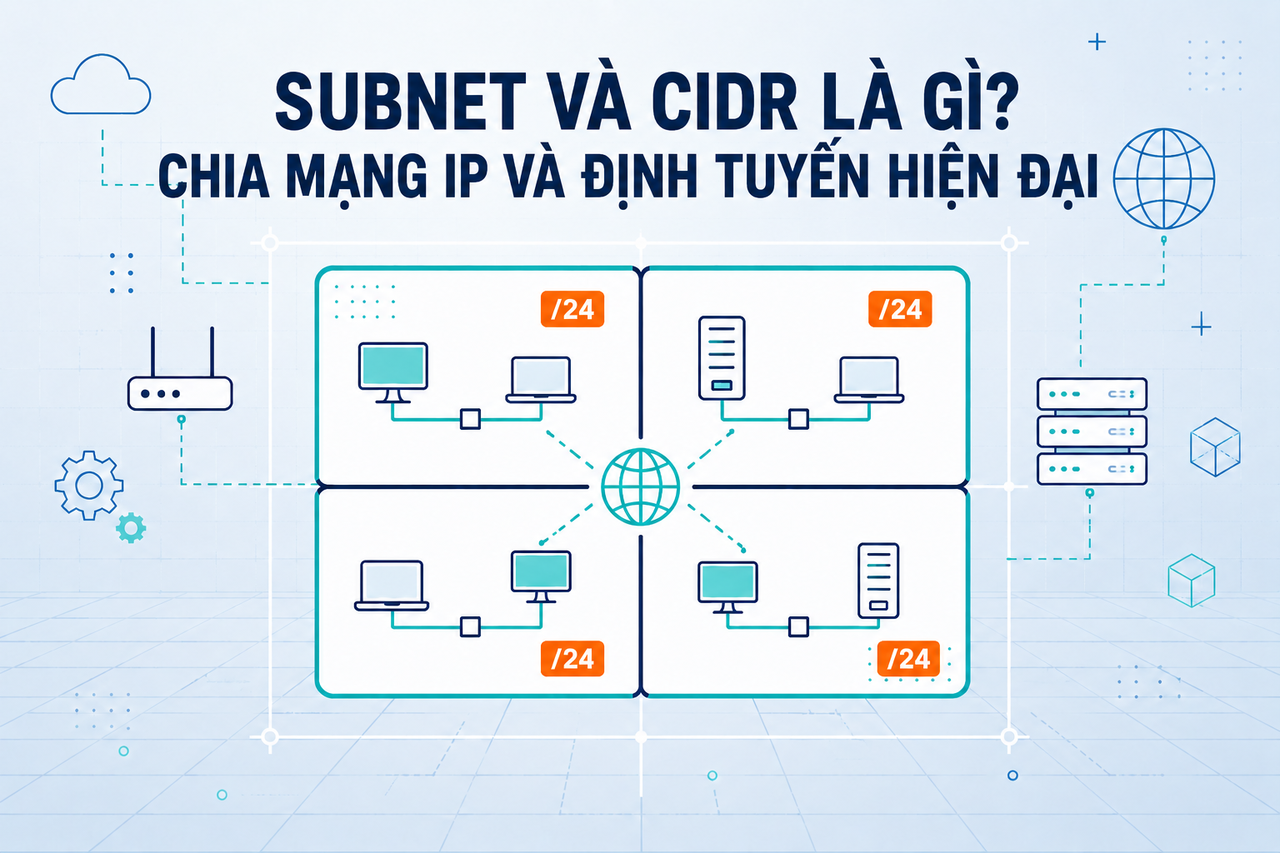
Subnets and CIDR are two foundational concepts that every infrastructure engineer or DevOps practitioner must understand — from designing AWS VPCs and configuring Kubernetes, to simply understanding why your office network uses 192.168.1.x. This article explains everything from the basics to real-world practice.
Need data solutions for your business?
AlgoData has helped businesses with data engineering, analytics & AI since 2019.
IP Addresses: Basic Structure
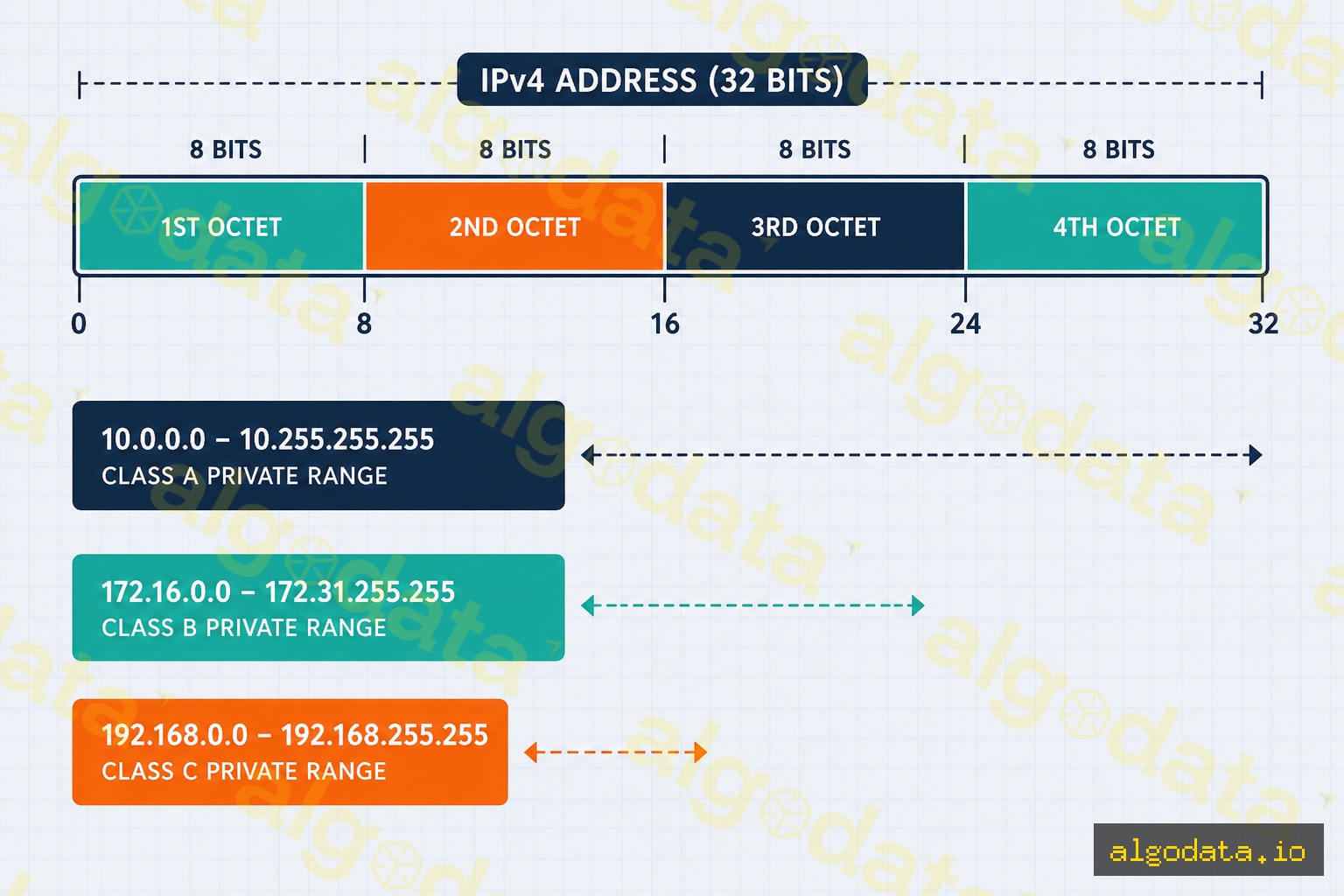
An IPv4 address is a 32-bit number, typically written as four octets separated by dots. For example: 192.168.1.100 = 11000000.10101000.00000001.01100100 in binary.
Every IP address is divided into two parts:
- Network part: Identifies the network (like an area code in a phone number)
- Host part: Identifies the device within that network (like the subscriber number)
Private IP address ranges (reserved for internal networks, not directly routable on the internet):
| Range | CIDR | Address Count | Common Use |
|---|---|---|---|
| 10.0.0.0 – 10.255.255.255 | 10.0.0.0/8 | ~16.7 million | Large enterprise networks, cloud VPCs |
| 172.16.0.0 – 172.31.255.255 | 172.16.0.0/12 | ~1 million | Docker bridge networks |
| 192.168.0.0 – 192.168.255.255 | 192.168.0.0/16 | ~65K | Home routers, small office networks |
What is a Subnet?
A subnet (subnetwork) is the practice of dividing a large IP network into smaller sub-networks. Each subnet has:
- Network address: The first address of the subnet (cannot be assigned to a host)
- Host addresses: Addresses that can be assigned to devices
- Broadcast address: The last address (cannot be assigned to a host)
Why do we need subnets?
- Security: Separate different zones (DMZ, internal, database)
- Performance: Reduce broadcast domains, reduce unnecessary traffic
- Management: Easier to monitor and filter traffic by subnet
A subnet mask indicates how many bits belong to the network portion. For example, 255.255.255.0:
255=11111111(8 bits of 1 = 8 network bits)- All three leading octets are 255 → 24 network bits
- The last octet is 0 → 8 host bits
CIDR Notation: /prefix
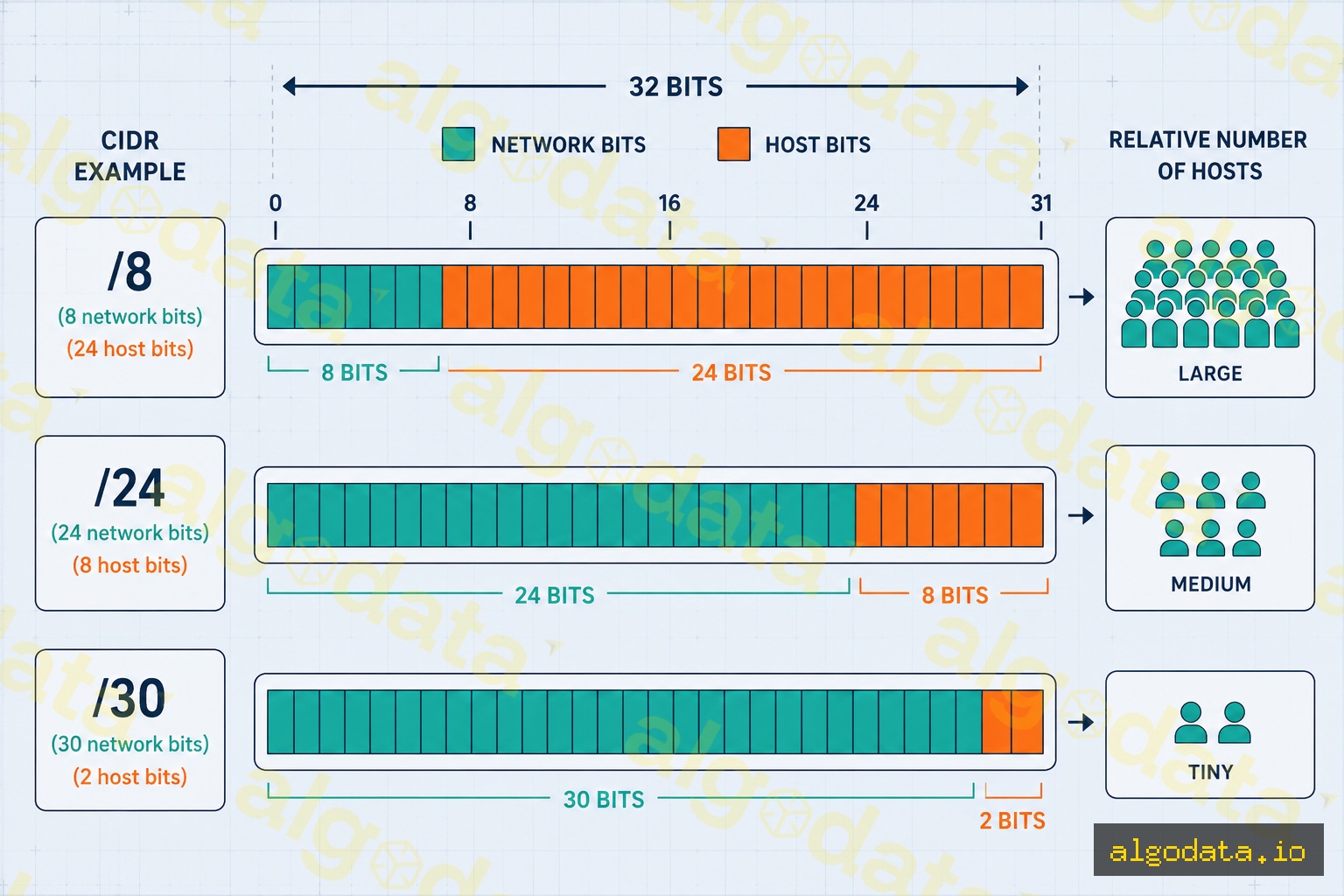
CIDR (Classless Inter-Domain Routing) replaces the old classful A/B/C system by using a prefix length (number of network bits) after a forward slash.
Common CIDR reference table:
| CIDR | Subnet Mask | Total Addresses | Usable Hosts | Used For |
|---|---|---|---|---|
| /8 | 255.0.0.0 | 16,777,216 | 16,777,214 | Very large networks |
| /16 | 255.255.0.0 | 65,536 | 65,534 | VPCs, campus networks |
| /24 | 255.255.255.0 | 256 | 254 | Most common subnet size |
| /28 | 255.255.255.240 | 16 | 14 | Small subnets |
| /30 | 255.255.255.252 | 4 | 2 | Point-to-point links |
| /32 | 255.255.255.255 | 1 | 1 | Host routes |
Formula: Usable hosts = 2^(32 - prefix) - 2
Subnet Calculation in Practice
Example 1: 192.168.1.0/24
Network:    192.168.1.0
Subnet mask: 255.255.255.0
First host: 192.168.1.1
Last host:  192.168.1.254
Broadcast:  192.168.1.255
Hosts:      254
Example 2: 10.0.0.0/28 (small subnet for DMZ)
Network:    10.0.0.0
Subnet mask: 255.255.255.240
First host: 10.0.0.1
Last host:  10.0.0.14
Broadcast:  10.0.0.15
Hosts:      14
Tool: ipcalc
 1# Install ipcalc
 2apt-get install ipcalc  # Ubuntu/Debian
 3brew install ipcalc      # macOS
 4
 5# Calculate subnet details
 6ipcalc 192.168.1.0/24
 7# Output:
 8# Address:   192.168.1.0          11000000.10101000.00000001. 00000000
 9# Netmask:   255.255.255.0 = 24   11111111.11111111.11111111. 00000000
10# Network:   192.168.1.0/24       11000000.10101000.00000001. 00000000
11# HostMin:   192.168.1.1          11000000.10101000.00000001. 00000001
12# HostMax:   192.168.1.254        11000000.10101000.00000001. 11111110
13# Broadcast: 192.168.1.255        11000000.10101000.00000001. 11111111
14# Hosts/Net: 254                   Class C, Private Internet
15
16# View IP addresses of all interfaces
17ip addr show
18# or for a specific interface
19ip addr show eth0
20
21# Check the routing table
22ip route show
AWS VPC and Subnet Design
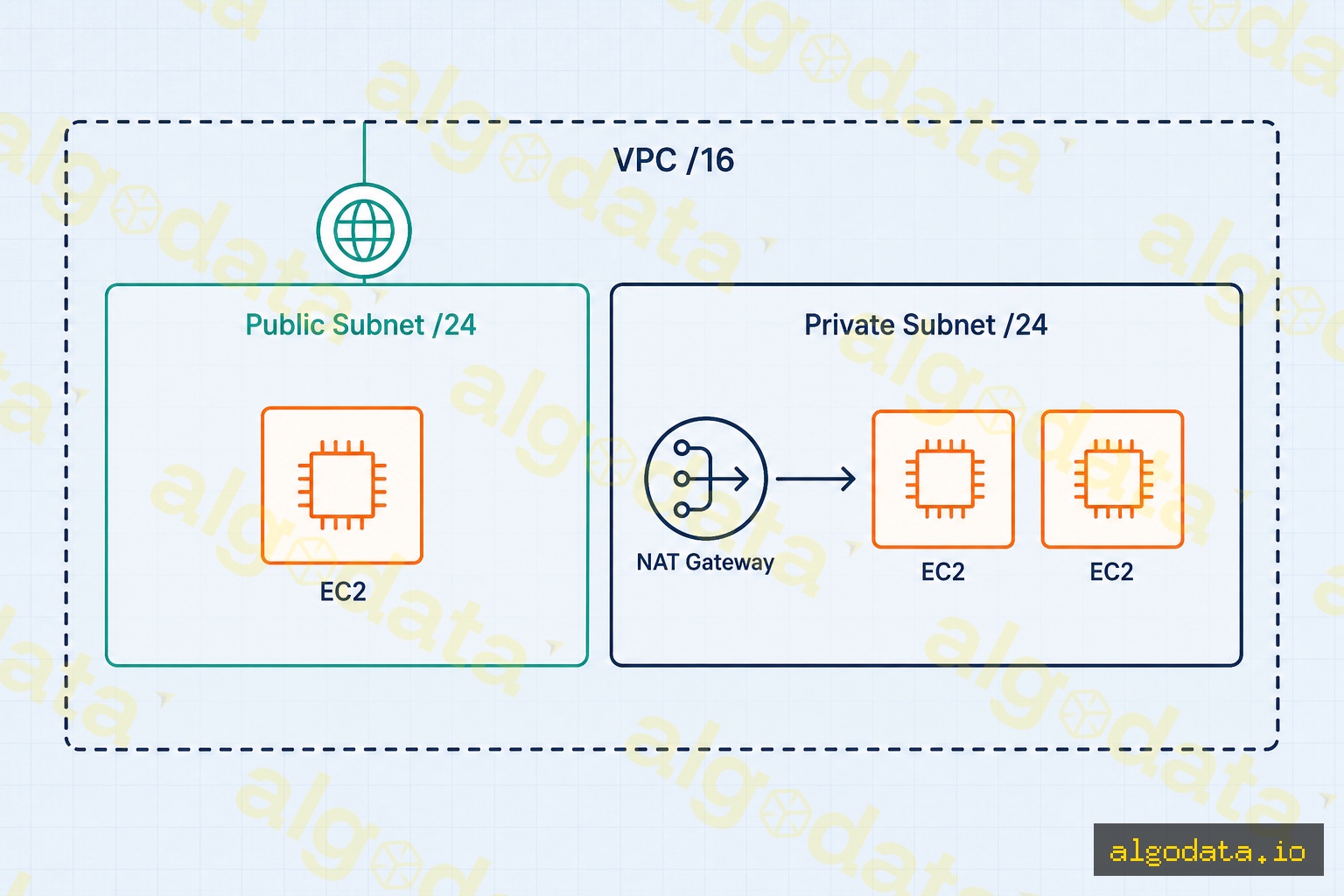
AWS VPC (Virtual Private Cloud) uses CIDR to segment cloud networks. A standard architecture looks like this:
VPC: 10.0.0.0/16 (65,536 addresses)
├── Public Subnet (AZ-a):   10.0.1.0/24   (254 hosts)
├── Public Subnet (AZ-b):   10.0.2.0/24   (254 hosts)
├── Private Subnet (AZ-a):  10.0.10.0/24  (254 hosts)
├── Private Subnet (AZ-b):  10.0.20.0/24  (254 hosts)
└── Database Subnet (AZ-a): 10.0.100.0/24 (254 hosts)
AWS reserves 5 addresses in every subnet:
.0— Network address.1— AWS VPC router.2— AWS DNS server.3— Reserved for future use.255— Broadcast (not supported by AWS)
→ A /24 subnet in AWS actually gives you only 251 usable addresses (256 - 5)
Terraform example:
 1resource "aws_vpc" "main" {
 2  cidr_block = "10.0.0.0/16"
 3}
 4
 5resource "aws_subnet" "public_a" {
 6  vpc_id            = aws_vpc.main.id
 7  cidr_block        = "10.0.1.0/24"
 8  availability_zone = "ap-southeast-1a"
 9}
10
11resource "aws_subnet" "private_a" {
12  vpc_id            = aws_vpc.main.id
13  cidr_block        = "10.0.10.0/24"
14  availability_zone = "ap-southeast-1a"
15}
Kubernetes Pod CIDR
Kubernetes uses a dedicated CIDR range for its pod network, completely separate from node IP addresses:
1# View pod CIDR for the cluster
2kubectl get nodes -o wide
3# INTERNAL-IP column shows node IPs; POD-CIDR column shows each node's pod CIDR
4
5# Check pod CIDR in kubeadm config
6kubectl get configmap kubeadm-config -n kube-system -o yaml | grep podSubnet
7
8# View pod IPs across all namespaces
9kubectl get pods -A -o wide
Default CNI plugins and their CIDRs:
- Flannel:
10.244.0.0/16— each node receives a /24 (up to 256 pods per node) - Calico:
192.168.0.0/16— flexible, supports BGP routing - Cilium:
10.0.0.0/8— uses eBPF, flexible block size
VLSM: Variable Length Subnet Masking
VLSM allows you to use subnets of different sizes within the same network:
Parent network: 10.0.0.0/8

HCM Office (500 employees): 10.1.0.0/23  → 510 hosts
HN Office  (200 employees): 10.2.0.0/24  → 254 hosts
DN Office  (50 employees):  10.3.0.0/26  → 62 hosts
Router-to-Router WAN link:  10.4.0.0/30  → 2 hosts
Loopback interface:          10.5.0.1/32  → 1 host
Without VLSM, every subnet would need to be large enough for the biggest office — wasting hundreds of IP addresses on segments that only need a handful.