- 1 What is an API Gateway? Single Entry Point for Microservices
- 2 What is NAT? Network Address Translation Explained
- 3 What is GitLab CI/CD? Automated Pipeline for Build, Test, and Deploy
- 4 What is Apache Kafka? Distributed Event Streaming Platform Explained
- 5 What is Serverless? FaaS, Cold Start, and When to Go Serverless
- 6 What is Subnet & CIDR? IP Network Segmentation and Routing
- 7 What is Kubernetes? The Most Popular Container Orchestration Platform Today
- 8 What is a Proxy? Forward Proxy, Reverse Proxy and SOCKS5 Explained
- 9 What is Nginx? Web server, reverse proxy, and load balancer in one
Proxy is one of those networking concepts that appears everywhere yet is often misunderstood. Forward proxy, reverse proxy, SOCKS5 — each type serves a different purpose. This article clearly explains each one with real-world configuration examples.
Need data solutions for your business?
AlgoData has helped businesses with data engineering, analytics & AI since 2019.
What is a Proxy?
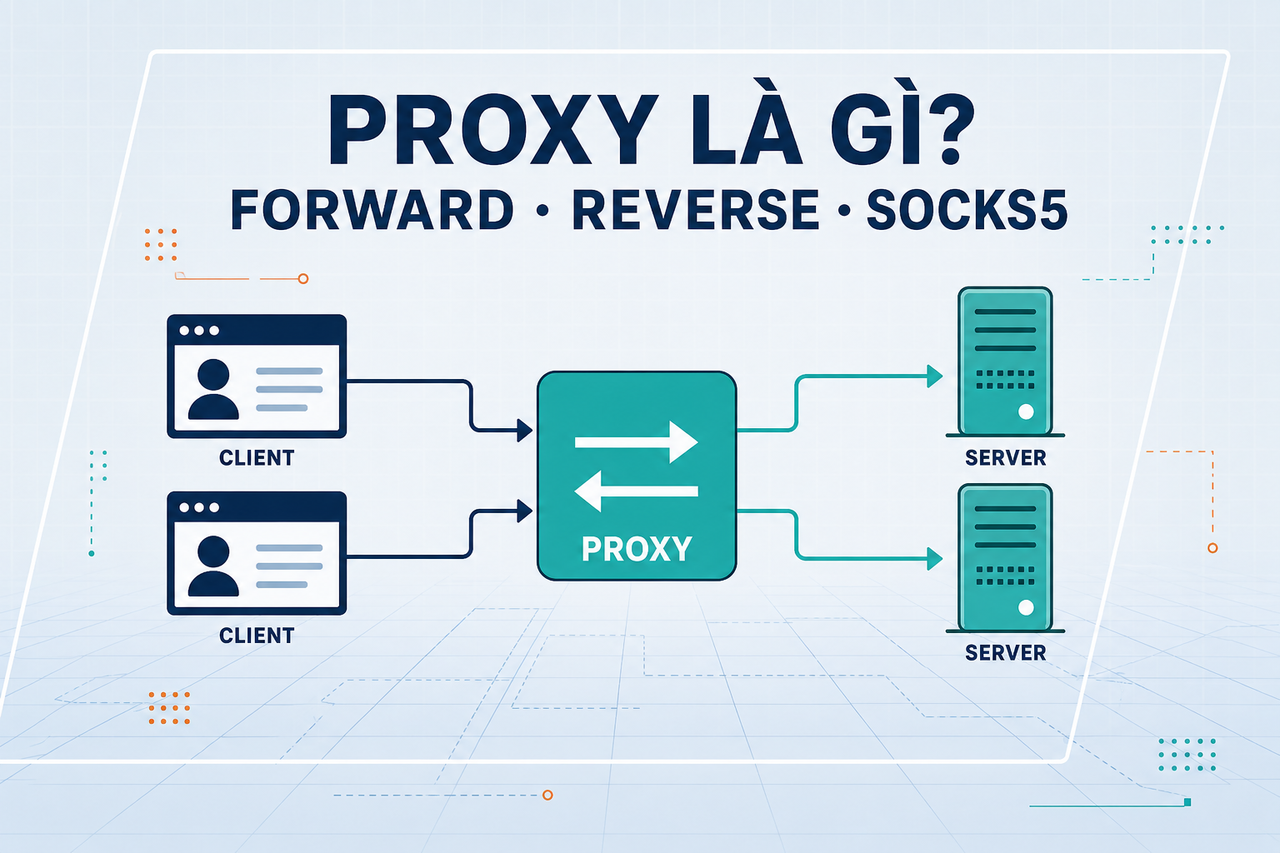
A proxy server is an intermediary server that acts on behalf of either a client or a server during network communication. Instead of the client connecting directly to the destination server, all traffic passes through the proxy.
Benefits of using a proxy:
- Anonymity: Hides the real IP address of the client or server
- Caching: Stores responses to serve repeated requests faster (without fetching from the origin)
- Access control: Blocks or allows traffic based on policy
- Load balancing: Distributes traffic across multiple backend servers
- SSL termination: Handles TLS at the proxy level so backends can use plain HTTP
There are three main types of proxy: Forward Proxy, Reverse Proxy, and SOCKS5 Proxy.
Forward Proxy
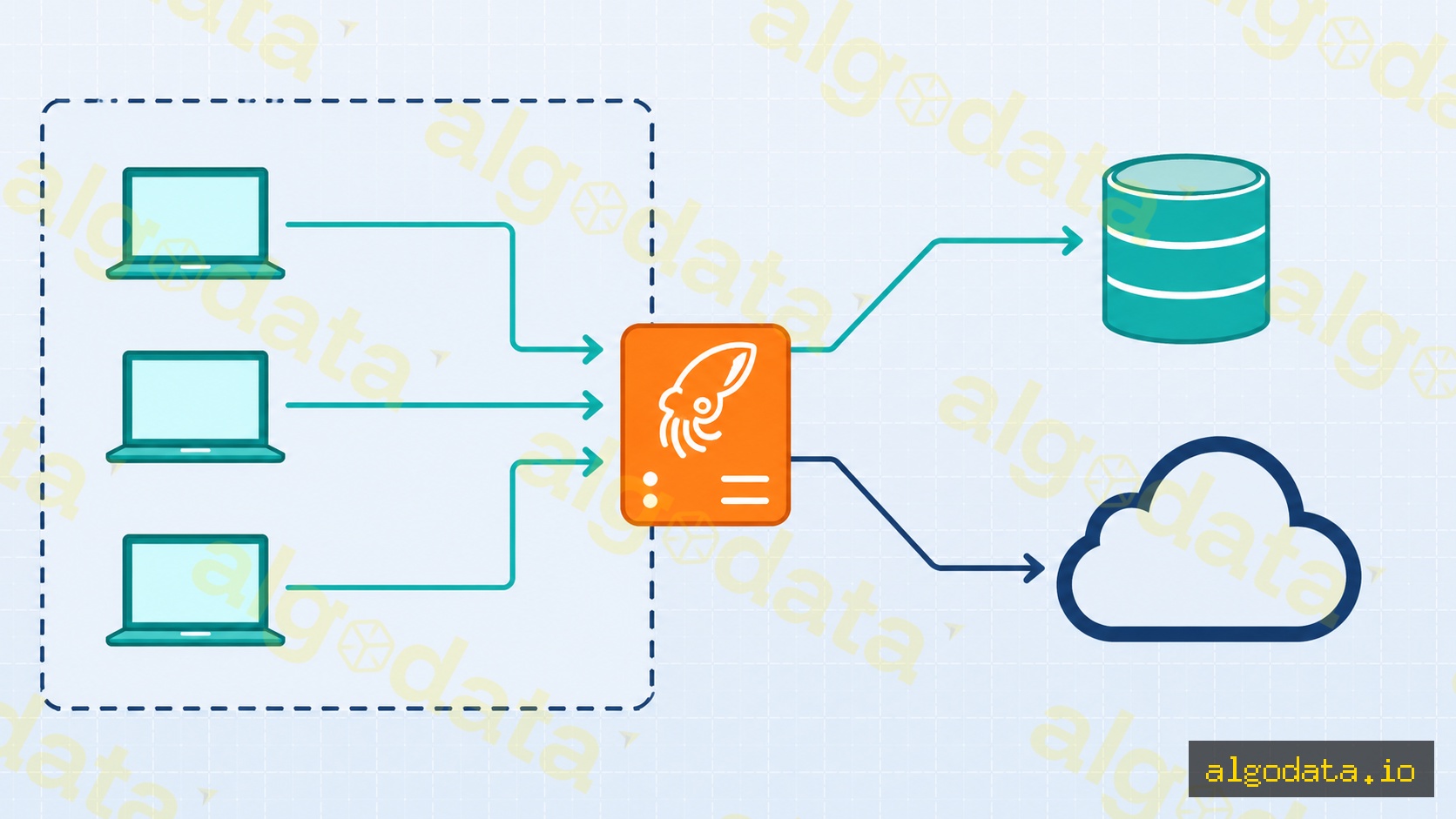
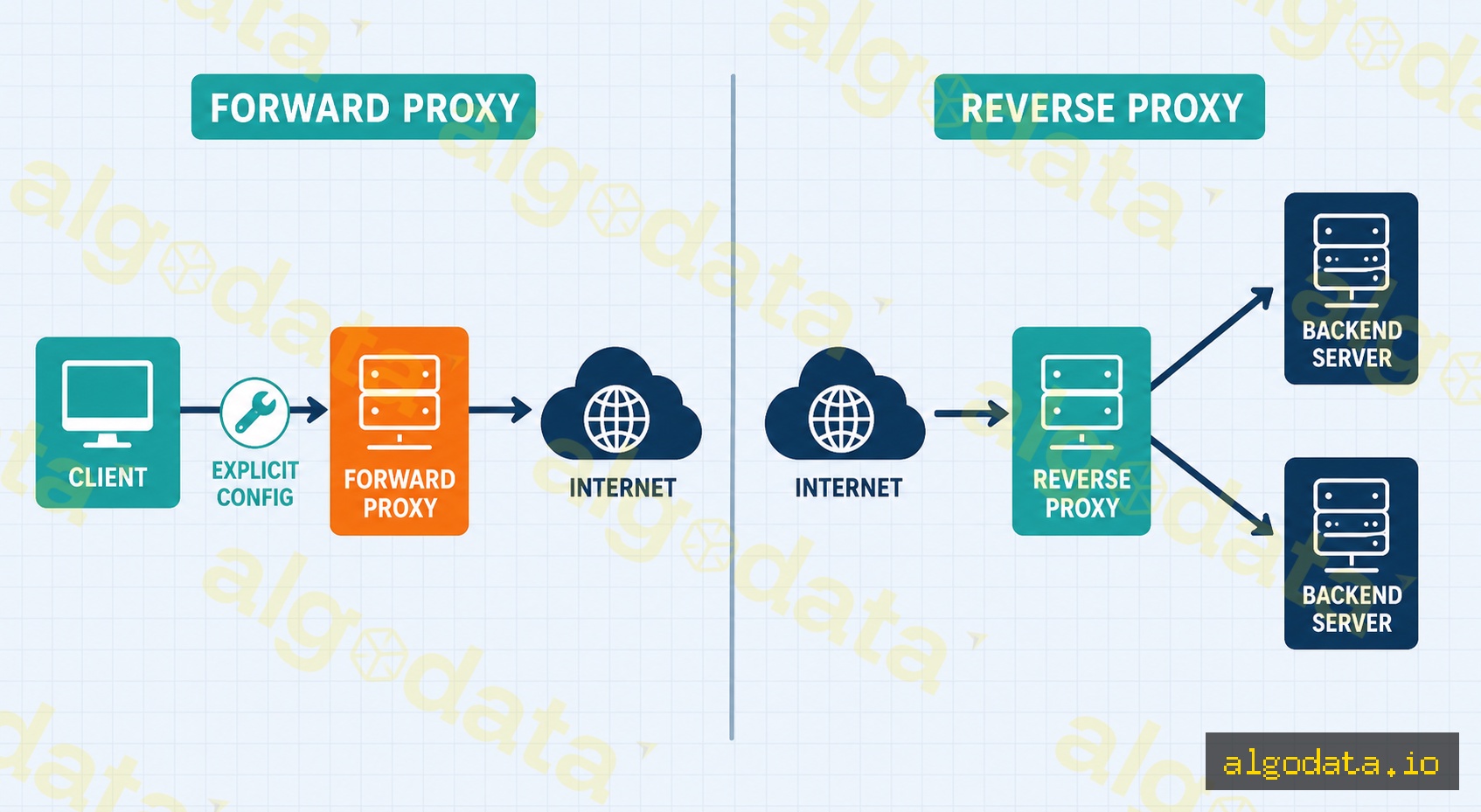
A Forward Proxy sits between the client and the internet. The client knows it is using a proxy and must configure it explicitly (in the browser, OS, or application).
Traffic flow:
Client → Forward Proxy → Internet → Destination Server
The destination server sees the proxy's IP, not the client's real IP.
Common use cases:
- Corporate web filtering: IT departments block inappropriate websites (social media, games) and log web access
- Bypassing geo-restrictions: A client in Vietnam uses a US-based proxy to access content restricted to the US
- Development and debugging: Dev teams use proxies to intercept and inspect HTTP requests (Charles Proxy, mitmproxy)
Squid Forward Proxy — basic configuration:
 1# Install Squid
 2apt-get install squid
 3
 4# /etc/squid/squid.conf
 5http_port 3128
 6
 7# Allow internal network
 8acl localnet src 192.168.0.0/16
 9acl localnet src 10.0.0.0/8
10http_access allow localnet
11
12# Block social media
13acl social dstdomain .facebook.com .tiktok.com .youtube.com
14http_access deny social
15
16# Deny all other traffic
17http_access deny all
1# Test the proxy from a client
2curl -x http://proxy-server:3128 https://httpbin.org/ip
3# The response will return the proxy's IP, not the client's
4
5# Set proxy for the entire terminal session
6export http_proxy="http://proxy-server:3128"
7export https_proxy="http://proxy-server:3128"
Reverse Proxy
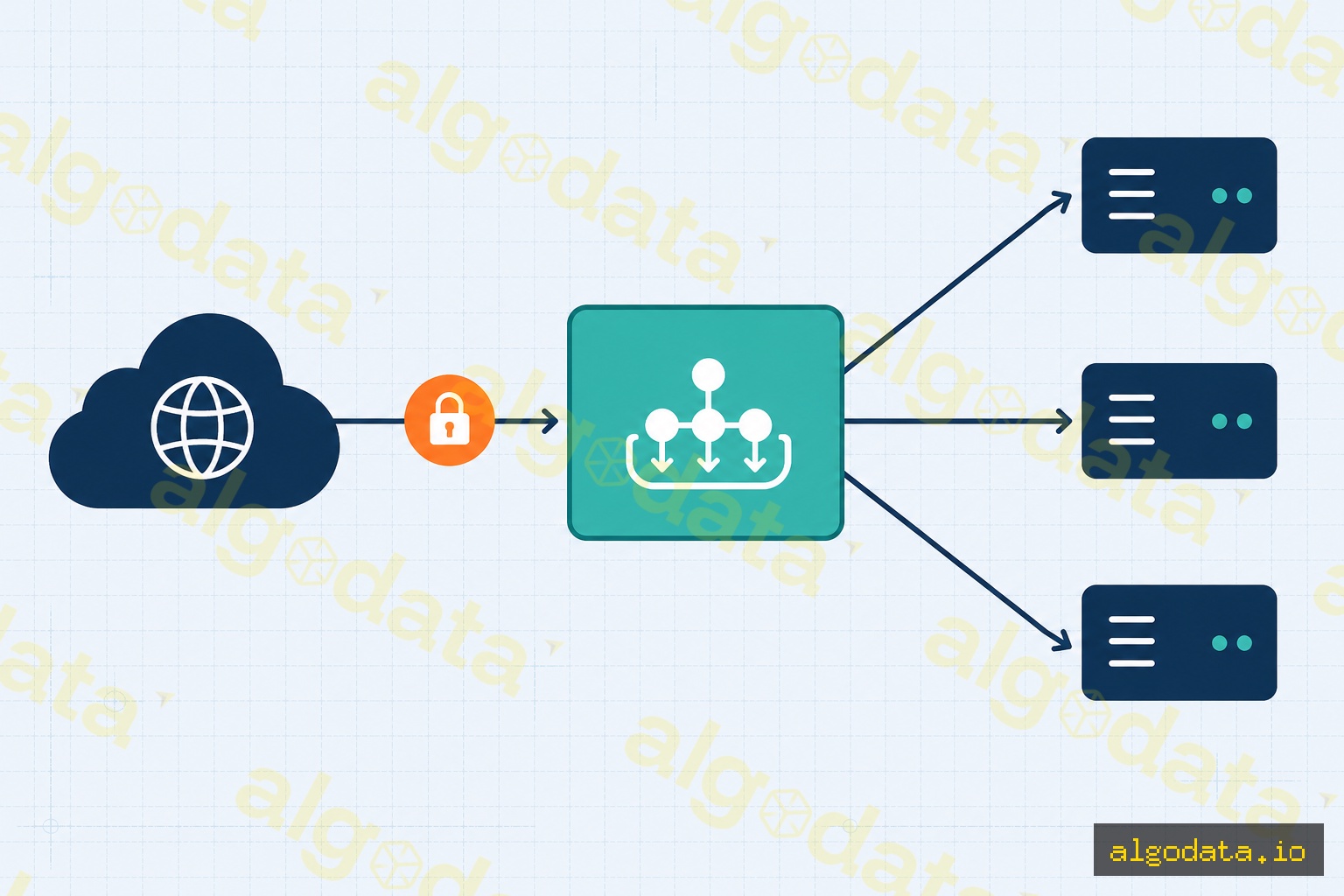
A Reverse Proxy sits in front of backend servers. The client (browser) does not know the proxy exists — they think they are connecting directly to the real server. The backend IP addresses are completely hidden from the client.
Traffic flow:
Client → Reverse Proxy → Backend Server 1
                       → Backend Server 2
                       → Backend Server 3
NGINX as a Reverse Proxy:
 1# /etc/nginx/sites-available/myapp
 2server {
 3    listen 80;
 4    server_name api.example.com;
 5
 6    location / {
 7        proxy_pass http://localhost:3000;
 8        proxy_set_header Host $host;
 9        proxy_set_header X-Real-IP $remote_addr;
10        proxy_set_header X-Forwarded-For $proxy_add_x_forwarded_for;
11        proxy_set_header X-Forwarded-Proto $scheme;
12    }
13}
14
15# Load balancing with upstream
16upstream backend_pool {
17    server 10.0.1.10:3000 weight=3;
18    server 10.0.1.11:3000 weight=1;
19    server 10.0.1.12:3000 backup;
20}
21
22server {
23    listen 443 ssl;
24    server_name api.example.com;
25
26    location /api/ {
27        proxy_pass http://backend_pool;
28    }
29}
Common use cases for a Reverse Proxy:
- SSL termination: NGINX handles TLS; backends only need plain HTTP
- Load balancing: Distributes requests across multiple instances
- Static file serving: NGINX serves static assets; backends focus on business logic
- Rate limiting: Limits requests from a single IP address
- Security: Hides backend information (versions, IPs, ports)
SOCKS5 Proxy
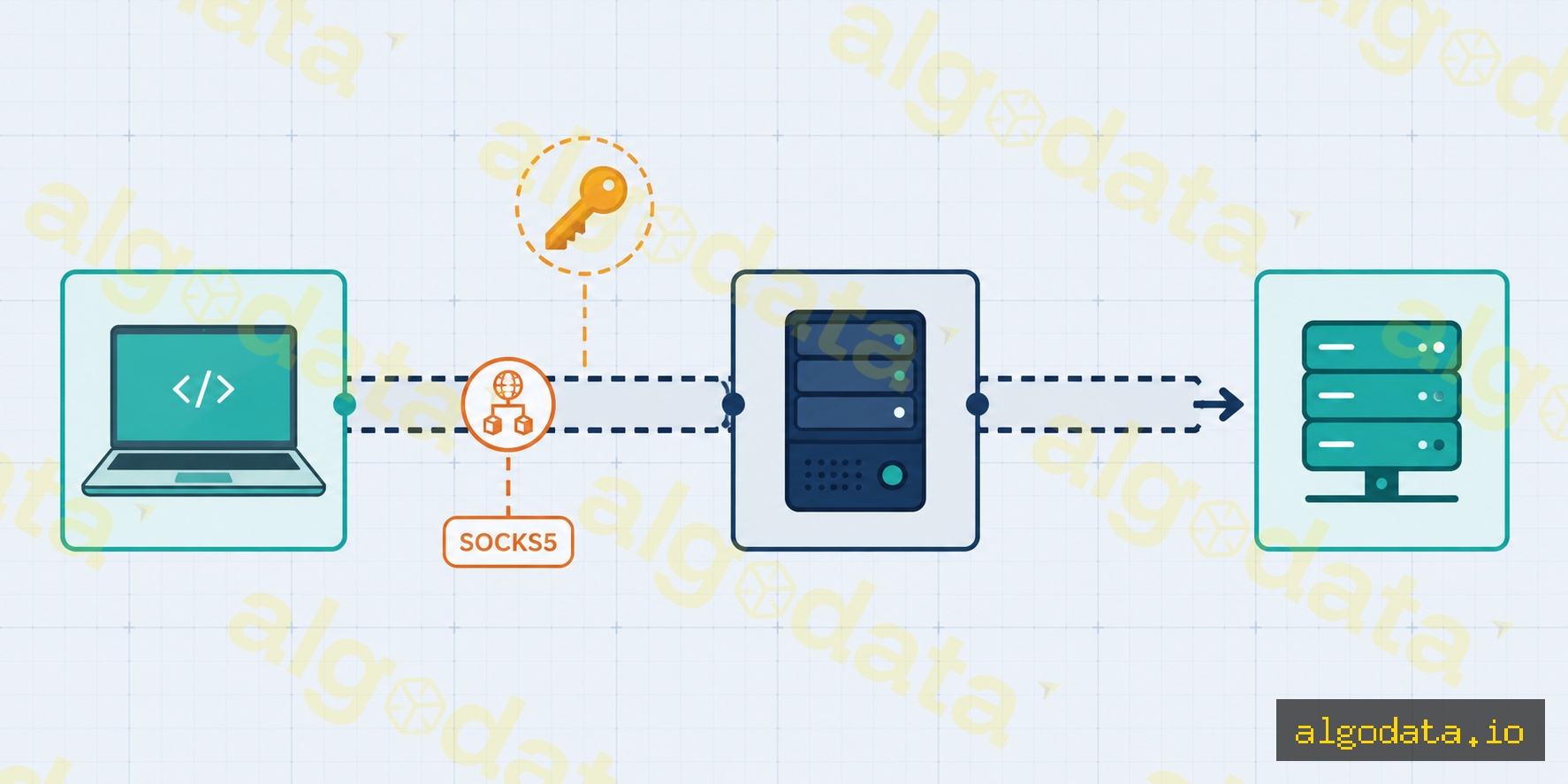
SOCKS5 is a proxy that operates at the session layer (OSI Layer 5) and is independent of the application protocol. It tunnels any TCP/UDP traffic — HTTP, SMTP, FTP, SSH, game traffic, and more.
Creating a SOCKS5 proxy via SSH tunnel:
 1# Create an SSH SOCKS5 tunnel (port 1080 on localhost)
 2ssh -D 1080 -N -f user@jumphost.example.com
 3# -D 1080: create a SOCKS5 proxy on port 1080
 4# -N: do not execute a remote command
 5# -f: run in the background
 6
 7# Test via SOCKS5
 8curl --socks5 127.0.0.1:1080 https://httpbin.org/ip
 9curl --socks5-hostname 127.0.0.1:1080 https://ifconfig.me
10
11# Use with git (proxy git pull through the SSH tunnel)
12git config --global http.proxy socks5://127.0.0.1:1080
Configuring SOCKS5 in Python (requests library):
1import requests
2
3proxies = {
4    "http": "socks5://127.0.0.1:1080",
5    "https": "socks5://127.0.0.1:1080",
6}
7
8response = requests.get("https://httpbin.org/ip", proxies=proxies)
9print(response.json())  # Returns the proxy's IP, not the real IP
SOCKS5 vs HTTP Proxy:
| Criteria | HTTP Proxy | SOCKS5 |
|---|---|---|
| Protocol | HTTP/HTTPS only | Any TCP/UDP |
| Layer | Application (L7) | Session (L5) |
| Authentication | Basic auth header | Username/password |
| UDP support | No | Yes |
| Used for | Web browsing | Gaming, torrenting, SSH |
Proxy vs VPN
Both proxies and VPNs hide your real IP and route traffic through an intermediary server, but they differ significantly in how they work:
| Criteria | Proxy | VPN |
|---|---|---|
| Scope | One application | Entire OS |
| Encryption | Varies (HTTP proxy = none) | Always encrypted |
| DNS | App-controlled | Routed through VPN (prevents DNS leaks) |
| Speed | Faster | Slower (encryption overhead) |
| Setup | Per-app configuration | OS-level |
| Use case | Web browsing, dev tools | Remote work, full privacy |