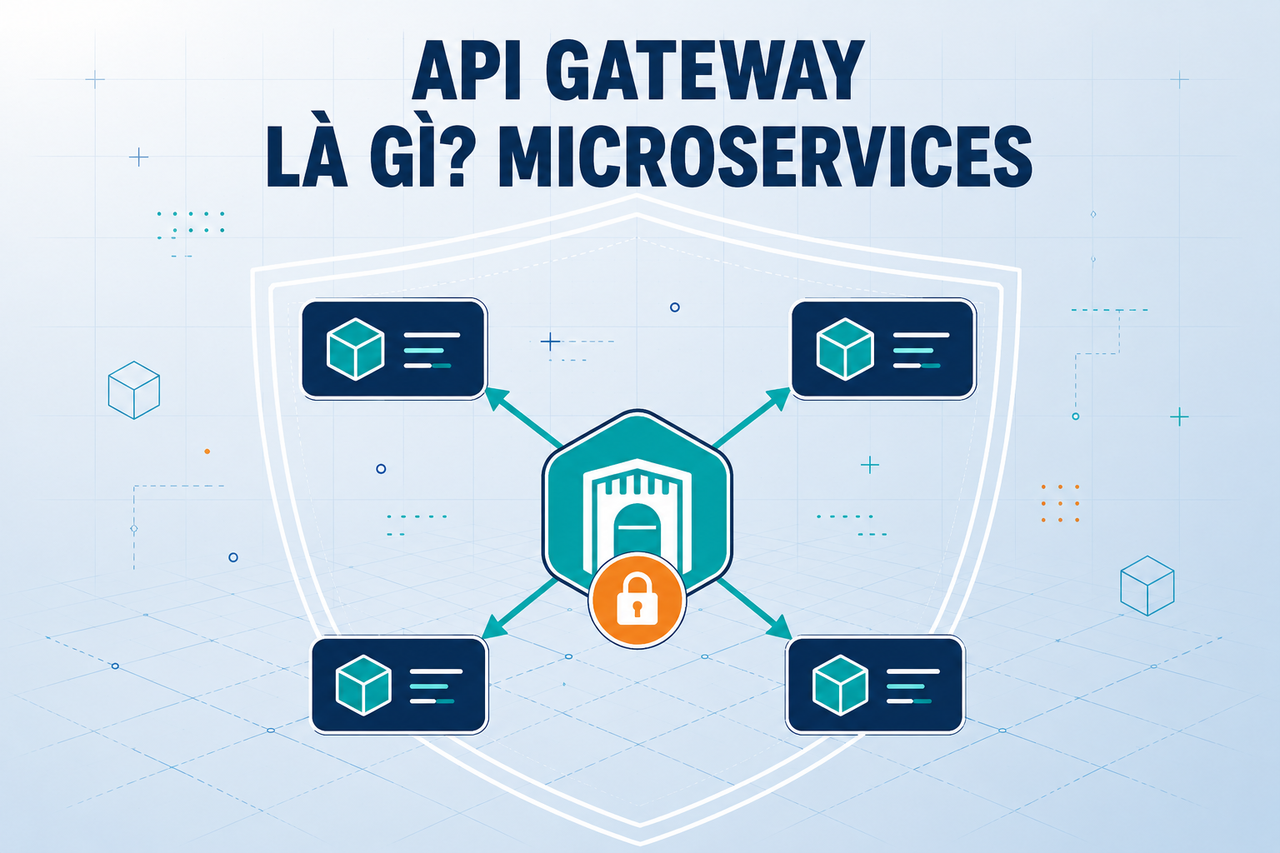
- 1 What is an API Gateway? Single Entry Point for Microservices
- 2 What is NAT? Network Address Translation Explained
- 3 What is GitLab CI/CD? Automated Pipeline for Build, Test, and Deploy
- 4 What is Apache Kafka? Distributed Event Streaming Platform Explained
- 5 What is Serverless? FaaS, Cold Start, and When to Go Serverless
- 6 What is Subnet & CIDR? IP Network Segmentation and Routing
- 7 What is Kubernetes? The Most Popular Container Orchestration Platform Today
- 8 What is a Proxy? Forward Proxy, Reverse Proxy and SOCKS5 Explained
- 9 What is Nginx? Web server, reverse proxy, and load balancer in one
An API Gateway is the intelligent intermediary between clients and the dozens of microservices behind it: it receives every request, validates identity, enforces rate limits, routes to the correct service and returns the result — all through a single entry point. This article explains what an API Gateway is, how a request flows through it, compares the most popular solutions and shows how to secure a system at the gateway layer.
Need data solutions for your business?
AlgoData has helped businesses with data engineering, analytics & AI since 2019.
What is an API Gateway?
An API Gateway is a reverse proxy that acts as the single entry point for an entire microservices architecture. Instead of clients calling each individual service directly (each with its own address and port), clients only need to know a single address — the gateway.
The gateway handles multiple responsibilities simultaneously:
- Routing: Based on path (
/users/*→ User Service,/orders/*→ Order Service), headers or HTTP method, it forwards requests to the correct backend service. - Authentication & Authorization: Validates JWT tokens, API keys or sessions before a request ever reaches a service.
- Rate Limiting: Limits the number of requests within a time window to protect services from overload.
- SSL Termination: Handles HTTPS at the gateway; internal services only need plain HTTP.
- Load Balancing: Distributes traffic across multiple instances of the same service.
- Request/Response Transformation: Adds headers, converts formats (XML ↔ JSON), hides sensitive fields.
Without a gateway, every microservice would have to implement its own security and authentication layer — leading to duplicated code, maintenance headaches and a higher risk of vulnerabilities.
Core Functions of an API Gateway
A production-ready API Gateway typically covers at least seven function groups:
1. Smart Routing
The gateway parses the URL, HTTP method and headers of a request, then decides which upstream to forward to. Some gateways support path rewriting — for example, receiving /v1/products from the client but forwarding /internal/catalog to the service.
2. Authentication — identity verification
The gateway integrates with an Identity Provider (IdP) to verify JWT tokens, OAuth2 tokens or API keys. If the token is invalid, the gateway immediately returns 401 Unauthorized without the request ever reaching a backend service.
3. Rate Limiting
Common mechanisms: token bucket or sliding window. Each client (or API key) has a request quota. When the threshold is exceeded, the gateway returns 429 Too Many Requests with a Retry-After header.
4. SSL/TLS Termination
The gateway accepts HTTPS connections from the internet, terminates TLS there, and forwards plain HTTP to internal services. This reduces CPU load on services and simplifies certificate management — you only need to renew in one place.
5. Load Balancing
The gateway can round-robin, least-connections or weighted-balance requests across multiple instances of the same service, with health checks to automatically remove unresponsive instances.
6. Circuit Breaker
When a backend service continuously fails (timeouts, 5xx errors), the circuit breaker "trips" to stop sending more requests — returning a controlled error rather than letting clients hang. This helps the system recover faster.
7. Observability: Logging, Metrics, Tracing
The gateway is the ideal place to inject request IDs, collect latency metrics and forward centralised logs. Since every request passes through here, there is no need to instrument each individual service.
Request Flow through an API Gateway
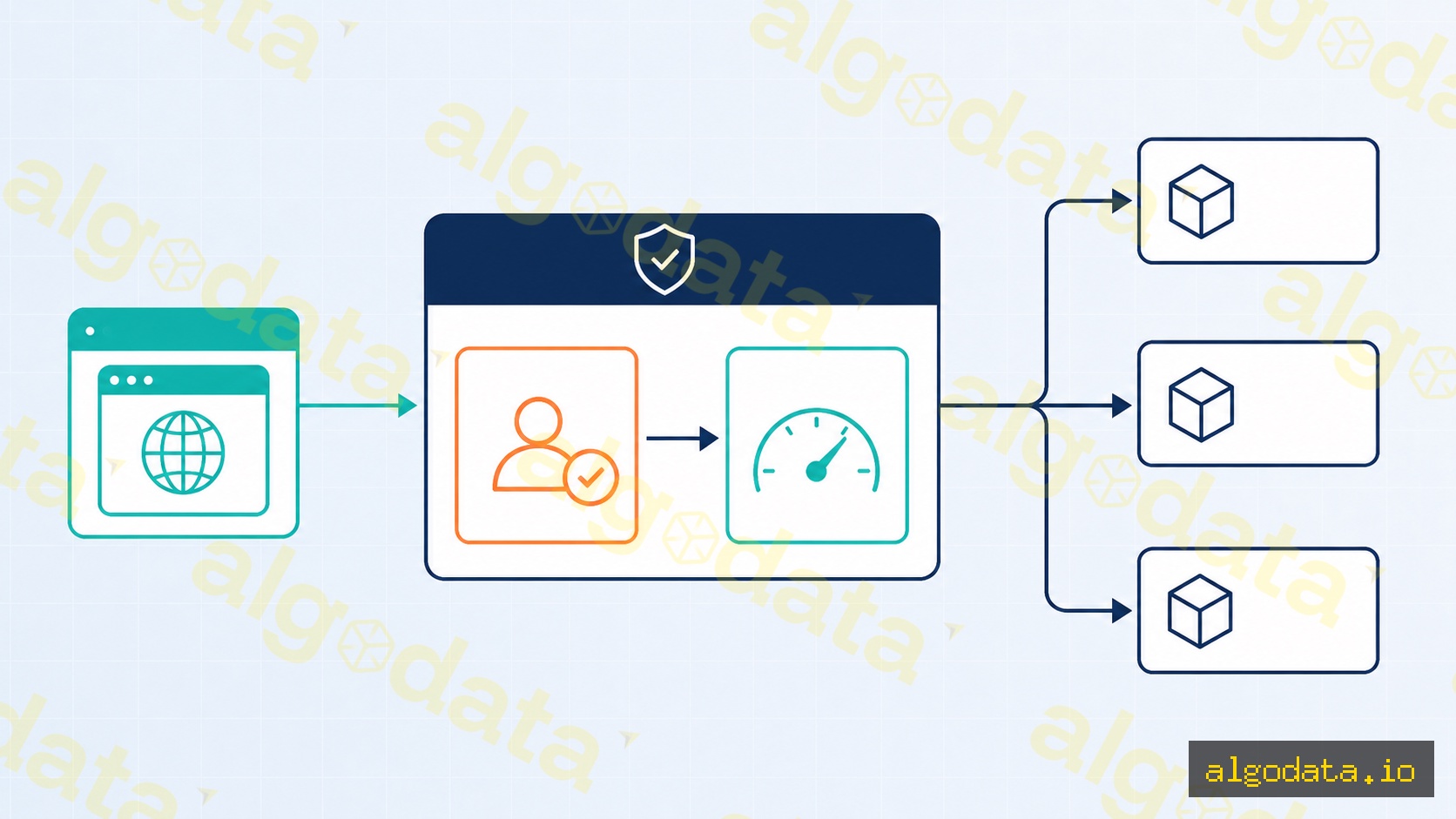
Understanding the request flow helps with debugging and system design:
Client
  │
  ▼  (HTTPS)
┌─────────────────────────────┐
│        API Gateway          │
│  ┌──────────┐ ┌───────────┐ │
│  │Auth Check│ │Rate Limit │ │
│  └────┬─────┘ └─────┬─────┘ │
│       │             │       │
│  ┌────▼─────────────▼─────┐ │
│  │       Router            │ │
│  └────┬──────────┬────────┘ │
└───────┼──────────┼──────────┘
        │          │
   (HTTP)          (HTTP)
        ▼          ▼
   User Service  Order Service
Detailed processing steps:
- Client sends request — always to the gateway address, e.g.
https://api.example.com/v1/orders. - SSL Termination — the gateway decrypts TLS; the request becomes plain internal HTTP.
- Authentication Check — the gateway checks the JWT or API key in the
Authorizationheader. Missing or invalid →401. - Rate Limit Check — the gateway counts requests per key (IP, user ID, API key). Threshold exceeded →
429. - Routing — the gateway matches the path against the route table and selects an upstream service.
- Load Balancing — if the service has multiple instances, the gateway selects one per the configured algorithm.
- Forward Request — the gateway sends the request (HTTP) to the service, adding headers like
X-Request-IDandX-Forwarded-For. - Service processes — the service receives, processes and returns a response.
- Response to client — the gateway receives the response from the service, optionally adds headers (CORS, security headers) and returns it to the client over HTTPS.
Total gateway processing time is typically only 1–5ms for a well-optimised setup without heavy transformation or caching.
Most Popular API Gateways
There are many options ranging from self-hosted to fully managed:
| Gateway | Platform | Strengths |
|---|---|---|
| Kong | Self-hosted (NGINX + Lua) | Rich plugin ecosystem, Admin API |
| NGINX | Self-hosted | High performance, flexible config |
| Traefik | Self-hosted (Docker/K8s native) | Auto-discovery, built-in Let's Encrypt |
| Envoy | Self-hosted (C++) | Extremely fast, used in service mesh |
| AWS API Gateway | Fully managed | Lambda/IAM integration, auto-scales |
| Kong Konnect | Cloud managed | Kong engine + SaaS control plane |
Kong — declarative config
Kong lets you define the entire configuration as a YAML file (declarative):
 1# kong.yaml — Kong declarative configuration
 2_format_version: "3.0"
 3
 4services:
 5  - name: user-service
 6    url: http://user-svc:8080
 7    routes:
 8      - name: user-routes
 9        paths:
10          - /v1/users
11        strip_path: true
12    plugins:
13      - name: rate-limiting
14        config:
15          minute: 100          # max 100 req/min per consumer
16          policy: local
17      - name: key-auth          # require API key
18        config:
19          key_names:
20            - apikey
21
22  - name: order-service
23    url: http://order-svc:8080
24    routes:
25      - name: order-routes
26        paths:
27          - /v1/orders
28        strip_path: true
29    plugins:
30      - name: rate-limiting
31        config:
32          minute: 50
33          policy: local
34      - name: jwt               # require JWT token
35        config:
36          secret_is_base64: false
Apply the config with: deck gateway sync kong.yaml
NGINX — location block
NGINX as a basic reverse proxy using location blocks:
 1# /etc/nginx/conf.d/api-gateway.conf
 2
 3upstream user_service {
 4    server user-svc-1:8080;
 5    server user-svc-2:8080;
 6    keepalive 32;              # maintain connection pool
 7}
 8
 9upstream order_service {
10    server order-svc:8080;
11}
12
13server {
14    listen 443 ssl;
15    server_name api.example.com;
16
17    ssl_certificate     /etc/ssl/certs/api.crt;
18    ssl_certificate_key /etc/ssl/private/api.key;
19
20    # Route /v1/users → User Service
21    location /v1/users/ {
22        proxy_pass         http://user_service/;
23        proxy_set_header   Host $host;
24        proxy_set_header   X-Real-IP $remote_addr;
25        proxy_set_header   X-Forwarded-For $proxy_add_x_forwarded_for;
26        proxy_set_header   X-Request-ID $request_id;
27
28        # Rate limiting (limit_req_zone defined outside this block)
29        limit_req zone=api_limit burst=20 nodelay;
30    }
31
32    # Route /v1/orders → Order Service
33    location /v1/orders/ {
34        proxy_pass         http://order_service/;
35        proxy_set_header   Host $host;
36        proxy_set_header   X-Forwarded-For $proxy_add_x_forwarded_for;
37        limit_req zone=api_limit burst=10 nodelay;
38    }
39
40    # Gateway health check endpoint
41    location /health {
42        return 200 "OK\n";
43        add_header Content-Type text/plain;
44    }
45}
46
47# Rate limit zone — 10MB shared memory, 30 req/s per IP
48limit_req_zone $binary_remote_addr zone=api_limit:10m rate=30r/s;
API Gateway vs Load Balancer vs Reverse Proxy
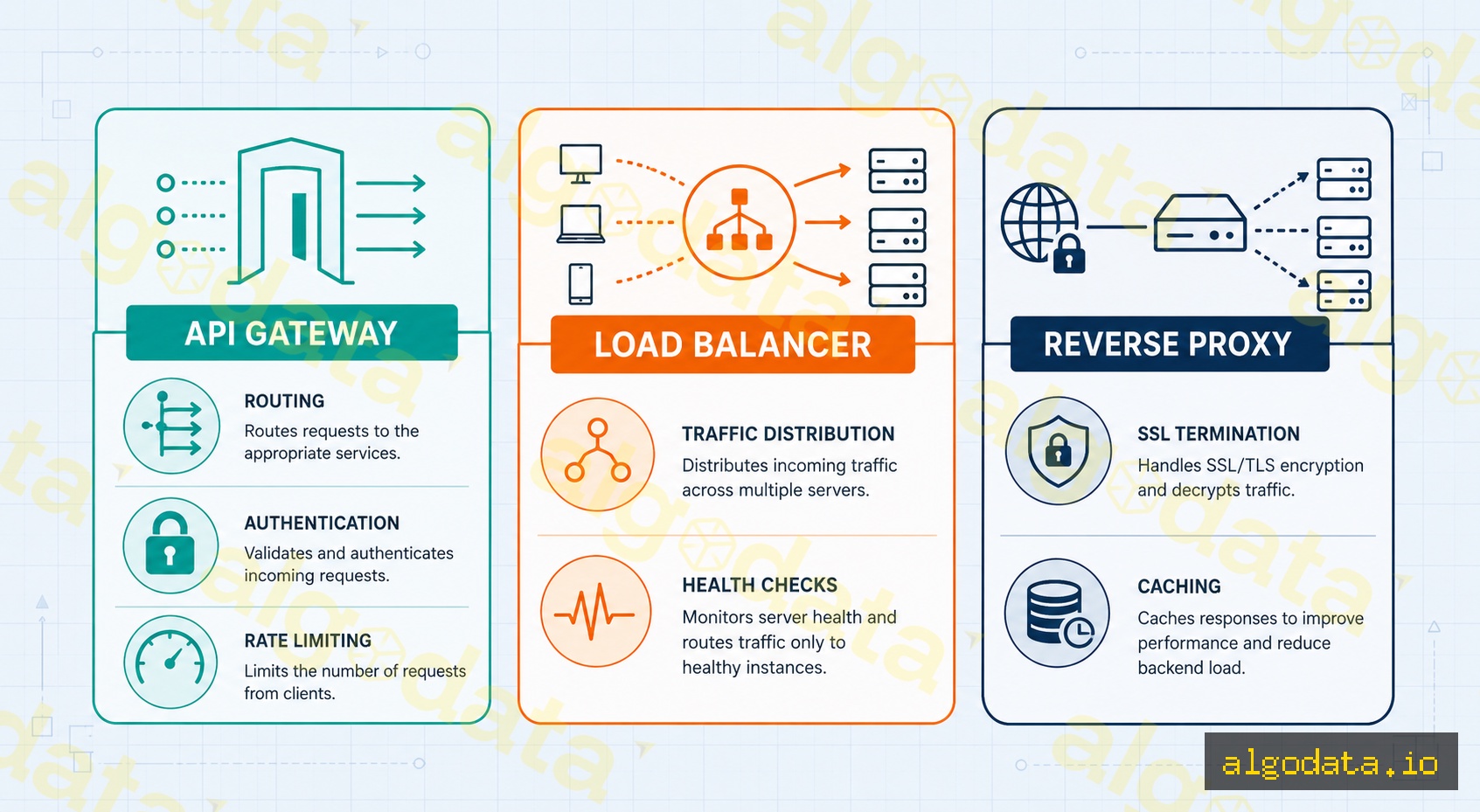
These three concepts are often confused because they all sit "in front of" services, but their roles are clearly distinct:
| Criterion | API Gateway | Load Balancer | Reverse Proxy |
|---|---|---|---|
| Purpose | Complex API management | Traffic distribution | Request forwarding |
| Routing | By path, header, method | By IP/port only | By path/domain |
| Auth | Built-in (JWT, OAuth2) | No | No (usually) |
| Rate Limiting | Yes | No | No (usually) |
| Request Transform | Yes | No | Limited |
| Use case | Microservices API | Horizontal scaling | Simplified access |
| Examples | Kong, AWS API GW | AWS ALB, HAProxy | NGINX, Caddy |
When to use which?
- Just need to spread load across identical instances → A Load Balancer (ALB, HAProxy) is sufficient and faster.
- Need SSL termination + static file serving → A Reverse Proxy (NGINX) makes sense.
- Multiple different services with centralised auth/rate-limiting → An API Gateway is the right choice.
- Large-scale microservices architecture → Usually combines all three layers: API Gateway at the edge, Load Balancers per service cluster behind it.
Security at the API Gateway
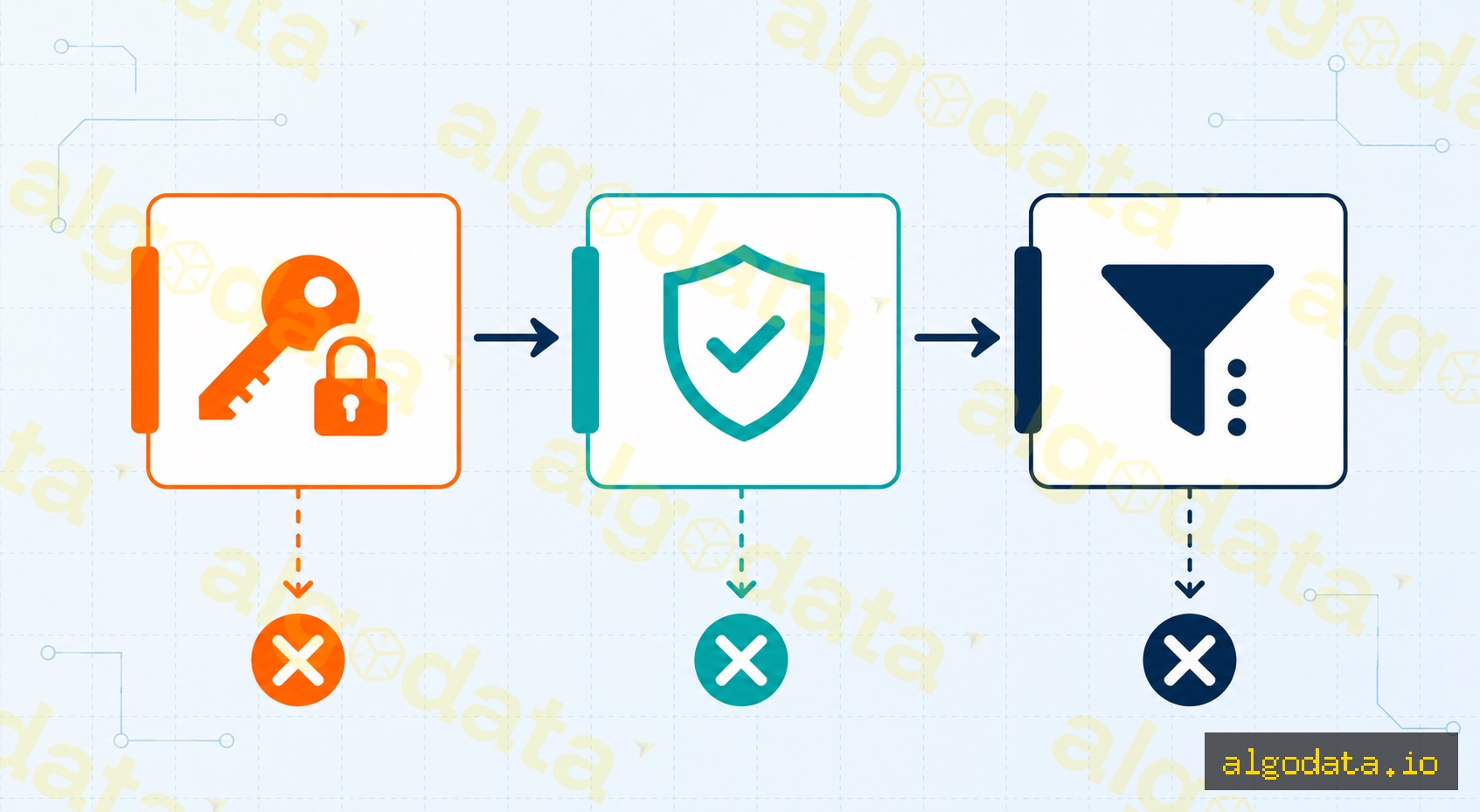
The gateway is the ideal place to implement centralised security, rather than repeating the same implementation in every service:
JWT Validation
JWT (JSON Web Token) is the most common authentication mechanism in REST APIs. The gateway verifies the token's signature using a public key (RS256) or a shared secret (HS256):
 1# Kong JWT plugin
 2plugins:
 3  - name: jwt
 4    config:
 5      key_claim_name: iss        # claim that holds the key ID
 6      claims_to_verify:
 7        - exp                    # verify token has not expired
 8        - nbf                    # verify token is already valid
 9      secret_is_base64: false
10      run_on_preflight: false    # skip OPTIONS requests (CORS preflight)
When a JWT is valid, the gateway adds X-Consumer-ID and X-Consumer-Username headers to the request so backend services know who is calling without needing to decode the token themselves.
OAuth2 Authorization Code Flow
For APIs that need fine-grained authorisation (scope-based), the gateway integrates with an Authorization Server:
Client → Gateway: GET /v1/orders (Authorization: Bearer <access_token>)
Gateway → Auth Server: Introspect token (check scope "orders:read")
Auth Server → Gateway: {"active": true, "scope": "orders:read", "sub": "user123"}
Gateway → Order Service: Forward request + X-User-ID: user123
Order Service → Gateway: 200 OK + response body
Gateway → Client: 200 OK + response body
API Key Authentication
Simpler than JWT — suitable for server-to-server APIs or third-party integrations:
 1# NGINX — verify API key via X-API-Key header
 2map $http_x_api_key $api_key_valid {
 3    default         0;
 4    "secret-key-A"  1;
 5    "secret-key-B"  1;
 6}
 7
 8server {
 9    location /v1/data/ {
10        if ($api_key_valid = 0) {
11            return 403 '{"error": "Invalid API key"}';
12        }
13        proxy_pass http://data_service/;
14    }
15}
In practice, API keys should be stored in a secret store (Vault, AWS Secrets Manager) rather than hardcoded in config files.
Security best practices at the gateway
- Expose HTTPS only — disable HTTP or redirect everything to HTTPS.
- Validate input — limit request body size, check Content-Type.
- Hide internal topology — never let internal service names leak via response headers or error messages.
- Rotate API keys and JWT secrets regularly — integrate with secret management tooling.
- Enable a WAF (Web Application Firewall) for internet-facing gateways — block SQLi, XSS and path traversal at the gateway layer.
Real-World Use Cases
Netflix Zuul (first-generation API Gateway)
Netflix was one of the earliest companies to popularise the API Gateway pattern. Zuul (written in Java; Zuul 2 adds non-blocking I/O) handles billions of requests per day, responsible for dynamic routing, monitoring, resiliency (Hystrix circuit breaker) and security across all of Netflix's backend services.
AWS API Gateway + Lambda (Serverless pattern)
The most common pattern on AWS: API Gateway receives HTTP requests, triggers a Lambda function to handle business logic — no persistent servers needed. All infrastructure is managed by AWS.
Client → AWS API Gateway → AWS Lambda → DynamoDB
                        ↑
               (auto-scale, auth via Cognito,
                rate-limit via usage plan,
                logging via CloudWatch)
Cost is very low at low traffic (pay-per-request), but needs careful calculation at high traffic as costs can grow faster than EC2 or Fargate.
Kong + Kubernetes Ingress
In Kubernetes environments, Kong is often deployed as an Ingress Controller — integrating natively with Kubernetes (using CRDs to define routes) while retaining all of Kong's plugin capabilities.
 1# Kong Ingress Resource
 2apiVersion: networking.k8s.io/v1
 3kind: Ingress
 4metadata:
 5  name: api-routes
 6  annotations:
 7    konghq.com/plugins: rate-limiting,jwt-auth
 8spec:
 9  ingressClassName: kong
10  rules:
11    - host: api.example.com
12      http:
13        paths:
14          - path: /v1/users
15            pathType: Prefix
16            backend:
17              service:
18                name: user-service
19                port:
20                  number: 8080
Learn more about NGINX — configuring a reverse proxy and load balancing
What are Microservices? Service decomposition architecture and real-world benefits