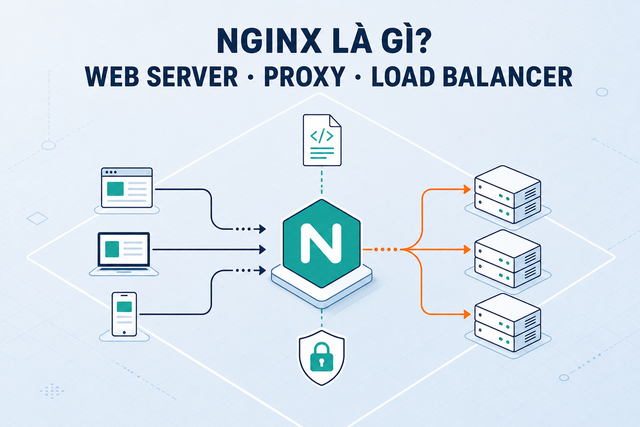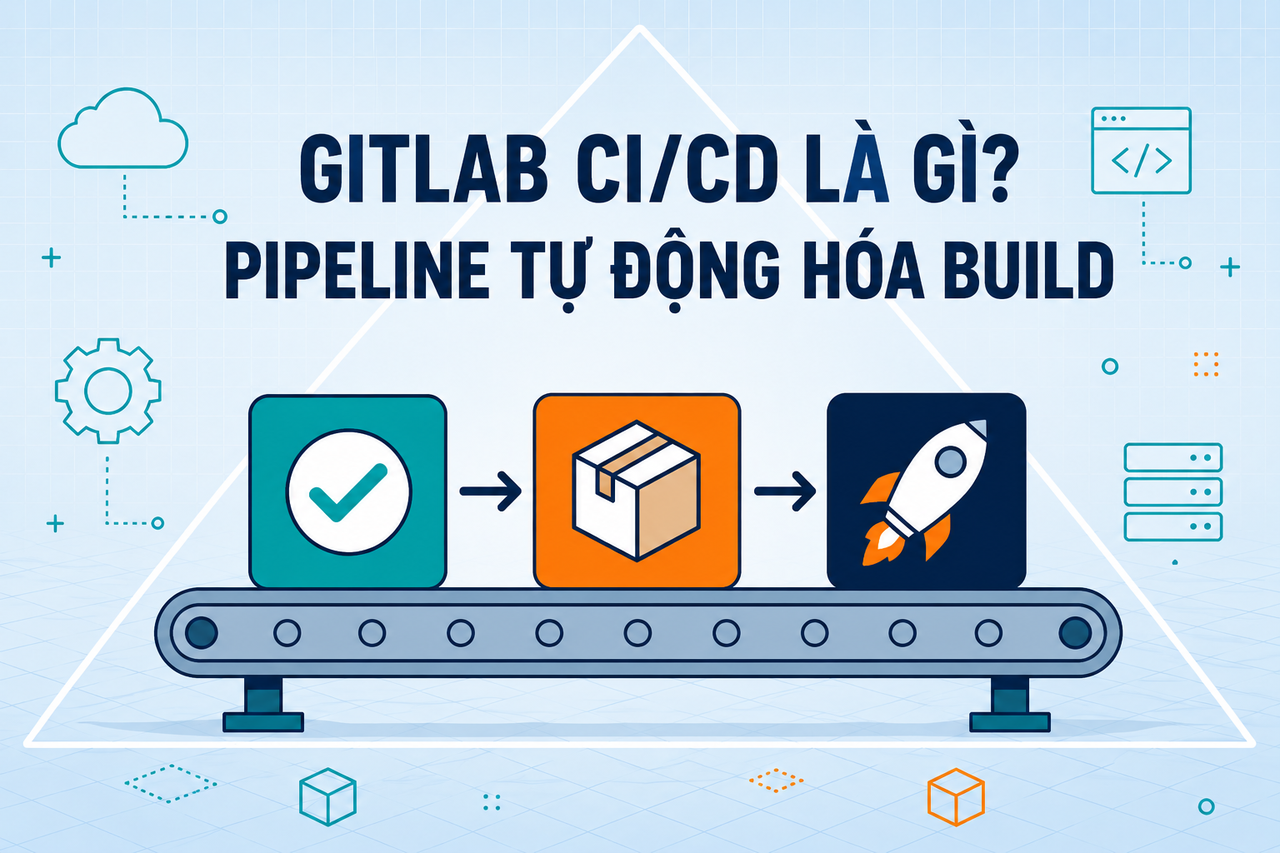
- 1 What is Nginx? Web server, reverse proxy, and load balancer in one
- 2 What is a Proxy? Forward Proxy, Reverse Proxy and SOCKS5 Explained
- 3 What is Kubernetes? The Most Popular Container Orchestration Platform Today
- 4 What is Subnet & CIDR? IP Network Segmentation and Routing
- 5 What is Serverless? FaaS, Cold Start, and When to Go Serverless
- 6 What is Apache Kafka? Distributed Event Streaming Platform Explained
- 7 What is GitLab CI/CD? Automated Pipeline for Build, Test, and Deploy
- 8 What is NAT? Network Address Translation Explained
- 9 What is an API Gateway? Single Entry Point for Microservices
GitLab CI/CD is a pipeline automation system built directly into the GitLab platform — no external tools required. A single .gitlab-ci.yml file in the repository is all it takes to trigger a fully automated build, test, and deploy workflow on every commit.
Need data solutions for your business?
AlgoData has helped businesses with data engineering, analytics & AI since 2019.
What is GitLab CI/CD?
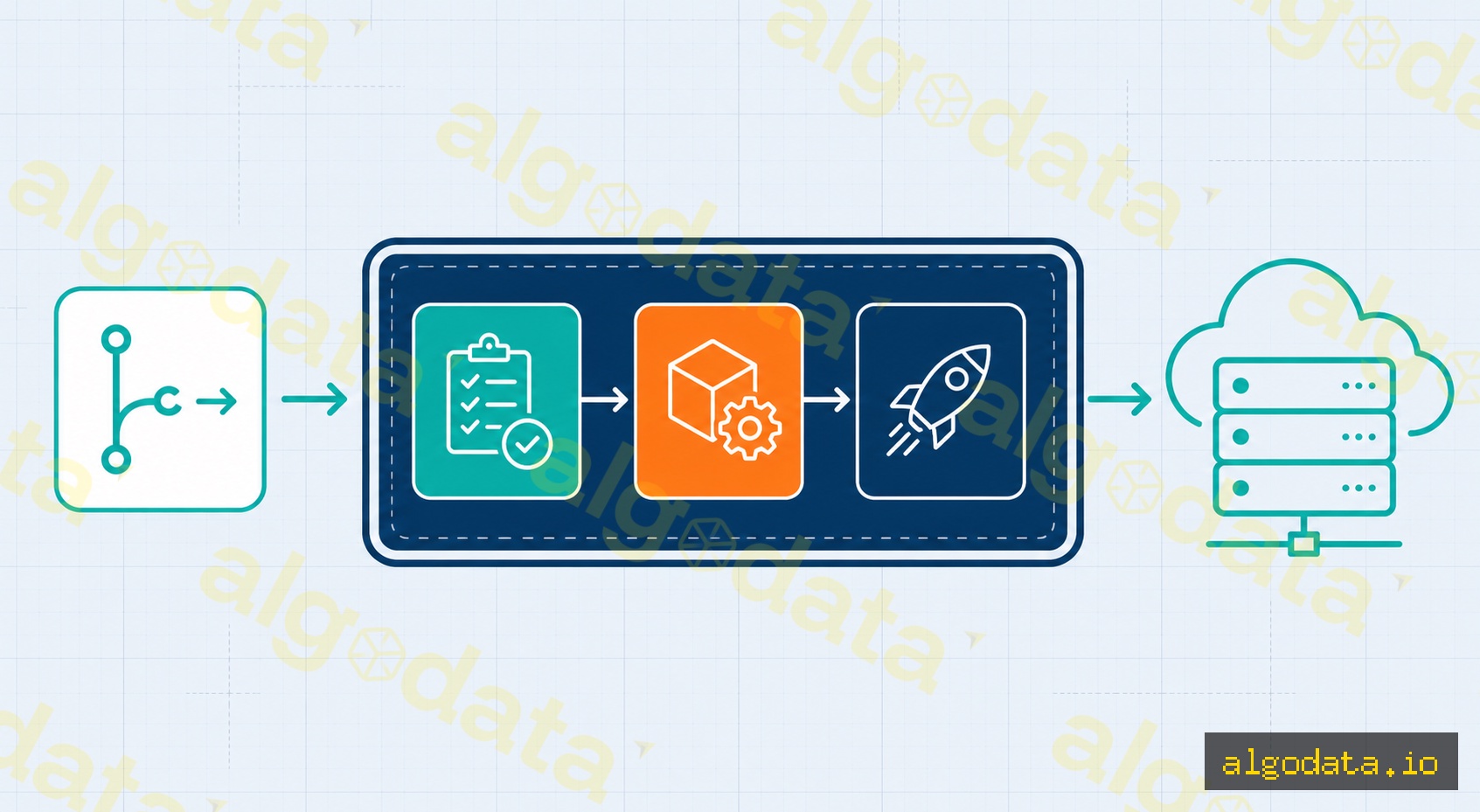
GitLab CI/CD is a Continuous Integration / Continuous Delivery platform embedded natively in GitLab, driven entirely by a .gitlab-ci.yml configuration file placed at the repository root. Every time a developer pushes code or opens a merge request, GitLab reads this file, creates a pipeline composed of sequential stages, and runs one or more jobs in parallel within each stage.
A pipeline follows the pattern: test → build → deploy. If any job fails, the pipeline stops immediately and notifies the developer — the "fail fast" principle ensures errors are caught as early as possible, before broken code reaches production.
The key advantage of GitLab over standalone CI/CD tools like Jenkins is that GitLab bundles a Container Registry, Package Registry, Security Scanning (SAST, DAST), Environments, and Deployment tracking in one platform — dramatically reducing the number of tools your team needs to manage.
What is CI/CD? Overview of Continuous Integration and Delivery
Structure of .gitlab-ci.yml
The entire pipeline is defined in a single YAML file. The following is a real-world example for a Python application deployed to Kubernetes:
 1stages:
 2  - test
 3  - build
 4  - deploy
 5
 6variables:
 7  DOCKER_IMAGE: $CI_REGISTRY_IMAGE:$CI_COMMIT_SHA
 8
 9# ── Stage 1: Run tests ─────────────────────────────────────────
10test:
11  stage: test
12  image: python:3.11
13  script:
14    - pip install -r requirements.txt
15    - pytest tests/ -v
16  cache:
17    key: ${CI_COMMIT_REF_SLUG}
18    paths:
19      - .cache/pip
20
21# ── Stage 2: Build Docker image and push to GitLab Registry ───
22build:
23  stage: build
24  image: docker:24
25  services:
26    - docker:dind
27  script:
28    - docker login -u $CI_REGISTRY_USER -p $CI_REGISTRY_PASSWORD $CI_REGISTRY
29    - docker build -t $DOCKER_IMAGE .
30    - docker push $DOCKER_IMAGE
31  only:
32    - main
33
34# ── Stage 3: Deploy to Kubernetes (manual gate) ───────────────
35deploy:
36  stage: deploy
37  script:
38    - kubectl set image deployment/myapp app=$DOCKER_IMAGE
39  environment:
40    name: production
41  when: manual
42  only:
43    - main
Key concepts explained:
stages— declares the execution order. Jobs in the same stage run in parallel; the next stage only starts when the previous one succeeds.variables— environment variables available across the pipeline. GitLab also provides built-in predefined variables such as$CI_COMMIT_SHA,$CI_REGISTRY_IMAGE, and$CI_COMMIT_REF_SLUG.image— the Docker image used as the job execution environment. Each job can use a different image.services— auxiliary containers running alongside the job (for example:docker:dindenables Docker-in-Docker to build images inside a container).cache— directories persisted between pipeline runs to speed up builds (.cache/pip,node_modules/).artifacts— output files passed to downstream jobs or downloadable after the pipeline finishes.only/rules— conditions controlling when a job runs (only on themainbranch, only on tags, etc.).when: manual— the job does not run automatically; someone with permission must click the play button — ideal for production deploy gates.environment— links the job to a named environment in GitLab Environments, enabling deployment history tracking and one-click rollback.
GitLab Runner
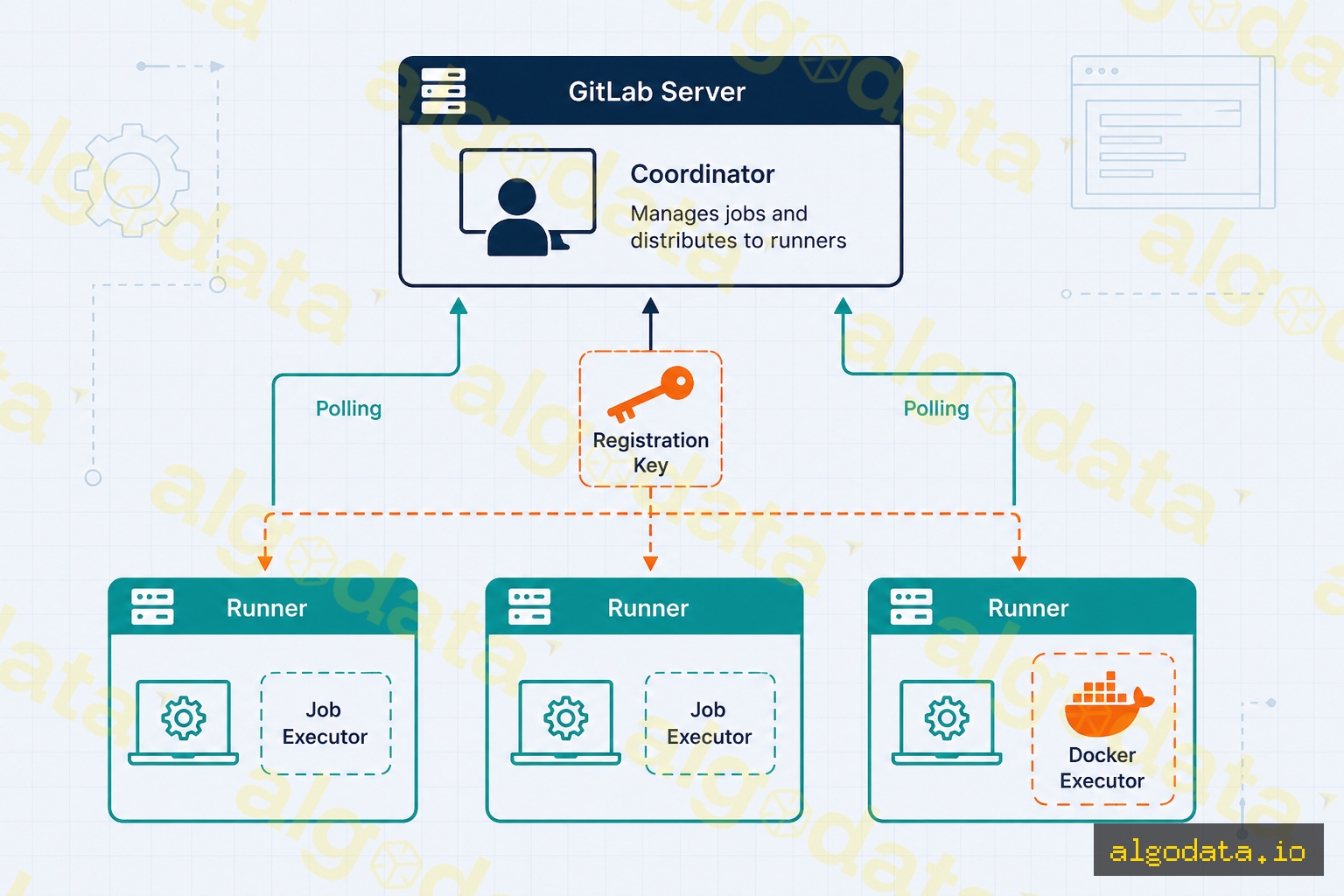
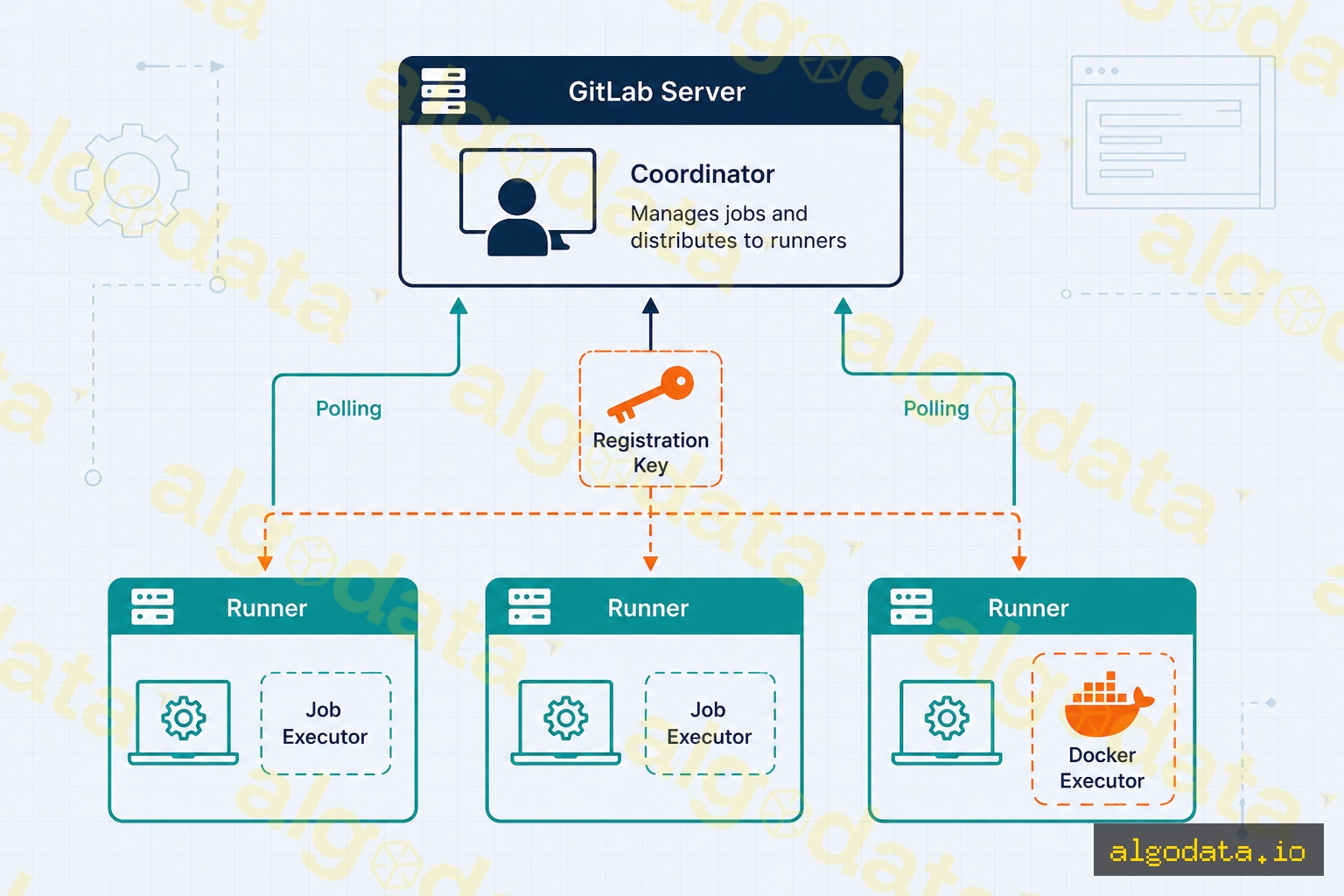
GitLab Runner is a software agent installed on a server (or running inside a container or Kubernetes pod) that accepts jobs from the GitLab server and executes them. The runner continuously polls GitLab, picks up assigned jobs, clones the source code, runs the pipeline scripts inside the configured executor, and sends logs and exit codes back to GitLab.
Shared Runner vs Specific Runner
| Shared Runner | Specific Runner | |
|---|---|---|
| Managed by | GitLab (or group admin) | Your team |
| Scope | All projects in the instance | A specific project or group |
| Resources | Shared, may queue under load | Dedicated, no queueing |
| Cost | Billed per CI minute | Cost of your own server |
| Best for | Small projects, public repos | Heavy production workloads |
Docker Executor — the most popular choice
The Docker executor runs each job inside a fresh Docker container, guaranteeing a fully isolated and clean environment for every run. This is the recommended executor for most use cases.
Registering a specific runner with the Docker executor:
 1# Install GitLab Runner on Ubuntu/Debian
 2curl -L --output /usr/local/bin/gitlab-runner \
 3  "https://gitlab-runner-downloads.s3.amazonaws.com/latest/binaries/gitlab-runner-linux-amd64"
 4chmod +x /usr/local/bin/gitlab-runner
 5
 6# Register the runner (get the token from Settings → CI/CD → Runners)
 7gitlab-runner register \
 8  --url "https://gitlab.com/" \
 9  --registration-token "YOUR_REGISTRATION_TOKEN" \
10  --executor "docker" \
11  --docker-image "alpine:latest" \
12  --description "my-docker-runner" \
13  --tag-list "docker,production"
After registration the runner appears in Settings → CI/CD → Runners and is ready to accept jobs. Use tags to route specific jobs to specific runners — for example, the production deploy job can be restricted to a runner tagged production that lives inside the internal network.
GitLab vs GitHub Actions vs Jenkins
| Criterion | GitLab CI/CD | GitHub Actions | Jenkins |
|---|---|---|---|
| Setup complexity | Low (built-in) | Low (built-in) | High (install & configure) |
| Free self-hosting | Yes (GitLab CE) | No (GitHub Enterprise) | Yes (open-source) |
| Free cloud tier | 400 min/month | 2,000 min/month | N/A |
| Built-in Container Registry | Yes | Yes (GHCR) | No |
| Built-in Security Scanning | Yes (SAST/DAST) | Partial (CodeQL) | Plugin |
| Config syntax | YAML (.gitlab-ci.yml) | YAML (.github/workflows/) | Groovy (Jenkinsfile) |
| Marketplace / Plugins | GitLab Templates | 20,000+ Actions | 1,800+ Plugins |
| Best for | Self-host, all-in-one | GitHub ecosystem | Enterprise on-premise |
When to choose GitLab CI/CD:
- The project needs to self-host the entire stack (code + CI/CD + registry) on-premise.
- The team requires security scanning, compliance, and audit trails within a single platform.
- Fintech, banking, or healthcare organizations that must keep 100% of data on internal servers.
When to choose GitHub Actions:
- The repository is already on GitHub and you want zero-configuration pipelines.
- Open-source projects that need generous free CI minutes.
- You need tight integration with the GitHub ecosystem (Dependabot, CodeQL, GitHub Packages).
When to choose Jenkins:
- Legacy enterprise environments with heavy investment in Jenkins plugins and Groovy pipelines.
- Scenarios requiring integration with multiple SCM systems (Bitbucket Server, Perforce, SVN).
Best Practices
1. Cache dependencies to speed up builds
 1# Python — cache pip packages
 2cache:
 3  key: ${CI_COMMIT_REF_SLUG}-pip
 4  paths:
 5    - .cache/pip
 6  policy: pull-push
 7
 8# Node.js — cache node_modules
 9cache:
10  key:
11    files:
12      - package-lock.json
13  paths:
14    - node_modules/
Use policy: pull on jobs that only read the cache (no need to re-upload) to avoid unnecessary uploads at the end of every job.
2. Parallelize with needs: (DAG pipelines)
 1test-unit:
 2  stage: test
 3  script: pytest tests/unit/
 4
 5test-integration:
 6  stage: test
 7  script: pytest tests/integration/
 8
 9build:
10  stage: build
11  needs: [test-unit]  # Starts as soon as test-unit passes, no need to wait for test-integration
12  script: docker build .
needs: breaks the traditional sequential stage model, allowing the build job to begin immediately after test-unit finishes without waiting for test-integration — significantly reducing total pipeline duration.
3. Protect production environments
In Settings → CI/CD → Environments → production, configure:
- Required approvals: production deploys require approval from at least one or two designated reviewers.
- Protected branches: only
mainorrelease/*branches can trigger production deployments. - Deployment freeze: block deployments during peak traffic hours or major holidays.
4. Enable built-in SAST scanning
1include:
2  - template: Security/SAST.gitlab-ci.yml
3
4sast:
5  stage: test
6  variables:
7    SAST_EXCLUDED_PATHS: "tests/, docs/"
GitLab SAST automatically selects the appropriate analyzer for the project's language (Bandit for Python, Semgrep for JS/TS, SpotBugs for Java) with no additional configuration required.
5. Manual gate for production deployments
Always combine when: manual with environment: production on deploy jobs. This creates a clear confirmation button in the GitLab UI with a full audit trail recording who triggered the deployment and when.
Real-World Use Cases
Startup — fast setup, no dedicated ops team
A startup can use GitLab.com for free (400 minutes/month) with a basic three-stage pipeline: test → build Docker image → deploy to a VPS via SSH. The entire configuration lives in a single .gitlab-ci.yml file — no dedicated DevOps engineer needed from day one. As the team scales, upgrading to a Kubernetes deploy step requires minimal changes to the existing pipeline structure.
Banking and Fintech — self-hosted for compliance
Financial institutions need to keep source code, artifacts, and logs entirely within their own infrastructure. A self-managed GitLab CE instance delivers:
- No CI minute caps — pipelines run freely on internal servers.
- Data never leaves the datacenter — source code, Docker images, and pipeline logs stay on internal servers.
- Complete audit trail — GitLab logs every action: who committed, who approved the merge request, who triggered the deploy, and when.
- Integrated SAST and Secret Detection — credentials accidentally committed to the repository are flagged immediately within the pipeline.
A typical pipeline for a core banking system: sast → unit-test → integration-test → build-image → push-to-internal-registry → deploy-staging (auto) → deploy-production (manual, requires 2 approvals).
Conclusion: GitLab CI/CD is a compelling choice when you need an all-in-one platform — from source code management to CI/CD, container registry, and security scanning — especially for self-hosted projects with strict data control requirements. Start with a simple .gitlab-ci.yml, then progressively add caching, parallel jobs, and manual gates as your team matures.