- 1 What is Malware? Classification, Characteristics, and Prevention
- 2 What is DDoS? Signs, Response and Effective Prevention Methods
- 3 What is Phishing? Recognizing and Preventing Online Fraud
- 4 What is DNS Sinkhole? Applications and How to Use DNS Sinkhole Technique
- 5 What is OAuth 2.0? Authorization and Login with Google/GitHub
- 6 What is a Trojan? Essential Information About Trojan Malware
- 7 What Is Zero Trust? The 'Never Trust, Always Verify' Security Model
- 8 What is VPN? Virtual Private Network, WireGuard and OpenVPN
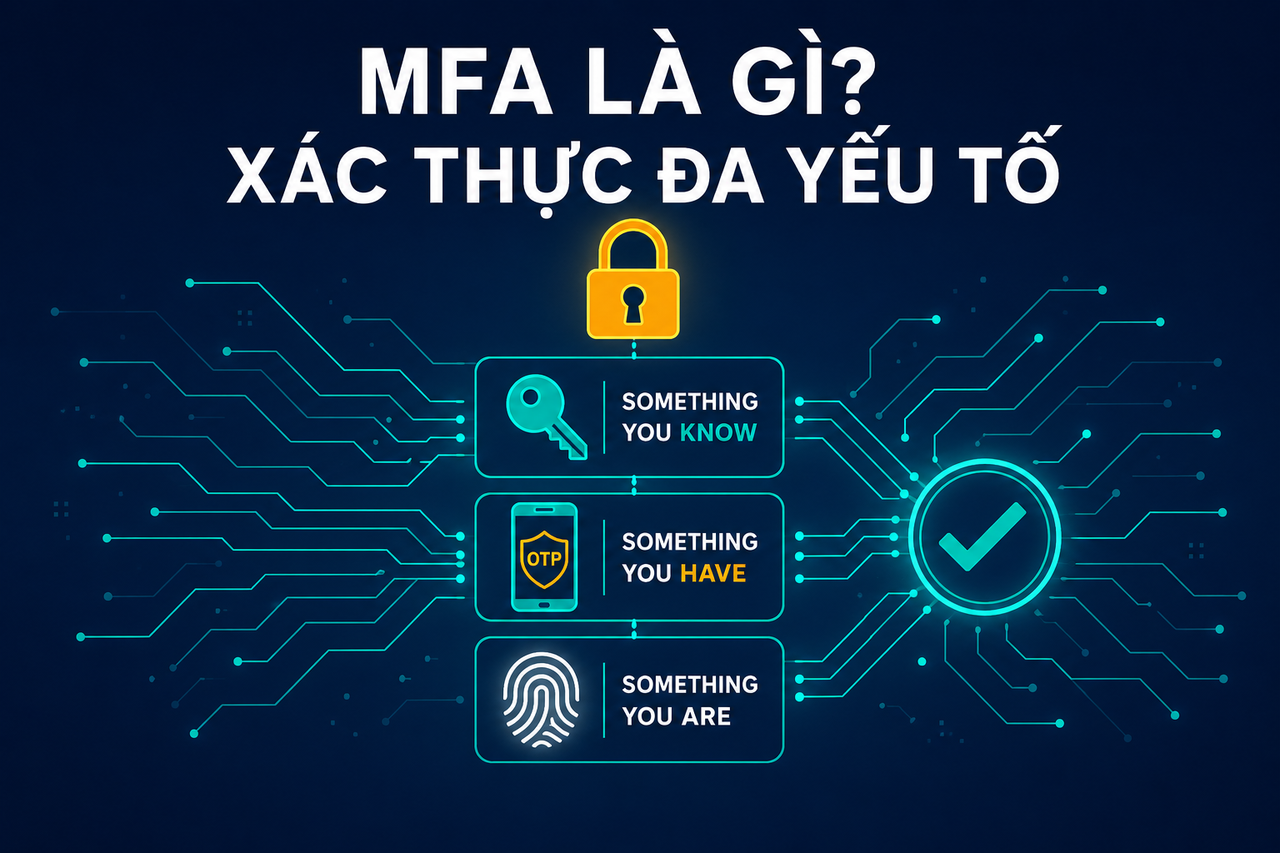
- 9 What Is MFA? Multi-Factor Authentication vs 2FA Explained
- 10 What is a Firewall? Role and Functions in Network Security
- 11 What is SQL Injection? Database Attacks and Prevention
- 12 What is XSS? Cross-Site Scripting Attacks and Prevention
Need data solutions for your business?
AlgoData has helped businesses with data engineering, analytics & AI since 2019.
What Is MFA? The Three Authentication Factors
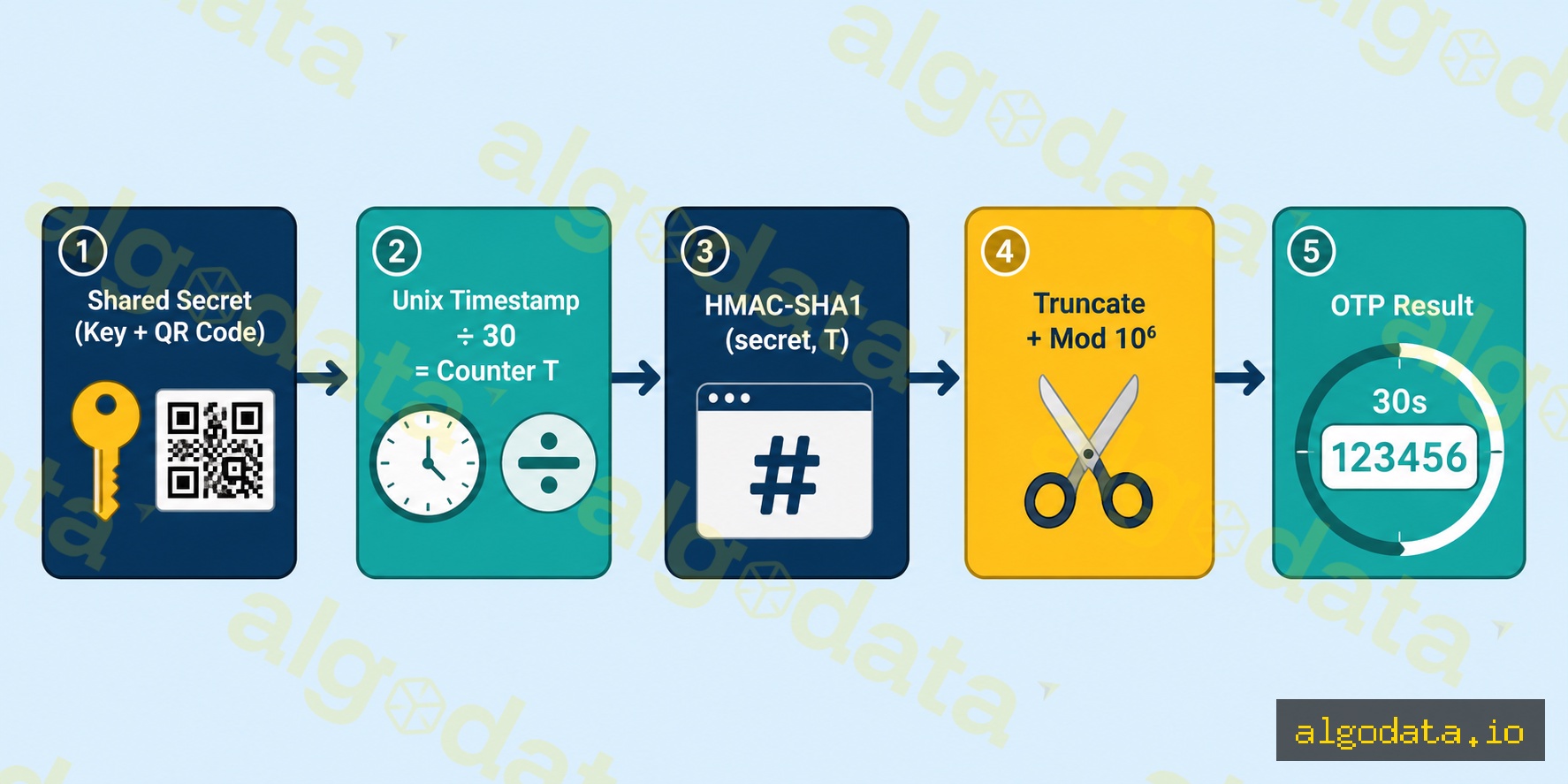
MFA (Multi-Factor Authentication) is an authentication method that requires users to provide two or more identity proofs from different categories before being granted access.
The three authentication factor categories:
1. Something You Know
- Password, PIN, security questions
- Weakest category: can be guessed, phished, or obtained via credential stuffing
2. Something You Have
- OTP token (Google Authenticator, Authy)
- Hardware key (YubiKey, Google Titan)
- Phone (SMS OTP, push notification)
- Smart card
3. Something You Are
- Fingerprint
- Face recognition (Face ID)
- Retina scan
- Voice recognition
MFA vs 2FA:
2FA is a subset of MFA that uses exactly 2 factors. MFA can use 3+ factors (for example, password + OTP + fingerprint). In practice, the terms "2FA" and "MFA" are used interchangeably.
Why isn't a password alone sufficient?
According to HaveIBeenPwned: over 12 billion credential pairs have been exposed. Credential stuffing — using leaked combos to automatically log in — succeeds because users reuse passwords. MFA blocks attackers even when a password is compromised.
Common MFA Methods
TOTP (Time-based One-Time Password):
- Apps: Google Authenticator, Authy, Microsoft Authenticator
- Generates a 6-digit code that refreshes every 30 seconds
- Works offline, no internet required
- Requires time synchronization
SMS OTP:
- Code sent via text message
- Easiest to use
- Vulnerable to SIM swap and SS7 attacks
- Avoid for sensitive accounts
Hardware Security Key (FIDO2/U2F):
- YubiKey, Google Titan Key
- Physical device via USB or NFC
- Absolutely phishing-resistant
- Cannot be phished because the key is bound to the origin URL
Push Notification:
- Push sent to a mobile app (Duo, Okta Verify)
- Convenient but vulnerable to MFA fatigue attacks
- Should enable number matching
Passkey (FIDO2/WebAuthn):
- Fully replaces both password and MFA
- Uses device biometrics (Face ID, Touch ID)
- Phishing-resistant, no shared secret
How Does TOTP Work?
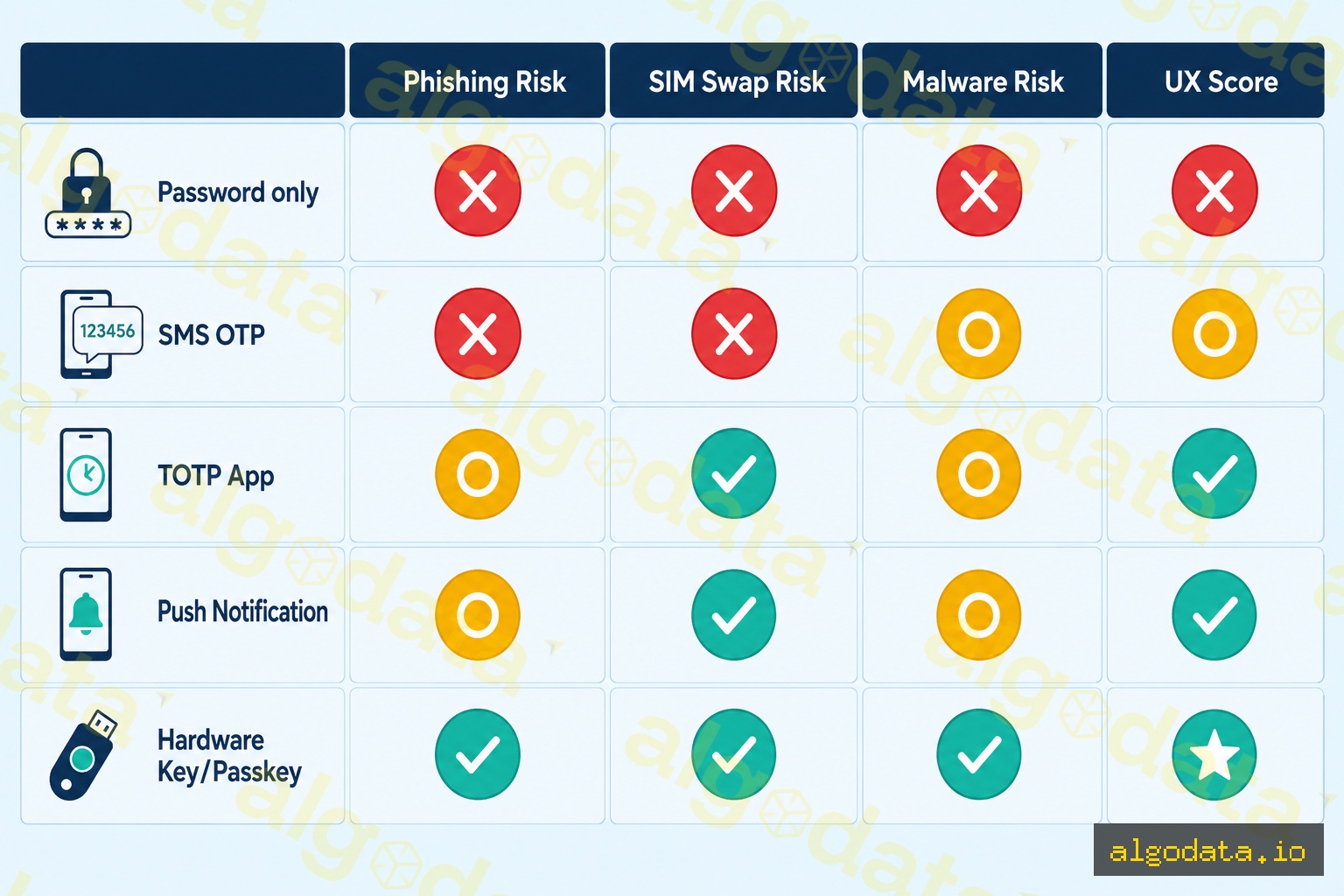
TOTP (RFC 6238) is an OTP generation algorithm based on:
- Shared secret (seed key, base32 encoded — scanned via QR code during setup)
- Current time (unix timestamp / 30 = time counter T)
- HMAC-SHA1(secret, T) → truncate → 6 digits
T = floor(current_unix_time / 30)  # time step
HMAC = HMAC-SHA1(secret, T)
offset = HMAC[19] & 0xf
code = (HMAC[offset:offset+4] & 0x7fffffff) % 10^6
Practical Python pyotp example:
 1import pyotp
 2import time
 3
 4# Generate a new secret (store in DB, show QR to user)
 5secret = pyotp.random_base32()
 6print(f"Secret: {secret}")  # e.g. JBSWY3DPEHPK3PXP
 7
 8# Create TOTP object
 9totp = pyotp.TOTP(secret)
10
11# Get the current code
12current_code = totp.now()
13print(f"Current OTP: {current_code}")  # e.g. 123456
14
15# Verify code from user (accept ±1 window = 90 seconds)
16user_input = "123456"
17is_valid = totp.verify(user_input, valid_window=1)
18print(f"Valid: {is_valid}")
19
20# Generate provisioning URI for QR code
21uri = totp.provisioning_uri(
22    name="user@example.com",
23    issuer_name="MyApp"
24)
25print(f"QR URI: {uri}")
26# otpauth://totp/MyApp:user@example.com?secret=JBSWY3DPEHPK3PXP&issuer=MyApp
Implementing MFA in Django REST Framework:
 1# views.py
 2from rest_framework.views import APIView
 3from rest_framework.response import Response
 4import pyotp
 5
 6class MFAVerifyView(APIView):
 7    def post(self, request):
 8        user = request.user
 9        otp_code = request.data.get('otp_code')
10
11        # Retrieve secret from user profile
12        totp = pyotp.TOTP(user.mfa_secret)
13
14        if totp.verify(otp_code, valid_window=1):
15            # Issue short-lived token after MFA verification
16            session_token = generate_session_token(user)
17            return Response({'token': session_token})
18
19        return Response({'error': 'Invalid OTP'}, status=401)
Phishing-Resistant MFA: FIDO2 vs TOTP vs SMS
Not all MFA methods are equal. Attackers are increasingly able to phish even MFA codes.
How phishing attacks bypass MFA:
- Attacker creates a fake login page (e.g., g00gle.com)
- Victim enters username/password → attacker relays them to the real google.com
- Google sends an MFA challenge → attacker relays the challenge back to the victim
- Victim enters the TOTP code → attacker captures and uses it immediately (30-second window)
- Attacker successfully logs into the real account
How FIDO2/WebAuthn prevents phishing:
The key is bound to the origin URL. When signing a challenge:
signed_data = sign(private_key, challenge + origin + rpId)
rpId = google.com. If the victim is on g00gle.com, the rpId does not match → the browser refuses to sign → phishing fails.
Resistance comparison table:
| Method | Phishing | SIM Swap | Malware | UX |
|---|---|---|---|---|
| Password only | Vulnerable | N/A | Vulnerable | Easy |
| SMS OTP | Vulnerable | Vulnerable | Medium | Easy |
| TOTP App | Vulnerable | No | Medium | Good |
| Push Notification | Vulnerable | No | Medium | Good |
| Hardware Key (U2F) | Impossible | No | No | Good |
| Passkey (FIDO2) | Impossible | No | No | Best |
MFA Fatigue Attacks — And How to Defend Against Them
MFA Fatigue (also called MFA bombing or push spam) is a social engineering technique:
- Attacker already has the username + password (from a breach or phishing)
- Continuously triggers MFA push notifications — sometimes 50–100 times overnight
- The victim, exhausted and off-guard, accidentally approves one
- Attacker gains access
Real-world example: The 2022 Uber breach — the attacker WhatsApp-messaged the victim posing as IT support, combined with MFA bombing to get approval.
Defenses:
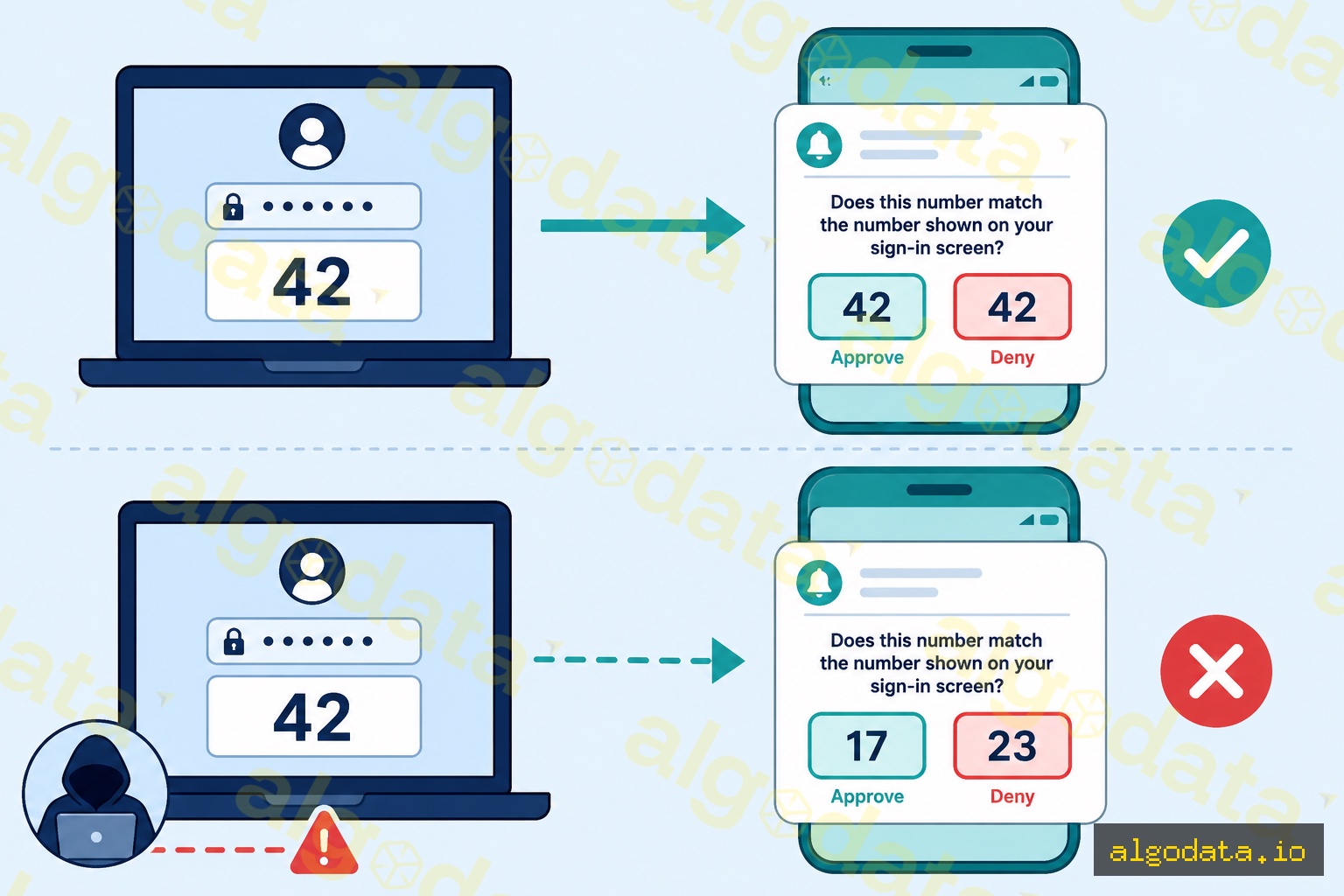
1. Number Matching — Require the user to enter the number displayed on the login screen into the app:
Login screen: "Enter code: 42"
App push: "Tap if code matches: [42] [Approve] [Deny]"
If the victim cannot see this number, approving means something is wrong — they will notice.
2. Additional Context — Show extra information in the push: IP address, location, browser. If the user is in Hanoi but the login comes from Russia → suspicious.
3. Rate Limiting — Limit push notifications per session (max 3 attempts), then lock the account.
4. Migrate to FIDO2 — No push notifications, no fatigue. Use a hardware key or passkey instead.
Deploying MFA for Teams and Organizations
Step 1: Enforce MFA via an Identity Provider (IdP)
- Google Workspace: Admin → Security → 2-Step Verification → Enforcement
- Okta: Security → Authenticators → Enrollment Policy → Required
- Azure AD: Security → MFA → Per-user or Conditional Access Policy
Step 2: Choose the right method based on risk level
- High-risk (admins, finance, executives): Hardware key (YubiKey) + Passkey
- Standard users: Authenticator app (TOTP) — do not allow SMS
- Legacy systems without MFA support: SMS OTP (with rate limiting)
Step 3: Handle account recovery securely
- Store backup codes in a secure vault
- Admin-assisted recovery with identity verification
- Do not allow recovery via SMS if the primary method is a hardware key