Proxy是什么?正向代理、反向代理与SOCKS5详解
DevOps

Proxy是什么?正向代理、反向代理与SOCKS5详解

代理服务器是客户端与服务器之间的中间人。了解正向代理、反向代理和SOCKS5的区别,以及Squid和NGINX的实际配置示例。

系列文章: DevOps
  1. 1 API网关是什么?微服务的统一入口点
  2. 2 NAT是什么?计算机网络中的网络地址转换详解
  3. 3 GitLab CI/CD是什么?自动化构建、测试与部署流水线
  4. 4 Apache Kafka是什么?分布式事件流处理平台详解
  5. 5 Serverless是什么?FaaS、冷启动与何时选择无服务器架构
  6. 6 Subnet和CIDR是什么?IP网络分段与现代路由
  7. 7 什么是Kubernetes?当今最流行的容器编排平台
  8. 8 Proxy是什么?正向代理、反向代理与SOCKS5详解
  9. 9 什么是Nginx?集Web服务器、反向代理与负载均衡于一体
✦ 快速摘要
代理服务器是客户端与服务器之间的中间人。了解正向代理、反向代理和SOCKS5的区别,以及Squid和NGINX的实际配置示例。
这篇文章怎么样?

代理是一个在网络领域随处可见却常被误解的概念。正向代理、反向代理、SOCKS5——每种类型都服务于不同的目的。本文通过实际配置示例清晰地解释每种类型。

什么是代理?

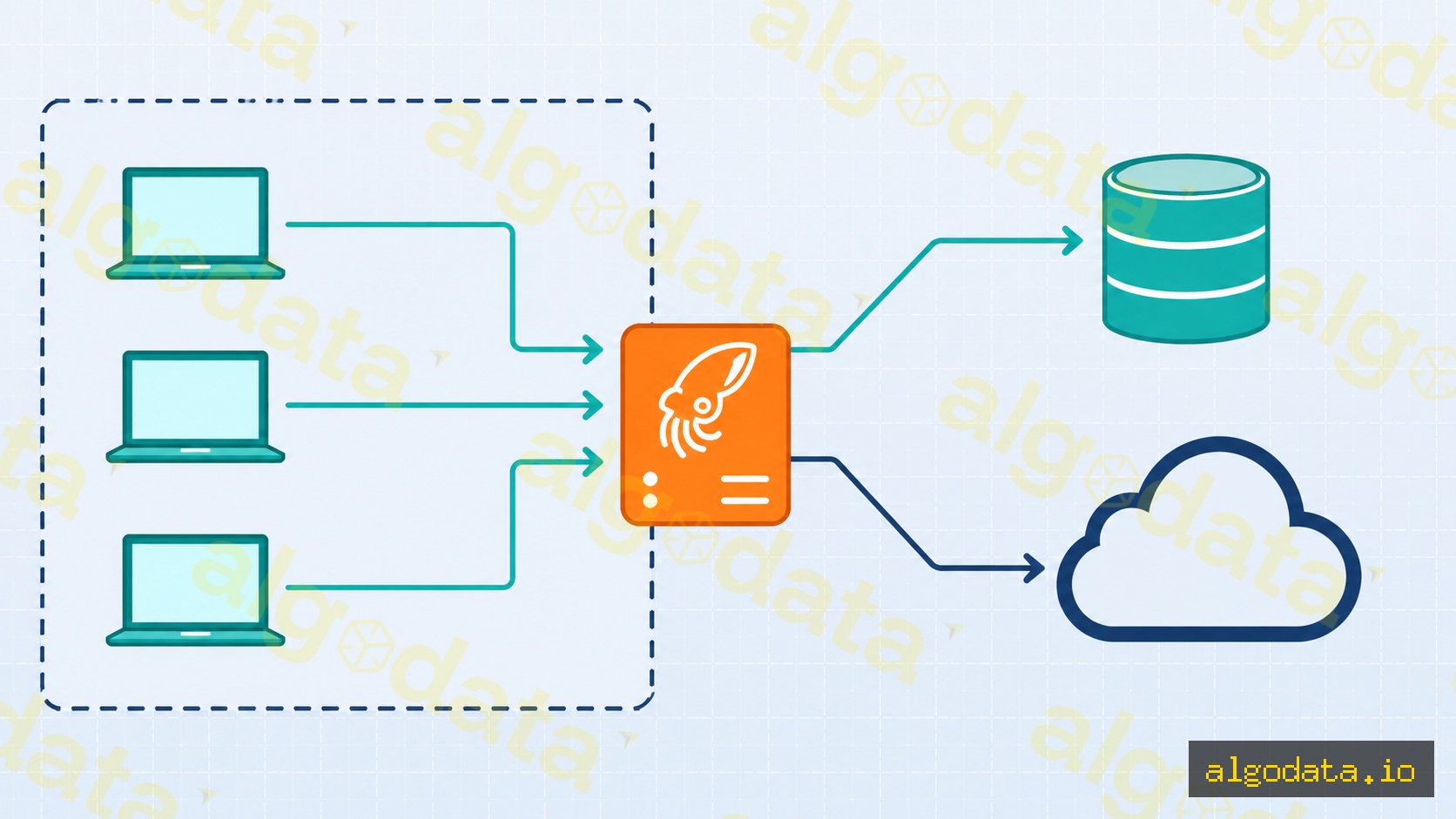
代理服务器(Proxy Server)是在网络通信过程中代表客户端或服务器行动的中间服务器。客户端不直接连接到目标服务器,所有流量都通过代理传输。

使用代理的优势:

  • 匿名性:隐藏客户端或服务器的真实IP地址
  • 缓存:存储响应以更快地服务重复请求(无需从源站获取)
  • 访问控制:根据策略阻止或允许流量
  • 负载均衡:将流量分发到多个后端服务器
  • SSL终止:在代理处处理TLS,后端可使用简单的HTTP

代理主要分为三种类型:正向代理反向代理SOCKS5代理

正向代理

正向代理位于客户端和互联网之间。客户端知道自己在使用代理,必须显式配置(在浏览器、操作系统或应用中)。

流量流向:

客户端 → 正向代理 → 互联网 → 目标服务器

目标服务器看到的是代理的IP,而不是客户端的真实IP。

常见应用场景:

  • 企业网页过滤:IT部门屏蔽不合适的网站(社交媒体、游戏),记录网页访问
  • 突破地理限制:越南的客户端使用美国代理访问仅限美国的内容
  • 开发调试:开发团队使用代理拦截和检查HTTP请求(Charles Proxy、mitmproxy)

Squid正向代理——基本配置:

Bash
 1# 安装Squid
 2apt-get install squid
 3
 4# /etc/squid/squid.conf
 5http_port 3128
 6
 7# 允许内部网络
 8acl localnet src 192.168.0.0/16
 9acl localnet src 10.0.0.0/8
10http_access allow localnet
11
12# 屏蔽社交媒体
13acl social dstdomain .facebook.com .tiktok.com .youtube.com
14http_access deny social
15
16# 拒绝所有其他流量
17http_access deny all
Bash
1# 从客户端测试代理
2curl -x http://proxy-server:3128 https://httpbin.org/ip
3# 响应将返回代理的IP,而不是客户端的IP
4
5# 为整个终端会话设置代理
6export http_proxy="http://proxy-server:3128"
7export https_proxy="http://proxy-server:3128"

反向代理
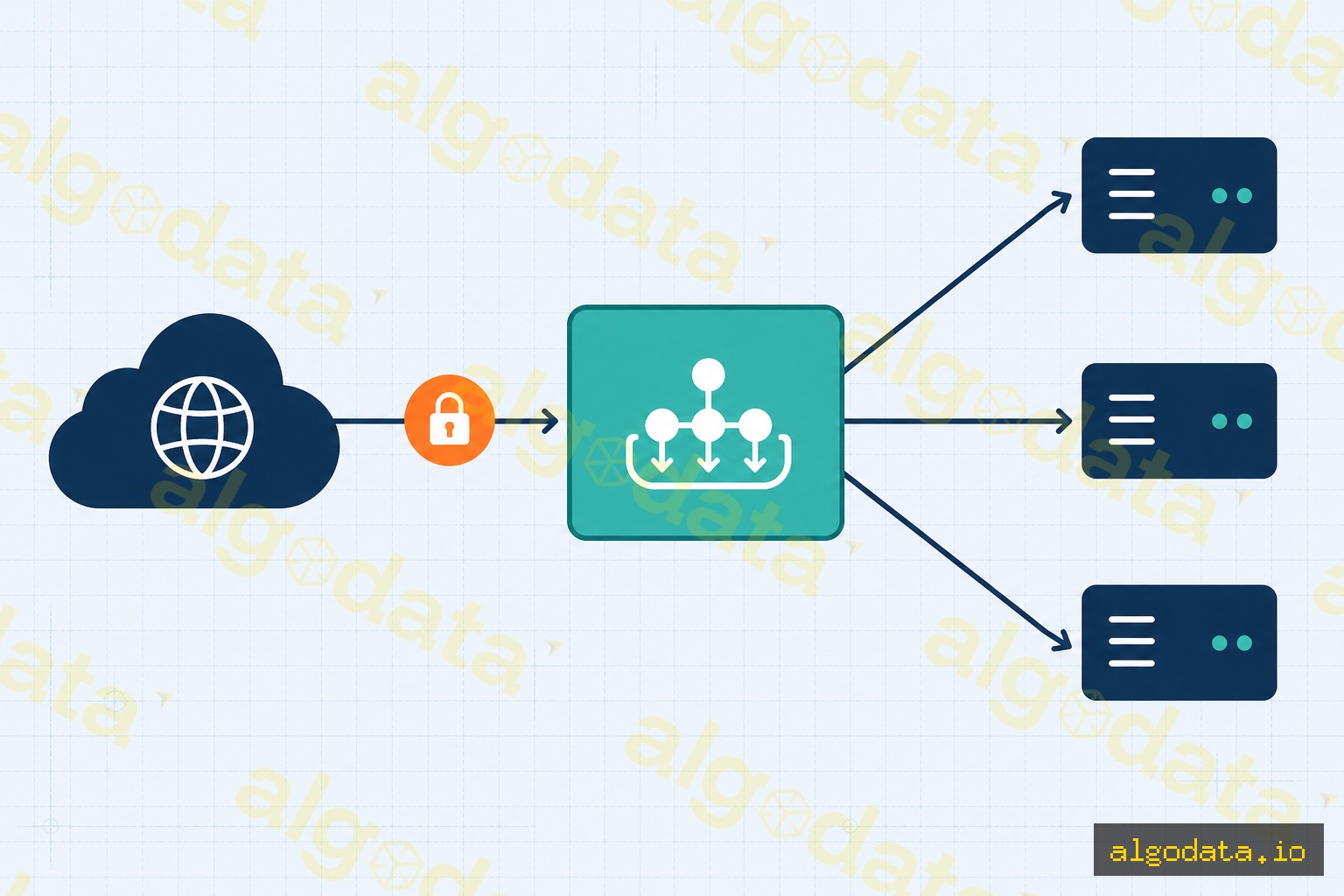
反向代理位于后端服务器前面。客户端(浏览器)不知道代理的存在——他们以为自己直接连接到了真实服务器。后端的IP地址对客户端完全隐藏。

流量流向:

客户端 → 反向代理 → 后端服务器1
                  → 后端服务器2
                  → 后端服务器3

NGINX作为反向代理:

nginx
 1# /etc/nginx/sites-available/myapp
 2server {
 3    listen 80;
 4    server_name api.example.com;
 5
 6    location / {
 7        proxy_pass http://localhost:3000;
 8        proxy_set_header Host $host;
 9        proxy_set_header X-Real-IP $remote_addr;
10        proxy_set_header X-Forwarded-For $proxy_add_x_forwarded_for;
11        proxy_set_header X-Forwarded-Proto $scheme;
12    }
13}
14
15# 使用upstream进行负载均衡
16upstream backend_pool {
17    server 10.0.1.10:3000 weight=3;
18    server 10.0.1.11:3000 weight=1;
19    server 10.0.1.12:3000 backup;
20}
21
22server {
23    listen 443 ssl;
24    server_name api.example.com;
25
26    location /api/ {
27        proxy_pass http://backend_pool;
28    }
29}

反向代理的常见应用场景:

  • SSL终止:NGINX处理TLS,后端只需HTTP
  • 负载均衡:将请求分发到多个实例
  • 静态文件服务:NGINX提供静态资源,后端专注于业务逻辑
  • 限流:限制来自单个IP的请求数量
  • 安全:隐藏后端信息(版本、IP、端口)

SOCKS5代理

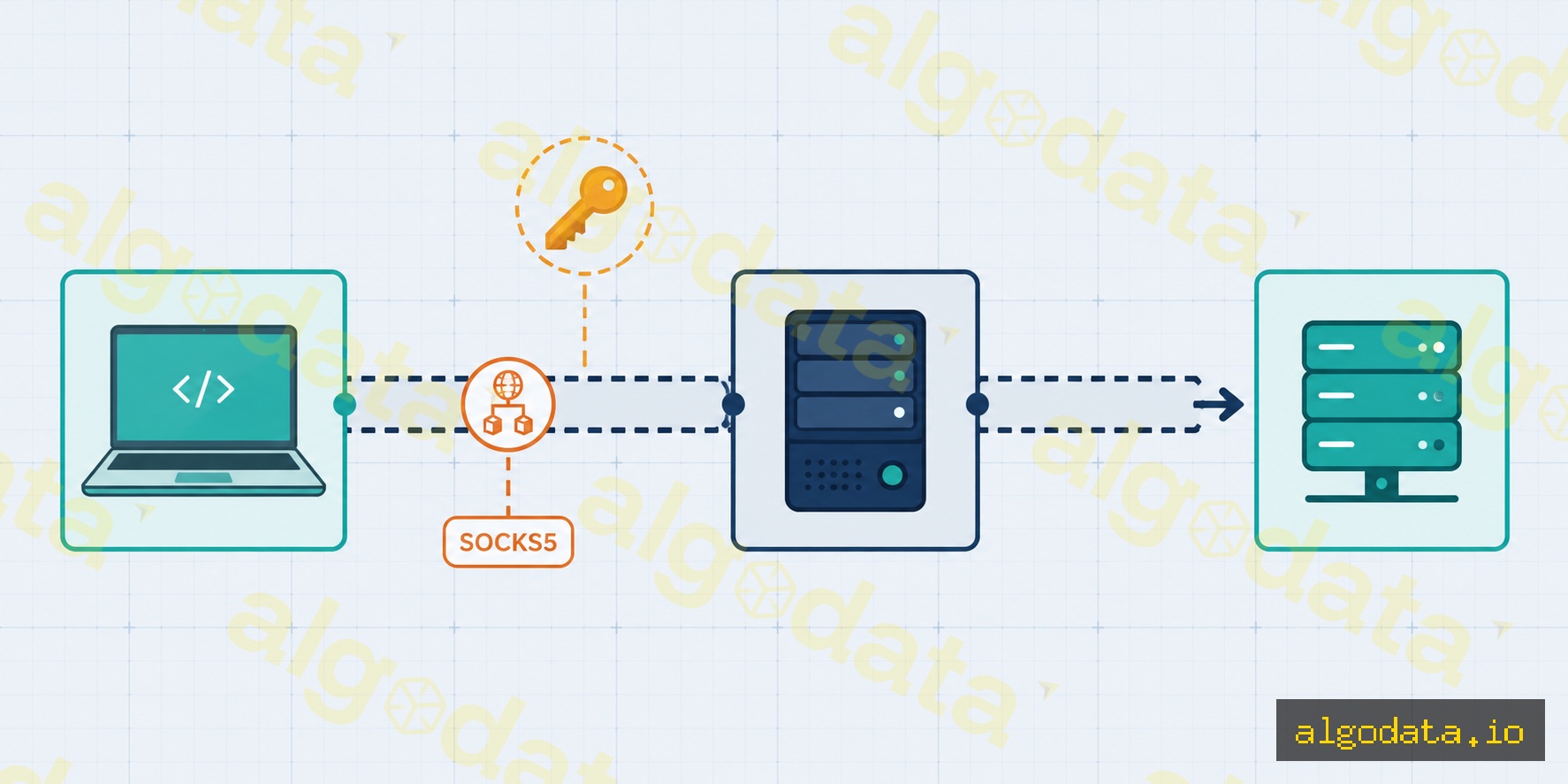
SOCKS5是工作在会话层(OSI第5层)的代理,与应用协议无关。它可以隧道传输任何TCP/UDP流量——HTTP、SMTP、FTP、SSH、游戏流量等。

通过SSH隧道创建SOCKS5代理:

Bash
 1# 创建SSH SOCKS5隧道(本地1080端口)
 2ssh -D 1080 -N -f user@jumphost.example.com
 3# -D 1080:在1080端口创建SOCKS5代理
 4# -N:不执行远程命令
 5# -f:在后台运行
 6
 7# 通过SOCKS5测试
 8curl --socks5 127.0.0.1:1080 https://httpbin.org/ip
 9curl --socks5-hostname 127.0.0.1:1080 https://ifconfig.me
10
11# 与git一起使用(通过SSH隧道代理git pull)
12git config --global http.proxy socks5://127.0.0.1:1080

在Python中配置SOCKS5(requests库):

Python
1import requests
2
3proxies = {
4    "http": "socks5://127.0.0.1:1080",
5    "https": "socks5://127.0.0.1:1080",
6}
7
8response = requests.get("https://httpbin.org/ip", proxies=proxies)
9print(response.json())  # 返回代理的IP,而非真实IP

SOCKS5与HTTP代理对比:

标准 HTTP代理 SOCKS5
协议 仅HTTP/HTTPS 任意TCP/UDP
层级 应用层(L7) 会话层(L5)
身份验证 Basic auth头 用户名/密码
UDP支持
用于 网页浏览 游戏、种子、SSH

代理与VPN的区别

代理和VPN都隐藏真实IP并通过中间服务器路由流量,但工作机制差异很大:

标准 代理 VPN
范围 单个应用程序 整个操作系统
加密 取决于类型(HTTP代理=无) 始终加密
DNS 由应用决定 通过VPN(防止DNS泄露)
速度 更快 更慢(加密开销)
配置 逐应用配置 操作系统级别
使用场景 网页浏览、开发工具 远程工作、完全隐私

NGINX是什么?Web服务器、反向代理与负载均衡器

VPN是什么?虚拟专用网络详解

API网关是什么?微服务的统一入口

常见问题Q&A
代理服务器是什么?简单解释
代理服务器是一个中间服务器,接收来自客户端的请求,将其转发到目标服务器,接收响应后再返回给客户端。客户端不直接连接到目标服务器——所有通信都通过代理进行。根据代理类型的不同,它可以隐藏客户端IP、隐藏服务器IP、缓存内容,或控制和过滤流量。
正向代理和反向代理有什么区别?
正向代理位于客户端侧:客户端 → 代理 → 互联网。客户端知道自己在使用代理并显式配置它。代理向目标服务器隐藏客户端身份。用于:网页过滤、突破地理限制、隐藏IP。反向代理位于服务器侧:互联网 → 代理 → 后端服务器。客户端不知道代理的存在——他们以为自己直接连接到了真实服务器。用于:负载均衡、SSL终止、缓存、隐藏后端。
SOCKS5与HTTP代理有什么区别?
HTTP代理只理解HTTP/HTTPS——它读取并可以修改HTTP头,只适用于网页流量。SOCKS5工作在会话层(OSI第5层),与协议无关:它可以隧道传输任何TCP/UDP流量(HTTP、SMTP、FTP、游戏流量等),且不读取内容。SOCKS5支持用户名/密码身份验证和UDP中继。适合用于:SSH隧道、游戏VPN、种子下载。
代理会加密流量吗?
HTTP代理不加密——流量以明文传输。HTTPS的CONNECT方法创建隧道:客户端向代理发送CONNECT请求,代理建立到服务器的TCP隧道,然后客户端自行进行端到端TLS握手——代理只转发加密字节,无法读取内容。SOCKS5本身也不加密,但通常与SSH隧道结合使用以实现加密。
代理和VPN有什么区别?
代理只转发特定应用程序的流量(浏览器或显式配置使用代理的应用)。VPN在操作系统层面创建加密隧道——设备的所有流量都通过VPN,包括DNS。代理通常更快,因为开销更少。VPN更全面,加密所有内容。如果应用程序不遵守代理设置,代理可以被绕过。VPN无法在应用层被绕过。
透明代理是什么?
透明代理是客户端不知道自己在使用的代理——客户端无需任何配置。流量在网络层被拦截并重定向到代理(通常通过iptables REDIRECT或TPROXY)。ISP常用透明代理缓存网页内容。企业用它来过滤网页流量,而无需配置每台设备。透明代理不隐藏客户端IP。
Proxy is one of those networking concepts that appears everywhere yet is often misunderstood. Forward proxy, reverse proxy, SOCKS5 — each type serves a different purpose. This article clearly explains each one with real-world configuration examples.

What is a Proxy?

A proxy server is an intermediary server that acts on behalf of either a client or a server during network communication. Instead of the client connecting directly to the destination server, all traffic passes through the proxy.

Benefits of using a proxy:

  • Anonymity: Hides the real IP address of the client or server
  • Caching: Stores responses to serve repeated requests faster (without fetching from the origin)
  • Access control: Blocks or allows traffic based on policy
  • Load balancing: Distributes traffic across multiple backend servers
  • SSL termination: Handles TLS at the proxy level so backends can use plain HTTP

There are three main types of proxy: Forward Proxy, Reverse Proxy, and SOCKS5 Proxy.

Forward Proxy

A Forward Proxy sits between the client and the internet. The client knows it is using a proxy and must configure it explicitly (in the browser, OS, or application).

Traffic flow:

Client → Forward Proxy → Internet → Destination Server

The destination server sees the proxy's IP, not the client's real IP.

Common use cases:

  • Corporate web filtering: IT departments block inappropriate websites (social media, games) and log web access
  • Bypassing geo-restrictions: A client in Vietnam uses a US-based proxy to access content restricted to the US
  • Development and debugging: Dev teams use proxies to intercept and inspect HTTP requests (Charles Proxy, mitmproxy)

Squid Forward Proxy — basic configuration:

Bash
 1# Install Squid
 2apt-get install squid
 3
 4# /etc/squid/squid.conf
 5http_port 3128
 6
 7# Allow internal network
 8acl localnet src 192.168.0.0/16
 9acl localnet src 10.0.0.0/8
10http_access allow localnet
11
12# Block social media
13acl social dstdomain .facebook.com .tiktok.com .youtube.com
14http_access deny social
15
16# Deny all other traffic
17http_access deny all
Bash
1# Test the proxy from a client
2curl -x http://proxy-server:3128 https://httpbin.org/ip
3# The response will return the proxy's IP, not the client's
4
5# Set proxy for the entire terminal session
6export http_proxy="http://proxy-server:3128"
7export https_proxy="http://proxy-server:3128"

Reverse Proxy

A Reverse Proxy sits in front of backend servers. The client (browser) does not know the proxy exists — they think they are connecting directly to the real server. The backend IP addresses are completely hidden from the client.

Traffic flow:

Client → Reverse Proxy → Backend Server 1
                       → Backend Server 2
                       → Backend Server 3

NGINX as a Reverse Proxy:

nginx
 1# /etc/nginx/sites-available/myapp
 2server {
 3    listen 80;
 4    server_name api.example.com;
 5
 6    location / {
 7        proxy_pass http://localhost:3000;
 8        proxy_set_header Host $host;
 9        proxy_set_header X-Real-IP $remote_addr;
10        proxy_set_header X-Forwarded-For $proxy_add_x_forwarded_for;
11        proxy_set_header X-Forwarded-Proto $scheme;
12    }
13}
14
15# Load balancing with upstream
16upstream backend_pool {
17    server 10.0.1.10:3000 weight=3;
18    server 10.0.1.11:3000 weight=1;
19    server 10.0.1.12:3000 backup;
20}
21
22server {
23    listen 443 ssl;
24    server_name api.example.com;
25
26    location /api/ {
27        proxy_pass http://backend_pool;
28    }
29}

Common use cases for a Reverse Proxy:

  • SSL termination: NGINX handles TLS; backends only need plain HTTP
  • Load balancing: Distributes requests across multiple instances
  • Static file serving: NGINX serves static assets; backends focus on business logic
  • Rate limiting: Limits requests from a single IP address
  • Security: Hides backend information (versions, IPs, ports)

SOCKS5 Proxy

SOCKS5 is a proxy that operates at the session layer (OSI Layer 5) and is independent of the application protocol. It tunnels any TCP/UDP traffic — HTTP, SMTP, FTP, SSH, game traffic, and more.

Creating a SOCKS5 proxy via SSH tunnel:

Bash
 1# Create an SSH SOCKS5 tunnel (port 1080 on localhost)
 2ssh -D 1080 -N -f user@jumphost.example.com
 3# -D 1080: create a SOCKS5 proxy on port 1080
 4# -N: do not execute a remote command
 5# -f: run in the background
 6
 7# Test via SOCKS5
 8curl --socks5 127.0.0.1:1080 https://httpbin.org/ip
 9curl --socks5-hostname 127.0.0.1:1080 https://ifconfig.me
10
11# Use with git (proxy git pull through the SSH tunnel)
12git config --global http.proxy socks5://127.0.0.1:1080

Configuring SOCKS5 in Python (requests library):

Python
1import requests
2
3proxies = {
4    "http": "socks5://127.0.0.1:1080",
5    "https": "socks5://127.0.0.1:1080",
6}
7
8response = requests.get("https://httpbin.org/ip", proxies=proxies)
9print(response.json())  # Returns the proxy's IP, not the real IP

SOCKS5 vs HTTP Proxy:

Criteria HTTP Proxy SOCKS5
Protocol HTTP/HTTPS only Any TCP/UDP
Layer Application (L7) Session (L5)
Authentication Basic auth header Username/password
UDP support No Yes
Used for Web browsing Gaming, torrenting, SSH

Proxy vs VPN

Both proxies and VPNs hide your real IP and route traffic through an intermediary server, but they differ significantly in how they work:

Criteria Proxy VPN
Scope One application Entire OS
Encryption Varies (HTTP proxy = none) Always encrypted
DNS App-controlled Routed through VPN (prevents DNS leaks)
Speed Faster Slower (encryption overhead)
Setup Per-app configuration OS-level
Use case Web browsing, dev tools Remote work, full privacy

What is NGINX? Web Server, Reverse Proxy and Load Balancer

What is VPN? Virtual Private Network Explained

What is API Gateway? The Gateway to Microservices

Frequently Asked QuestionsQ&A
What is a proxy server in simple terms?
A proxy server is an intermediary that receives requests from a client, forwards them to the destination server, receives the response, and returns it to the client. The client never connects directly to the destination server — all communication flows through the proxy. Depending on the type, a proxy can hide the client's IP, hide the server's IP, cache content, or control and filter traffic.
What is the difference between a Forward Proxy and a Reverse Proxy?
A Forward Proxy sits on the client side: client → proxy → internet. The client knows it is using a proxy and configures it explicitly. The proxy hides the client's identity from the destination server. Used for: web filtering, bypassing geo-blocks, IP masking. A Reverse Proxy sits on the server side: internet → proxy → backend servers. The client is unaware the proxy exists — they think they are connecting directly to the real server. Used for: load balancing, SSL termination, caching, hiding backend infrastructure.
How is SOCKS5 different from an HTTP proxy?
An HTTP proxy only understands HTTP/HTTPS — it reads and can modify HTTP headers, and only works with web traffic. SOCKS5 operates at the session layer (OSI Layer 5) and is protocol-agnostic: it tunnels any TCP/UDP traffic (HTTP, SMTP, FTP, game traffic, etc.) without reading the content. SOCKS5 supports username/password authentication and UDP relay. It is well-suited for: SSH tunneling, gaming VPNs, and torrenting.
Does a proxy encrypt traffic?
An HTTP proxy does not encrypt — traffic travels in plaintext. The HTTPS CONNECT method creates a tunnel: the client sends a CONNECT request to the proxy, the proxy establishes a TCP tunnel to the server, and then the client performs a TLS handshake end-to-end — the proxy only relays encrypted bytes without reading the content. SOCKS5 also does not encrypt by itself but is often combined with an SSH tunnel to add encryption.
What is the difference between a proxy and a VPN?
A proxy only forwards traffic for a specific application (a browser or app explicitly configured to use it). A VPN creates an encrypted tunnel at the OS level — ALL device traffic goes through the VPN, including DNS. Proxies are generally faster because of less overhead. VPNs are more comprehensive and encrypt everything. A proxy can be bypassed if an app ignores proxy settings. A VPN cannot be bypassed at the application layer.
What is a transparent proxy?
A transparent proxy is one the client is unaware of — no configuration is needed on the client. Traffic is intercepted and redirected to the proxy at the network layer (typically via iptables REDIRECT or TPROXY). ISPs commonly use transparent proxies to cache web content. Enterprises use them to filter web traffic without configuring each device. A transparent proxy does not hide the client's IP.