VPS là gì? Ưu nhược điểm và ứng dụng về Virtual Private Server
Cloud and Server

VPS là gì? Ưu nhược điểm và ứng dụng về Virtual Private Server

VPS (Virtual Private Server) là máy chủ ảo được tạo từ máy chủ vật lý, hoạt động độc lập với tài nguyên riêng biệt, cân bằng giữa chi phí và hiệu năng.

✦ Tóm tắt nhanh
VPS (Virtual Private Server) là máy chủ ảo được tạo từ máy chủ vật lý, hoạt động độc lập với tài nguyên riêng biệt, cân bằng giữa chi phí và hiệu năng.
Bài này thế nào?

VPS (Virtual Private Server) là máy chủ ảo được tạo từ máy chủ vật lý thông qua công nghệ ảo hóa, hoạt động độc lập với tài nguyên CPU, RAM, ổ cứng riêng biệt. Đây là giải pháp lưu trữ web cân bằng giữa chi phí và hiệu năng, phù hợp cho cá nhân và doanh nghiệp.

VPS là gì?

VPS (Virtual Private Server) là máy chủ ảo được tạo ra bằng cách phân chia một máy chủ vật lý thành nhiều máy chủ ảo nhỏ hơn. Các máy chủ ảo này hoạt động độc lập và có các tính năng tương tự như máy chủ riêng (Dedicated Server). VPS vận hành bằng cách chia sẻ tài nguyên từ máy chủ vật lý ban đầu. Để hiểu rõ hơn về VPS, bạn nên nắm vững khái niệm về Server trước tiên.

Khác với việc sử dụng máy chủ riêng lẻ, VPS được phát triển nhờ công nghệ ảo hóa, không phải thông qua các phần mềm quản lý hosting thông thường. Số lượng VPS trên một hệ thống máy chủ thường ít hơn rất nhiều so với số lượng hosting, điều này giúp đảm bảo tính ổn định và hiệu suất sử dụng tài nguyên cao hơn. Đặc biệt, một VPS có khả năng lưu trữ và quản lý hàng trăm hosting khác nhau.

Với Dedicated Server, một máy chủ vật lý chỉ phục vụ một website duy nhất, trong khi VPS có thể đáp ứng nhiều website cùng lúc và xử lý được lượng truy cập lớn hơn. Điều này giúp doanh nghiệp tiết kiệm chi phí mà vẫn đảm bảo hiệu quả vận hành vượt trội.

VPS là lựa chọn lý tưởng cho những ai muốn tối ưu hóa chi phí nhưng vẫn cần hiệu suất cao và tính linh hoạt của máy chủ riêng.
Thông số cần biết khi thuê máy chủ ảo VPS

Khi quyết định thuê VPS, bạn cần nắm rõ các thông số quan trọng để chọn cấu hình phù hợp.

RAM của máy chủ

RAM (Random Access Memory) là bộ nhớ tạm của máy tính, dùng để lưu trữ các chương trình và dữ liệu đang hoạt động. Dung lượng RAM sẽ quyết định số lượng tiến trình mà VPS có thể xử lý đồng thời. VPS càng có nhiều RAM thì tốc độ xử lý càng nhanh, đặc biệt là với các tác vụ nặng như xử lý ảnh, video… Các gói VPS hiện nay thường có RAM dao động từ 1GB (cấu hình thấp) đến 16GB, 32GB (cấu hình cao), đáp ứng đa dạng nhu cầu sử dụng từ cá nhân đến doanh nghiệp.

SWAP máy chủ ảo VPS

Swap (hay còn gọi là RAM ảo, virtual memory) là một phần không gian trên ổ cứng được sử dụng để hỗ trợ cho dung lượng RAM vật lý. Khi RAM bị quá tải, hệ điều hành sẽ tạm thời di chuyển một số tiến trình ít sử dụng vào Swap để giải phóng RAM. Nhờ đó VPS có thể xử lý được khối lượng công việc nhiều hơn so với dung lượng RAM thực tế.

Tuy nhiên, truy xuất dữ liệu trên Swap sẽ chậm hơn rất nhiều so với RAM vì tốc độ đọc ghi trên ổ cứng thấp hơn RAM. Do đó Swap thường chỉ được sử dụng như một giải pháp dự phòng tạm thời chứ không thể thay thế hoàn toàn cho RAM vật lý.
Ổ cứng (disk)

Dung lượng ổ cứng của VPS cho biết khả năng lưu trữ tối đa của nó, tương tự như ổ cứng trên máy tính cá nhân. Ngoài ra, ta còn cần quan tâm đến công nghệ ổ cứng mà nhà cung cấp sử dụng. Hiện nay có 2 loại ổ cứng chính là:

HDD (Hard Disk Drive): Ổ cứng cơ học truyền thống, sử dụng đĩa từ quay để đọc/ghi dữ liệu. HDD có dung lượng lớn, giá rẻ nhưng tốc độ chậm, dễ hỏng hơn. SSD (Solid State Drive): Ổ cứng thể rắn, sử dụng chip nhớ flash để lưu trữ dữ liệu. SSD có tốc độ đọc/ghi rất nhanh, bền bỉ và ổn định, đặc biệt phù hợp cho các ứng dụng yêu cầu tốc độ cao như cơ sở dữ liệu, VPS cấu hình cao… Tuy nhiên giá của SSD cũng cao hơn nhiều so với HDD cùng dung lượng.

CPU Core

CPU là bộ vi xử lý trung tâm của máy tính, đảm nhận hầu hết các phép tính toán và xử lý trong hệ thống. Số lượng core của CPU cho biết khả năng đa nhiệm của VPS. Nếu website của bạn có nhiều tác vụ cần xử lý đồng thời như giao dịch thương mại điện tử, video streaming… bạn sẽ cần một VPS có nhiều CPU core để đảm bảo sự ổn định và tốc độ tải trang.

Một thông số khác của CPU là xung nhịp (clock speed) tính bằng GHz, cho biết tốc độ xử lý của mỗi CPU core. Nói chung các dòng CPU server như Intel Xeon có hiệu năng mạnh hơn so với CPU máy tính cá nhân.

Băng thông (Band Width)

Băng thông của VPS được hiểu là dung lượng dữ liệu tối đa mà nó có thể truyền tải qua đường truyền mạng trong một khoảng thời gian nhất định (thường là 1 tháng). Băng thông ảnh hưởng trực tiếp đến tốc độ tải trang và khả năng chịu tải của website. Thông thường các VPS cấu hình thấp sẽ có băng thông hạn chế để tiết kiệm chi phí, trong khi các gói VPS cao cấp thường có băng thông không giới hạn (unmetered bandwidth) để đáp ứng các website lớn. Các nhà cung cấp dịch vụ băng thông thường cung cấp tốc độ tối thiểu từ 10 đến 20 Mbps.

Thời gian Up-time của máy chủ ảo VPS

Uptime là tổng thời gian hoạt động liên tục của VPS trong một khoảng thời gian, thường tính bằng phần trăm. Uptime càng cao, tức website của bạn có thể hoạt động ổn định trong thời gian càng lâu mà không bị gián đoạn. Hầu hết các nhà cung cấp đều cam kết một mức Uptime tối thiểu cho VPS của họ, dao động từ 99.95 đến 99.9%. Ví dụ nếu VPS cam kết uptime 99.9% thì trong 1 năm website của bạn chỉ bị gián đoạn tối đa 8.76 giờ.

Uptime của VPS phụ thuộc vào nhiều yếu tố như:

  • Độ ổn định của máy chủ vật lý, đường truyền mạng
  • Tính sẵn sàng cao, khả năng chống lỗi của các thiết bị phần cứng
  • Tính bảo mật của hệ thống, khả năng phòng chống các cuộc tấn công DDoS, malware…
  • Hiệu quả của quy trình giám sát, phát hiện lỗi và khôi phục hệ thống

Hệ điều hành máy chủ ảo VPS

Hệ điều hành (Operating System, OS) là phần mềm quản lý tất cả các tài nguyên phần cứng và phần mềm trong một hệ thống máy tính. Việc lựa chọn OS phù hợp với nhu cầu sử dụng cũng như các ứng dụng triển khai trên VPS hết sức quan trọng. Hiện nay hầu hết các nhà cung cấp đều hỗ trợ ba nền tảng OS phổ biến nhất là:

Linux: Các bản phân phối như CentOS, Ubuntu, Debian… là lựa chọn số một cho các máy chủ website vì tính ổn định, bảo mật và miễn phí Windows Server: Thích hợp với các ứng dụng chuyên biệt được phát triển trên nền tảng Windows như cơ sở dữ liệu MS SQL Server, ASP.NET, remote desktop… Mac OS: Chủ yếu dành cho lập trình viên phát triển ứng dụng trên nền tảng của Apple

Chọn hệ điều hành nào cho VPS?

Hệ điều hành là yếu tố then chốt quyết định hiệu năng và tính tương thích của VPS. Hãy cùng tìm hiểu các lựa chọn hệ điều hành phổ biến.

Những hệ điều hành Linux phổ biến

Với ưu điểm về tính ổn định, bảo mật và chi phí, các hệ điều hành Linux đang chiếm ưu thế trên thị trường VPS.

Hệ điều hành Debian (Linux) là gì? Debian là một bản phân phối của hệ điều hành mã nguồn mở Linux, được xây dựng dựa trên Linux kernel và các thành phần phần mềm từ dự án GNU. Debian là một hệ điều hành phổ biến, miễn phí, và đáng tin cậy, nổi bật với hệ thống quản lý gói APT (Advanced Packaging Tool).

Debian nổi tiếng với các chính sách nghiêm ngặt về chất lượng gói phần mềm, quá trình kiểm tra và phát hành. Tuy nhiên, Debian không tích hợp sẵn một số ứng dụng phổ biến như Microsoft Word và Excel mà sử dụng các ứng dụng thay thế như WordPerfect của Corel và các phần mềm desktop tương tự.

Điểm mạnh của Debian:

Trình cài đặt toàn diện: Debian Installer cho phép người dùng tùy chỉnh hầu hết các tùy chọn cài đặt theo nhu cầu. Phát hành miễn phí: Debian hoàn toàn miễn phí. Đối với phần mềm sở hữu độc quyền (proprietary software), bạn chỉ cần thêm contrib và non-free vào cuối mỗi dòng trong tệp /etc/apt/sources.list, sau đó chạy lệnh apt-get update. Hỗ trợ nhiều kiến trúc phần cứng: Debian chính thức hỗ trợ nhiều kiến trúc phần cứng khác nhau, từ amd64 (Intel 64 bit), arm64 đến PowerPC. Chuyển đổi dễ dàng: Debian cung cấp các gói đặc biệt, giúp việc chuyển đổi giữa các phiên bản hoặc môi trường trở nên mượt mà như một quá trình nâng cấp thông thường. Kho phần mềm lớn nhất: Debian sở hữu hơn 40.000 gói phần mềm, nhiều hơn bất kỳ bản phân phối Linux nào khác. Cân bằng giữa tính tiên tiến và ổn định: Debian có ba môi trường chính: Stable, Testing, và Unstable. Môi trường Stable đảm bảo độ tin cậy cao, trong khi Testing và Unstable cung cấp phần mềm mới nhất cho những người muốn trải nghiệm các tính năng tiên tiến. Tính ổn định vượt trội: Debian Policy Manual được coi là tài liệu hướng dẫn toàn diện nhất, đảm bảo các gói phần mềm đáp ứng nghiêm ngặt mọi tiêu chuẩn về chất lượng và độ tin cậy. Hệ điều hành Ubuntu (Linux) là gì? Ubuntu là một bản phân phối của hệ điều hành mã nguồn mở Linux, được phát triển dựa trên kiến trúc của Debian. Ubuntu được thiết kế với mục tiêu mang đến một hệ điều hành ổn định, dễ sử dụng và thường xuyên cập nhật. Nó tích hợp nhiều tính năng, gói phần mềm (packages), và công cụ để hỗ trợ người dùng thực hiện các dự án từ cơ bản đến phức tạp.

Hệ điều hành này nổi bật với khả năng dễ dàng tùy chỉnh, giao diện thân thiện, và các tính năng bảo mật hàng đầu. Đặc biệt, Ubuntu Software Center cung cấp hơn 40.000 ứng dụng, giúp người dùng dễ dàng tìm và cài đặt các phần mềm phù hợp.
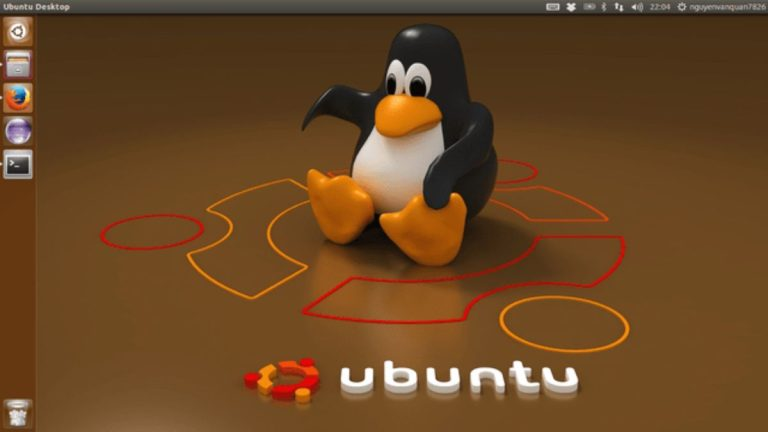
Vì sao Ubuntu được ưa chuộng:

  • Cộng đồng người dùng đông đảo: Ubuntu là một trong những hệ điều hành Linux phổ biến nhất, với cộng đồng người dùng lớn và sự đóng góp mạnh mẽ từ các lập trình viên trên toàn thế giới.
  • Thân thiện với người mới bắt đầu: Nếu bạn là người mới làm quen với Linux, Ubuntu là lựa chọn lý tưởng nhờ giao diện dễ sử dụng, tài liệu miễn phí phong phú, và các bản cập nhật thường xuyên.
  • Tính linh hoạt và ổn định: Ubuntu phù hợp với nhiều nhu cầu sử dụng, từ cá nhân đến doanh nghiệp. Phiên bản server của Ubuntu hỗ trợ hàng triệu ứng dụng khác nhau, đáp ứng tốt các yêu cầu về hệ thống lớn và phức tạp.
  • Dễ dàng cài đặt và tùy chỉnh: Quá trình cài đặt Ubuntu rất đơn giản, đi kèm với các công cụ giúp người dùng dễ dàng tùy chỉnh theo nhu cầu.

Lựa chọn cho người mới và chuyên gia:

  • Người mới bắt đầu: Ubuntu là lựa chọn tốt nhất vì tính dễ sử dụng và cộng đồng hỗ trợ rộng lớn.
  • Người dùng chuyên nghiệp: Nếu bạn có đội ngũ kỹ thuật dày dạn kinh nghiệm, CentOS cũng là một lựa chọn phù hợp nhờ tính ổn định và bảo mật cao. Ubuntu là hệ điều hành hoàn hảo cho cả người mới và người dùng chuyên nghiệp nhờ sự kết hợp giữa tính tiện dụng, khả năng bảo mật, và sự hỗ trợ mạnh mẽ từ cộng đồng.

Hệ điều hành CentOS (Linux)

CentOS (Community Enterprise Operating System) là một bản phân phối mã nguồn mở của hệ điều hành Linux, được phát triển dựa trên Red Hat Enterprise Linux (RHEL). Được ra mắt vào năm 2004 và hỗ trợ bởi cộng đồng người dùng, CentOS mang đến một môi trường lý tưởng cho lập trình và phát triển phần mềm nhờ tính ổn định, bảo mật, và dễ dàng tùy chỉnh.

Do kế thừa hoàn toàn từ RHEL, CentOS cung cấp nhiều cấp độ bảo mật phù hợp cho các doanh nghiệp, khiến nó trở thành một lựa chọn phổ biến trong môi trường máy chủ và hệ thống doanh nghiệp.
CentOS và Ubuntu là hai bản phân phối Linux mạnh mẽ, được sử dụng rộng rãi bởi lượng lớn người dùng trên toàn cầu. Tuy nhiên, mỗi hệ điều hành có ưu điểm riêng:

CentOS:

  • Lý tưởng cho doanh nghiệp nhờ khả năng bảo mật cao.
  • Cộng đồng hỗ trợ chuyên sâu và giàu kinh nghiệm.
  • Hỗ trợ cPanel, một công cụ quản lý hosting mạnh mẽ mà Ubuntu không cung cấp.

Ubuntu:

  • Cập nhật nhanh chóng và thường xuyên.
  • Giao diện thân thiện hơn, phù hợp với người mới bắt đầu.
  • Tuy nhiên, các phiên bản mới của Ubuntu đôi khi gặp lỗi hoặc chưa được kiểm tra kỹ lưỡng, buộc người dùng phải sử dụng các phiên bản cũ để đảm bảo ổn định.

CentOS nổi bật với khả năng bảo mật, ổn định và hỗ trợ mạnh mẽ, đặc biệt phù hợp trong các môi trường kinh doanh cần độ tin cậy cao.

Hệ điều hành Fedora (Linux)

Fedora, hay còn gọi là Fedora Core, là một bản phân phối Linux dựa trên RPM Package Manager. Hệ điều hành này được phát triển bởi cộng đồng thông qua Dự án Fedora (Fedora Project) và nhận sự hỗ trợ từ Red Hat, một trong những nhà cung cấp công nghệ nguồn mở hàng đầu thế giới. Fedora khuyến khích sự hợp tác và đổi mới trong lĩnh vực phần mềm tự do. Người dùng có thể sử dụng Fedora để thay thế hoặc kết hợp với các hệ điều hành khác như Microsoft Windows hoặc Mac OS X.

Ưu điểm của Fedora:

  • Hoàn toàn miễn phí: Là một hệ điều hành mã nguồn mở, Fedora cho phép tất cả người dùng trên thế giới tải xuống và sử dụng mà không phải trả phí.
  • Đa tính năng: Fedora cung cấp quyền root, cho phép bạn thực hiện mọi thao tác như xóa file, sửa đổi hệ thống hoặc gán quyền sở hữu file.
  • Giao diện hiện đại: Fedora đi tiên phong với giao diện GNOME 3, mang đến trải nghiệm trực quan và tối ưu. Hỗ trợ lập trình web: Đây là môi trường lý tưởng cho lập trình viên với các ngôn ngữ như Java, PHP, và nhiều công cụ hỗ trợ lập trình khác.
  • Hiệu năng ấn tượng: Là phiên bản thử nghiệm của Red Hat, Fedora luôn đảm bảo tốc độ và sự mượt mà. Cập nhật liên tục: Các công nghệ mới như hệ thống tệp, kỹ thuật ảo hóa, và tính năng cải tiến thường được thử nghiệm trên Fedora trước khi tích hợp vào Red Hat.
  • Khả dụng cao: Fedora hỗ trợ các tính năng tiện ích như tự động cài đặt driver máy in và gói ngôn ngữ trong các phiên bản mới nhất.

Giống như nhiều bản phân phối Linux khác, Fedora cũng tồn tại một số hạn chế:

  • Hạn chế về phần mềm: Fedora không tích hợp sẵn giải mã các định dạng MP3, MP4 và không hỗ trợ nhiều tựa game hoặc card đồ họa.
  • Yêu cầu tinh chỉnh: Mặc dù người dùng có thể sử dụng các gói thư viện của Fedora để bổ sung tính năng, nhưng đây vẫn là một điểm bất tiện, đặc biệt với người dùng mới.

Fedora là một lựa chọn tuyệt vời dành cho những người dùng yêu thích công nghệ mã nguồn mở, đặc biệt là lập trình viên và người dùng muốn trải nghiệm các công nghệ mới. Tuy nhiên, người dùng cần cân nhắc hạn chế về phần mềm trước khi lựa chọn Fedora làm hệ điều hành chính.

Windows Server là gì?

Windows Server là một phiên bản hệ điều hành dành cho máy chủ được phát triển bởi tập đoàn Microsoft. Hệ điều hành này được thiết kế để hỗ trợ chia sẻ dịch vụ với nhiều người dùng, đồng thời cung cấp các công cụ quản lý và kiểm soát mạnh mẽ đối với cơ sở dữ liệu cũng như mạng của doanh nghiệp.

Tính năng nổi bật của Windows Server:

  • Active Directory: Quản lý tự động dữ liệu người dùng. Bảo mật và phân phối tài nguyên hiệu quả. Dễ dàng tương tác với các thư mục khác.
  • Server Manager: Công cụ tiện ích giúp quản lý các vai trò máy chủ. Hỗ trợ cấu hình cả trên máy cục bộ và từ xa.
  • Hỗ trợ Cloud: Tích hợp liền mạch với các công nghệ đám mây, đặc biệt là các công cụ như Docker. Nâng cao khả năng làm việc với mạng điều khiển bằng phần mềm (SDN).
  • Nano Server: Một phiên bản rút gọn của Windows Server với kích thước giảm đến 20 lần so với Windows Server 2016 và nhỏ hơn 93% so với bản đầy đủ. Tăng cường bảo mật bằng cách giảm thiểu các lỗ hổng tấn công (attack vectors).
  • Hyper-V: Bảo vệ dữ liệu bên trong máy ảo (VM) bằng mã hóa mạnh mẽ, giảm nguy cơ xâm nhập.
  • Network Controller: Công cụ quản lý toàn diện cho các switch, mạng con, và các thiết bị trong cả mạng vật lý và mạng ảo.
Nên dùng hệ điều hành nào cho VPS?

Nếu bạn sử dụng WordPress hoặc các website dựa trên PHP, các hệ điều hành Linux sẽ là lựa chọn tối ưu. Trong đó, CentOS và Ubuntu là hai hệ điều hành phổ biến nhất.

  • CentOS và Ubuntu được ưa chuộng nhờ cộng đồng người dùng lớn, giúp bạn dễ dàng tìm kiếm hướng dẫn và hỗ trợ.
  • So với Fedora hay Debian, CentOS và Ubuntu thường được đánh giá là dễ sử dụng hơn trong các môi trường server phổ biến. Hãy cân nhắc chọn hệ điều hành phù hợp dựa trên nhu cầu và sự hỗ trợ mà bạn có thể dễ dàng tiếp cận.

Chọn Control Panel nào cho VPS?

Dưới đây là một số Control Panel miễn phí và trả phí mà bạn có thể cân nhắc lựa chọn, tùy thuộc vào nhu cầu sử dụng:

Control Panel trả phí cho VPS

Các ứng dụng trả phí dưới đây là các Webserver Control Panel được thiết kế dành riêng cho VPS hoặc Dedicated Server. Chúng cung cấp các công cụ hỗ trợ cấu hình webserver, tạo gói hosting nhỏ, thậm chí hỗ trợ việc kinh doanh hosting.

Khi lựa chọn sử dụng các Control Panel này trên VPS, bạn cần chi trả thêm một khoản phí, thường dao động từ $8 đến $15/tháng.
cPanel cPanel hosting là dịch vụ hosting chạy trên nền tảng Linux và đã được cài đặt sẵn cPanel. Mặc dù có cả ưu điểm và nhược điểm, nhưng trong hầu hết các trường hợp, cPanel hoạt động rất hiệu quả, trở thành một lựa chọn tuyệt vời cho những ai đang tìm kiếm một giải pháp control panel cho hosting.
Mức giá: Dao động từ $15 đến $45/tháng, tùy thuộc vào số tài khoản bạn đăng ký.

Ưu điểm

  • Dễ dàng học hỏi và sử dụng
  • Tiết kiệm thời gian và chi phí
  • Được kiểm thử và chứng minh hiệu quả qua thời gian
  • Có trình cài đặt tự động
  • Nhiều hướng dẫn và tài liệu hỗ trợ trực tuyến

Nhược điểm

  • Tính năng: Một số tính năng có thể không cần thiết đối với người dùng cơ bản
  • Lỗi (Bug): Dễ dẫn đến việc thay đổi các thông số quan trọng mà người dùng không nhận ra
  • Tính tích hợp: Một số dịch vụ hosting chỉ hỗ trợ các phiên bản cPanel cũ
  • Chi phí: Giá thành cao hơn, vì cPanel không thường xuyên được bao gồm trong các gói hosting miễn phí

DirectAdmin

DirectAdmin (DA) là phần mềm quản lý hosting chạy trên nhiều hệ điều hành Linux. Đây là một lựa chọn nhẹ, ít chiếm tài nguyên và dễ sử dụng hơn so với cPanel, với số lượng tính năng ít hơn. Đặc biệt, DirectAdmin có mức giá rẻ hơn nhiều so với cPanel, vì vậy nhiều nhà cung cấp hosting tặng kèm DirectAdmin khi bạn sử dụng VPS.

Mức giá: 29$/tháng – Không giới hạn số tài khoản

Ưu điểm

  • Tốc độ: DirectAdmin được tối ưu hóa cho tốc độ, giúp thao tác trên giao diện nhanh chóng.
  • Nhẹ: Phần mềm này sử dụng rất ít tài nguyên hệ thống, phù hợp với nhiều cấu hình máy chủ.
  • Ổn định: DirectAdmin rất ổn định và hoạt động tốt trong thời gian dài mà không gặp phải những lỗi vặt như các control panel miễn phí khác.
  • Phân quyền quản lý: DirectAdmin có 3 cấp độ quản lý: Admins, Resellers và Users, giúp dễ dàng phân quyền và quản lý khách hàng hoặc người dùng theo nhu cầu. Tuy nhiên, bạn cần hiểu rõ các cấp quyền này để tránh gặp phải khó khăn trong quá trình quản lý.
  • Chi phí: License của DirectAdmin có giá mềm hơn so với cPanel và một số control panel miễn phí khác, giúp tiết kiệm chi phí cho người sử dụng.

Nhược điểm

  • Giao diện: Giao diện của DirectAdmin khá đơn giản và không đẹp mắt.
  • Tương thích với Unicode: DirectAdmin tương thích kém với bộ mã Unicode, đôi khi dẫn đến lỗi font.
  • Khó sử dụng cho người mới: DirectAdmin hướng đến quản trị có chiều sâu, do đó có thể khó sử dụng đối với người mới bắt đầu.

Parallels Plesk (Plesk Control Panel)

Parallels Plesk là một công cụ quản trị hosting hỗ trợ cả hai hệ điều hành Windows và Linux. Đây là phần mềm control panel do công ty Plesk phát triển, cung cấp giải pháp toàn diện cho việc quản lý máy chủ, bao gồm các dịch vụ như web, email, cơ sở dữ liệu, tên miền và nhiều tính năng khác.

Mức giá: 9,6$ – 25$/tháng, tùy theo số lượng domain và các tính năng

Ưu điểm

  • Hỗ trợ cả hai hệ điều hành: Plesk có thể hoạt động linh hoạt trên cả Windows và Linux, giúp bạn dễ dàng sử dụng trên nhiều nền tảng.
  • Hệ thống phần mềm ổn định: Plesk cung cấp các phần mềm hữu ích, ổn định và đáng tin cậy cho việc quản lý hosting.
  • Tính năng tích hợp đầy đủ: Plesk hỗ trợ đầy đủ các dịch vụ cần thiết để vận hành website như quản lý website, thư điện tử, cơ sở dữ liệu, và tên miền.
  • Giao diện thân thiện: Plesk có giao diện dễ sử dụng, phù hợp với cả người mới bắt đầu và người quản trị có kinh nghiệm.
  • Tính năng thiết kế web tích hợp: Đây là phần mềm quản lý hosting duy nhất tích hợp tính năng thiết kế web, giao diện storefront SaaS và hệ thống billing, mang lại sự tiện lợi và hiệu quả cho người dùng.
  • Quản lý dịch vụ dễ dàng: Cho phép thiết lập nhiều host dựa trên các gói dịch vụ đã định cấu hình sẵn và hỗ trợ tạo nhiều tài khoản FTP với cấu trúc web linh hoạt.

LDAP Server là gì? Khái niệm và ứng dụng cơ bản

Nhược điểm

  • Tốc độ truy cập chậm: Vì sử dụng cổng 8443 và kết nối HTTPS, việc truy cập vào trang chủ và Control Panel có thể chậm và đôi khi gặp khó khăn.
  • Khó khăn trong quản lý user: Việc quản lý root và reseller trong Plesk có thể gây khó khăn cho người dùng.
  • Chuyển đổi thông tin gặp vấn đề: Mysql user không có tiếp đầu ngữ User_db, khiến việc chuyển server hoặc sao lưu dữ liệu dễ bị thất lạc hoặc nhầm lẫn.
  • Khả năng nâng cấp hạn chế: Plesk không hỗ trợ nâng cấp hay cập nhật dễ dàng, điều này có thể gây khó khăn khi cần áp dụng các bản vá hoặc cải tiến mới.

So sánh tính năng của Plesk, cPanel và DirectAdmin

Tiêu chí DirectAdmin cPanel Plesk
Hỗ trợ OS Linux Linux Windows & Linux
Sử dụng tài nguyên Nhanh và nhẹ Khá cao
Độ bảo mật Trung bình Cao Trung bình
Quản trị Qua câu lệnh Qua giao diện Qua giao diện
Mutil server cluster Không

Control Panel miễn phí cho VPS

Để cài đặt và sử dụng các control panel dưới đây hiệu quả, bạn nên tiến hành cài một hệ điều hành hoàn toàn mới, chưa có bất kỳ ứng dụng nào trước khi cài control panel. Điều này đảm bảo môi trường sạch sẽ cho việc cài đặt và sử dụng.

ISPConfig

ISPConfig là một control panel quản lý VPS nổi bật, mặc dù đã được phát hành từ lâu nhưng vẫn giữ được sự tin cậy trong cộng đồng người dùng. Đặc biệt, nó được ưa chuộng bởi khả năng hoạt động ổn định, ít gặp lỗi và hỗ trợ việc ảo hóa, cho phép tạo VPS cũng như gộp nhiều máy chủ vào một control panel duy nhất để dễ dàng quản lý.
Hệ điều hành tương thích:

  • RHEL/CentOS 5 – 7
  • Debian 5 – 7
  • Ubuntu 8 – 14.04
  • OpenSuse 11 – 13
  • Chức năng chính:

Quản lý và tạo máy chủ ảo.

  • Hỗ trợ 4 loại tài khoản: Admin, Reseller, User, Email Manager.
  • Quản lý nhiều máy chủ từ một control panel duy nhất.

Công nghệ sử dụng:

  • Apache và NGINX
  • Postfix
  • DoveCot
  • MySQL
  • PureFTPD

Sentora

Sentora là thế hệ kế thừa của zPanel, một control panel nổi tiếng trong quá khứ. Sau khi bán zPanel cho HostWinds, các nhà phát triển cũ đã tạo ra Sentora, mang đến một sản phẩm mới với giao diện và tính năng vượt trội hơn, cùng khả năng tương thích rộng rãi.

Hệ điều hành tương thích:

  • CentOS 6, CentOS 7
  • Ubuntu 12.04, Ubuntu 14.04

Các chức năng chính:

  • Được thiết kế để tạo ra nhiều gói hosting nhỏ, dễ dàng quản lý và phân phối cho khách hàng.
  • Quản lý giới hạn quyền truy cập và tính năng cho từng user.
  • Hỗ trợ API để kết nối với các dịch vụ bên ngoài, chẳng hạn như các công cụ quản lý billing như WHMCS.
  • Hỗ trợ các module trả phí để mở rộng tính năng.
  • Cung cấp tính năng tạo tài khoản Reseller, giúp tạo nhiều gói hosting mà không cần quyền Admin.
  • Giao diện của control panel dễ dàng tùy biến theo nhu cầu.

Công nghệ sử dụng:

  • Apache Webserver – Webserver phổ biến nhất.
  • PHP – Cần thiết để chạy WordPress và các script PHP khác.
  • ProFTP – Dùng để tạo FTP server.
  • MySQL/MariaDB – Hệ quản trị cơ sở dữ liệu SQL.
  • Postfix – Cấu hình Email Server.
  • phpMyAdmin – Quản lý cơ sở dữ liệu.
  • DoveCot – Tạo IMAP server.

VestaCP

VestaCP là một control panel đơn giản nhưng rất đáng để khám phá. Nó hỗ trợ NGINX, mang lại hiệu suất vượt trội so với Apache. Trong cấu hình của VestaCP, NGINX chỉ đóng vai trò là reverse proxy cho Apache để xử lý các file tĩnh. Với cách cài đặt dễ dàng, VestaCP là lựa chọn phù hợp cho những ai muốn tự cài đặt control panel cho VPS của mình.
Hệ điều hành tương thích:

  • RHEL/CentOS 5 và 6
  • Debian 7
  • Ubuntu 12.04 đến 14.04

Các chức năng chính:

  • Dễ dàng tạo nhiều gói hosting khác nhau.
  • Giao diện đơn giản và dễ sử dụng.
  • Tích hợp sẵn WHMCS để quản lý billing.
  • Cập nhật tự động lên phiên bản mới nhất.
  • Tích hợp chức năng theo dõi hệ thống và bảo vệ chống virus.

Công nghệ sử dụng:

  • Apache Webserver
  • NGINX
  • PHP
  • MySQL
  • DoveCot
  • Exim
  • VsFTPD
  • Webalizer
  • RoundCube
  • Backup/Restore

CWP Control Panel

CWP cung cấp nhiều chức năng tương tự như Sentora, tuy nhiên, nó không hỗ trợ tạo tài khoản reseller. Mặc dù vậy, bảng điều khiển của CWP cho phép bạn cấu hình toàn diện server, vì hầu hết các thiết lập quan trọng đều có trong control panel. CWP cũng hỗ trợ Varnish Cache, giúp tối ưu hóa hiệu suất mà không cần cấu hình lại, đặc biệt hoạt động tốt với WordPress.

Hệ điều hành tương thích:

  • RHEL/CentOS 6.x
  • CloudLinux 6.x

Các chức năng chính:

  • Control panel tích hợp hầu hết các thiết lập quan trọng.
  • Hỗ trợ quản lý tường lửa trực tiếp trong control panel.
  • Cho phép tạo nhiều gói hosting khác nhau.
  • Theo dõi thông tin cấu hình server và ứng dụng ngay trong control panel.

Công nghệ sử dụng:

  • Apache kèm suPHP, suExec và mod_security để tăng cường bảo mật.
  • Varnish Cache để tối ưu tốc độ truy cập.
  • MySQL
  • CSF Firewall
  • TeamSpeak 3
  • Tomcat 8 server management
  • ProFTP
  • Khôi phục dữ liệu từ cPanel nhanh chóng.

Webuzo Nếu bạn không hài lòng với cấu hình sẵn có của các control panel thông thường nhưng vẫn muốn có giao diện quản lý ứng dụng trên server, Webuzo là một lựa chọn tuyệt vời. Đây là một control panel cho phép bạn tự cài đặt và cấu hình các gói ứng dụng theo nhu cầu của mình.

Webuzo hỗ trợ cài đặt mọi ứng dụng bạn cần và với tính năng tích hợp Softaculous, bạn có thể dễ dàng cài đặt hàng nghìn mã nguồn mở thông qua tính năng "One-Click Install". Tuy nhiên, bản miễn phí có một số giới hạn đối với một số mã nguồn mở phổ biến như WordPress, nhưng chi phí nâng cấp không quá cao và bạn có thể trải nghiệm bản dùng thử miễn phí trong 30 ngày.

Hệ điều hành tương thích:

  • RHEL/CentOS 5 và 6
  • Ubuntu 12.04 và 14.04

Các chức năng chính:

  • Cài đặt nhanh các ứng dụng cần thiết như LAMP, LEMP.
  • Hỗ trợ thư viện hàng nghìn ứng dụng khác nhau.
  • Dễ dàng cấu hình, với nhiều ứng dụng quan trọng có hỗ trợ cấu hình trực tiếp trong control panel.
  • Cấu hình máy chủ trực tiếp trong control panel.
  • Theo dõi hiệu suất sử dụng máy chủ.
  • Tạo nhiều user khác nhau như một gói hosting.
  • Công nghệ sử dụng: Softaculous để tự động cài đặt các mã nguồn mở.

VirtualMin

VirtualMin là một control panel được đánh giá cao nhờ vào sự kết hợp giữa tính năng phong phú và tính dễ sử dụng. Chỉ cần vài dòng lệnh đơn giản, bạn sẽ có ngay một control panel với Apache làm webserver và các tính năng cần thiết cho việc quản lý server.

Các chức năng chính:

  • Quản lý user và tạo host.
  • Quản lý và giới hạn tài nguyên sử dụng.
  • Hỗ trợ sao lưu và khôi phục dữ liệu tự động.
  • Xem và quản lý các thiết lập về máy chủ và mạng.
  • Giao diện thân thiện, hỗ trợ sử dụng trên thiết bị di động.

Công nghệ sử dụng:

  • Apache
  • MySQL
  • Postfix
  • Và một số công nghệ khác chuyên dụng cho việc xây dựng webserver.

Những loại VPS hiện nay trên thị trường

Tùy vào công nghệ ảo hóa sử dụng và mức độ quản lý, nhà cung cấp có thể cung cấp các loại VPS khác nhau.

Managed VPS

Managed VPS (VPS có quản trị) là dịch vụ VPS với sự hỗ trợ toàn diện của nhà cung cấp trong việc quản lý và vận hành VPS. Điều này có nghĩa người dùng sẽ không phải tự cài đặt hệ điều hành, phần mềm, không phải theo dõi hay xử lý các sự cố phát sinh, mà mọi việc đó sẽ do nhà cung cấp đảm nhiệm. Tất nhiên, chi phí cho một managed VPS cũng sẽ cao hơn các loại khác do nhà cung cấp phải duy trì đội ngũ quản trị viên. <

Unmanaged VPS

Ngược lại với managed VPS, một unmanaged VPS (VPS không quản trị) nghĩa là người dùng sẽ phải tự chịu trách nhiệm cài đặt, cập nhật, bảo trì phần mềm và xử lý các vấn đề phát sinh với VPS. Đổi lại, chi phí thuê một unmanaged VPS sẽ thấp hơn khá nhiều so với managed VPS. Unmanaged VPS phù hợp với những người đã có kinh nghiệm quản trị VPS Linux/Windows.

KVM VPS

KVM (Kernel-based Virtual Machine) là công nghệ ảo hóa được tích hợp sẵn trong nhân Linux, cho phép một máy chủ vật lý (host machine) chạy nhiều máy ảo (guest machine) độc lập. Mỗi máy ảo KVM có tài nguyên phần cứng riêng như RAM, CPU, disk được cấp phát trực tiếp từ phần cứng máy chủ thông qua một lớp hypervisor. Nhờ đó, hiệu năng của một KVM VPS gần như tương đương với một máy chủ vật lý (bare metal). KVM VPS mang lại sự linh hoạt cao khi người dùng có thể tùy chỉnh mọi thứ từ hệ điều hành, phần mềm đến tài nguyên phần cứng của VPS.

OpenVZ VPS

OpenVZ là công nghệ ảo hóa cấp hệ điều hành, hoạt động dựa trên nhân Linux được điều chỉnh để tách biệt tài nguyên giữa các VPS. Không giống như KVM tạo ra một "máy ảo đầy đủ", OpenVZ chỉ tạo ra các "container" dùng chung một nhân hệ điều hành. Mỗi container này hoạt động như một máy chủ độc lập với người dùng root, IP, bộ nhớ, tiến trình riêng. OpenVZ VPS có hiệu năng, mật độ và tính bảo mật cao hơn so với các VPS dựa trên công nghệ ảo hóa đầy đủ như KVM.

Tuy nhiên, OpenVZ lại kém linh hoạt hơn do người dùng buộc phải sử dụng chung hệ điều hành trên máy chủ (thường là CentOS hoặc RHEL). Ngoài ra, OpenVZ container không thể truy cập trực tiếp phần cứng nên một số ứng dụng đòi hỏi quyền admin như Docker sẽ không hoạt động.

VPS Cloud

VPS Cloud (còn gọi là Cloud VPS, Cloud Server) là sự kết hợp giữa công nghệ ảo hóa VPS truyền thống và điện toán đám mây. Không như các VPS thông thường chỉ sử dụng tài nguyên từ một máy chủ vật lý, VPS Cloud cho phép linh hoạt kết hợp tài nguyên từ nhiều máy chủ vật lý trong một trung tâm dữ liệu thông qua lớp ảo hóa. Khi nhu cầu tăng lên, người dùng có thể dễ dàng mở rộng (scale) tài nguyên của VPS Cloud lên gấp nhiều lần mà hầu như không có thời gian chết (downtime), điều mà các VPS truyền thống không thể làm được.

Ưu điểm và nhược điểm của VPS

VPS có những ưu điểm:

  • Quyền quản trị độc lập: Mặc dù có giá thành thấp hơn so với Dedicated Hosting, VPS vẫn mang lại cho người dùng quyền quản trị độc lập và tài nguyên gần như một máy chủ riêng.
  • Chi phí hợp lý: VPS giúp tiết kiệm chi phí đáng kể so với việc thuê một máy chủ riêng. Bằng cách tận dụng tối đa tài nguyên máy chủ, VPS giúp giảm số lượng máy chủ vật lý không cần thiết. Đặc biệt, VPS rất thích hợp cho các dự án thử nghiệm, nơi không yêu cầu một máy chủ vật lý.
  • Sử dụng tài nguyên độc lập: Máy ảo VPS hoạt động như một máy chủ riêng biệt với tài nguyên riêng biệt, bao gồm CPU, RAM, ổ cứng HDD, địa chỉ IP và hệ điều hành. Điều này giúp người dùng sử dụng tài nguyên độc lập mà không phải chia sẻ với người dùng khác, hạn chế bị ảnh hưởng từ các tài khoản VPS khác.
  • Tính an toàn cao: VPS có tính an toàn cao hơn so với Shared Hosting. Vì hoạt động độc lập, VPS không bị ảnh hưởng bởi các tài khoản VPS khác trên cùng một server. Nếu một tài khoản bị tấn công, các máy ảo khác trên hệ thống vẫn được bảo vệ.
  • Dễ dàng nâng cấp: VPS cho phép người dùng quản lý quyền root và thực hiện cài đặt lại hệ điều hành một cách nhanh chóng. Bạn có thể nâng cấp tài nguyên VPS một cách linh hoạt mà không cần phải khởi động lại hệ thống, tùy chỉnh cấu hình máy ảo sao cho phù hợp với nhu cầu sử dụng.

Laravel là gì? Khám phá chi tiết về framework PHP phổ biến này

Tuy nhiên, VPS cũng tồn tại một số nhược điểm so với máy chủ vật lý:

  • Yêu cầu kỹ năng quản trị: Giống như Dedicated Hosting, VPS đòi hỏi bạn phải có kiến thức và kỹ năng quản trị máy chủ. Nếu không có khả năng tự quản lý, bạn sẽ cần phải thuê dịch vụ quản trị từ nhà cung cấp hosting.
  • Hiệu suất: Tính ổn định của máy ảo có thể bị ảnh hưởng bởi hoạt động của máy chủ vật lý. Các tài nguyên giới hạn của server vật lý phải được chia sẻ cho nhiều khách hàng, và thường không phân chia toàn bộ tài nguyên thành các máy ảo. Một số tài nguyên luôn được để trống để tránh tình trạng quá tải khi có quá nhiều VPS trên cùng một node server. Nếu có quá nhiều máy ảo đang hoạt động trên một máy chủ vật lý, tài nguyên có thể bị vượt quá, gây ra tình trạng quá tải hoặc thiếu tài nguyên để nâng cấp. Điều này có thể khiến máy ảo của bạn bị treo và làm gián đoạn hoạt động của website.
  • Chi phí: Mặc dù VPS có chi phí thấp hơn so với Dedicated Server, nhưng lại cao hơn so với Shared Hosting. Mặc dù VPS cung cấp tốc độ và tính linh hoạt cao hơn, nhưng để tận dụng hết các lợi ích của máy ảo, bạn cần có khả năng quản trị hệ thống tốt.

Khi nào nên sử dụng máy chủ ảo VPS

Máy chủ ảo (VPS) là giải pháp linh hoạt và hiệu quả cho nhiều nhu cầu khác nhau. Nếu bạn đang băn khoăn về việc khi nào nên thuê VPS, hãy cùng tìm hiểu những ứng dụng phổ biến của VPS dưới đây.

Lưu trữ website

Máy ảo VPS thường được sử dụng để lưu trữ website, đặc biệt là với các trang web có lượng truy cập vừa và lớn. VPS cung cấp tài nguyên riêng biệt và khả năng điều chỉnh dễ dàng, giúp tối ưu hiệu suất trang web.

Đối với các doanh nghiệp lớn, dữ liệu là tài sản quý giá và việc sử dụng các phương pháp lưu trữ truyền thống như ổ cứng hay đĩa có thể không đáp ứng đủ nhu cầu. Máy ảo VPS có thể được sử dụng như một máy chủ lưu trữ dữ liệu (file, hình ảnh, video,…), giúp đảm bảo an toàn và bảo mật, đồng thời cho phép truy cập và chia sẻ dữ liệu từ bất kỳ đâu qua mạng Internet.

Phát triển ứng dụng game và phần mềm

Các nhà phát triển phần mềm, đặc biệt là game, là nhóm người dùng phổ biến của VPS. Họ cần môi trường ảo để lập trình, thử nghiệm và lưu trữ ứng dụng.

Vì các dự án thử nghiệm thường yêu cầu nhiều tài nguyên và cần nhiều hệ thống hoạt động độc lập, VPS là giải pháp tối ưu thay vì sử dụng shared hosting không đáp ứng đủ hoặc xây dựng dedicated server tốn kém.

Backup dữ liệu và lưu trữ dữ liệu

VPS là một giải pháp lý tưởng cho việc backup và lưu trữ dữ liệu nhờ vào tính linh hoạt và khả năng mở rộng. Bạn có thể dễ dàng cấu hình và quản lý không gian lưu trữ theo nhu cầu, đảm bảo rằng dữ liệu quan trọng luôn được sao lưu và bảo vệ an toàn.

VPS cung cấp môi trường độc lập, giúp bạn thiết lập các biện pháp bảo mật riêng biệt như mã hóa dữ liệu và cấu hình quyền truy cập, bảo vệ thông tin của bạn tốt hơn.

Làm máy chủ mail, VPN, proxy

VPS cũng rất phù hợp để làm máy chủ mail cho doanh nghiệp. Với các doanh nghiệp vừa và lớn, máy chủ mail riêng biệt là giải pháp hiệu quả, giúp quản lý email nội bộ, phân quyền nhân viên và bảo mật thông tin.

Ngoài ra, VPS có thể được sử dụng để triển khai và quản lý hệ thống VPN (Mạng Riêng Ảo) hoặc Proxy. Với VPN, VPS cung cấp nền tảng vững chắc để bảo vệ thông tin cá nhân và đảm bảo kết nối an toàn khi truy cập internet từ xa. Bạn có thể dễ dàng cấu hình các giao thức VPN như OpenVPN hoặc WireGuard và thiết lập các chính sách bảo mật theo nhu cầu.

Với proxy, VPS cho phép triển khai các máy chủ proxy để kiểm soát và quản lý lưu lượng internet, cải thiện bảo mật, tăng tốc độ truy cập hoặc ẩn danh khi duyệt web.

Cloud Server có phải là sản phẩm thay thế hoàn hảo cho VPS?

Dựa trên công nghệ điện toán đám mây, Cloud Server có thể được coi là "phiên bản nâng cao" của VPS truyền thống. Ngoài các đặc điểm cơ bản của VPS, Cloud Server còn có những ưu điểm:

Dễ dàng quản trị

Nhờ vào việc quản lý tập trung tài nguyên từ nhiều máy chủ, Cloud Server có thể dễ dàng tự động hóa việc quản lý, bảo trì bằng các công cụ như Ansible, Puppet… Ngoài ra, các API mở giúp người dùng có thể tự động điều khiển Cloud Server thông qua các đoạn script.

Tính ổn định cao

Với Cloud Server, các thành phần phần cứng và phần mềm được triển khai dưới dạng điện toán đám mây, nên nếu một máy chủ vật lý gặp sự cố, các máy chủ khác sẽ tự động đảm nhiệm vai trò của nó, đảm bảo dịch vụ của người dùng không bị gián đoạn. Các nhà cung cấp Cloud Server lớn như Amazon AWS, Google Cloud Platform, DigitalOcean… thường cam kết mức uptime lên tới 99.99%.

Độ an toàn và bảo mật cao

Nhà cung cấp Cloud Server thường triển khai các giải pháp bảo mật tiêu chuẩn cao và toàn diện cho toàn bộ hệ thống như tường lửa, mã hóa dữ liệu, sao lưu định kỳ, giám sát 24/7, bảo vệ khỏi tấn công DDoS… Nhờ đó hạn chế tối đa nguy cơ mất dữ liệu và thời gian downtime cho người dùng.

Nâng cấp và khởi tạo dễ dàng

Người dùng có thể dễ dàng nâng cấp hoặc hạ cấp cấu hình tài nguyên của Cloud Server(như CPU, RAM, ổ cứng) chỉ trong vài cú nhấp chuột trên giao diện quản lý hoặc thông qua API mà hầu như không phải khởi động lại hệ thống. Việc khởi tạo một Cloud Server mới cũng thường chỉ mất vài phút so với vài giờ như ở các VPS truyền thống.

Có thể thấy Cloud Server phù hợp hơn VPS truyền thống trong việc xây dựng các ứng dụng có tính sẵn sàng cao, cần khả năng mở rộng tự động để đáp ứng lượng truy cập lớn. Tuy nhiên mức chi phí ban đầu cho Cloud Server thường cao hơn VPS truyền thống khá nhiều. Ngoài ra, một hệ thống Cloud Server đầy đủ cũng đòi hỏi trình độ kỹ thuật cao để thiết kế và vận hành.

Các loại dịch vụ máy chủ ảo VPS phổ biến hiện nay

Máy chủ ảo (VPS) có nhiều loại dịch vụ khác nhau, mỗi loại phù hợp với nhu cầu và khả năng của người sử dụng. Dưới đây là ba loại VPS phổ biến:

Managed VPS

Managed VPS là dịch vụ máy chủ ảo kèm theo hỗ trợ quản trị từ nhà cung cấp, bao gồm việc cài đặt, cấu hình, tối ưu hệ thống, bảo trì và hỗ trợ kỹ thuật. Đây là lựa chọn lý tưởng cho những người không có kỹ năng quản trị hoặc các doanh nghiệp thiếu đội ngũ kỹ thuật.

Với Managed VPS, bạn có thể tập trung vào phát triển công việc mà không cần lo lắng về việc quản lý máy chủ. Dưới đây là ưu và nhược điểm của dịch vụ này:

  • Ưu điểm: Tiết kiệm thời gian, không cần chuyên môn quản trị hệ thống, hệ thống luôn được kiểm soát và cập nhật liên tục, hiệu suất VPS được tối ưu.
  • Nhược điểm: Chi phí cao hơn và cần chia sẻ quyền quản trị máy chủ với nhà cung cấp dịch vụ.

Unmanaged VPS

Unmanaged VPS là dịch vụ cho phép người dùng thuê máy chủ ảo và tự chịu trách nhiệm về việc cài đặt, cấu hình, bảo trì hệ thống mà không có sự hỗ trợ từ nhà cung cấp. Đây là lựa chọn dành cho những người muốn có sự linh hoạt và kiểm soát cao đối với hệ thống của mình.

  • Ưu điểm: Tiết kiệm chi phí so với Managed VPS, cung cấp quyền kiểm soát cao hơn cho người dùng, cho phép tùy chỉnh hệ thống theo nhu cầu cụ thể.
  • Nhược điểm: Cần nhiều thời gian và kỹ năng để quản lý hệ thống, người dùng phải tự cài đặt và cấu hình hệ thống mà không có sự hỗ trợ.

Semi-managed VPS

Semi-managed VPS là lựa chọn kết hợp giữa Managed VPS và Unmanaged VPS. Dịch vụ này cung cấp một phần hỗ trợ như cài đặt và bảo trì, nhưng người dùng vẫn phải tự quản lý phần lớn các tác vụ khác.

Dù không cung cấp quản trị hoàn toàn như Managed VPS, Semi-managed VPS giúp giảm bớt công sức cho người dùng trong việc quản lý máy chủ.

  • Ưu điểm: Giá thành hợp lý, linh hoạt trong việc tùy chỉnh hệ thống mà không bị hạn chế như Managed VPS, cung cấp giải pháp cài đặt và hỗ trợ kỹ thuật cơ bản, có tính năng bảo mật cơ bản như kiểm tra, vá lỗi hệ thống và tạo tường lửa.
  • Nhược điểm: Hỗ trợ hạn chế so với Managed VPS, chi phí cao hơn Unmanaged VPS, yêu cầu người dùng có kỹ năng kỹ thuật nhất định, không đảm bảo bảo mật tuyệt đối. Người dùng phải tự đảm bảo an toàn cho hệ thống của mình.

Những điều cần biết khi mua VPS

Trước khi "xuống tiền" mua VPS, bạn cần lưu ý những điều quan trọng sau để có lựa chọn sáng suốt nhất.

  • Xác định rõ nhu cầu: Khảo sát kỹ ứng dụng định triển khai để chọn cấu hình phù hợp, tránh lãng phí.
  • Tính khả năng mở rộng: Cần chuẩn bị các phương án mở rộng khi nhu cầu tăng lên, như chuyển lên cloud, tăng cấu hình…
  • Chọn nhà cung cấp uy tín: Dựa trên các tiêu chí như hạ tầng, kỹ thuật, chính sách bảo mật, chất lượng dịch vụ khách hàng…
  • Tìm hiểu dịch vụ bổ sung: Một số nhà cung cấp cung cấp các dịch vụ giá trị gia tăng như backup định kỳ, cài đặt phần mềm, tối ưu hiệu năng…
  • Lưu ý vấn đề bảo mật: Ngoài các tiêu chuẩn bảo mật của nhà cung cấp, bạn cũng cần tự trang bị các kiến thức và phương án bảo mật cho VPS.
So sanh cac loai hosting
Tested on 2025-09-01 Shared Hosting, VPS, Cloud Server, Dedicated Server
| Tieu chi | Shared Hosting | VPS | Cloud Server | Dedicated Server | |---|---|---|---|---| | Tai nguyen | Chia se | Rieng biet | Rieng biet + mo rong | Toan bo may chu | | Hieu suat | Thap | Trung binh - Cao | Cao | Cao nhat | | Bao mat | Co ban | Tot | Rat tot | Tot nhat | | Chi phi | Thap nhat | Trung binh | Trung binh - Cao | Cao nhat | | Kha nang mo rong | Han che | Trung binh | Rat linh hoat | Han che | | Quan tri | Nha cung cap | Tu quan ly/Managed | Tu quan ly/Managed | Tu quan ly | | Phu hop | Web nho, blog | Web trung binh | Ung dung lon | Doanh nghiep lon |
Meo chon VPS phu hop

Neu ban moi bat dau, chon Managed VPS voi he dieu hanh Ubuntu de de su dung. Voi website WordPress co luong truy cap trung binh, cau hinh 2 CPU core, 4GB RAM, 50GB SSD la du dap ung. Luon chon o cung SSD thay vi HDD de co toc do tot hon.

Ket luan: VPS la giai phap luu tru web linh hoat, can bang giua chi phi va hieu nang, phu hop cho ca nhan va doanh nghiep can tai nguyen rieng biet ma khong muon dau tu vao may chu vat ly. Viec lua chon loai VPS (Managed, Unmanaged, Cloud) va cau hinh phu hop se giup toi uu hoa hieu suat va chi phi van hanh.
Nguồn tham khảo

Câu hỏi thường gặp

Câu hỏi thường gặpQ&A
VPS là gì và hoạt động như thế nào?
VPS (Virtual Private Server) là máy chủ ảo được tạo bằng cách phân chia máy chủ vật lý thành nhiều máy chủ nhỏ hơn qua công nghệ ảo hóa. Mỗi VPS hoạt động độc lập với CPU, RAM, ổ cứng và IP riêng.
VPS khác gì Shared Hosting và Dedicated Server?
Shared Hosting chia sẻ tài nguyên với nhiều người dùng, giá rẻ nhất. VPS có tài nguyên riêng biệt, giá trung bình. Dedicated Server dùng toàn bộ máy chủ vật lý riêng, giá cao nhất nhưng hiệu suất tốt nhất.
Nên chọn Managed VPS hay Unmanaged VPS?
Managed VPS phù hợp nếu bạn không có kỹ năng quản trị, nhà cung cấp sẽ lo toàn bộ. Unmanaged VPS giá rẻ hơn nhưng yêu cầu bạn tự quản lý, phù hợp cho người có kinh nghiệm quản trị Linux/Windows.
Khi nào nên chuyển từ Shared Hosting sang VPS?
Khi website có lượng truy cập tăng cao, cần tài nguyên riêng biệt, quyền root để cài đặt phần mềm tùy chỉnh, hoặc yêu cầu bảo mật cao hơn mà Shared Hosting không đáp ứng được.
VPS Cloud khác gì VPS truyền thống?
VPS Cloud kết hợp tài nguyên từ nhiều máy chủ vật lý qua điện toán đám mây, dễ dàng mở rộng và có uptime cao hơn. VPS truyền thống chỉ dùng tài nguyên từ một máy chủ vật lý duy nhất.

VPS (Virtual Private Server) is a virtual server created from a physical server through virtualization technology, operating independently with dedicated CPU, RAM, and storage resources. It is a web hosting solution that balances cost and performance, suitable for both individuals and businesses.

What is VPS?

VPS (Virtual Private Server) is a virtual server created by partitioning a physical server into multiple smaller virtual servers. These virtual servers operate independently and have features similar to a Dedicated Server. VPS works by sharing resources from the original physical server. To better understand VPS, you should first grasp the concept of a Server.

Unlike using individual servers, VPS is developed through virtualization technology, not through regular hosting management software. The number of VPS instances on a server system is usually much fewer than the number of hosting accounts, which helps ensure greater stability and higher resource utilization. Notably, a single VPS can host and manage hundreds of different hosting accounts.

With a Dedicated Server, one physical server serves only a single website, while VPS can handle multiple websites simultaneously and process greater amounts of traffic. This helps businesses save costs while still ensuring superior operational efficiency.

VPS is an ideal choice for those who want to optimize costs while still needing the high performance and flexibility of a dedicated server.

Key Specifications to Know When Renting a VPS

When deciding to rent a VPS, you need to understand the important specifications to choose the right configuration.

Server RAM

RAM (Random Access Memory) is the temporary memory of a computer, used to store running programs and data. The amount of RAM determines how many processes the VPS can handle simultaneously. The more RAM a VPS has, the faster its processing speed, especially for heavy tasks like image and video processing. Current VPS packages typically offer RAM ranging from 1GB (low configuration) to 16GB or 32GB (high configuration), meeting diverse usage needs from individuals to businesses.

VPS SWAP

Swap (also known as virtual memory) is a portion of hard drive space used to supplement physical RAM capacity. When RAM becomes overloaded, the operating system temporarily moves less-used processes to Swap to free up RAM. This allows the VPS to handle more workload than the actual RAM capacity allows.

However, data access on Swap is much slower than RAM because read/write speeds on hard drives are lower than RAM. Therefore, Swap is typically only used as a temporary backup solution and cannot fully replace physical RAM.

Disk Storage

The hard drive capacity of a VPS indicates its maximum storage capability, similar to a personal computer's hard drive. Additionally, you should pay attention to the storage technology used by the provider. There are currently two main types of hard drives:

HDD (Hard Disk Drive): Traditional mechanical hard drives that use spinning magnetic disks to read/write data. HDD offers large capacity at a low price but has slower speeds and is more prone to failure. SSD (Solid State Drive): Solid-state drives that use flash memory chips for data storage. SSD offers very fast read/write speeds, is durable and stable, and is especially suitable for applications requiring high speed such as databases and high-performance VPS. However, SSD prices are significantly higher than HDD of the same capacity.

CPU Cores

CPU is the central processing unit of a computer, responsible for most calculations and processing in the system. The number of CPU cores indicates the multitasking capability of the VPS. If your website has many tasks that need simultaneous processing, such as e-commerce transactions or video streaming, you will need a VPS with more CPU cores to ensure stability and page loading speed.

Another CPU specification is clock speed, measured in GHz, which indicates the processing speed of each CPU core. Generally, server-grade CPU lines like Intel Xeon deliver stronger performance compared to personal computer CPUs.

Bandwidth

The bandwidth of a VPS refers to the maximum amount of data it can transfer through the network connection within a given period (usually one month). Bandwidth directly affects page loading speed and the website's load-bearing capacity. Typically, low-configuration VPS packages have limited bandwidth to save costs, while premium VPS packages often come with unmetered bandwidth to serve large websites. Bandwidth providers typically offer minimum speeds of 10 to 20 Mbps.

VPS Uptime

Uptime is the total continuous operating time of a VPS within a given period, usually measured as a percentage. Higher uptime means your website can operate stably for longer without interruption. Most providers commit to a minimum uptime level for their VPS, ranging from 99.9% to 99.95%. For example, if a VPS commits to 99.9% uptime, your website would experience a maximum of 8.76 hours of downtime per year.

VPS uptime depends on many factors such as:

  • Stability of the physical server and network connections
  • High availability and fault tolerance of hardware components
  • System security, ability to defend against DDoS attacks, malware, etc.
  • Effectiveness of monitoring processes, error detection, and system recovery

VPS Operating Systems

The Operating System (OS) is the software that manages all hardware and software resources in a computer system. Choosing an OS that suits your usage needs and the applications deployed on your VPS is extremely important. Currently, most providers support three of the most popular OS platforms:

Linux: Distributions like CentOS, Ubuntu, Debian, etc. are the top choice for web servers due to their stability, security, and free cost. Windows Server: Suitable for specialized applications developed on the Windows platform such as MS SQL Server, ASP.NET, remote desktop, etc. Mac OS: Primarily for developers building applications on Apple's platform.

Which Operating System Should You Choose for VPS?

The operating system is a crucial factor that determines the performance and compatibility of your VPS. Let's explore the popular operating system choices.

With advantages in stability, security, and cost, Linux operating systems dominate the VPS market.

What is Debian (Linux)? Debian is a distribution of the open-source Linux operating system, built on the Linux kernel and software components from the GNU project. Debian is a popular, free, and reliable operating system, notable for its APT (Advanced Packaging Tool) package management system.

Debian is known for its strict policies on software package quality, testing, and release processes. However, Debian does not come pre-installed with some popular applications like Microsoft Word and Excel, instead using alternatives like Corel's WordPerfect and similar desktop software.

Strengths of Debian:

Comprehensive installer: The Debian Installer allows users to customize most installation options according to their needs. Free release: Debian is completely free. For proprietary software, you only need to add contrib and non-free to the end of each line in the /etc/apt/sources.list file, then run the apt-get update command. Multi-architecture support: Debian officially supports many different hardware architectures, from amd64 (Intel 64-bit), arm64 to PowerPC. Easy transitions: Debian provides special packages that make transitioning between versions or environments as smooth as a regular upgrade process. Largest software repository: Debian has over 40,000 software packages, more than any other Linux distribution. Balance between innovation and stability: Debian has three main environments: Stable, Testing, and Unstable. The Stable environment ensures high reliability, while Testing and Unstable provide the latest software for those who want to experience cutting-edge features. Superior stability: The Debian Policy Manual is considered the most comprehensive guide, ensuring software packages strictly meet all quality and reliability standards.

What is Ubuntu (Linux)? Ubuntu is a distribution of the open-source Linux operating system, developed based on Debian's architecture. Ubuntu is designed to provide a stable, user-friendly, and regularly updated operating system. It integrates many features, software packages, and tools to help users carry out projects from basic to complex.

This operating system stands out with its easy customization, friendly interface, and top-tier security features. Notably, the Ubuntu Software Center provides over 40,000 applications, making it easy for users to find and install suitable software.

What is Uptime? Solutions to Optimize Hosting Uptime

Why Ubuntu is Popular:

  • Large user community: Ubuntu is one of the most popular Linux operating systems, with a large user community and strong contributions from developers worldwide.
  • Beginner-friendly: If you are new to Linux, Ubuntu is the ideal choice thanks to its easy-to-use interface, rich free documentation, and regular updates.
  • Flexibility and stability: Ubuntu suits many usage needs, from personal to enterprise. The server version of Ubuntu supports millions of different applications, effectively meeting the requirements of large and complex systems.
  • Easy installation and customization: The Ubuntu installation process is very simple, accompanied by tools that help users easily customize according to their needs.

The choice for beginners and experts:

  • Beginners: Ubuntu is the best choice due to its ease of use and large support community.
  • Professional users: If you have an experienced technical team, CentOS is also a suitable choice thanks to its high stability and security.

Ubuntu is the perfect operating system for both beginners and professional users thanks to its combination of convenience, security capabilities, and strong community support.

CentOS (Linux) Operating System

CentOS (Community Enterprise Operating System) is an open-source distribution of the Linux operating system, developed based on Red Hat Enterprise Linux (RHEL). Launched in 2004 and supported by the user community, CentOS provides an ideal environment for programming and software development thanks to its stability, security, and easy customization.

Since it fully inherits from RHEL, CentOS provides multiple security levels suitable for businesses, making it a popular choice in server and enterprise system environments.

CentOS and Ubuntu are two powerful Linux distributions widely used by large numbers of users worldwide. However, each operating system has its own advantages:

CentOS:

  • Ideal for businesses thanks to high security capabilities.
  • In-depth and experienced support community.
  • Supports cPanel, a powerful hosting management tool that Ubuntu does not provide.

Ubuntu:

  • Fast and frequent updates.
  • More user-friendly interface, suitable for beginners.
  • However, new versions of Ubuntu sometimes have bugs or have not been thoroughly tested, forcing users to use older versions for stability.

CentOS stands out with its security, stability, and strong support, especially suitable for business environments that require high reliability.

Fedora (Linux) Operating System

Fedora, also known as Fedora Core, is a Linux distribution based on RPM Package Manager. This operating system is developed by the community through the Fedora Project and receives support from Red Hat, one of the world's leading open-source technology providers. Fedora encourages collaboration and innovation in the field of free software. Users can use Fedora as a replacement for or in combination with other operating systems like Microsoft Windows or Mac OS X.

Advantages of Fedora:

  • Completely free: As an open-source operating system, Fedora allows all users worldwide to download and use it at no cost.
  • Multi-functional: Fedora provides root access, allowing you to perform all operations such as deleting files, modifying the system, or assigning file ownership.
  • Modern interface: Fedora pioneered the GNOME 3 interface, delivering an intuitive and optimized experience.
  • Web programming support: It is an ideal environment for developers working with languages like Java, PHP, and many other programming tools.
  • Impressive performance: As the testing version of Red Hat, Fedora always ensures speed and smoothness.
  • Continuous updates: New technologies such as file systems, virtualization techniques, and improved features are often tested on Fedora before being integrated into Red Hat.
  • High availability: Fedora supports convenient features like automatic printer driver installation and language packs in the latest versions.

Like many other Linux distributions, Fedora also has some limitations:

  • Software limitations: Fedora does not come with built-in MP3 and MP4 codec support and does not support many games or graphics cards.
  • Requires fine-tuning: Although users can use Fedora library packages to add features, this is still an inconvenience, especially for new users.

Fedora is an excellent choice for users who love open-source technology, especially developers and users who want to experience new technologies. However, users should consider software limitations before choosing Fedora as their primary operating system.

What is Windows Server?

Windows Server is a server operating system developed by Microsoft Corporation. This operating system is designed to support sharing services with multiple users while providing powerful management and control tools for databases and enterprise networks.

Key features of Windows Server:

  • Active Directory: Automatically manages user data. Provides efficient security and resource distribution. Easily interacts with other directories.
  • Server Manager: A utility tool for managing server roles. Supports configuration on both local and remote machines.
  • Cloud Support: Seamlessly integrates with cloud technologies, especially tools like Docker. Enhances capabilities for working with Software-Defined Networking (SDN).
  • Nano Server: A reduced version of Windows Server that is up to 20 times smaller than Windows Server 2016 and 93% smaller than the full version. Enhances security by minimizing attack vectors.
  • Hyper-V: Protects data inside virtual machines (VMs) with strong encryption, reducing the risk of intrusion.
  • Network Controller: A comprehensive management tool for switches, subnets, and devices in both physical and virtual networks.

Which Operating System Should You Use for VPS?

If you use WordPress or PHP-based websites, Linux operating systems will be the optimal choice. Among them, CentOS and Ubuntu are the two most popular operating systems.

  • CentOS and Ubuntu are popular thanks to their large user communities, making it easy to find guides and support.
  • Compared to Fedora or Debian, CentOS and Ubuntu are generally considered easier to use in common server environments.

Consider choosing an operating system based on your needs and the support you can easily access.

Which Control Panel to Choose for VPS?

Below are some free and paid Control Panels you can consider, depending on your usage needs:

The paid applications below are Webserver Control Panels designed specifically for VPS or Dedicated Servers. They provide tools to configure webservers, create small hosting packages, and even support hosting businesses.

When choosing to use these Control Panels on a VPS, you need to pay an additional fee, typically ranging from $8 to $15/month.

cPanel cPanel hosting is a hosting service running on Linux with cPanel pre-installed. Although it has both pros and cons, in most cases cPanel works very efficiently, making it an excellent choice for those looking for a hosting control panel solution. Pricing: Ranges from $15 to $45/month, depending on the number of accounts you register.

Pros

  • Easy to learn and use
  • Saves time and money
  • Tested and proven effective over time
  • Has an automatic installer
  • Plenty of online guides and documentation

Cons

  • Features: Some features may be unnecessary for basic users
  • Bugs: Can lead to changes in important settings that users do not realize
  • Integration: Some hosting services only support older versions of cPanel
  • Cost: Higher pricing, as cPanel is not commonly included in free hosting packages

DirectAdmin

DirectAdmin (DA) is hosting management software that runs on multiple Linux operating systems. It is a lightweight, resource-efficient, and easier-to-use alternative to cPanel with fewer features. Notably, DirectAdmin is much cheaper than cPanel, so many hosting providers include DirectAdmin for free when you use their VPS.

Pricing: $29/month - Unlimited accounts

Pros

  • Speed: DirectAdmin is optimized for speed, enabling fast operations through the interface.
  • Lightweight: This software uses very few system resources, suitable for many server configurations.
  • Stability: DirectAdmin is very stable and works well over long periods without encountering the minor bugs common in other free control panels.
  • Role-based management: DirectAdmin has 3 management levels: Admins, Resellers, and Users, making it easy to assign permissions and manage customers or users as needed. However, you need to understand these permission levels well to avoid difficulties in management.
  • Cost: DirectAdmin's license is more affordable than cPanel and some other control panels, helping users save money.

Cons

  • Interface: DirectAdmin's interface is quite simple and not visually appealing.
  • Unicode compatibility: DirectAdmin has poor compatibility with Unicode character sets, sometimes leading to font errors.
  • Difficult for beginners: DirectAdmin targets in-depth administration, so it may be difficult for beginners to use.

Parallels Plesk (Plesk Control Panel)

Parallels Plesk is a hosting administration tool that supports both Windows and Linux operating systems. It is a control panel software developed by Plesk, providing a comprehensive solution for server management including web services, email, databases, domain names, and many other features.

Pricing: $9.60 - $25/month, depending on the number of domains and features

Pros

  • Dual OS support: Plesk can operate flexibly on both Windows and Linux, allowing easy use across multiple platforms.
  • Stable software system: Plesk provides useful, stable, and reliable software for hosting management.
  • Full feature integration: Plesk fully supports the services needed to run a website, including website management, email, databases, and domain names.
  • User-friendly interface: Plesk has an easy-to-use interface suitable for both beginners and experienced administrators.
  • Integrated web design features: This is the only hosting management software that integrates web design features, a SaaS storefront interface, and a billing system, bringing convenience and efficiency to users.
  • Easy service management: Allows setting up multiple hosts based on pre-configured service packages and supports creating multiple FTP accounts with a flexible web structure.

What is LDAP Server? Concepts and Basic Applications

Cons

  • Slow access speed: Because it uses port 8443 and HTTPS connections, accessing the homepage and Control Panel can be slow and sometimes problematic.
  • Difficulty in user management: Managing root and reseller accounts in Plesk can be challenging for users.
  • Data transfer issues: MySQL users do not have a User_db prefix, making server transfers or data backups prone to data loss or confusion.
  • Limited upgrade capability: Plesk does not support easy upgrades or updates, which can cause difficulties when applying patches or new improvements.

Feature Comparison of Plesk, cPanel, and DirectAdmin

Criteria DirectAdmin cPanel Plesk
OS Support Linux Linux Windows & Linux
Resource Usage Fast and lightweight Moderate High
Security Medium High Medium
Administration Via command line Via interface Via interface
Multi-server cluster No Yes Yes

Free Control Panels for VPS

To install and use the control panels below effectively, you should install a completely fresh operating system with no prior applications before installing the control panel. This ensures a clean environment for installation and use.

ISPConfig

ISPConfig is a notable VPS management control panel that, despite being released a long time ago, still maintains the trust of its user community. It is especially popular for its stable operation, minimal bugs, and support for virtualization, allowing VPS creation and consolidating multiple servers into a single control panel for easy management.

Compatible operating systems:

  • RHEL/CentOS 5 - 7
  • Debian 5 - 7
  • Ubuntu 8 - 14.04
  • OpenSuse 11 - 13

Main functions:

Virtual server management and creation.

  • Supports 4 account types: Admin, Reseller, User, Email Manager.
  • Manages multiple servers from a single control panel.

Technologies used:

  • Apache and NGINX
  • Postfix
  • DoveCot
  • MySQL
  • PureFTPD

Sentora

Sentora is the successor to zPanel, a well-known control panel in the past. After selling zPanel to HostWinds, the original developers created Sentora, delivering a new product with a superior interface and features, along with wide compatibility.

Compatible operating systems:

  • CentOS 6, CentOS 7
  • Ubuntu 12.04, Ubuntu 14.04

Main functions:

  • Designed to create many small hosting packages, easy to manage and distribute to customers.
  • Manages access rights and feature limits for each user.
  • Supports API to connect with external services, such as billing management tools like WHMCS.
  • Supports paid modules to extend features.
  • Provides the ability to create Reseller accounts, allowing creation of multiple hosting packages without requiring Admin privileges.
  • The control panel interface is easily customizable to suit needs.

Technologies used:

  • Apache Webserver - The most popular webserver.
  • PHP - Required to run WordPress and other PHP scripts.
  • ProFTP - Used to create FTP servers.
  • MySQL/MariaDB - SQL database management system.
  • Postfix - Email Server configuration.
  • phpMyAdmin - Database management.
  • DoveCot - IMAP server creation.

VestaCP

VestaCP is a simple but well worth exploring control panel. It supports NGINX, delivering superior performance compared to Apache. In VestaCP's configuration, NGINX only serves as a reverse proxy for Apache to handle static files. With easy installation, VestaCP is a suitable choice for those who want to self-install a control panel for their VPS.

Compatible operating systems:

  • RHEL/CentOS 5 and 6
  • Debian 7
  • Ubuntu 12.04 to 14.04

Main functions:

  • Easily create multiple different hosting packages.
  • Simple and easy-to-use interface.
  • Built-in WHMCS integration for billing management.
  • Automatic updates to the latest version.
  • Integrated system monitoring and antivirus protection.

Technologies used:

  • Apache Webserver
  • NGINX
  • PHP
  • MySQL
  • DoveCot
  • Exim
  • VsFTPD
  • Webalizer
  • RoundCube
  • Backup/Restore

CWP Control Panel

CWP provides many functions similar to Sentora; however, it does not support creating reseller accounts. Nevertheless, the CWP dashboard allows you to comprehensively configure the server, as most important settings are available in the control panel. CWP also supports Varnish Cache, helping optimize performance without reconfiguration, and works especially well with WordPress.

Compatible operating systems:

  • RHEL/CentOS 6.x
  • CloudLinux 6.x

Main functions:

  • Control panel integrates most important settings.
  • Supports firewall management directly in the control panel.
  • Allows creation of multiple different hosting packages.
  • Monitor server configuration and application information directly in the control panel.

Technologies used:

  • Apache with suPHP, suExec, and mod_security for enhanced security.
  • Varnish Cache for optimized access speed.
  • MySQL
  • CSF Firewall
  • TeamSpeak 3
  • Tomcat 8 server management
  • ProFTP
  • Quick data recovery from cPanel.

Webuzo If you are not satisfied with the pre-built configuration of standard control panels but still want a management interface for applications on your server, Webuzo is an excellent choice. It is a control panel that allows you to install and configure application packages according to your needs.

Webuzo supports installing all the applications you need, and with the integrated Softaculous feature, you can easily install thousands of open-source scripts through the "One-Click Install" feature. However, the free version has some limitations for popular open-source applications like WordPress, but the upgrade cost is not too high and you can try a free 30-day trial.

Compatible operating systems:

  • RHEL/CentOS 5 and 6
  • Ubuntu 12.04 and 14.04

Main functions:

  • Quick installation of essential applications like LAMP, LEMP.
  • Supports a library of thousands of different applications.
  • Easy configuration, with many important applications having direct configuration support in the control panel.
  • Direct server configuration in the control panel.
  • Server performance monitoring.
  • Create multiple users like a hosting package.
  • Technology used: Softaculous for automatic installation of open-source scripts.

VirtualMin

VirtualMin is a highly rated control panel thanks to its combination of rich features and ease of use. With just a few simple command lines, you will have a control panel with Apache as the webserver and the necessary features for server management.

Main functions:

  • User management and host creation.
  • Resource usage management and limitation.
  • Supports automatic data backup and recovery.
  • View and manage server and network settings.
  • User-friendly interface with mobile device support.

Technologies used:

  • Apache
  • MySQL
  • Postfix
  • And several other technologies specialized for building webservers.

Types of VPS Available on the Market

Depending on the virtualization technology used and the level of management, providers can offer different types of VPS.

Managed VPS

Managed VPS is a VPS service with comprehensive support from the provider in managing and operating the VPS. This means users do not have to install the operating system or software themselves, monitor or troubleshoot issues, as all of that is handled by the provider. Of course, the cost of a managed VPS is higher than other types since the provider must maintain a team of administrators.

Unmanaged VPS

In contrast to managed VPS, an unmanaged VPS means users are responsible for installing, updating, maintaining software, and handling issues with the VPS themselves. In return, the cost of renting an unmanaged VPS is significantly lower than a managed VPS. Unmanaged VPS is suitable for those with experience in Linux/Windows VPS administration.

KVM VPS

KVM (Kernel-based Virtual Machine) is a virtualization technology built into the Linux kernel, allowing a physical server (host machine) to run multiple independent virtual machines (guest machines). Each KVM virtual machine has its own hardware resources such as RAM, CPU, and disk allocated directly from the server hardware through a hypervisor layer. As a result, the performance of a KVM VPS is nearly equivalent to a physical server (bare metal). KVM VPS offers high flexibility as users can customize everything from the operating system, software, to hardware resources of the VPS.

OpenVZ VPS

OpenVZ is an operating system-level virtualization technology that works based on a modified Linux kernel to isolate resources between VPS instances. Unlike KVM, which creates a "full virtual machine," OpenVZ only creates "containers" that share a common operating system kernel. Each container operates as an independent server with its own root user, IP, memory, and processes. OpenVZ VPS offers higher performance, density, and security compared to VPS based on full virtualization technology like KVM.

However, OpenVZ is less flexible because users are forced to use the shared operating system on the server (usually CentOS or RHEL). Additionally, OpenVZ containers cannot directly access hardware, so some applications requiring admin privileges like Docker will not work.

Cloud VPS

Cloud VPS (also known as Cloud Server) is a combination of traditional VPS virtualization technology and cloud computing. Unlike regular VPS that only uses resources from a single physical server, Cloud VPS allows flexible combination of resources from multiple physical servers in a data center through the virtualization layer. When demand increases, users can easily scale Cloud VPS resources many times over with virtually no downtime, something traditional VPS cannot achieve.

Advantages and Disadvantages of VPS

VPS has the following advantages:

  • Independent administration rights: Although less expensive than Dedicated Hosting, VPS still provides users with independent administration rights and resources nearly equivalent to a dedicated server.
  • Reasonable cost: VPS helps save significant costs compared to renting a dedicated server. By maximizing server resources, VPS reduces the number of unnecessary physical servers. VPS is especially suitable for experimental projects that do not require a physical server.
  • Independent resource usage: A VPS operates as a separate server with dedicated resources, including CPU, RAM, HDD storage, IP address, and operating system. This allows users to use resources independently without sharing with other users, limiting the impact from other VPS accounts.
  • High security: VPS has higher security than Shared Hosting. Because it operates independently, VPS is not affected by other VPS accounts on the same server. If one account is attacked, other virtual machines on the system remain protected.
  • Easy upgrades: VPS allows users to manage root access and quickly reinstall the operating system. You can upgrade VPS resources flexibly without needing to restart the system, customizing the virtual machine configuration to suit your usage needs.

What is Laravel? A Detailed Exploration of This Popular PHP Framework

However, VPS also has some disadvantages compared to physical servers:

  • Administration skills required: Like Dedicated Hosting, VPS requires you to have knowledge and server administration skills. If you cannot manage it yourself, you will need to hire administration services from a hosting provider.
  • Performance: The stability of a virtual machine can be affected by the physical server's activity. The limited resources of the physical server must be shared among many customers, and not all resources are typically allocated to virtual machines. Some resources are always kept free to avoid overloading when too many VPS instances are on the same server node. If too many virtual machines are active on a physical server, resources can be exceeded, causing overloading or insufficient resources for upgrades. This can cause your virtual machine to freeze and disrupt your website operations.
  • Cost: Although VPS costs less than a Dedicated Server, it is more expensive than Shared Hosting. While VPS provides higher speed and flexibility, you need good system administration skills to fully leverage the benefits of a virtual machine.

When Should You Use a VPS?

Virtual Private Server (VPS) is a flexible and efficient solution for many different needs. If you are wondering when to rent a VPS, let's explore the common applications of VPS below.

Website Hosting

VPS is commonly used for website hosting, especially for websites with moderate to high traffic. VPS provides dedicated resources and easy adjustability, helping optimize website performance.

For large businesses, data is a valuable asset and using traditional storage methods like hard drives or discs may not meet the demands. VPS can be used as a data storage server (files, images, videos, etc.), ensuring safety and security while allowing data access and sharing from anywhere via the Internet.

Game and Software Development

Software developers, especially game developers, are common VPS users. They need virtual environments for programming, testing, and hosting applications.

Since experimental projects often require many resources and need multiple independent systems, VPS is the optimal solution instead of using shared hosting that cannot meet requirements or building expensive dedicated servers.

Data Backup and Storage

VPS is an ideal solution for data backup and storage thanks to its flexibility and scalability. You can easily configure and manage storage space according to your needs, ensuring important data is always backed up and safely protected.

VPS provides an independent environment, helping you set up separate security measures such as data encryption and access control, protecting your information better.

Mail Server, VPN, and Proxy

VPS is also well-suited as an enterprise mail server. For medium and large businesses, a dedicated mail server is an effective solution for managing internal email, assigning employee permissions, and securing information.

Additionally, VPS can be used to deploy and manage VPN (Virtual Private Network) or Proxy systems. With VPN, VPS provides a solid foundation for protecting personal information and ensuring secure connections when accessing the internet remotely. You can easily configure VPN protocols like OpenVPN or WireGuard and set up security policies as needed.

With proxy, VPS allows deploying proxy servers to control and manage internet traffic, improve security, speed up access, or browse anonymously.

Is Cloud Server a Perfect Replacement for VPS?

Based on cloud computing technology, Cloud Server can be considered an "enhanced version" of traditional VPS. In addition to the basic features of VPS, Cloud Server has the following advantages:

Easy Administration

Thanks to centralized resource management from multiple servers, Cloud Server can easily automate management and maintenance using tools like Ansible, Puppet, etc. Additionally, open APIs allow users to automatically control Cloud Server through scripts.

High Stability

With Cloud Server, hardware and software components are deployed in a cloud computing format, so if one physical server encounters an issue, other servers automatically take over its role, ensuring the user's service is not interrupted. Major Cloud Server providers like Amazon AWS, Google Cloud Platform, DigitalOcean typically commit to uptime levels of up to 99.99%.

High Safety and Security

Cloud Server providers typically deploy high-standard and comprehensive security solutions for the entire system, including firewalls, data encryption, periodic backups, 24/7 monitoring, DDoS attack protection, etc. This minimizes the risk of data loss and downtime for users.

Easy Upgrades and Provisioning

Users can easily upgrade or downgrade Cloud Server resource configurations (such as CPU, RAM, storage) with just a few clicks on the management interface or through APIs, with virtually no system restart required. Provisioning a new Cloud Server also typically takes only a few minutes compared to several hours with traditional VPS.

Cloud Server is more suitable than traditional VPS for building applications with high availability that need automatic scaling to handle large volumes of traffic. However, the initial cost for Cloud Server is usually significantly higher than traditional VPS. Additionally, a full Cloud Server system requires high technical expertise to design and operate.

Virtual Private Server (VPS) comes in many different service types, each suited to different needs and capabilities. Below are three popular VPS types:

Managed VPS

Managed VPS is a virtual server service that includes administration support from the provider, including installation, configuration, system optimization, maintenance, and technical support. This is an ideal choice for those without administration skills or businesses lacking a technical team.

With Managed VPS, you can focus on developing your work without worrying about server management. Here are the pros and cons of this service:

  • Pros: Saves time, no system administration expertise needed, system is continuously monitored and updated, VPS performance is optimized.
  • Cons: Higher cost, and you need to share server administration rights with the service provider.

Unmanaged VPS

Unmanaged VPS is a service that allows users to rent a virtual server and take full responsibility for installation, configuration, and system maintenance without support from the provider. This is a choice for those who want high flexibility and control over their system.

  • Pros: Saves costs compared to Managed VPS, provides greater control for users, allows system customization to specific needs.
  • Cons: Requires more time and skills to manage the system, users must install and configure the system on their own without support.

Semi-managed VPS

Semi-managed VPS is a hybrid between Managed VPS and Unmanaged VPS. This service provides partial support such as installation and maintenance, but users still need to manage most other tasks themselves.

Although it does not provide complete administration like Managed VPS, Semi-managed VPS helps reduce the effort users spend on server management.

  • Pros: Reasonable pricing, flexible system customization without the restrictions of Managed VPS, provides basic installation and technical support, includes basic security features such as system checks, patching, and firewall setup.
  • Cons: Limited support compared to Managed VPS, higher cost than Unmanaged VPS, requires users to have certain technical skills, does not guarantee absolute security. Users must ensure the safety of their own system.

Things to Know Before Buying VPS

Before spending money on a VPS, you should note the following important considerations to make the wisest choice.

  • Clearly define your needs: Thoroughly survey the applications you plan to deploy to choose the right configuration and avoid waste.
  • Consider scalability: Prepare expansion plans for when demand increases, such as moving to cloud, upgrading configurations, etc.
  • Choose a reputable provider: Based on criteria such as infrastructure, technical capabilities, security policies, customer service quality, etc.
  • Explore additional services: Some providers offer value-added services such as periodic backups, software installation, performance optimization, etc.
  • Pay attention to security: In addition to the provider's security standards, you also need to equip yourself with security knowledge and plans for your VPS.
Hosting Type Comparison
Tested on 2025-09-01 Shared Hosting, VPS, Cloud Server, Dedicated Server
| Criteria | Shared Hosting | VPS | Cloud Server | Dedicated Server | |---|---|---|---|---| | Resources | Shared | Dedicated | Dedicated + Scalable | Entire server | | Performance | Low | Medium - High | High | Highest | | Security | Basic | Good | Very good | Best | | Cost | Lowest | Medium | Medium - High | Highest | | Scalability | Limited | Medium | Very flexible | Limited | | Administration | Provider | Self-managed/Managed | Self-managed/Managed | Self-managed | | Suitable for | Small web, blog | Medium web | Large apps | Large enterprise |
Tips for choosing the right VPS

If you are just starting out, choose a Managed VPS with Ubuntu for ease of use. For a WordPress website with moderate traffic, a configuration of 2 CPU cores, 4GB RAM, and 50GB SSD is sufficient. Always choose SSD storage instead of HDD for better speed.

Conclusion: VPS is a flexible web hosting solution that balances cost and performance, suitable for individuals and businesses that need dedicated resources without investing in a physical server. Choosing the right VPS type (Managed, Unmanaged, Cloud) and appropriate configuration will help optimize performance and operating costs.

Sources

Frequently Asked Questions

Frequently Asked QuestionsQ&A