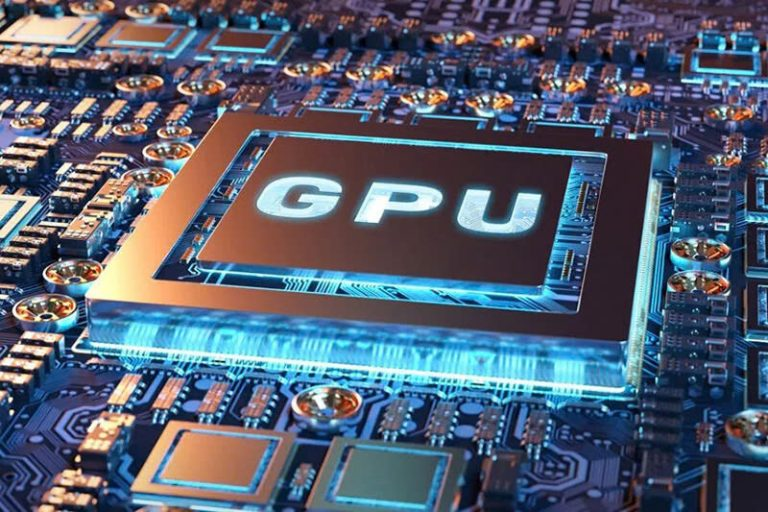
VPS GPU is an upgraded version of a VPS virtual server, integrated with a dedicated graphics card to handle tasks that require high graphics performance and parallel computing. This article helps you understand VPS GPU, compare it with regular VPS, and learn important considerations when renting the service.
2019Trusted since
B2BData solutions
Data·AIExpertise
Need data solutions for your business?
AlgoData has helped businesses with data engineering, analytics & AI since 2019.
VPS GPU is an upgraded version of the VPS (Virtual Private Server) service, integrated with a GPU (Graphic Processing Unit), providing powerful graphics processing capabilities. The GPU plays a crucial role in computing, helping process graphics tasks and Big Data more smoothly and efficiently compared to a regular CPU.
With VPS GPU, users experience a dedicated virtual server with powerful multitasking capabilities. This service primarily serves specialized needs requiring high performance, such as Machine Learning, Business Intelligence, Big Data, graphic design, 3D video, or graphics-intensive games. As a result, the cost of renting a VPS GPU is typically higher than regular VPS options.
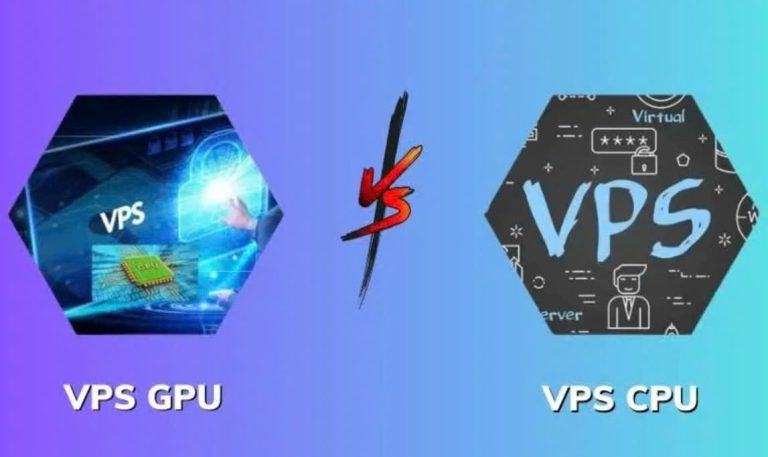
Differences Between Regular VPS and VPS GPU
In a regular VPS, the CPU (Central Processing Unit) is the main component, responsible for processing tasks related to programs and input data. The CPU can handle a wide variety of tasks on computers or laptops.
In contrast, VPS GPU is equipped with not only a CPU but also a GPU (Graphic Processing Unit), which helps process tasks related to graphics, video, and large datasets with superior performance. This makes VPS GPU particularly suitable for applications that demand powerful and specialized graphics processing capabilities.
Comparison table between regular VPS and VPS GPU:
Difference
Regular VPS
VPS GPU
CPU
Yes
Yes
GPU
No
Yes
Processing speed
Slower
Faster
Target users
Suitable for various users
Suitable for specialized professional tasks
Cost
Lower
Higher
Notable Applications of VPS GPU
Thanks to its powerful configuration and superior processing capabilities, VPS GPU supports fast and smooth multitasking. Here are some typical applications of this service:
Running Graphics-Intensive Games Smoothly
VPS GPU is an ideal choice for those who frequently play or need to run graphics-intensive games for extended periods. With the power of the GPU, this VPS ensures optimal performance for games that require powerful graphics cards such as:
This not only ensures smooth gameplay but also guarantees continuous operation without interruptions.
Running Android Emulators
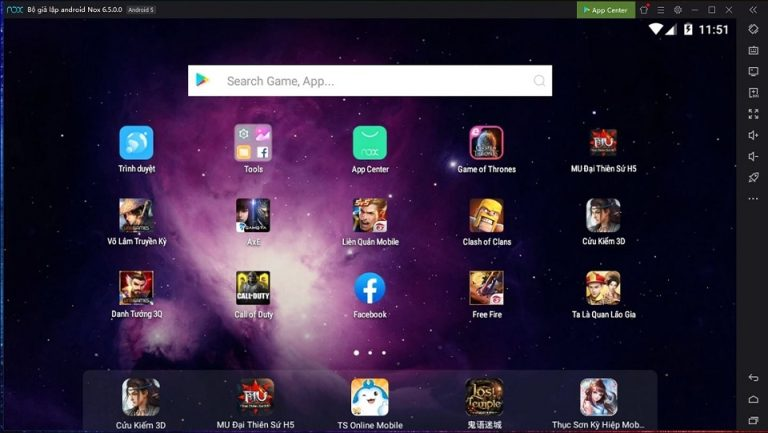
Running Android emulators (Android Virtual Device - AVD) on a computer with a regular VPS often faces performance and stability limitations. However, when using VPS GPU, developers can easily create Android emulation environments for research, development, and application testing efficiently.
Additionally, VPS GPU smoothly supports popular emulator software such as:
NoxPlayer
BlueStacks
LDPlayer
This helps optimize the workflow, especially with applications that require high graphics processing capabilities.
Developing Big Data in a Parallel Environment
In the 4.0 era, when information is exploding rapidly, efficient processing and development of big data can deliver tremendous business value. However, this process often requires performing many repetitive operations, consuming time and resources.
Using VPS GPU is the optimal solution, helping process these tasks faster and more efficiently. Thanks to the ability to distribute work among processors, VPS GPU ensures high-speed processing of large datasets, thereby reducing time and improving performance for Big Data projects.
Supporting Machine Learning and AI
VPS GPU plays a key role in developing and deploying complex AI models. With the ability to process multiple data streams in parallel and processing speeds three times faster than CPU, GPU significantly reduces model training time. This not only increases efficiency but also accelerates the development of AI applications, meeting modern technology demands.
Running MMO Tools
VPS GPU with high-speed, stable Internet connectivity and continuous 24/7/365 operation is an ideal solution to help users operate MMO (Make Money Online) tools efficiently, ensuring smooth and uninterrupted work.
Benefits of Renting VPS with GPU
Renting VPS with GPU provides significant benefits, especially for users who need to use applications requiring high graphics performance. Here are the key advantages:
Superior Performance: VPS GPU is equipped with a dedicated graphics card, delivering much higher processing performance than regular CPU, suitable for heavy tasks such as graphics processing, AI, or gaming.
Scalability: Easy to upgrade VPS GPU configuration when usage demands increase without having to change the entire system.
Cost Savings: Compared to buying and maintaining a personal computer with a powerful graphics card, renting VPS GPU is more economical. Additionally, users don't need to worry about hardware upgrades when needs change.
Remote Access: VPS GPU allows users to access from anywhere in the world with just an Internet connection.
User-Friendly and Easy to Use: Most providers offer intuitive management interfaces, making installation, configuration, and operation simple.
Professional Support Services: VPS providers typically offer 24/7 customer support, ready to resolve issues that arise during usage.
With these benefits, renting VPS GPU becomes an ideal choice for individuals and businesses, leveraging GPU power without investing in hardware or maintaining physical infrastructure.
Important Considerations When Renting VPS GPU
To choose a VPS GPU that meets your needs and ensures quality, in addition to understanding the concept of VPS GPU, you need to pay attention to several important factors:
Graphics Card
In VPS GPU packages, the graphics card may be shared or dedicated. Shared graphics cards often affect performance, especially when multiple users access simultaneously. Therefore, to ensure stable and optimal performance, you should prioritize service packages with dedicated graphics cards.
Understanding your usage purpose will help you choose the appropriate graphics card type:
With premium VPS GPU packages, although the cost is higher, the powerful performance meets complex tasks such as advanced graphics processing, AI, or Big Data.
Conversely, if your usage needs are basic, standard VPS GPU packages with lower costs will be more suitable, avoiding unnecessary resource excess.
Choosing the right service package not only saves costs but also optimizes usage efficiency, helping you maximize the value that VPS GPU provides.
Storage Drive
Currently, the two most popular storage drives used in VPS are SSD (Solid State Drive) and HDD (Hard Disk Drive). Although there is no mandatory requirement for which type of drive to use, to ensure processing speed and high performance, SSD is considered the superior choice.
SSD has processing speeds 10 times faster than HDD, significantly improving the virtual server's operational capability. This is especially important when you need to handle heavy tasks or require fast data access, providing a smoother and more efficient experience when using VPS GPU.
VPS GPU Service Provider
Currently, there are many VPS GPU service providers, and choosing a reputable provider is very important to ensure service stability and efficiency. Here are some criteria you can consider when selecting a quality VPS GPU provider:
Modern Infrastructure and Technology: Ensure the provider has advanced server systems, modern technology, and high-speed internet connectivity to guarantee optimal VPS GPU performance.
Technical Support and Customer Service: Choose a provider with 24/7 technical support and customer care service so you can receive assistance when encountering issues.
Security and Data Protection: Ensure the provider uses robust security software and systems to protect your data safely in all situations.
Reasonable Cost: Choose a provider with reasonable pricing that corresponds to the quality of service you receive.
Things to Note When Renting VPS with GPU
Before deciding to rent VPS GPU, businesses need to consider the following important factors to ensure the choice suits their needs:
Compatibility: Ensure that the applications or software you plan to use on VPS GPU are compatible with the infrastructure and GPU provided. Some applications may require specific GPUs to operate effectively.
Performance and Resources: Clearly define the business's resource requirements to choose the appropriate VPS GPU configuration. Avoid choosing configurations that are too low or too high compared to actual needs, helping optimize costs and efficiency.
Data Security: Choose a VPS GPU provider with strict security measures, including data encryption, network security, and periodic backups to protect business data from potential threats.
Technical Support: Choose a provider with a professional and responsive technical support team to promptly resolve technical issues that businesses may encounter.
Protecting data when renting VPS with GPU is very important, as data can be stolen, leaked, or destroyed if not properly protected. Here are some measures to help you protect your data:
Use strong passwords and ensure security for login accounts.
Set up firewalls to only allow necessary connections to the VPS, limiting unwanted access.
Update software regularly to patch security vulnerabilities that hackers could exploit.
Back up data periodically so you can recover in case of data loss or damage.
Encrypt data to protect information from unauthorized access, even if attackers can infiltrate the VPS.
Use a VPN to protect privacy and encrypt internet traffic.
Avoid clicking on links or downloading files from untrusted sources to minimize the risk of attacks.
Install the latest security updates and software for the VPS to patch vulnerabilities that could be exploited.
These measures are fundamental ways to protect data when renting VPS with GPU. Depending on specific needs, users may need to apply additional security measures to ensure system safety.
Comparison between Regular VPS and VPS GPU
Tested on 2025-09-05VPS, VPS GPU
| Criteria | Regular VPS | VPS GPU |
|---|---|---|
| Processor | CPU only | CPU + GPU |
| Graphics processing | Limited | Powerful |
| AI/Machine Learning | Slow | 3-10x faster |
| Android emulation | Unstable | Smooth |
| Cost | Low | Higher |
| Suitable for | Web, email, database | AI, games, 3D graphics, Big Data |
Tips for Choosing VPS GPU
Prioritize VPS GPU packages with a dedicated GPU instead of a shared GPU to ensure stable performance. Combine with SSD storage to optimize data access speed.
Conclusion:VPS GPU is the optimal solution for tasks requiring powerful graphics processing and parallel computing capabilities such as AI, Machine Learning, 3D design, and graphics-intensive gaming. When renting VPS GPU, pay attention to choosing the right GPU configuration, SSD storage, and a reputable provider to ensure performance and data security.
VPS GPU is a dedicated virtual private server integrated with a GPU (Graphic Processing Unit), providing superior graphics processing and parallel computing capabilities compared to regular VPS that only uses CPU.
QWho is VPS GPU suitable for?
VPS GPU is suitable for AI/Machine Learning developers, 3D graphic designers, graphics-intensive gamers, businesses processing Big Data, and those who need to run Android emulators or MMO tools.
QIs VPS GPU more expensive than regular VPS?
Yes, VPS GPU typically costs more than regular VPS due to the dedicated graphics card. However, compared to purchasing a personal computer with a dedicated GPU, renting a VPS GPU is more cost-effective in terms of investment and maintenance.
QShould I choose SSD or HDD for VPS GPU?
You should choose SSD because its access speed is 10 times faster than HDD, helping improve the overall performance of VPS GPU, especially when handling heavy tasks that require fast data read/write.
QHow to protect data when renting VPS GPU?
Use strong passwords, set up firewalls, update software regularly, back up data periodically, encrypt data, and use a VPN to protect privacy when accessing.