
What is UDP? Features and Applications of the UDP Protocol
Networking

What is UDP? Features and Applications of the UDP Protocol

Learn what UDP (User Datagram Protocol) is, how it works, its 8-byte header structure, pros and cons compared to TCP, and applications in streaming, gaming, VoIP, and DNS.

In this series: Giao thức mạng
  1. 1 What is SMTP? How SMTP Servers Work in Email Systems
  2. 2 What is TCP/IP? Functions and How TCP/IP Works
  3. 3 What is Telnet? A Complete Overview of Telnet and Its Applications
  4. 4 What is SSH? Functions and How the SSH Protocol Works
  5. 5 What is FTP? A Basic Guide to File Transfer Protocol
  6. 6 What is RTP? A Detailed Guide to the Real-time Transport Protocol
  7. 7 What is UDP? Features and Applications of the UDP Protocol
✦ Quick summary
Learn what UDP (User Datagram Protocol) is, how it works, its 8-byte header structure, pros and cons compared to TCP, and applications in streaming, gaming, VoIP, and DNS.
How was this post?

UDP (User Datagram Protocol) is a fast, connectionless communication protocol at the Transport layer in the TCP/IP model. This article explains in detail how it works, its 8-byte header structure, advantages and disadvantages, and popular applications in streaming, gaming, VoIP, and DNS.

What is UDP?

What is UDP? UDP (User Datagram Protocol) is a communication protocol at the Transport layer in the TCP/IP model, used to send data over a network without establishing a connection beforehand. It is a connectionless and unreliable protocol, meaning data is sent as packets (datagrams) without acknowledgment from the receiver, and there is no mechanism to guarantee that packets will arrive, arrive in the correct order, or be retransmitted if lost.

However, because it does not require the verification and connection maintenance steps that TCP does, UDP has faster transmission speeds. UDP is commonly used in applications that require high speed and can tolerate some packet loss, such as video streaming, live audio, online gaming, or the DNS protocol.
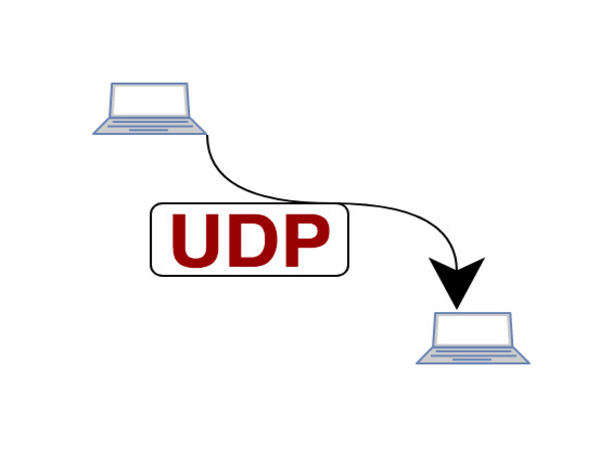
How the UDP Protocol Works
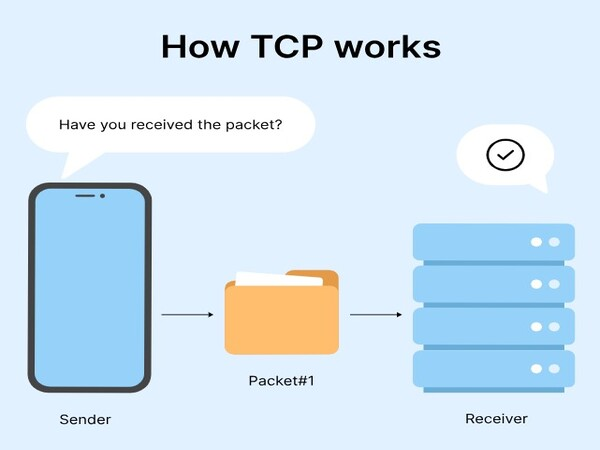
How does UDP work? UDP (User Datagram Protocol) is a protocol at the transport layer of the OSI model, responsible for transmitting data between applications without establishing a connection beforehand. This protocol is called "connectionless" because it does not require a three-way handshake like TCP before sending data. Below are the details of how the UDP protocol works:

  • Connectionless data transmission: UDP does not need to establish a connection before transmitting data. When an application wants to send data, it simply places the data into a packet and sends it immediately. This helps reduce latency and increase transmission speed.
  • Datagrams: UDP uses data units called datagrams. Each datagram contains the application's data and destination information (IP address and port). There is no guarantee that datagrams will arrive at the destination in the correct order or even arrive at all, so the application needs to handle errors or data loss.
  • No guaranteed data delivery: Unlike TCP, UDP does not provide mechanisms to ensure data arrives at the correct destination, is not lost, and is in the correct order. It lacks complex error-checking and error-recovery mechanisms. Therefore, UDP is suitable for applications requiring fast transmission speeds such as video streaming, audio, or online gaming.
  • No flow control mechanism: UDP does not manage the data flow, which means the transmission speed is not affected by the receiver's processing capability. This can lead to packet loss if the receiver cannot process the data in time.
  • Ability to handle multiple requests simultaneously: UDP supports applications that need to handle multiple requests simultaneously well, since there is no connection establishment and termination phase like TCP. Each UDP packet can be processed independently.

The UDP protocol operates using a connectionless transmission method, allowing data to be sent quickly without establishing a session. This makes UDP an ideal choice for applications requiring high speed and low latency, although it does not guarantee reliability in transmission.

UDP Header Structure
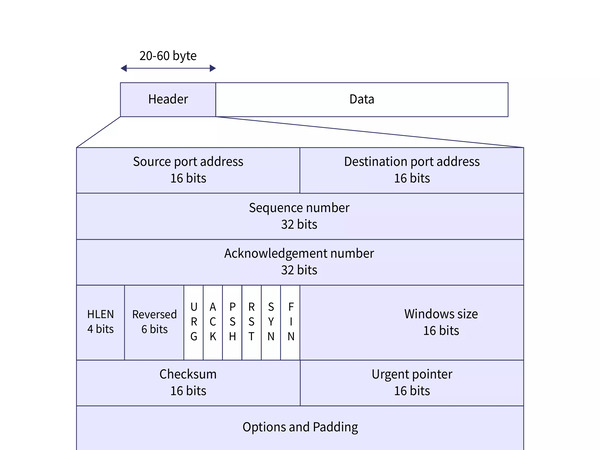
The UDP protocol header has a much simpler structure than TCP, with only 8 bytes of data. This structure includes basic information fields for data transmission without complex features such as error control or packet ordering. Below are the details of the components in the UDP header:

  • Source Port – 16 bits: This field contains the port number of the sending application, helping to identify the origin of the packet. It may not be used if the sender does not require a response.
  • Destination Port – 16 bits: This field identifies the port number of the destination application to which the UDP packet will be sent. It helps route the packet to the correct application on the receiving machine.
  • Length – 16 bits: This field contains the total length of the entire UDP packet, including both the header and data portions. The minimum value is 8 bytes (header only) and the maximum is 65,535 bytes.
  • Checksum – 16 bits: The checksum field is used to verify the integrity of the UDP packet during transmission. If the checksum does not match the value calculated from the received data, the packet is discarded. This field is optional and may not be used in some cases.

How to Set Up Proxy for WiFi on Android Super Fast

The UDP protocol header structure is very simple and efficient, consisting of essential fields such as Source Port, Destination Port, Length, and Checksum. This simplicity helps minimize overhead during data transmission, enabling fast processing and making it suitable for applications requiring high speed.

Features of the UDP Protocol
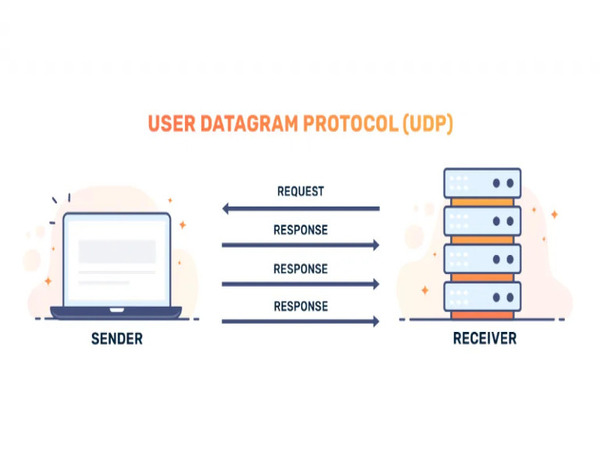
What are the features of the UDP protocol? UDP is a simple yet powerful protocol, providing distinctive features suitable for applications requiring high transmission speed and low latency. Below are the main features of the UDP protocol:

  • Connectionless transmission: UDP operates without establishing a connection first. This helps reduce latency when transmitting data and increases performance for high-speed applications.
  • Asynchronous transmission: UDP supports asynchronous transmission, allowing data to be sent and received without waiting for a response. This is very useful for real-time communication applications such as Voice over IP (VoIP), online gaming, and streaming.
  • Low overhead and high performance: With a simple header structure and no complex management mechanisms, UDP consumes fewer system resources than TCP. This helps increase processing speed and reduce system load.
  • Suitable for high-speed applications: UDP is particularly effective for applications requiring high speed and low latency such as video streaming, gaming, and real-time communication protocols.
  • No guarantee of data integrity: Although it has a checksum field for error checking, UDP does not provide error correction mechanisms or guarantee that data arrives at the destination in the correct order. This helps reduce latency but requires the application to handle data loss or error issues on its own.
  • Multicast and Broadcast: UDP provides good support for sending packets to multiple addresses simultaneously (multicast) or to all devices on the network (broadcast), which is very useful in applications such as data updates or broadcast communications.

Thanks to these features, UDP has become a popular choice for applications that need to transmit data quickly and do not require high reliability.

Applications of the UDP Protocol

The UDP protocol (User Datagram Protocol) is widely used in many fields thanks to its fast and simple transmission capability. Although it does not guarantee data integrity like TCP, UDP is still very effective for applications requiring high speed and low latency. Below are some common areas where UDP is applied:

Real-time Communication

UDP is used in voice and video applications such as VoIP (Voice over IP) and video conferencing. Its connectionless nature and fast transmission speed help reduce latency in communication, providing a seamless experience for users. Lost or delayed data may not be recovered, but for these applications, fluidity and immediacy are more important than ensuring no data is lost.

Online Gaming

UDP is preferred in online games that require fast reactions, where speed and latency are decisive factors. Packets containing player action information need to be transmitted quickly, and the loss of a few packets will not significantly affect the overall experience.

What is Windows VPS? Basic Introduction to Windows Virtual Server Services

Media Streaming

Live streaming services and multimedia streaming (audio/video streaming) often use UDP to reduce latency when delivering content. Lost packets may not be critical since viewers can still follow the content without major interruptions.

DNS Protocol (Domain Name System)
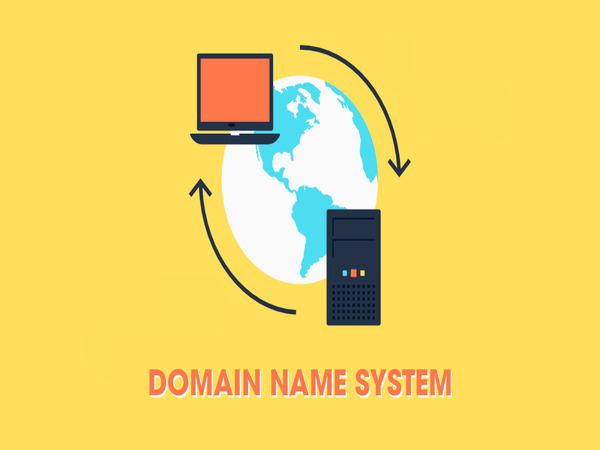
UDP is used in DNS queries to resolve domain names into IP addresses. This protocol helps send and receive queries quickly without establishing a connection first. If a query fails, the system can retry without causing congestion or overload.

Sensor Data and IoT Transmission

In IoT (Internet of Things) systems and sensor networks, UDP is used to transmit sensor data to servers without establishing a connection. This helps minimize resource costs and maintain fast response times.

Advantages of the UDP Protocol
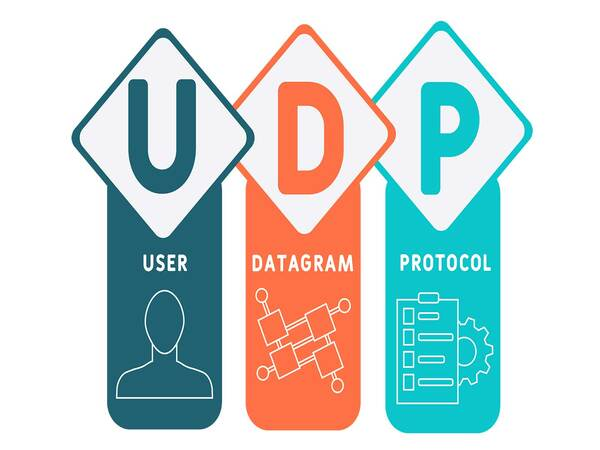
What are the advantages of the UDP protocol? The UDP protocol has many advantages that make it the optimal choice for applications requiring fast transmission and low latency. Below are the notable advantages of UDP:

  • Fast transmission speed: UDP can transmit data quickly because it does not need to establish a connection first like TCP. Packets can be sent immediately without waiting, helping minimize latency during transmission.
  • Low resource overhead: The UDP protocol uses a simple header of only 8 bytes, much less than TCP's header. This helps reduce resource costs for packet processing, especially in applications that need to transmit large amounts of data or handle many requests simultaneously.
  • No connection management required: UDP does not require maintaining a connection between endpoints. This helps reduce the burden of connection management and is suitable for applications that need to quickly handle many short data transmission sessions.
  • Ability to handle many connections simultaneously: Since there is no connection management needed, UDP can handle a large number of requests from multiple devices or users simultaneously without experiencing overload.
  • Good support for Multicast and Broadcast: UDP effectively supports multicast and broadcast operations, allowing packets to be sent to multiple devices on the network simultaneously. This is very useful for applications such as live streaming, system notifications, or sensor data transmission.
  • Suitable for real-time applications: Without complex error-checking mechanisms and packet ordering guarantees, UDP minimizes latency and is suitable for real-time applications such as online gaming, multimedia communication, and online conferencing.

These advantages make UDP an ideal choice for applications such as video streaming, online gaming, and VoIP, where real-time performance is more important than reliability.

Disadvantages of the UDP Protocol
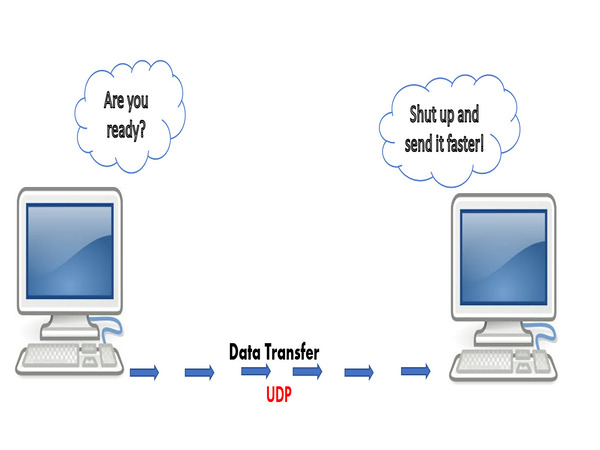
What are the disadvantages of the UDP protocol? Despite its many advantages, UDP also has disadvantages that users should be aware of before choosing it for their applications. These limitations are mainly related to the lack of data integrity and safety guarantees:

  • No guarantee of data integrity: UDP has no error-checking and correction mechanisms. Data can be lost, corrupted, or arrive out of order. The lack of these mechanisms makes UDP unsuitable for applications requiring high reliability, such as file transfers or financial transactions.
  • No flow control mechanism: UDP does not adjust the data transmission speed based on the receiver's processing capability. This can lead to buffer overflow or packet loss if the receiver cannot process data in time.
  • No guarantee of packet order: UDP packets can arrive at the destination in any order. This can create difficulties for applications requiring exact data ordering, forcing the application to handle reordering on its own.
  • No connection establishment and termination mechanism: The lack of a connection establishment and termination mechanism makes UDP vulnerable to denial-of-service (DoS) attacks or unwanted data transmission. This affects the security and stability of systems using UDP.
  • Poor error handling: Without efficient error-checking and recovery mechanisms like TCP, UDP is poor at ensuring error-free data transmission. This creates difficulties when applications require high data integrity.

What is Zabbix? Advantages, Disadvantages, and Components of Zabbix

Despite its many advantages, the UDP protocol also has disadvantages such as the lack of error-checking features and no guarantee of data packet ordering. This can lead to data loss or receiving data out of order, so users need to carefully consider when choosing UDP for applications requiring high reliability.

Important Considerations When Using the UDP Protocol

Although the UDP protocol offers many benefits, its use requires careful consideration. To use the UDP protocol effectively in applications, keep the following important points in mind:

  • Clearly define application requirements: Before using UDP, assess whether the application requires data reliability and integrity. UDP is suitable for real-time applications where low latency and high transmission speed are more important than ensuring no data loss.
  • Manage packet size appropriately: Pay attention to UDP packet size (MTU — Maximum Transmission Unit) to avoid fragmentation, which can cause packet loss or reduce transmission performance. Set packet sizes smaller than the network's MTU to ensure data is transmitted intact.
  • Handle errors and packet loss at the application level: Since UDP does not provide error recovery mechanisms, applications need to be designed to detect and handle packet loss or data errors on their own. This can be accomplished using error-checking algorithms, packet acknowledgments, or data retransmission.
  • Pay attention to security: UDP is vulnerable to denial-of-service (DoS) attacks due to the lack of sender authentication mechanisms. Apply security measures such as packet inspection and filtering, using firewalls, and limiting the number of connections to prevent harmful attacks.
  • Monitor and test network performance: Regularly monitor and test network performance when using UDP, especially in real-time applications. This helps detect early issues with packet loss and network latency and optimize the transmission system.
  • Use in appropriate environments: UDP is suitable for local area networks (LAN) or networks with high reliability. For networks with high latency or prone to packet loss such as the Internet, consider using additional mechanisms to ensure stability and reliability for the application.

When using the UDP protocol, users need to pay attention to factors such as reliability, packet ordering, and error handling. Understanding the limitations of UDP will help you configure and optimize your application effectively, ensuring that performance and quality requirements are met as best as possible.

{{< test-result title="Comparison of UDP with Transport Layer Protocols" headers="Criteria|UDP|TCP|SCTP|QUIC" row1="Connection|Connectionless|Connection-oriented|Connection-oriented|Connection-oriented (over UDP)" row2="Reliability|No guarantee|Guaranteed delivery|Guaranteed delivery|Guaranteed delivery" row3="Packet ordering|No guarantee|In order|In order (multi-stream)|In order (multi-stream)" row4="Header|8 bytes|20+ bytes|12+ bytes|Variable" row5="Latency|Very low|High (3-way handshake)|Medium|Low (0-RTT)" row6="Applications|Streaming, DNS, Gaming|Web, Email, FTP|Telecom, Signaling|HTTP/3, Modern Web" />}}

Tip

UDP is best suited for video/audio streaming, online gaming, VoIP, and DNS — applications that prioritize speed and low latency over reliability. For applications that require guaranteed data delivery, use TCP or QUIC.

Conclusion: The UDP protocol is a fast, lightweight transmission solution, suitable for applications requiring high speed and low latency. Although it does not guarantee reliability like TCP, UDP remains an indispensable foundation for streaming, gaming, VoIP, and DNS. Understanding the advantages and disadvantages of UDP helps you choose the appropriate protocol for each system.

Sources

Frequently Asked Questions

Frequently Asked QuestionsQ&A

UDP (User Datagram Protocol) là giao thức truyền thông nhanh, không cần thiết lập kết nối, thuộc tầng Transport trong mô hình TCP/IP. Bài viết giải thích chi tiết cách hoạt động, cấu trúc header 8 byte, ưu nhược điểm, và các ứng dụng phổ biến trong streaming, gaming, VoIP, DNS.

UDP là gì?

UDP là gì? UDP (User Datagram Protocol) là một giao thức truyền thông thuộc tầng Transport trong mô hình TCP/IP, được sử dụng để gửi dữ liệu qua mạng mà không cần thiết lập kết nối trước. Đây là một giao thức không kết nối và không tin cậy, có nghĩa là dữ liệu được gửi dưới dạng các gói tin (datagram) mà không có sự xác nhận từ phía người nhận, cũng không có cơ chế đảm bảo rằng các gói tin sẽ đến nơi, đến đúng thứ tự, hoặc sẽ được gửi lại nếu bị mất.

Tuy nhiên, nhờ không yêu cầu các bước kiểm tra và duy trì kết nối như TCP, UDP có tốc độ truyền tải nhanh hơn. UDP thường được sử dụng trong các ứng dụng yêu cầu tốc độ cao và chấp nhận mất một số gói tin, chẳng hạn như streaming video, âm thanh trực tiếp, trò chơi trực tuyến, hoặc giao thức DNS.

Cách thức hoạt động của giao thức UDP

Cách thức hoạt động của UDP là gì? UDP (User Datagram Protocol) là một giao thức trong tầng giao vận (transport layer) của mô hình OSI, đóng vai trò truyền dữ liệu giữa các ứng dụng mà không cần thiết lập kết nối trước. Giao thức này được gọi là "connectionless" (không kết nối) vì không cần bắt tay ba bước như TCP trước khi gửi dữ liệu. Dưới đây là chi tiết về cách thức hoạt động của giao thức UDP:

  • Truyền dữ liệu không kết nối: UDP không cần thiết lập kết nối trước khi truyền dữ liệu. Khi một ứng dụng muốn gửi dữ liệu, nó chỉ cần đặt dữ liệu vào một gói tin và gửi đi ngay lập tức. Điều này giúp giảm độ trễ và tăng tốc độ truyền tải.

  • Gói tin (Datagram): UDP sử dụng đơn vị dữ liệu gọi là datagram. Mỗi datagram chứa dữ liệu của ứng dụng và thông tin về đích đến (địa chỉ IP và cổng). Không có sự đảm bảo rằng datagram sẽ đến đích theo đúng thứ tự hoặc thậm chí đến nơi, vì vậy ứng dụng cần xử lý lỗi hoặc mất dữ liệu.

  • Không đảm bảo truyền dữ liệu: Không giống TCP, UDP không cung cấp các cơ chế đảm bảo dữ liệu đến đúng đích, không bị mất, và theo đúng thứ tự. Nó không có các cơ chế kiểm tra lỗi phức tạp và phục hồi lỗi. Vì vậy, UDP phù hợp với các ứng dụng yêu cầu tốc độ truyền tải nhanh như streaming video, audio, hoặc các trò chơi trực tuyến.

  • Không có cơ chế kiểm soát luồng (flow control): UDP không quản lý luồng dữ liệu, điều này có nghĩa là tốc độ truyền tải sẽ không bị ảnh hưởng bởi khả năng xử lý của bên nhận. Điều này có thể dẫn đến mất gói tin nếu bên nhận không xử lý kịp thời dữ liệu.

  • Khả năng xử lý nhiều yêu cầu cùng lúc: UDP hỗ trợ tốt cho các ứng dụng cần xử lý nhiều yêu cầu cùng lúc, vì không có giai đoạn thiết lập và kết thúc kết nối như TCP. Mỗi gói tin UDP có thể được xử lý độc lập.

Giao thức UDP hoạt động theo phương thức truyền tải không kết nối, cho phép gửi dữ liệu nhanh chóng mà không cần thiết lập một phiên kết nối. Điều này giúp UDP trở thành lựa chọn lý tưởng cho các ứng dụng yêu cầu tốc độ cao và độ trễ thấp, mặc dù không đảm bảo độ tin cậy trong việc truyền tải.

Cấu trúc Header của giao thức UDP

Header của giao thức UDP có cấu trúc đơn giản hơn nhiều so với TCP, chỉ với 8 byte dữ liệu. Cấu trúc này bao gồm các trường thông tin cơ bản để truyền tải dữ liệu mà không có các tính năng phức tạp như kiểm soát lỗi hay thứ tự gói tin. Dưới đây là chi tiết về các thành phần trong header của UDP:

  • Source Port (Cổng nguồn) – 16 bit: Trường này chứa số cổng của ứng dụng gửi, giúp xác định nguồn gốc của gói tin. Nó có thể không được sử dụng nếu bên gửi không yêu cầu phản hồi.
  • Destination Port (Cổng đích) – 16 bit: Trường này xác định số cổng của ứng dụng đích mà gói tin UDP sẽ được gửi tới. Nó giúp định tuyến gói tin đến đúng ứng dụng ở máy nhận.
  • Length (Độ dài) – 16 bit: Trường này chứa tổng chiều dài của toàn bộ gói tin UDP, bao gồm cả header và phần dữ liệu. Giá trị tối thiểu là 8 byte (chỉ bao gồm header) và tối đa là 65,535 byte.
  • Checksum (Kiểm tra lỗi) – 16 bit: Trường kiểm tra lỗi dùng để xác minh tính toàn vẹn của gói tin UDP khi nó được truyền đi. Nếu checksum không khớp với giá trị tính toán từ dữ liệu nhận được, gói tin sẽ bị bỏ qua. Trường này là tùy chọn và có thể không được sử dụng trong một số trường hợp.

Cấu trúc Header của giao thức UDP rất đơn giản và hiệu quả, bao gồm các trường quan trọng như Port Source, Port Destination, Length và Checksum. Sự đơn giản này giúp giảm thiểu overhead trong quá trình truyền tải dữ liệu, tạo điều kiện cho việc xử lý nhanh chóng, phù hợp với các ứng dụng yêu cầu tốc độ cao.

Các tính năng của giao thức UDP

Tính năng của giao thức UDP là gì? UDP là một giao thức đơn giản nhưng mạnh mẽ, cung cấp nhiều tính năng đặc trưng phù hợp cho các ứng dụng yêu cầu tốc độ truyền tải cao và độ trễ thấp. Dưới đây là các tính năng chính của giao thức UDP:

  • Truyền tải không kết nối: UDP hoạt động mà không cần thiết lập kết nối trước. Điều này giúp giảm bớt độ trễ khi truyền dữ liệu và tăng hiệu suất cho các ứng dụng yêu cầu tốc độ cao.

  • Truyền tải không đồng bộ: UDP hỗ trợ truyền tải không đồng bộ, cho phép gửi và nhận dữ liệu mà không cần chờ đợi phản hồi. Điều này rất hữu ích cho các ứng dụng truyền thông thời gian thực như thoại qua IP (VoIP), trò chơi trực tuyến, và streaming.

  • Chi phí thấp và hiệu suất cao: Với cấu trúc header đơn giản và không có các cơ chế quản lý phức tạp, UDP tiêu thụ ít tài nguyên hệ thống hơn so với TCP. Điều này giúp tăng tốc độ xử lý và giảm tải cho hệ thống.

  • Phù hợp với các ứng dụng yêu cầu tốc độ cao: UDP đặc biệt hiệu quả cho các ứng dụng yêu cầu tốc độ cao và độ trễ thấp như video streaming, gaming, và các giao thức truyền thông thời gian thực.

  • Không đảm bảo về tính toàn vẹn dữ liệu: Mặc dù có trường checksum để kiểm tra lỗi, UDP không cung cấp cơ chế sửa lỗi hay đảm bảo dữ liệu đến đích theo đúng thứ tự. Điều này giúp giảm độ trễ nhưng đòi hỏi ứng dụng phải tự xử lý các vấn đề về mất mát hoặc lỗi dữ liệu.

  • Đa phát (Multicast) và quảng bá (Broadcast): UDP hỗ trợ tốt cho việc gửi gói tin đến nhiều địa chỉ cùng lúc (multicast) hoặc tất cả các thiết bị trong mạng (broadcast), rất hữu ích trong các ứng dụng như cập nhật dữ liệu hoặc truyền thông quảng bá.

Nhờ các tính năng này, UDP trở thành một lựa chọn phổ biến cho các ứng dụng cần truyền dữ liệu nhanh chóng và không yêu cầu độ tin cậy cao.

Tính ứng dụng của giao thức UDP

Giao thức UDP (User Datagram Protocol) được ứng dụng rộng rãi trong nhiều lĩnh vực nhờ khả năng truyền tải nhanh chóng và đơn giản. Tuy không đảm bảo tính toàn vẹn của dữ liệu như TCP, UDP vẫn rất hiệu quả cho các ứng dụng yêu cầu tốc độ cao và độ trễ thấp. Dưới đây là một số lĩnh vực mà UDP được ứng dụng phổ biến:

Truyền thông thời gian thực (Real-time Communication)

UDP được sử dụng trong các ứng dụng thoại và video trực tuyến như VoIP (Voice over IP) và video conferencing. Tính không kết nối và tốc độ truyền tải nhanh giúp giảm độ trễ (latency) trong giao tiếp, mang lại trải nghiệm liền mạch cho người dùng. Dữ liệu bị mất hoặc bị trễ có thể không được phục hồi, nhưng với các ứng dụng này, sự trôi chảy và tức thời quan trọng hơn việc đảm bảo không mất dữ liệu.

Trò chơi trực tuyến (Online Gaming)

UDP được ưa chuộng trong các trò chơi trực tuyến yêu cầu phản ứng nhanh, nơi mà tốc độ và độ trễ là yếu tố quyết định. Các gói tin chứa thông tin về hành động của người chơi cần được truyền đi nhanh chóng, và việc mất mát một vài gói tin sẽ không ảnh hưởng lớn đến trải nghiệm tổng thể.

VPS Windows là gì? Tìm hiểu cơ bản về dịch vụ máy chủ ảo Windows

Truyền tải đa phương tiện (Media Streaming)

Các dịch vụ phát trực tiếp (live streaming) và truyền tải đa phương tiện (audio/video streaming) thường sử dụng UDP để giảm độ trễ khi phát nội dung. Các gói tin bị mất có thể không quan trọng lắm vì khán giả vẫn có thể theo dõi nội dung mà không bị gián đoạn lớn.

Giao thức DNS (Domain Name System)

UDP được sử dụng trong các truy vấn DNS để phân giải tên miền sang địa chỉ IP. Giao thức này giúp gửi và nhận các truy vấn nhanh chóng mà không cần thiết lập kết nối trước. Nếu một truy vấn thất bại, hệ thống có thể thử lại mà không gây tắc nghẽn hoặc quá tải.

Truyền dữ liệu cảm biến và IoT

Trong các hệ thống IoT (Internet of Things) và mạng cảm biến, UDP được sử dụng để truyền dữ liệu cảm biến đến các máy chủ mà không cần thiết lập kết nối. Điều này giúp giảm thiểu chi phí tài nguyên và duy trì thời gian phản hồi nhanh.

Ưu điểm của giao thức UDP

Ưu điểm của giao thức UDP là gì? Giao thức UDP có nhiều ưu điểm giúp nó trở thành lựa chọn tối ưu cho các ứng dụng yêu cầu truyền tải nhanh và độ trễ thấp. Dưới đây là những ưu điểm nổi bật của UDP:

  • Tốc độ truyền tải nhanh: UDP có khả năng truyền tải dữ liệu nhanh chóng vì không cần thiết lập kết nối trước như TCP. Gói tin có thể được gửi đi ngay lập tức mà không cần chờ đợi, giúp giảm thiểu độ trễ trong quá trình truyền tải.
  • Chi phí thấp về tài nguyên: Giao thức UDP sử dụng header đơn giản chỉ với 8 byte, ít hơn nhiều so với header của TCP. Điều này giúp giảm chi phí tài nguyên cho việc xử lý gói tin, đặc biệt là trong các ứng dụng yêu cầu truyền tải một lượng lớn dữ liệu hoặc xử lý nhiều yêu cầu cùng lúc.
  • Không cần kiểm soát kết nối: UDP không yêu cầu phải duy trì kết nối giữa các điểm cuối. Điều này giúp giảm bớt gánh nặng quản lý kết nối và phù hợp với các ứng dụng cần xử lý nhanh nhiều phiên truyền dữ liệu ngắn.
  • Khả năng xử lý nhiều kết nối cùng lúc: Do không cần quản lý kết nối, UDP có khả năng xử lý một lượng lớn các yêu cầu từ nhiều thiết bị hoặc người dùng khác nhau cùng một lúc, mà không gặp phải tình trạng quá tải.
  • Hỗ trợ tốt cho đa phát (Multicast) và quảng bá (Broadcast): UDP hỗ trợ hiệu quả các hoạt động multicast v à broadcast, cho phép gửi gói tin đến nhiều thiết bị trong mạng cùng một lúc. Điều này rất hữu ích cho các ứng dụng như phát trực tuyến, thông báo hệ thống, hoặc truyền dữ liệu cảm biến.
  • Phù hợp với các ứng dụng thời gian thực: Do không có cơ chế kiểm tra lỗi phức tạp và đảm bảo thứ tự gói tin, UDP giảm thiểu độ trễ và thích hợp cho các ứng dụng yêu cầu thời gian thực như trò chơi trực tuyến, truyền thông đa phương tiện, và giao tiếp trực tuyến.

Những ưu điểm này làm cho UDP trở thành lựa chọn lý tưởng cho các ứng dụng như video streaming, game trực tuyến và VoIP, nơi mà thời gian thực là yếu tố quan trọng hơn độ tin cậy.

Nhược điểm của giao thức UDP

Nhược điểm của giao thức UDP là gì? Mặc dù có nhiều ưu điểm, UDP cũng có những nhược điểm mà người dùng cần lưu ý trước khi lựa chọn cho ứng dụng của mình. Những hạn chế này chủ yếu liên quan đến việc không đảm bảo tính toàn vẹn và an toàn của dữ liệu:

  • Không đảm bảo tính toàn vẹn dữ liệu: UDP không có cơ chế kiểm tra và sửa lỗi. Dữ liệu có thể bị mất, hỏng hoặc đến đích không theo thứ tự. Việc thiếu các cơ chế này khiến cho UDP không phù hợp với các ứng dụng yêu cầu độ tin cậy cao, chẳng hạn như truyền tải file hoặc giao dịch tài chính.
  • Không có cơ chế điều khiển luồng (Flow Control): UDP không điều chỉnh tốc độ truyền dữ liệu dựa trên khả năng xử lý của máy nhận. Điều này có thể dẫn đến tình trạng tràn bộ đệm (buffer overflow) hoặc mất gói tin nếu máy nhận không xử lý kịp thời dữ liệu.
  • Không đảm bảo thứ tự gói tin: Các gói tin UDP có thể đến đích theo thứ tự bất kỳ. Điều này có thể gây ra khó khăn cho các ứng dụng yêu cầu thứ tự chính xác của dữ liệu, buộc ứng dụng phải tự xử lý việc sắp xếp lại.
  • Không có cơ chế thiết lập và kết thúc kết nối: Việc không có cơ chế thiết lập và kết thúc kết nối khiến UDP dễ bị tấn công từ chối dịch vụ (DoS) hoặc truyền tải dữ liệu không mong muốn. Điều này ảnh hưởng đến tính bảo mật và ổn định của hệ thống sử dụng UDP.
  • Khả năng xử lý lỗi kém: Do không có cơ chế kiểm tra và phục hồi lỗi hiệu quả như TCP, UDP kém trong việc đảm bảo dữ liệu truyền tải không bị lỗi. Điều này gây ra khó khăn khi ứng dụng yêu cầu tính toàn vẹn cao của dữ liệu. Dù có nhiều ưu điểm, giao thức UDP cũng tồn tại những nhược điểm như thiếu tính năng kiểm tra lỗi và không đảm bảo thứ tự của các gói dữ liệu. Điều này có thể dẫn đến việc mất mát dữ liệu hoặc nhận dữ liệu không đúng thứ tự, do đó, người dùng cần cân nhắc kỹ lưỡng khi lựa chọn UDP cho các ứng dụng yêu cầu độ tin cậy cao.

Một số lưu ý khi sử dụng giao thức UDP

Mặc dù giao thức UDP mang lại nhiều lợi ích, nhưng việc sử dụng nó cũng cần phải cân nhắc kỹ lưỡng. Để sử dụng hiệu quả giao thức UDP trong các ứng dụng, cần lưu ý một số điểm quan trọng dưới đây:

  • Xác định rõ yêu cầu của ứng dụng: Trước khi sử dụng UDP, cần đánh giá xem ứng dụng có yêu cầu độ tin cậy và tính toàn vẹn của dữ liệu hay không. UDP phù hợp với các ứng dụng thời gian thực, nơi mà độ trễ thấp và tốc độ truyền tải cao quan trọng hơn việc đảm bảo dữ liệu không bị mất.
  • Quản lý kích thước gói tin hợp lý: Cần chú ý đến kích thước gói tin UDP (MTU – Maximum Transmission Unit) để tránh tình trạng phân mảnh (fragmentation), gây mất gói tin hoặc làm giảm hiệu suất truyền tải. Nên thiết lập kích thước gói tin nhỏ hơn MTU của mạng để đảm bảo dữ liệu truyền đi nguyên vẹn.
  • Xử lý lỗi và mất gói tin tại ứng dụng: Do UDP không cung cấp các cơ chế phục hồi lỗi, ứng dụng cần được thiết kế để tự phát hiện và xử lý các trường hợp mất gói tin hoặc lỗi dữ liệu. Điều này có thể được thực hiện bằng cách sử dụng các thuật toán kiểm tra lỗi, xác nhận lại gói tin (acknowledgment), hoặc truyền lại dữ liệu.
  • Chú ý đến bảo mật: UDP dễ bị tấn công từ chối dịch vụ (DoS) do không có cơ chế xác thực người gửi. Cần áp dụng các biện pháp bảo mật như kiểm tra và lọc gói tin, sử dụng tường lửa (firewall) và hạn chế số lượng kết nối để ngăn chặn các cuộc tấn công có hại.
  • Kiểm tra và giám sát hiệu suất mạng: Cần thường xuyên kiểm tra và giám sát hiệu suất mạng khi sử dụng UDP, đặc biệt là trong các ứng dụng thời gian thực. Điều này giúp phát hiện sớm các vấn đề về mất gói tin, trễ mạng và tối ưu hóa hệ thống truyền tải.
  • Sử dụng trong môi trường phù hợp: UDP phù hợp với các mạng cục bộ (LAN) hoặc mạng có độ tin cậy cao. Đối với các mạng có độ trễ cao hoặc dễ xảy ra mất gói tin như Internet, cần cân nhắc sử dụng thêm các cơ chế bổ sung để đảm bảo tính ổn định và tin cậy cho ứng dụng.

Khi sử dụng giao thức UDP, người dùng cần lưu ý đến các yếu tố như độ tin cậy, thứ tự gói và khả năng xử lý lỗi. Việc hiểu rõ các giới hạn của UDP sẽ giúp bạn thiết lập và tối ưu hóa ứng dụng một cách hiệu quả, đảm bảo rằng các yêu cầu về hiệu suất và chất lượng được đáp ứng tốt nhất.

{{< test-result title="So sánh UDP với các giao thức tầng Transport" headers="Tiêu chí|UDP|TCP|SCTP|QUIC" row1="Kết nối|Không kết nối|Hướng kết nối|Hướng kết nối|Hướng kết nối (trên UDP)" row2="Độ tin cậy|Không đảm bảo|Đảm bảo giao nhận|Đảm bảo giao nhận|Đảm bảo giao nhận" row3="Thứ tự gói tin|Không đảm bảo|Đúng thứ tự|Đúng thứ tự (multi-stream)|Đúng thứ tự (multi-stream)" row4="Header|8 byte|20+ byte|12+ byte|Thay đổi" row5="Độ trễ|Rất thấp|Cao (bắt tay 3 bước)|Trung bình|Thấp (0-RTT)" row6="Ứng dụng|Streaming, DNS, Gaming|Web, Email, FTP|Telecom, Signaling|HTTP/3, Web hiện đại" />}}

Mẹo hay

UDP phù hợp nhất cho streaming video/audio, game online, VoIP và DNS — các ứng dụng ưu tiên tốc độ và độ trễ thấp hơn độ tin cậy. Với ứng dụng cần đảm bảo dữ liệu, hãy dùng TCP hoặc QUIC.

Kết luận: Giao thức UDP là giải pháp truyền tải nhanh, nhẹ, phù hợp cho các ứng dụng yêu cầu tốc độ cao và độ trễ thấp. Dù không đảm bảo độ tin cậy như TCP, UDP vẫn là nền tảng không thể thiếu cho streaming, gaming, VoIP và DNS. Hiểu rõ ưu nhược điểm của UDP giúp bạn lựa chọn giao thức phù hợp cho từng hệ thống.

Nguồn tham khảo
Câu hỏi thường gặpQ&A
UDP là gì?
UDP (User Datagram Protocol) là giao thức truyền thông ở tầng Transport trong mô hình TCP/IP. UDP gửi dữ liệu dạng datagram không cần thiết lập kết nối, không đảm bảo thứ tự hay giao nhận, nhưng có tốc độ nhanh hơn TCP.
UDP khác TCP như thế nào?
TCP hướng kết nối, đảm bảo dữ liệu đến đúng thứ tự và không mất. UDP không kết nối, không đảm bảo giao nhận nhưng nhanh hơn nhiều. TCP dùng cho web/email, UDP dùng cho streaming/gaming/DNS.
UDP sử dụng trong ứng dụng nào?
UDP được dùng trong streaming video/audio, game online, VoIP, DNS, IoT. Đây là các ứng dụng cần tốc độ cao, độ trễ thấp và chấp nhận mất một số gói tin.
Header UDP có bao nhiêu byte?
Header UDP chỉ có 8 byte gồm 4 trường: Source Port (16 bit), Destination Port (16 bit), Length (16 bit) và Checksum (16 bit). Đơn giản hơn nhiều so với header TCP 20 byte.
Tại sao UDP nhanh hơn TCP?
UDP không cần bắt tay 3 bước để thiết lập kết nối, không kiểm soát luồng, không xác nhận gói tin và không truyền lại gói tin lỗi. Nhờ bỏ qua các bước này mà UDP có tốc độ và độ trễ tốt hơn TCP.