Tuong lua la lop bao ve dau tien cho mang noi bo, nhung khong the thay the toan bo chien luoc bao mat. Ket hop tuong lua voi IPS, antivirus, DPI va chinh sach bao mat noi bo de dat hieu qua toan dien.
A firewall is a network security system that prevents unauthorized access and protects internal networks from Internet threats. This article explains what a firewall is, the types of firewalls, how they work, their advantages and disadvantages, and how to configure them on Windows 10.
2019Trusted since
B2BData solutions
Data·AIExpertise
Need data solutions for your business?
AlgoData has helped businesses with data engineering, analytics & AI since 2019.
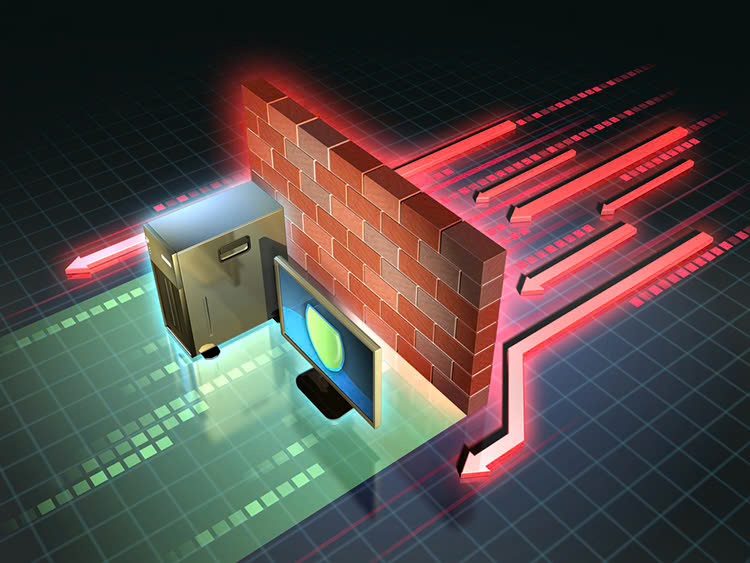
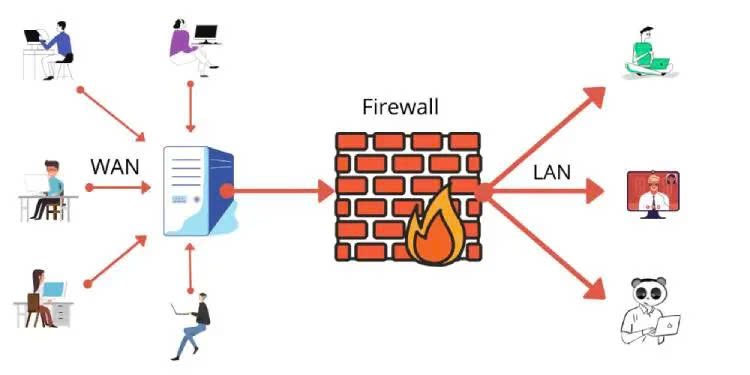
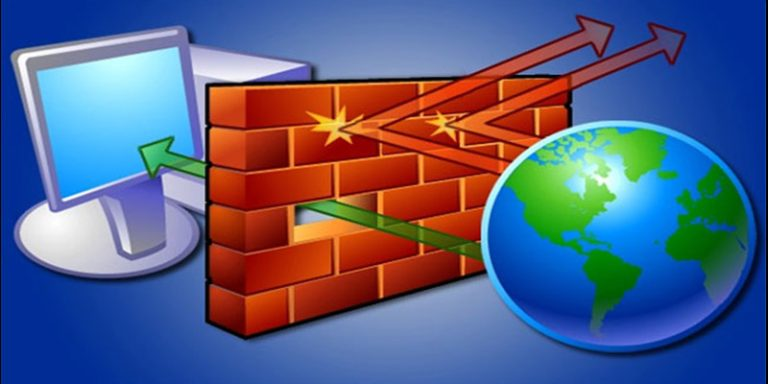
A firewall is a network security system designed to prevent unauthorized access to or from a private network. It acts as a barrier between a trusted internal network and an untrusted external network, such as the Internet. Firewalls can be deployed using hardware, software, or a combination of both.
A firewall inspects all incoming and outgoing network traffic and applies a set of security rules to determine whether that traffic is allowed to pass through. The primary goal of a firewall is to prevent external threats from infiltrating the internal network while controlling the access of internal users to external resources.
Types of Firewalls
There are two main types of firewalls: personal firewalls and network firewalls. Each type has its own characteristics and applications.
Personal Firewalls
A personal firewall is software installed on a specific device such as a personal computer or smartphone. It protects that device from Internet threats. Personal firewalls typically come bundled with the operating system or are installed separately as part of a security software package.
Advantages of personal firewalls:
Easy to install and manage
Can be customized for each specific device
Protects the device even when not connected to a corporate network
Disadvantages:
Does not protect the entire network
Can affect device performance
Needs to be updated regularly on each device
Network Firewalls
Network firewalls protect the entire internal network from external threats. They are typically deployed as a standalone hardware device or as part of a router. Network firewalls control traffic between the internal network and the Internet.
Advantages of network firewalls:
Protects the entire network from a central point
Higher performance since they are optimized for security functions
Easy to manage and update
Disadvantages:
More expensive than personal firewalls
Requires specialized knowledge to configure and manage
Does not protect devices when they leave the corporate network
How Firewalls Work
A firewall works by inspecting data packets passing through it and applying a set of rules to decide whether to allow the packet through or not. This process works as follows:
Packet inspection: When a data packet arrives at the firewall, it is inspected for information such as source and destination IP addresses, port, protocol, and other header information.
Rule comparison: The firewall compares the packet information against preconfigured rules. These rules determine which types of traffic are allowed and which are blocked.
Decision: Based on the comparison result, the firewall decides to allow the packet through, block it, or request additional inspection.
Logging: The firewall typically logs these activities for audit and subsequent analysis purposes.
Forwarding or blocking: If the packet is accepted, it is forwarded to the destination. If rejected, the packet is dropped.
Modern firewalls can also perform advanced functions such as:
Stateful inspection
Deep packet inspection
Application-level content filtering
Intrusion detection and prevention
Firewalls play a critical role in network security. Here are some of the key roles of a firewall:
Protecting the internal network: Firewalls prevent unauthorized access from the Internet to the internal network, helping protect an organization's critical data and resources.
Access control: Firewalls allow administrators to control the access of internal network users to external resources, helping enforce the organization's security policies.
Malware prevention: Firewalls can prevent the download or execution of malicious software from the Internet.
Protecting sensitive information: Firewalls help prevent the leakage of sensitive information outside the network.
Network traffic monitoring: Firewalls log network activities, providing valuable information for security analysis and detection of potential threats.
Network performance optimization: By filtering unwanted traffic, firewalls help optimize bandwidth and network performance.
Regulatory compliance: In many industries, using a firewall is mandatory to comply with security and privacy regulations.
Advantages and Disadvantages of Firewalls
A firewall is an important security tool, but like any technology, it has its own strengths and weaknesses. Understanding these advantages and disadvantages will help you use firewalls more effectively in your overall security strategy.
Advantages of Firewalls
Network protection: Firewalls provide the first layer of defense against Internet threats.
Access control: Allows administrators to tightly control incoming and outgoing network traffic.
Malware prevention: Capable of blocking malicious files and other attacks.
Privacy protection: Helps prevent the leakage of sensitive information outside the network.
Logging and reporting: Provides detailed information about network activity for analysis and troubleshooting.
Performance optimization: By filtering unwanted traffic, firewalls help improve network performance.
Flexibility: Can be configured to meet the specific needs of each organization.
Disadvantages of Firewalls
Configuration complexity: Properly configuring a firewall can be complex and requires specialized knowledge.
Cost: High-quality firewalls, especially hardware solutions, can be expensive.
Performance limitations: Firewalls can slow down network speeds due to inspecting every packet.
Frequent updates required: Must be updated regularly to address new threats.
Can be bypassed: No firewall is perfect, and hackers may find ways to bypass it.
Cannot protect against all threats: Firewalls cannot protect against internal attacks or threats that have already bypassed them.
Compatibility issues: Sometimes firewalls can interfere with the operation of legitimate applications.
Firewall Deployment Options
When deploying a firewall, there are various options depending on the specific security needs of the organization. Here are some common options:
Stateful Firewall
A stateful firewall monitors the state of network connections and uses this information to decide whether to allow traffic through. This type of firewall is more effective at detecting and preventing sophisticated attacks.
Advantages:
Higher security compared to stateless firewalls
Better performance since it does not need to inspect each packet individually
Disadvantages:
Requires more system resources
Can be affected by attacks targeting the state table
Next-Generation Firewalls (NGFW)
NGFWs combine the features of traditional firewalls with advanced security technologies such as deep packet inspection, intrusion prevention, and application-level content filtering.
Ability to detect and prevent sophisticated threats
Integrates multiple security features into one solution
Disadvantages:
Higher cost
Requires more system resources
More complex configuration and management
Proxy-Based Firewalls
Proxy-based firewalls act as intermediaries between internal network clients and external servers. They inspect all requests and responses before forwarding them.
Advantages:
Provides a high level of anonymity for the internal network
Capable of deeper content inspection
Effective at content filtering and blocking unwanted websites
Disadvantages:
Can slow down network speeds since all connections must be processed
Requires more complex configuration
Can cause compatibility issues with some applications
Web Application Firewalls (WAF)
WAFs are specifically designed to protect web applications from attacks such as SQL injection, cross-site scripting (XSS), and other application-layer threats.
Advantages:
Effectively protects web applications from common attacks
Can be configured to meet the specific needs of each application
Helps comply with security regulations such as PCI DSS
Disadvantages:
Focused on web application protection, does not comprehensively protect the network
Can cause performance issues if not configured properly
Requires regular updates to address new threats
Hardware Firewalls
Hardware firewalls are dedicated devices designed to perform network security functions.
Advantages:
High performance since they are optimized for security functions
Easy to deploy and manage
Typically have higher availability
Disadvantages:
High initial cost
Difficult to scale when needs increase
Can become obsolete quickly due to rapid technological advancement
Software Firewalls
Software firewalls are applications installed on computers or servers to perform security functions.
Advantages:
Lower cost compared to hardware firewalls
Flexible, easy to update and scale
Can be customized to meet specific needs
Disadvantages:
Can affect host system performance
Requires regular maintenance and updates
Can be more easily disabled if the host system is compromised
Stateful Inspection
Stateful inspection is a feature that allows a firewall to monitor the state of network connections.
Advantages:
Provides stronger security compared to simple packet inspection
Effective at preventing sophisticated attacks
Improves performance by allowing legitimate traffic to pass through quickly
Disadvantages:
Requires more system resources
Can be affected by attacks targeting the state table
Firewalls with Antivirus Detection
Some firewalls integrate antivirus detection capabilities, helping block malware before it enters the network.
Advantages:
Provides an additional layer of protection against malware
Reduces the number of security devices that need to be managed
Can block threats before they infiltrate the network
Disadvantages:
Can reduce performance due to virus scanning
Requires regular virus database updates
May not be as effective as dedicated antivirus solutions
SSL Security Layer Inspection
This feature allows the firewall to inspect SSL/TLS-encrypted traffic to detect potential threats.
Advantages:
Can detect threats hidden in encrypted traffic
Helps prevent data leakage through encrypted channels
Improves compliance with security regulations
Disadvantages:
Can raise privacy concerns
Requires complex configuration
Can reduce network performance
Intrusion Prevention Systems (IPS)
IPS is an advanced firewall feature that helps proactively detect and prevent network attacks.
Advantages:
Provides proactive protection against network attacks
Capable of detecting and preventing new and unknown threats
Reduces response time to security incidents
Disadvantages:
Can generate false positives and block legitimate traffic
DPI is a feature that allows the firewall to inspect the content of data packets in detail, not just relying on header information.
Advantages:
Provides more granular control and security
Can detect and prevent sophisticated threats
Supports enforcement of network usage policies
Disadvantages:
Can affect network performance due to detailed inspection of every packet
Raises privacy concerns
Requires significant system resources
Firewall Vulnerabilities
Although firewalls are an important security tool, they also have potential vulnerabilities. Understanding these vulnerabilities helps organizations take preventive measures and achieve more comprehensive protection.
Internal Attacks
Firewalls typically focus on protecting the network from external threats but may not be effective at preventing attacks from within the network.
Mitigation strategies:
Implement strict internal security policies
Use user behavior monitoring solutions
Segment the network to limit access rights
Distributed Denial of Service (DDoS) Attacks
DDoS attacks can overwhelm a firewall, preventing it from processing legitimate traffic.
Mitigation strategies:
Use dedicated anti-DDoS solutions
Configure the firewall to limit connection rates
Work with the Internet service provider to filter DDoS traffic
Malware
Malware can bypass firewalls through permitted channels such as email or legitimate websites that have been compromised.
Mitigation strategies:
Use antivirus and anti-malware solutions
Regularly update malware signatures
Train employees on cybersecurity
Poor Firewall Configuration and Lack of Updates
Firewalls that are not properly configured or not regularly updated can create security vulnerabilities.
Mitigation strategies:
Conduct periodic firewall configuration assessments and audits
Apply patches and updates promptly
Use automation tools to manage firewall configurations
How to Enable and Disable Firewalls on Windows 10
Windows 10 has a built-in firewall called Windows Defender Firewall. Below are instructions on how to enable and disable this firewall.
How to Enable the Firewall on Windows 10
Press the Windows + I key combination to open Settings.
Select "Update & Security".
Select "Windows Security" from the left menu.
Click on "Firewall & network protection".
Select the network you want to enable the firewall for (Domain, Private, or Public).
Toggle on "Windows Defender Firewall".
How to Disable the Firewall on Windows 10
Note: You should not disable the firewall unless you have a valid reason and understand the associated risks.
Follow steps 1-4 as above.
Select the network you want to disable the firewall for.
Toggle off "Windows Defender Firewall".
When you disable the firewall, Windows will display a warning about security risks. Make sure you have alternative protective measures in place before disabling the firewall.
Tuong lua la lop bao ve dau tien cho mang noi bo, nhung khong the thay the toan bo chien luoc bao mat. Ket hop tuong lua voi IPS, antivirus, DPI va chinh sach bao mat noi bo de dat hieu qua toan dien.
Conclusion: A firewall plays an essential role in protecting networks and systems from Internet threats. From personal firewalls to NGFWs, each type has its own advantages and disadvantages suited to different scales and needs. The key is proper configuration, regular updates, and combining multiple security solutions to ensure comprehensive security.