Trojan là gì? Những thông tin cơ bản về mã độc Trojan
Security

Trojan là gì? Những thông tin cơ bản về mã độc Trojan

Tìm hiểu Trojan là gì, cách hoạt động, các loại phổ biến (Backdoor, Rootkit, Banker, Downloader), dấu hiệu nhiễm mã độc và biện pháp phòng ngừa hiệu quả.

Trong series: Bảo mật
  1. 1 Mã độc là gì? Phân loại, đặc tính và cách phòng tránh
  2. 2 DDos là gì? Dấu hiệu, xử lý và cách phòng chống hiệu quả
  3. 3 Phishing là gì? Nhận diện và phòng chống tấn công lừa đảo trực tuyến
  4. 4 DNS Sinkhole là gì? Ứng dụng và cách dùng kỹ thuật DNS Sinkhole
  5. 5 OAuth 2.0 là gì? Ủy quyền truy cập và đăng nhập bằng Google/Facebook
  6. 6 Trojan là gì? Những thông tin cơ bản về mã độc Trojan
  7. 7 Zero Trust Là Gì? Mô Hình Bảo Mật 'Không Tin Tưởng Ai'
  8. 8 VPN là gì? Mạng riêng ảo, WireGuard và OpenVPN
  9. 9 MFA Là Gì? So Sánh MFA vs 2FA và Các Phương Thức Xác Thực
  10. 10 Tường lửa là gì? Vai trò và chức năng trong bảo mật mạng
  11. 11 SQL Injection là gì? Tấn công cơ sở dữ liệu và cách phòng chống
  12. 12 Ransomware là gì? Mã độc mã hóa tống tiền và cách phòng chống
  13. 13 WAF Là Gì? Web Application Firewall Bảo Vệ Ứng Dụng Web
  14. 14 XSS là gì? Cross-Site Scripting và cách phòng chống hiệu quả
✦ Tóm tắt nhanh
Tìm hiểu Trojan là gì, cách hoạt động, các loại phổ biến (Backdoor, Rootkit, Banker, Downloader), dấu hiệu nhiễm mã độc và biện pháp phòng ngừa hiệu quả.
Bài này thế nào?

Trojan (Trojan horse) là phần mềm độc hại ngụy trang dưới dạng chương trình vô hại để xâm nhập hệ thống. Bài viết giải thích chi tiết cách hoạt động, các loại Trojan phổ biến, dấu hiệu nhiễm mã độc và biện pháp phòng ngừa hiệu quả.

Trojan là gì? Định nghĩa về Trojan horse

Trojan là gì? Trojan, hay còn gọi là mã độc Trojan, là một loại phần mềm độc hại được ngụy trang dưới dạng một chương trình hoặc file vô hại nhằm đánh lừa người dùng tải xuống và cài đặt vào hệ thống của mình. Tên gọi "Trojan" xuất phát từ câu chuyện thần thoại Hy Lạp về con ngựa thành Troy, nơi mà những chiến binh ẩn giấu trên con ngựa đã xâm nhập vào thành phố của kẻ thù sau khi nó được đưa vào như một món quà.
Đặc điểm chính của Trojan

Khác với virus máy tính, Trojan không tự nhân bản hay lây lan sang các hệ thống khác. Thay vào đó, nó phụ thuộc vào hành động của người dùng để xâm nhập vào hệ thống của họ. Khi đã xâm nhập thành công, Trojan có thể thực hiện nhiều hành vi độc hại, chẳng hạn như đánh cắp thông tin cá nhân, kiểm soát hệ thống, hoặc biến máy tính của nạn nhân thành một bot trong mạng lưới botnet.

Cách thức hoạt động của Trojan

Trojan thường lây lan thông qua các phương thức như email chứa file đính kèm độc hại, tải xuống từ các trang web không an toàn, hoặc thông qua các ứng dụng không rõ nguồn gốc. Một khi đã được cài đặt, Trojan sẽ thiết lập kết nối với máy chủ điều khiển của tin tặc và bắt đầu thực hiện các lệnh độc hại.

Lịch sử phát triển và hình thành của Trojan

Mã độc Trojan đã tồn tại từ rất lâu và trải qua nhiều giai đoạn phát triển khác nhau. Trong những năm đầu của internet, Trojan thường chỉ là những phần mềm đơn giản, nhưng theo thời gian, chúng đã trở nên ngày càng tinh vi hơn.
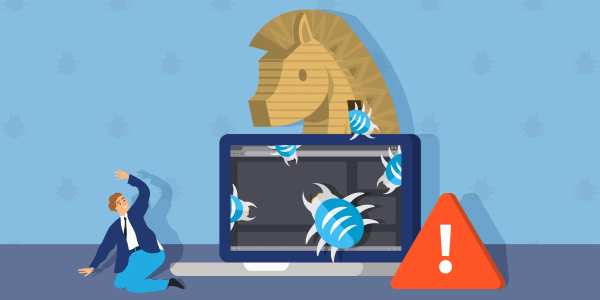
Giai đoạn đầu của Trojan Thời kỳ đầu, Trojan chủ yếu được sử dụng để thực hiện các hành vi phá hoại đơn giản, chẳng hạn như xóa dữ liệu hoặc hiển thị quảng cáo không mong muốn. Chúng vẫn chưa đủ mạnh để gây ra thiệt hại nghiêm trọng cho người dùng.

Sự phát triển trong những năm gần đây Trong những năm gần đây, với sự gia tăng của thương mại điện tử và giao dịch trực tuyến, Trojan đã trở thành một công cụ chính để đánh cắp thông tin tài chính và cá nhân. Các tin tặc giờ đây có thể tạo ra các phiên bản Trojan phức tạp, khó phát hiện hơn, có khả năng thu thập thông tin nhạy cảm một cách bí mật.

Xu hướng tương lai Với sự phát triển của công nghệ mới như trí tuệ nhân tạo và blockchain, các loại Trojan trong tương lai có thể trở nên ngày càng tinh vi hơn. Do đó, việc nâng cao ý thức về an ninh mạng và cập nhật các biện pháp bảo vệ là điều cần thiết.

Nguyên nhân xuất hiện của Trojan

Có nhiều nguyên nhân dẫn đến sự xuất hiện của mã độc Trojan, và nó thường phản ánh sự thay đổi trong xã hội và nhu cầu của người dùng.
Mục tiêu lợi nhuận Một trong những nguyên nhân chính khiến Trojan trở nên phổ biến là do lợi nhuận. Tin tặc tìm cách kiếm tiền bằng cách đánh cắp thông tin cá nhân, tài khoản ngân hàng hoặc dữ liệu nhạy cảm khác từ người dùng.

Sự tăng trưởng của công nghệ Sự phát triển nhanh chóng của công nghệ và internet cũng tạo ra nhiều lỗ hổng bảo mật mà tin tặc có thể khai thác. Điều này đã tạo ra môi trường thuận lợi cho sự phát triển của mã độc, bao gồm cả Trojan.

Thiếu kiến thức về an ninh mạng Nhiều người dùng vẫn chưa có đầy đủ kiến thức về an ninh mạng và các rủi ro tiềm ẩn khi sử dụng internet. Sự thiếu hiểu biết này khiến họ dễ dàng trở thành mục tiêu cho các cuộc tấn công của Trojan.

Đặc điểm nhận diện mã độc Trojan

Việc nhận diện Trojan sớm có thể giúp hạn chế thiệt hại và bảo vệ hệ thống của bạn. Dưới đây là một số dấu hiệu mà bạn có thể nhận thấy nếu máy tính của bạn bị nhiễm Trojan.
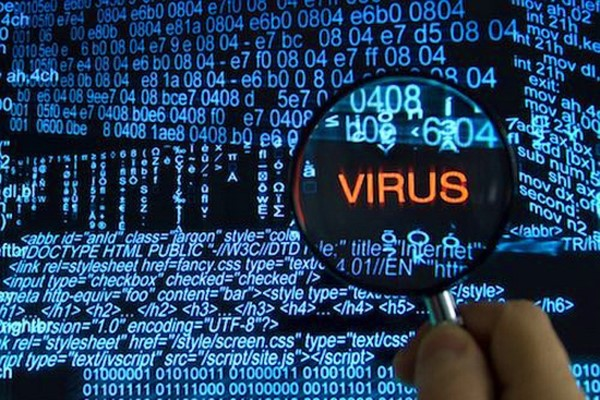
Hiệu suất hệ thống giảm sút Nếu bạn nhận thấy máy tính của mình chạy chậm chạp hoặc thường xuyên bị treo, đây có thể là dấu hiệu cho thấy hệ thống của bạn đã bị nhiễm Trojan. Trojan có thể tiêu tốn tài nguyên hệ thống và làm giảm hiệu suất máy tính.

Xuất hiện các chương trình lạ Khi thấy các chương trình không rõ nguồn gốc khởi động cùng hệ thống hoặc chạy ngầm trong nền, hãy cẩn thận vì đó có thể là dấu hiệu của sự hiện diện của Trojan.

Kết nối mạng không ổn định Trojan có thể thiết lập kết nối với máy chủ điều khiển của tin tặc, dẫn đến tình trạng internet bị gián đoạn hoặc tốc độ mạng giảm đáng kể.

Các hình thức hoạt động của mã độc Trojan

Trojan có nhiều hình thức hoạt động khác nhau, tùy thuộc vào mục đích mà tin tặc muốn đạt được. Dưới đây là một số hình thức hoạt động phổ biến của Trojan.
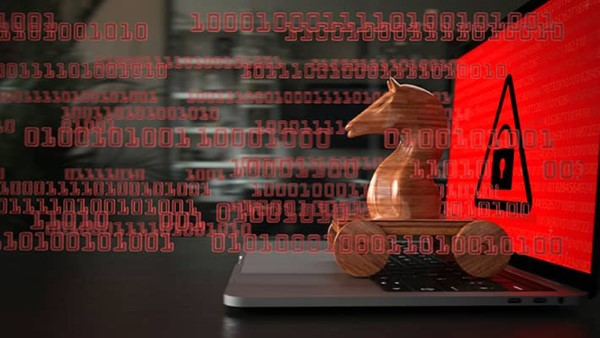
Đánh cắp thông tin Trojan thường được sử dụng để thu thập thông tin nhạy cảm của người dùng, bao gồm mật khẩu, thông tin thẻ tín dụng và lịch sử duyệt web. Mục tiêu cuối cùng là đánh cắp danh tính hoặc thực hiện gian lận tài chính.

Kiểm soát hệ thống Ngoài việc đánh cắp thông tin, Trojan còn có thể cho phép tin tặc kiểm soát hoàn toàn hệ thống của nạn nhân. Điều này có thể bao gồm việc cài đặt phần mềm độc hại khác, xóa dữ liệu quan trọng hoặc thay đổi cài đặt hệ thống.

Tham gia vào các cuộc tấn công mạng Một số loại Trojan có thể biến máy tính của nạn nhân thành một bot trong mạng lưới botnet, tham gia vào các cuộc tấn công DDoS nhằm làm tê liệt website hoặc hệ thống mục tiêu.

Cơ chế hoạt động của mã độc Trojan
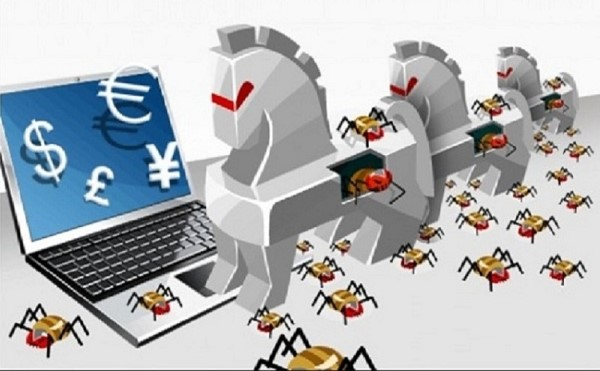
Cơ chế hoạt động của Trojan có thể được chia thành các bước chính sau:

Lây nhiễm

Trojan thường được lây lan thông qua việc người dùng tải xuống file đính kèm email độc hại, truy cập vào trang web bị nhiễm hoặc cài đặt phần mềm không rõ nguồn gốc.

Xâm nhập và thiết lập kết nối Sau khi cài đặt thành công, Trojan sẽ xâm nhập vào hệ thống và thiết lập kết nối với máy chủ điều khiển của tin tặc. Từ đây, tin tặc có thể gửi lệnh để thực hiện các hành vi độc hại.

Thực hiện lệnh độc hại

Tin tặc có thể sử dụng Trojan để thực hiện nhiều hành vi độc hại khác nhau, như đã nêu ở trên. Việc ghi lại hoạt động của người dùng cũng là một phần trong quy trình này.

Giấu vết Một số Trojan có khả năng tự động xóa dấu vết của chúng sau khi thực hiện các lệnh độc hại, làm cho việc phát hiện và gỡ bỏ trở nên khó khăn hơn.

Các loại Trojan phổ biến hiện nay

Trojan được phân loại dựa trên chức năng và mục đích của chúng. Dưới đây là một số loại Trojan phổ biến mà bạn có thể gặp phải.

Trojan Backdoor
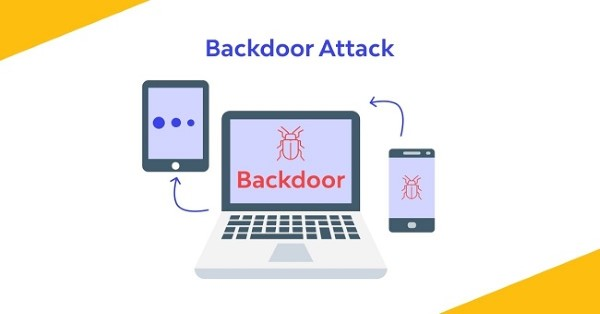
Trojan Backdoor tạo ra một cửa hậu trên hệ thống của người dùng, cho phép tin tặc truy cập và kiểm soát hệ thống mà không cần phải đi qua các xác thực thông thường. Điều này khiến cho việc bảo vệ hệ thống trở nên khó khăn hơn.

Trojan Rootkit
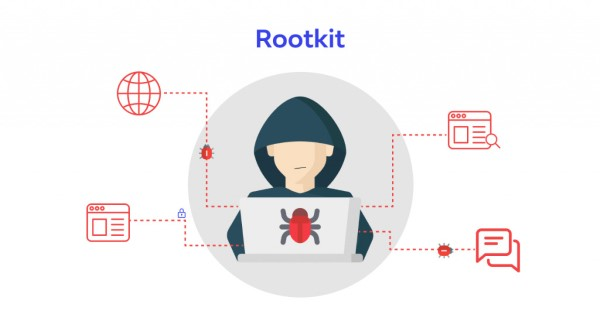
Trojan Rootkit được thiết kế để ẩn dấu sự hiện diện của nó trên hệ thống, làm cho việc phát hiện và gỡ bỏ trở nên cực kỳ khó khăn. Rootkits có thể can thiệp vào hệ điều hành và thay đổi cách mà hệ thống báo cáo tình trạng của nó.

Trojan Downloader
Trojan Downloader chủ yếu được sử dụng để tải xuống các mã độc hại khác vào hệ thống của nạn nhân. Sau khi cài đặt, nó có thể kéo theo hàng loạt loại mã độc khác, khiến cho mức độ nguy hiểm gia tăng.

Trojan Banker

Trojan Banker được thiết kế đặc biệt nhằm mục tiêu vào thông tin tài chính của người dùng. Loại Trojan này thường đánh cắp thông tin đăng nhập ngân hàng và thông tin thẻ tín dụng.

Các loại Trojan khác

Ngoài các loại đã nêu, còn nhiều loại Trojan khác với các chức năng riêng biệt. Chúng đều có chung một mục tiêu là gây hại và dẫn đến thiệt hại cho nạn nhân.

Dấu hiệu máy tính bị nhiễm Trojan

Phát hiện Trojan sớm là cách tốt nhất để bảo vệ hệ thống của bạn. Dưới đây là một số dấu hiệu cho thấy máy tính của bạn có thể đã bị nhiễm Trojan.
Hiệu suất hệ thống giảm sút Nếu máy tính của bạn chạy chậm chạp hơn bình thường, có thể đây là dấu hiệu mà Trojan đang tiêu tốn tài nguyên. Xuất hiện các chương trình không rõ nguồn gốc Hãy cẩn thận với những chương trình lạ xuất hiện khi khởi động máy tính hoặc chạy ngầm trong nền.

Kết nối mạng không ổn định Nếu internet của bạn bị gián đoạn không lý do, có khả năng cao rằng Trojan đang liên lạc với máy chủ điều khiển của tin tặc.

Các biện pháp phòng ngừa và bảo vệ khỏi Trojan
Để bảo vệ hệ thống của bạn khỏi các mối đe dọa từ Trojan, hãy áp dụng các biện pháp phòng ngừa sau.

Cập nhật phần mềm thường xuyên Luôn luôn cập nhật hệ điều hành, phần mềm diệt virus và trình duyệt web để vá các lỗ hổng bảo mật.

Cẩn thận khi tải xuống tệp tin Chỉ tải xuống tệp tin từ các nguồn đáng tin cậy và kiểm tra trước khi mở file đính kèm email.

Sử dụng phần mềm diệt virus Cài đặt và sử dụng phần mềm diệt virus uy tín để quét và loại bỏ mã độc hại.

Top 7 phần mềm diệt Trojan hiệu quả

Dưới đây là một số phần mềm diệt Trojan mà bạn có thể xem xét để bảo vệ hệ thống của mình.

Kaspersky Anti-virus
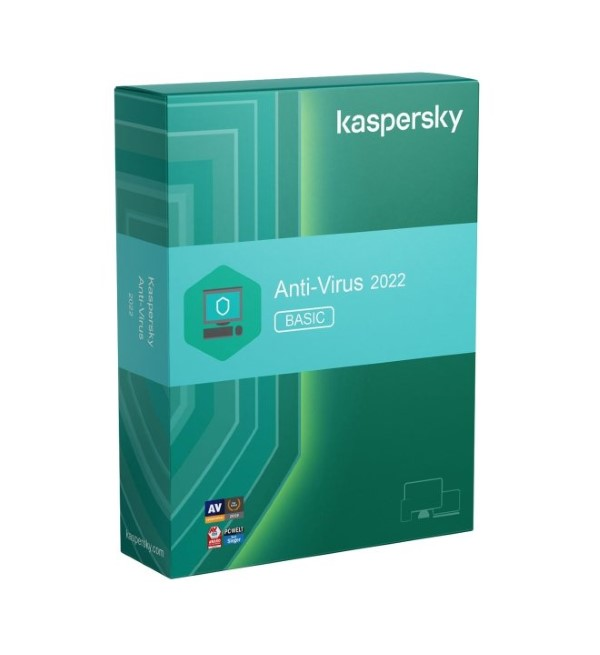
Kaspersky là một trong những hệ thống tường lửa và phần mềm diệt virus nổi tiếng nhất, với khả năng phát hiện và loại bỏ Trojan hiệu quả.

ESET Nod32
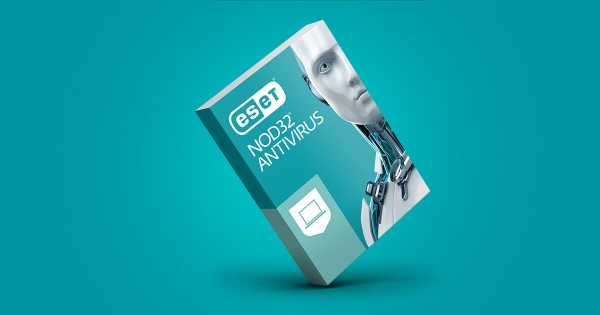
ESET Nod32 mang đến giải pháp bảo mật toàn diện và hỗ trợ quét sâu cho các loại mã độc.

AVG
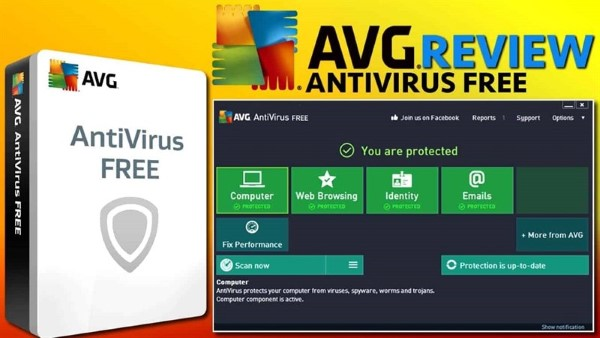
AVG cung cấp khả năng phát hiện Trojan và các loại mã độc khác một cách nhanh chóng và hiệu quả.

Avast
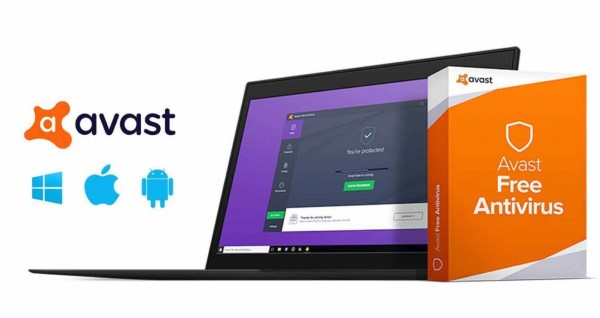
Avast cũng là một lựa chọn tuyệt vời với nhiều tính năng bảo mật tiên tiến và giao diện thân thiện.

Norton
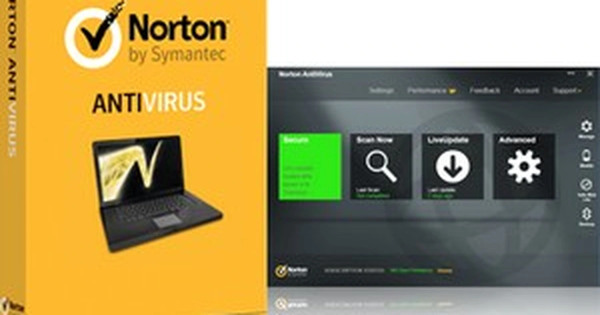
Norton là một trong những tên tuổi lớn trong ngành bảo mật, với khả năng phát hiện và loại bỏ Trojan một cách đáng tin cậy.

Bitdefender
Bitdefender nổi bật với khả năng bảo vệ đa lớp và tính năng quét linh hoạt.

Avira
Avira cung cấp một giải pháp bảo mật miễn phí hiệu quả, hỗ trợ phát hiện Trojan và các loại mã độc khác.

Các câu hỏi thường gặp về mã độc Trojan

Trojan là một chủ đề hot trong lĩnh vực an ninh mạng. Dưới đây là một số câu hỏi thường gặp mà người dùng có thể quan tâm.

Khôi phục cài đặt gốc có giúp loại bỏ Trojan không?

Khôi phục cài đặt gốc có thể giúp loại bỏ một số loại mã độc, nhưng không đảm bảo loại bỏ hoàn toàn Trojan. Hãy luôn sử dụng phần mềm diệt virus để quét hệ thống.

Remover Trojan

Remover Trojan là phần mềm chuyên dụng được thiết kế để phát hiện và loại bỏ Trojan khỏi hệ thống của bạn.

{{< test-result title="So sanh cac loai ma doc pho bien" headers="Tieu chi|Trojan|Virus|Worm|Ransomware|Spyware" row1="Tu nhan ban|Khong|Co|Co|Khong|Khong" row2="Can nguoi dung|Co|Co|Khong|Co|Co" row3="Muc dich chinh|Cua hau, danh cap|Pha hoai|Lay lan|Ma hoa doi tien|Theo doi" row4="Nguy trang|Co (gia lap phan mem)|Khong|Khong|Co the|Co" row5="Kho phat hien|Cao|Trung binh|Thap|Thap (sau khi ma hoa)|Cao" row6="Vi du|Emotet, Zeus|ILOVEYOU|WannaCry worm|WannaCry ransom|Pegasus" />}}

Mẹo hay

Luon cap nhat he dieu hanh va phan mem diet virus, khong mo file dinh kem email dang ngo, chi tai phan mem tu nguon chinh thuc. Su dung tuong lua va xac thuc 2 yeu to (2FA) de tang cuong bao mat he thong.

Ket luan: Trojan la moi de doa nghiem trong doi voi an ninh mang, co kha nang danh cap thong tin, kiem soat he thong va tham gia tan cong mang. Viec hieu ro cac loai Trojan, dau hieu nhiem ma doc va bien phap phong ngua la dieu can thiet de bao ve an toan cho ban than trong the gioi so.
Nguồn tham khảo
Câu hỏi thường gặpQ&A
Trojan là gì?
Trojan (Trojan horse) là phần mềm độc hại ngụy trang dưới dạng chương trình vô hại để lừa người dùng cài đặt. Khác với virus, Trojan không tự nhân bản mà phụ thuộc vào hành động của người dùng để xâm nhập hệ thống.
Trojan khác virus máy tính như thế nào?
Virus tự nhân bản và lây lan sang file/hệ thống khác. Trojan không tự nhân bản, mà ngụy trang thành phần mềm hợp pháp để lừa người dùng cài đặt. Trojan thường tạo cửa hậu cho tin tặc kiểm soát hệ thống từ xa.
Làm sao biết máy tính bị nhiễm Trojan?
Dấu hiệu gồm: máy chạy chậm bất thường, xuất hiện chương trình lạ khởi động cùng hệ thống, internet bị gián đoạn, tường lửa/antivirus bị tắt, xuất hiện pop-up quảng cáo, và tài khoản bị truy cập trái phép.
Có những loại Trojan nào phổ biến?
Các loại phổ biến gồm: Backdoor (tạo cửa hậu), Rootkit (ẩn dấu trong hệ thống), Downloader (tải thêm mã độc), Banker (đánh cắp thông tin tài chính), RAT (điều khiển từ xa), và Ransomware Trojan (mã hóa dữ liệu đòi tiền chuộc).
Cách phòng ngừa Trojan hiệu quả?
Cập nhật hệ điều hành và phần mềm thường xuyên, chỉ tải file từ nguồn tin cậy, không mở email đính kèm đáng ngờ, sử dụng phần mềm diệt virus uy tín, và bật tường lửa. Sao lưu dữ liệu định kỳ để giảm thiệt hại.

A Trojan (Trojan horse) is malicious software disguised as a harmless program to infiltrate systems. This article explains in detail how Trojans work, common types, signs of infection, and effective prevention measures.

What is a Trojan? Definition of a Trojan Horse

What is a Trojan? A Trojan, also known as Trojan malware, is a type of malicious software disguised as a harmless program or file to trick users into downloading and installing it on their systems. The name "Trojan" originates from the Greek myth of the Trojan Horse, where warriors hidden inside the horse infiltrated the enemy city after it was brought in as a gift.

Key Characteristics of Trojans

Unlike computer viruses, Trojans do not self-replicate or spread to other systems. Instead, they rely on user actions to infiltrate their systems. Once successfully infiltrated, a Trojan can perform various malicious activities, such as stealing personal information, taking control of the system, or turning the victim's computer into a bot in a botnet network.

How Trojans Work

Trojans typically spread through methods such as emails with malicious attachments, downloads from unsafe websites, or through applications of unknown origin. Once installed, the Trojan establishes a connection with the hacker's command-and-control server and begins executing malicious commands.

What is SMTP? How SMTP Servers Work in Networks

History and Evolution of Trojans

Trojan malware has existed for a long time and has gone through many different stages of development. In the early days of the internet, Trojans were usually simple software, but over time they have become increasingly sophisticated.

Early Stage of Trojans In the early days, Trojans were mainly used to perform simple destructive actions, such as deleting data or displaying unwanted advertisements. They were not yet powerful enough to cause serious damage to users.

Development in Recent Years In recent years, with the growth of e-commerce and online transactions, Trojans have become a primary tool for stealing financial and personal information. Hackers can now create complex Trojan variants that are harder to detect and capable of secretly collecting sensitive information.

Future Trends With the development of new technologies such as artificial intelligence and blockchain, future Trojans may become even more sophisticated. Therefore, raising cybersecurity awareness and updating protective measures is essential.

Causes Behind the Emergence of Trojans

There are many reasons behind the emergence of Trojan malware, often reflecting changes in society and user needs.

Profit Motive One of the main reasons Trojans have become prevalent is profit. Hackers seek to make money by stealing personal information, bank accounts, or other sensitive data from users.

Growth of Technology The rapid development of technology and the internet has also created many security vulnerabilities that hackers can exploit. This has created a favorable environment for the development of malware, including Trojans.

Lack of Cybersecurity Knowledge Many users still lack sufficient knowledge about cybersecurity and the potential risks of using the internet. This lack of awareness makes them easy targets for Trojan attacks.

How to Identify Trojan Malware

Early identification of Trojans can help limit damage and protect your system. Below are some signs you may notice if your computer is infected with a Trojan.

Decreased System Performance If you notice your computer running sluggishly or frequently freezing, this could be a sign that your system has been infected with a Trojan. Trojans can consume system resources and reduce computer performance.

Appearance of Unknown Programs When you see programs of unknown origin launching at system startup or running silently in the background, be cautious as this may indicate the presence of a Trojan.

Unstable Network Connection Trojans can establish connections with the hacker's command-and-control server, leading to internet interruptions or significantly reduced network speeds.

Forms of Trojan Malware Activity

Trojans have various forms of activity depending on the hacker's objectives. Below are some common forms of Trojan activity.

What is Amazon Proxy

Information Theft Trojans are commonly used to collect sensitive user information, including passwords, credit card details, and browsing history. The ultimate goal is identity theft or financial fraud.

System Control Beyond stealing information, Trojans can also allow hackers to gain complete control of the victim's system. This can include installing other malicious software, deleting important data, or changing system settings.

Participating in Cyber Attacks Some types of Trojans can turn the victim's computer into a bot in a botnet network, participating in DDoS attacks aimed at crippling target websites or systems.

How Trojan Malware Operates

The operation mechanism of a Trojan can be broken down into the following key steps:

Infection Trojans typically spread when users download malicious email attachments, visit infected websites, or install software of unknown origin.

Infiltration and Establishing Connection After successful installation, the Trojan infiltrates the system and establishes a connection with the hacker's command-and-control server. From here, hackers can send commands to carry out malicious activities.

Executing Malicious Commands Hackers can use the Trojan to perform various malicious activities, as mentioned above. Recording user activity is also part of this process.

Covering Tracks Some Trojans have the ability to automatically erase their traces after executing malicious commands, making detection and removal more difficult.

Common Types of Trojans Today

Trojans are classified based on their functions and purposes. Below are some common types of Trojans you may encounter.

Trojan Backdoor

A Trojan Backdoor creates a backdoor on the user's system, allowing hackers to access and control the system without going through normal authentication. This makes protecting the system much more difficult.

Trojan Rootkit

A Trojan Rootkit is designed to hide its presence on the system, making detection and removal extremely difficult. Rootkits can interfere with the operating system and change how the system reports its status.

Trojan Downloader

A Trojan Downloader is primarily used to download other malicious code onto the victim's system. After installation, it can pull in a series of other malware types, increasing the level of danger.

Trojan Banker

A Trojan Banker is specifically designed to target users' financial information. This type of Trojan typically steals online banking login credentials and credit card information.

Other Types of Trojans

In addition to the types mentioned above, there are many other types of Trojans with distinct functions. They all share a common goal of causing harm and damage to victims.

Signs Your Computer is Infected with a Trojan

Early detection of Trojans is the best way to protect your system. Below are some signs that your computer may be infected with a Trojan.

Decreased System Performance If your computer runs slower than usual, this may be a sign that a Trojan is consuming resources.

What is Cloud VPS? Pros, Cons, and How to Create a Cloud VPS

Unknown Programs Appearing Be cautious of unfamiliar programs that appear when your computer starts up or run silently in the background.

Unstable Network Connection If your internet is interrupted without reason, there is a high probability that a Trojan is communicating with the hacker's command-and-control server.

Prevention and Protection Measures Against Trojans

To protect your system from Trojan threats, apply the following prevention measures.

Update Software Regularly Always update your operating system, antivirus software, and web browser to patch security vulnerabilities.

Be Careful When Downloading Files Only download files from trusted sources and check before opening email attachments.

Use Antivirus Software Install and use reputable antivirus software to scan for and remove malware.

Top 7 Effective Trojan Removal Software

Below are some Trojan removal software options you can consider to protect your system.

Kaspersky Anti-virus

Kaspersky is one of the most renowned firewall and antivirus systems, with the ability to effectively detect and remove Trojans.

ESET Nod32

ESET Nod32 provides a comprehensive security solution with deep scanning support for various types of malware.

AVG

AVG offers fast and effective detection of Trojans and other types of malware.

Avast

Avast is also an excellent choice with many advanced security features and a user-friendly interface.

Norton

Norton is one of the biggest names in the security industry, with reliable Trojan detection and removal capabilities.

Bitdefender

Bitdefender stands out with its multi-layered protection and flexible scanning features.

Avira

Avira provides an effective free security solution with support for detecting Trojans and other types of malware.

Frequently Asked Questions About Trojan Malware

Trojans are a hot topic in the cybersecurity field. Below are some frequently asked questions that users may be interested in.

Does a factory reset help remove Trojans?

A factory reset can help remove some types of malware but does not guarantee complete removal of Trojans. Always use antivirus software to scan your system.

Trojan Remover

Trojan Remover is specialized software designed to detect and remove Trojans from your system.

{{< test-result title="Comparison of Common Malware Types" headers="Criteria|Trojan|Virus|Worm|Ransomware|Spyware" row1="Self-replicating|No|Yes|Yes|No|No" row2="Requires user action|Yes|Yes|No|Yes|Yes" row3="Primary purpose|Backdoor, theft|Destruction|Spreading|Encryption for ransom|Surveillance" row4="Disguise|Yes (mimics software)|No|No|Possible|Yes" row5="Difficulty of detection|High|Medium|Low|Low (after encryption)|High" row6="Examples|Emotet, Zeus|ILOVEYOU|WannaCry worm|WannaCry ransom|Pegasus" />}}

Tip

Always update your operating system and antivirus software, do not open suspicious email attachments, and only download software from official sources. Use a firewall and two-factor authentication (2FA) to strengthen your system security.

Conclusion: Trojans are a serious threat to cybersecurity, with the ability to steal information, control systems, and participate in cyber attacks. Understanding the types of Trojans, signs of infection, and prevention measures is essential to staying safe in the digital world.

Sources
Frequently Asked QuestionsQ&A