Shared hosting is the most popular form of web hosting, allowing multiple websites to share resources on a single physical server. This article provides a detailed analysis of how it works, its pros and cons, and a guide to choosing the right shared hosting plan.
2019Trusted since
B2BData solutions
Data·AIExpertise
Need data solutions for your business?
AlgoData has helped businesses with data engineering, analytics & AI since 2019.
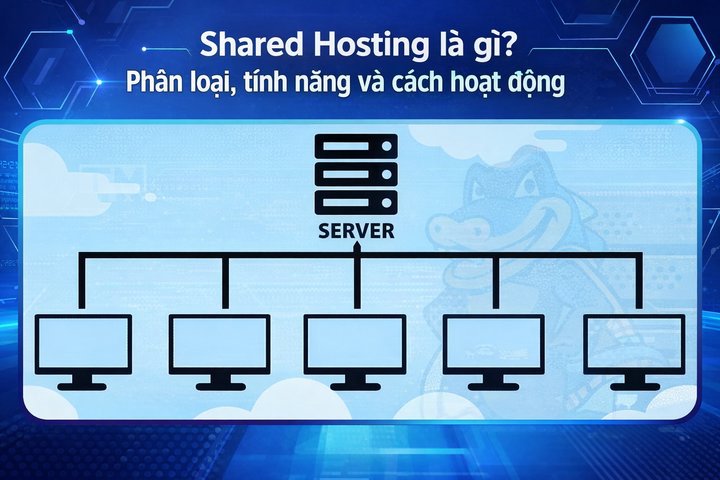
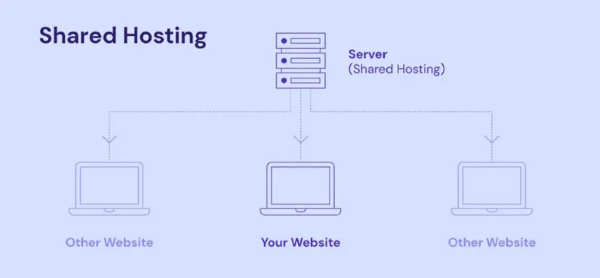
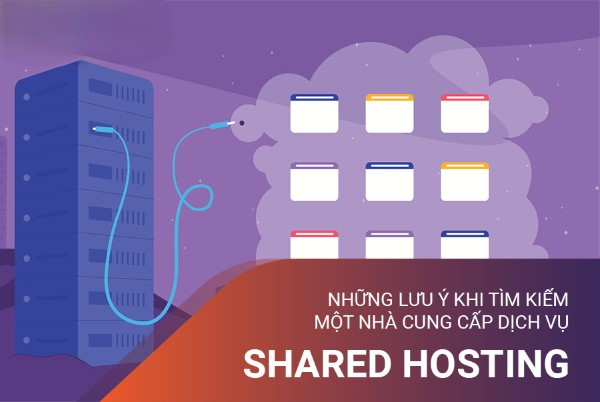
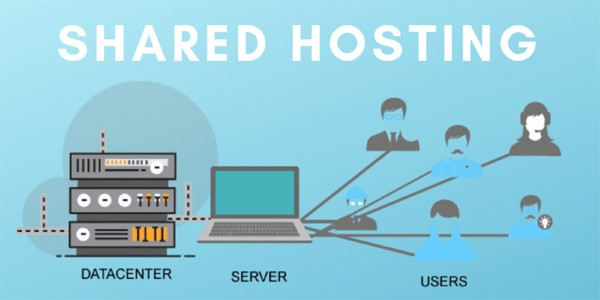
Shared hosting is a hosting solution where multiple websites are stored on the same physical server. Each website receives limited storage space and resources, meaning server resources such as bandwidth, CPU, and RAM are shared among multiple users.
Characteristics of Shared Hosting
When using shared hosting, you don't need to worry about server configuration and maintenance, as the service provider handles everything. Users only need to focus on developing content for their websites. This is ideal for individuals or small businesses that are just starting to build their online presence.
Who Uses Shared Hosting?
Shared hosting is typically used by beginners or small businesses that don't require extensive server resources. With affordable pricing and simple features, it is an ideal choice for personal blogs, product showcase websites, and service pages.
Flexibility of Shared Hosting
Although resources are limited, many service providers offer upgraded plans that allow users to scale resources when needed. This helps users grow over time without having to switch hosting platforms.
The mechanism behind shared hosting is quite simple yet effective. When users sign up for a shared hosting plan, they are essentially renting a small portion of the server's total resources.
Resource Management
Customers receive a designated amount of space on the server, along with resources such as bandwidth, CPU, and RAM. These resources are allocated proportionally based on each website's needs. If one website consumes too many resources, it can affect the performance of other websites on the same server.
Access Control
Shared hosting servers are typically equipped with multiple control tools to ensure that each website only uses its allocated resources. Security measures are also crucial, as a compromised website could affect the entire server. For this reason, service providers typically implement strict security measures to protect user data.
Management System
Users are usually provided with a control panel to manage their websites. This control panel allows users to easily install applications, manage domain names, email, and perform many other tasks without requiring deep technical knowledge.
Key Features of Shared Hosting
There are many standout features in shared hosting that attract users. Here are some of them:
Easy to Use
With a simple and user-friendly interface, users can easily manage different aspects of their websites without encountering difficulties.
Low Cost
Shared hosting typically comes at very affordable prices, helping users save on initial costs for website development. This is especially important for beginners.
Technical Support
Most shared hosting providers offer 24/7 technical support, helping users quickly resolve any issues that arise during use.
Simple Application Installation
Many service providers offer automatic application installation tools, making it easy for users to deploy popular content management systems (CMS) like WordPress, Joomla, or Drupal.
Pros and Cons of Shared Hosting
Like any other solution, shared hosting has its own pros and cons. Here is an overview of both aspects.
Cost-effective: With shared hosting, you don't have to pay a lot for server maintenance.
Easy to use: A user-friendly management interface allows users to operate easily without requiring extensive technical knowledge.
Customer support: Providers typically have a professional support team ready to help when needed.
Cons
Limited resources: Since multiple users share one server, website performance can be affected if another site consumes too many resources.
Lower security: When multiple websites operate on the same server, security may not be as strong as VPS or dedicated servers.
Limited customization: Customers do not have root access and cannot customize the server as they wish.
Tips for Choosing Shared Hosting
When choosing shared hosting, there are several important factors you need to consider to make the right decision.
Resources
Make sure the shared hosting plan you choose provides enough resources for your needs. Key resources include bandwidth, memory, and disk space.
Disk Space
Disk space is very important, especially if you plan to store a lot of data such as images, videos, or large files. You should choose a plan with enough storage for both your current and future needs.
Uptime
Server uptime is a crucial factor in ensuring your website is always available to users. Choose a provider with a high uptime commitment.
Control Panel
A user-friendly and easy-to-use control panel will help you manage your website more effectively. Popular control panels like cPanel or Plesk are commonly preferred.
Scalability
Consider the ability to scale in the future. Some providers allow you to easily upgrade to a higher plan when you need more resources.
Support Features
Finally, check the support services offered by the provider, from technical support to documentation and guides. Good support services will help you minimize trouble during use.
Comparing Shared Hosting, VPS, Dedicated Server, and Cloud Server
When discussing shared hosting, it's impossible not to mention other options such as VPS, dedicated server, and cloud server. Each type has its own advantages and disadvantages.
Shared Hosting
As mentioned, shared hosting is the optimal choice for beginners or small businesses with limited budgets. It meets basic needs but is not as powerful as other hosting solutions.
VPS (Virtual Private Server) provides dedicated resources for each user, allowing root access and server customization according to needs. Therefore, VPS is typically more complex and more expensive than shared hosting.
Dedicated Server
A dedicated server is entirely devoted to a single user or organization. This provides high performance and maximum customization capabilities. However, the cost is very high and you need server management skills.
Cloud Server
Cloud server is a modern hosting solution that offers flexible scalability. Users can increase or decrease resources as needed without having to switch to a different server. However, the cost may also be higher than shared hosting.
Common Questions About Shared Hosting
During the process of learning about shared hosting, many questions arise related to this hosting solution.
Who is Shared Hosting Suitable For?
Shared hosting is very suitable for beginners, personal bloggers, and small businesses looking to build an online presence without spending too much.
What Benefits Does Shared Hosting Offer?
It minimizes costs and management time. The user-friendly interface also helps people without technical experience easily manage their websites.
Should You Use Shared Hosting?
If you only need a simple website with low traffic, shared hosting is an excellent choice. However, if you plan to develop a larger website in the future, you may want to consider VPS or cloud hosting.
Where to Buy Reliable, Quality Shared Hosting?
There are currently many shared hosting providers on the market. You should refer to reviews from previous users and consider factors such as technical support, uptime, and additional features before making a decision.
Shared hosting is the most cost-effective option for beginners building a website. With affordable pricing and a simple management interface, it is an ideal starting point before upgrading to VPS or cloud hosting as traffic grows.
Conclusion: Shared hosting is the most basic and cost-effective web hosting solution, suitable for personal blogs, showcase websites, and small businesses with low traffic. Despite its limitations in resources and security compared to VPS or dedicated servers, shared hosting remains a great starting point thanks to its low cost, easy-to-use interface, and technical support from providers.