PostgreSQL is the open-source relational database management system dubbed "the world's most advanced open source database" — the top choice for Instagram, Shopify, Discord, and thousands of startups worldwide. This article explains what PostgreSQL is, how its architecture works, and how to connect to it in practice using Python and Node.js.
Need data solutions for your business?
AlgoData has helped businesses with data engineering, analytics & AI since 2019.
What is PostgreSQL?
PostgreSQL (pronounced "post-gres-Q-L" or simply "postgres") is an open-source relational database management system (RDBMS) that originated from the POSTGRES project at UC Berkeley in 1986, led by Professor Michael Stonebraker. In 1996 the project was renamed PostgreSQL and evolved into an independent open-source community.
What makes PostgreSQL stand out is a rare combination: strict adherence to the SQL standard while also supporting JSON/JSONB, arrays, custom data types, and over 100 powerful extensions such as PostGIS (geospatial data) and pgvector (vector embeddings for AI).
PostgreSQL Architecture
When an application connects to PostgreSQL, the processing flow is as follows:
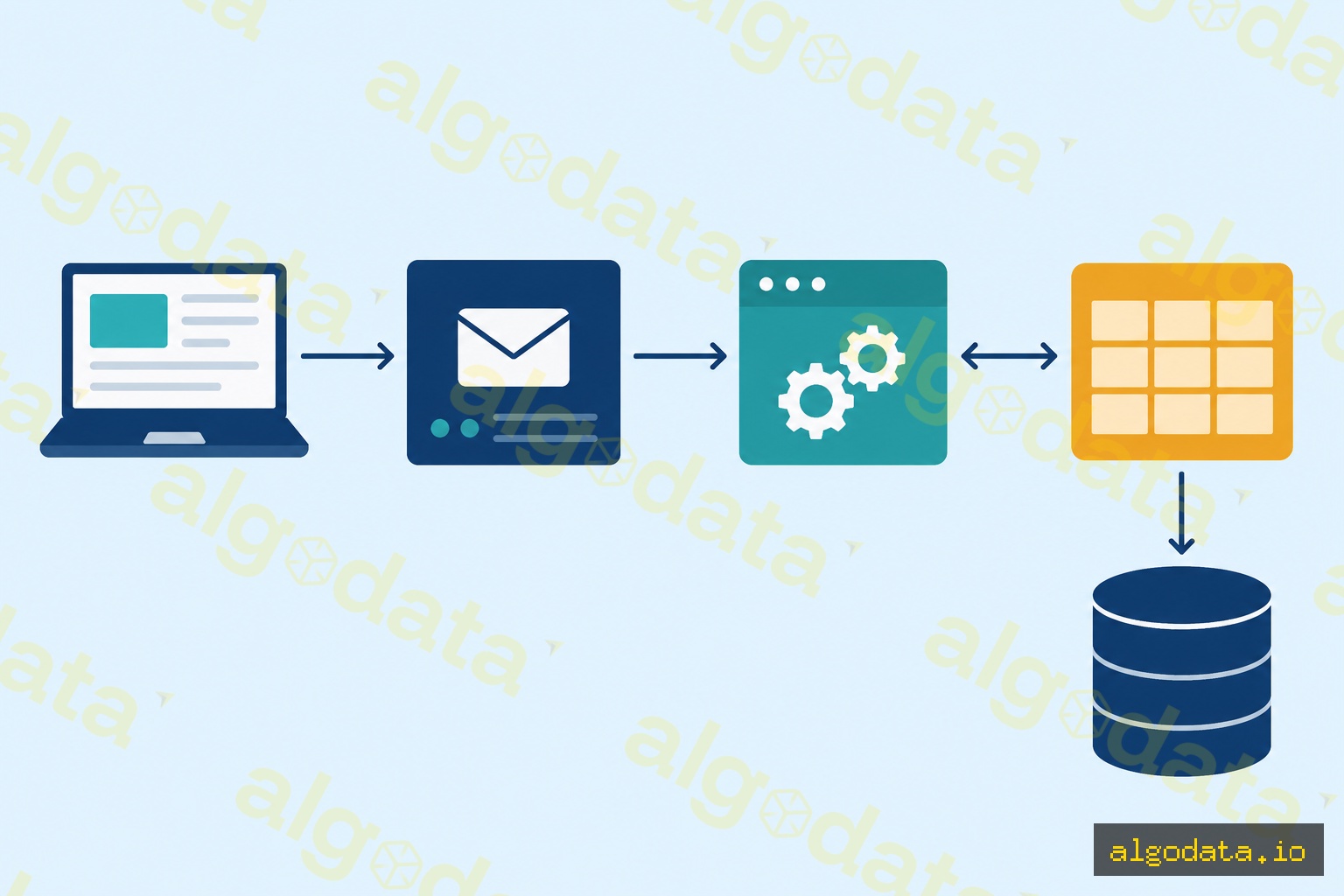
- The Client sends a connection to the Postmaster (the main managing process)
- The Postmaster forks a dedicated Backend process for each connection
- The Backend reads and writes through the Shared Buffer (shared memory cache)
- Data is persisted to Data Files on disk
PostgreSQL uses a process-per-connection model (one OS process per client), unlike MySQL which uses threads. This is why a connection pooler such as PgBouncer becomes important when scaling to thousands of concurrent connections.
ACID and MVCC
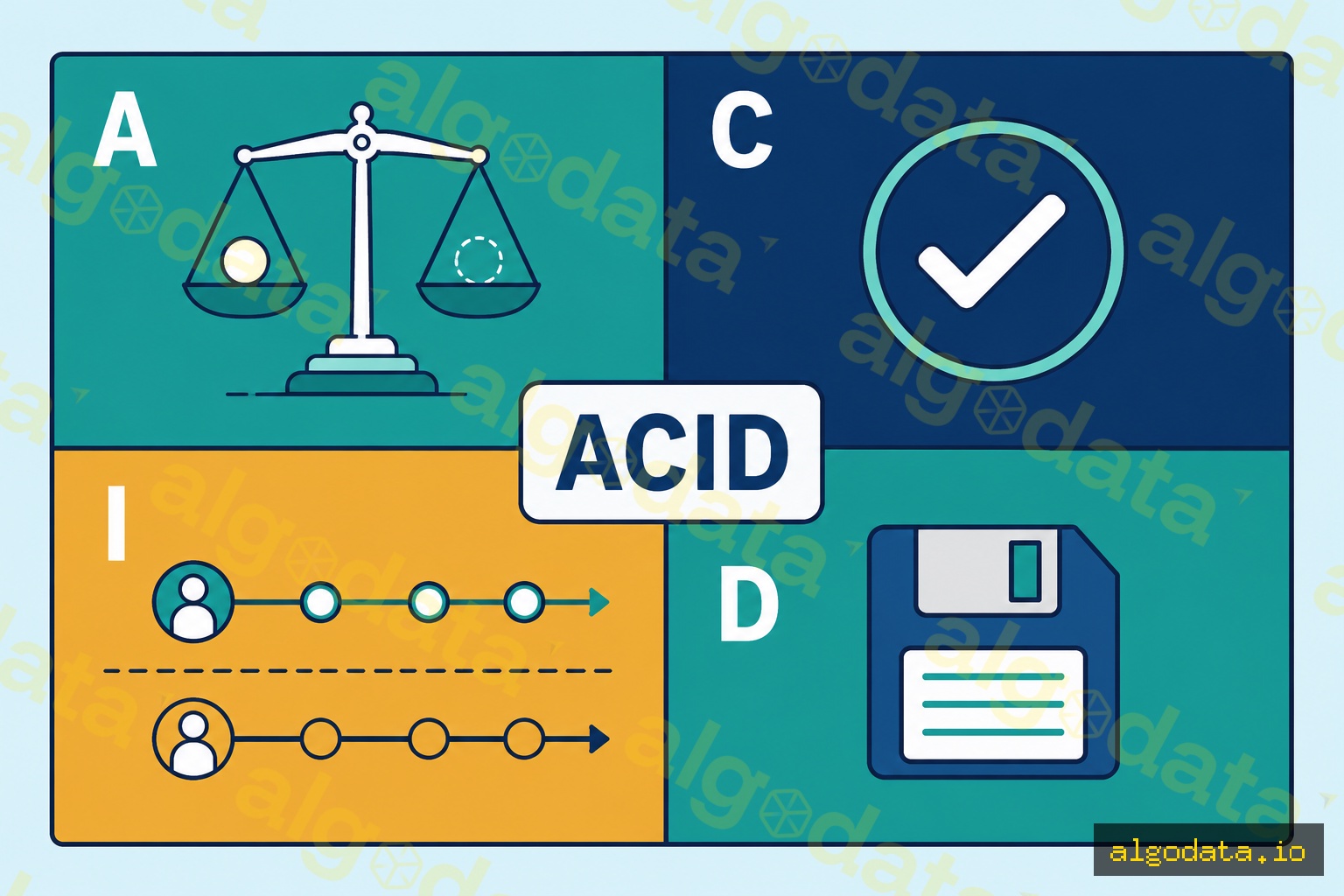
PostgreSQL guarantees full ACID compliance through MVCC (Multi-Version Concurrency Control): when a row is updated, Postgres does not overwrite it but instead creates a new version — readers see the old version while the writer creates the new one. The result: reads never block writes, and writes never block reads.
Connecting to PostgreSQL with Python and Node.js
Python with psycopg2:
 1import psycopg2
 2
 3conn = psycopg2.connect(
 4    host="localhost",
 5    port=5432,
 6    dbname="mydb",
 7    user="postgres",
 8    password="secret"
 9)
10cur = conn.cursor()
11
12# Insert with parameterized query (prevents SQL injection)
13cur.execute(
14    "INSERT INTO users (name, email) VALUES (%s, %s)",
15    ("Alice", "alice@example.com")
16)
17conn.commit()
18
19# Select
20cur.execute("SELECT id, name FROM users WHERE active = %s", (True,))
21rows = cur.fetchall()
22for row in rows:
23    print(row)  # (1, 'Alice')
24
25cur.close()
26conn.close()
Node.js with pg:
 1const { Pool } = require('pg');
 2
 3const pool = new Pool({
 4  host: 'localhost',
 5  port: 5432,
 6  database: 'mydb',
 7  user: 'postgres',
 8  password: 'secret',
 9});
10
11async function getActiveUsers() {
12  const result = await pool.query(
13    'SELECT id, name FROM users WHERE active = $1',
14    [true]
15  );
16  return result.rows; // [{ id: 1, name: 'Alice' }]
17}
Basic psql CLI commands:
1psql -h localhost -U postgres -d mydb
2
3# Inside psql
4\dt              -- list all tables
5\d users         -- show users table structure
6\timing on       -- enable query timing
Indexing in PostgreSQL
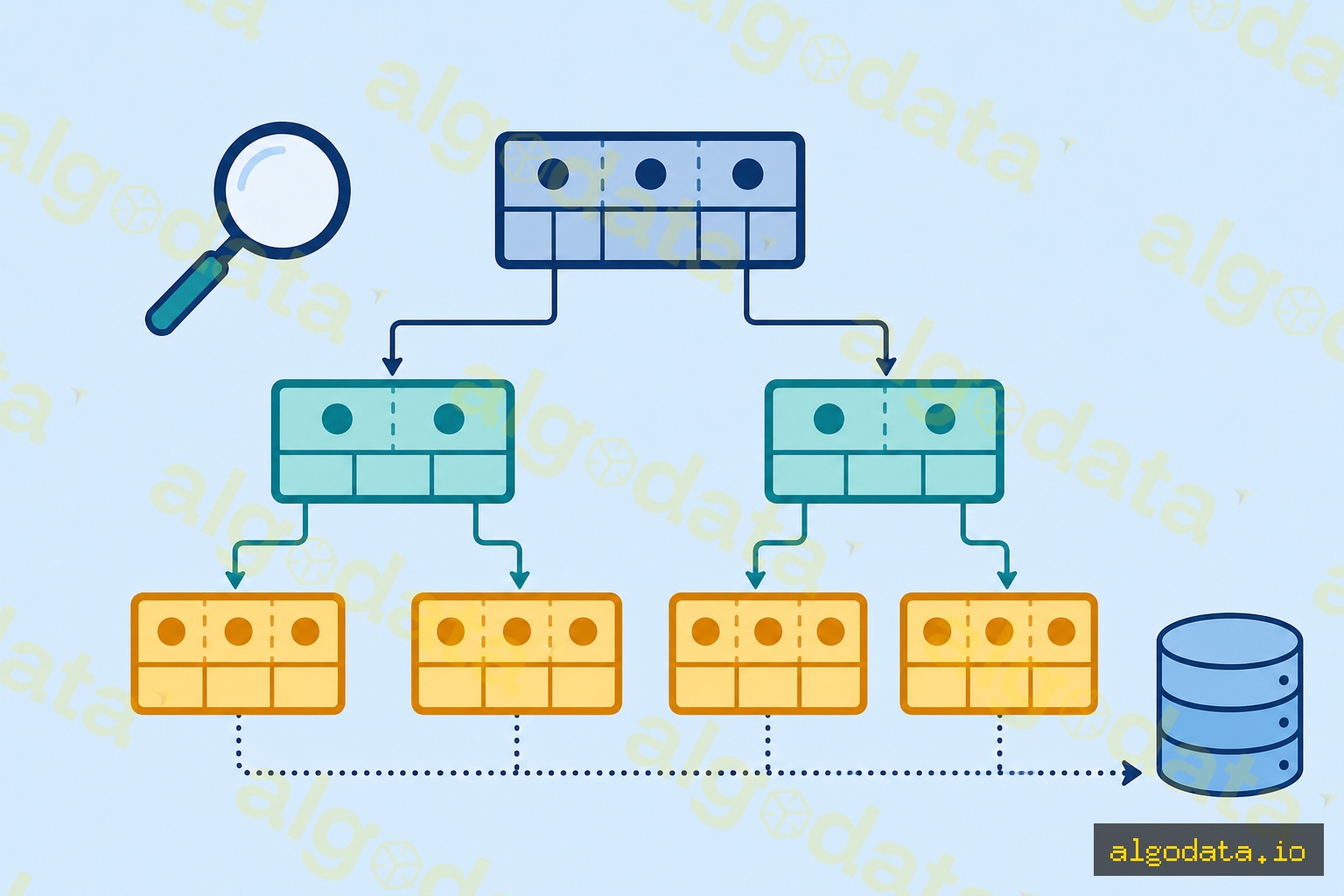
PostgreSQL supports multiple index types. The most common:
| Type | Use when | Example |
|---|---|---|
| B-tree | Default; for =, <, >, BETWEEN |
CREATE INDEX ON users(email) |
| GIN | Searching inside JSONB, arrays, full-text | CREATE INDEX ON posts USING GIN(tags) |
| Partial | Index only a subset of rows | CREATE INDEX ON orders(created_at) WHERE status = 'pending' |
1-- B-tree index on email
2CREATE INDEX idx_users_email ON users(email);
3
4-- GIN index for querying JSONB
5CREATE INDEX idx_products_meta ON products USING GIN(metadata);
6
7-- Partial index for unprocessed orders
8CREATE INDEX idx_pending_orders ON orders(created_at)
9WHERE status = 'pending';
PostgreSQL vs MySQL — When to Choose Which?
| Criterion | PostgreSQL | MySQL |
|---|---|---|
| JSON support | JSONB with indexes | Basic JSON |
| Full-text search | Built-in | Limited |
| Data types | Rich (arrays, hstore, ranges) | Basic |
| Replication | Logical + streaming | Binary log |
| License | PostgreSQL (free, commercial ok) | GPL |
Choose PostgreSQL when you need complex queries, strict ACID compliance, or a JSON hybrid approach. Choose MySQL when working with a WordPress/LAMP stack or when you need the broader PHP ecosystem.
Real-world Use Cases
- Instagram: uses PostgreSQL for the entire social graph and media metadata
- Shopify: PostgreSQL as the primary store for millions of merchants
- Stripe: PostgreSQL as the primary database for a payment system processing billions of dollars
What is Redis? Cache, Pub/Sub and queues with in-memory database