什么是PHP-FPM?特点和工作原理
Development

什么是PHP-FPM?特点和工作原理

PHP-FPM(FastCGI进程管理器)是高性能PHP进程管理器。了解其工作原理、优缺点以及与Nginx的配置方法。

✦ 快速摘要
PHP-FPM(FastCGI进程管理器)是高性能PHP进程管理器。了解其工作原理、优缺点以及与Nginx的配置方法。
这篇文章怎么样?

PHP-FPM(FastCGI进程管理器)是现代Web服务器广泛使用的高性能PHP进程管理器。本文介绍PHP-FPM是什么、工作原理、优缺点以及与Nginx的配置方法。

什么是PHP-FPM?

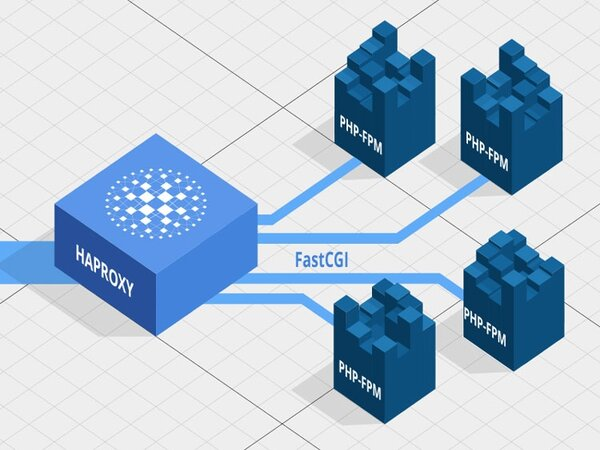
PHP-FPM(FastCGI Process Manager)是专为PHP设计的进程管理器,充当Web服务器和PHP脚本之间的中介。与传统CGI为每个请求创建新PHP进程不同,PHP-FPM维护一个就绪的工作进程池来处理请求。

PHP-FPM从PHP 5.3.3版本(2010年)起正式集成,已成为大多数现代Web服务器的默认选择,尤其是与Nginx结合使用时。

PHP-FPM的工作原理

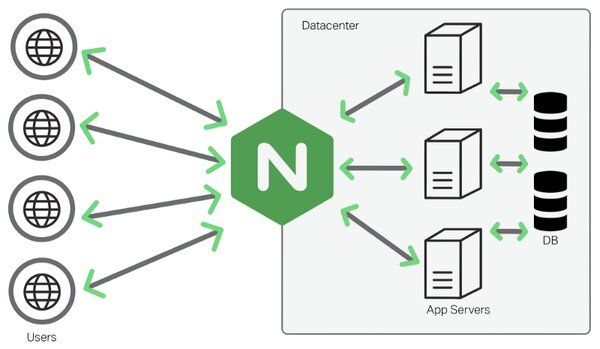
通过PHP-FPM的请求处理流程:

  1. 用户向Web服务器(Nginx/Apache)发送HTTP请求。
  2. Web服务器接收请求,如果是PHP文件则通过Unix socket或TCP转发给PHP-FPM。
  3. PHP-FPM主进程接收请求并分配给进程池中的工作进程。
  4. 工作进程执行PHP代码,按需查询数据库。
  5. HTML结果返回给Web服务器→用户浏览器。

PHP-FPM支持3种进程管理模式:

模式 描述 适用场景
static 固定数量的工作进程 专用服务器、稳定流量
dynamic 根据需求自动增减工作进程 大多数场景(默认)
ondemand 仅在有请求时创建工作进程 小型VPS、低流量

PHP Handler对比

标准 PHP-CGI PHP-FPM DSO (mod_php)
进程管理 每请求新建 可复用工作进程池 嵌入Apache
性能 中等
并发处理 中等
资源使用 浪费 优化 中等
Web服务器 任意 Nginx、Apache、LiteSpeed 仅Apache
配置 简单 中等 简单
安全性 基本 好(独立用户池) 低(共享用户)

PHP-CGI: 每个请求创建新进程→慢,资源消耗大。仅适用于简单环境。

DSO (mod_php): 将PHP直接嵌入Apache,易安装但所有脚本以Apache用户运行→共享主机存在安全风险。

PHP-FPM: 维护工作进程池,复用进程,支持按用户独立池→兼顾性能与安全。

什么是Laravel?最流行的PHP框架

PHP-FPM的优缺点

优点:

  • 高性能: 可复用工作进程池,减少进程初始化开销。
  • 良好并发: 适当配置池可处理数千并发请求。
  • 灵活管理: 3种进程模式(static/dynamic/ondemand)、慢日志、状态页面。
  • 安全性: 每用户/网站独立池,按池限制资源。
  • 广泛兼容: Nginx、Apache、LiteSpeed、Caddy及所有支持FastCGI的服务器。
  • 平滑重启: 重新加载配置不中断服务。

缺点:

  • 配置较复杂: 需要理解池、工作进程、socket才能优化。
  • 内存消耗: 每个工作进程占用20-50MB内存,小型VPS需仔细计算。
  • 不嵌入Apache: 需要单独配置代理(mod_proxy_fcgi)。
计算最佳工作进程数

公式:max_children = (可用内存) / (每个工作进程内存)。例如:2GB VPS,每个工作进程约40MB → max_children = 1500MB / 40MB ≈ 35-40个工作进程。使用pm.status_path监控活跃工作进程。

在cPanel中配置PHP-FPM

cPanel通过EasyApache集成PHP-FPM,配置简便:

  1. 登录WHM → EasyApache 4 → Customize
  2. PHP Extensions标签中选择要使用的PHP版本。
  3. 进入MultiPHP Manager → 选择PHP-FPM作为PHP Handler。
  4. MultiPHP INI Editor中配置每个域名的独立池。

cPanel自动为每个cPanel用户创建独立池,确保共享主机上网站之间的资源隔离和安全。

在Nginx中配置PHP-FPM

安装PHP-FPM:

Bash
1# Ubuntu/Debian
2sudo apt update
3sudo apt install php8.2-fpm
4
5# CentOS/RHEL
6sudo dnf install php-fpm

Nginx配置:

nginx
 1server {
 2    listen 80;
 3    server_name example.com;
 4    root /var/www/html;
 5    index index.php index.html;
 6
 7    location / {
 8        try_files $uri $uri/ =404;
 9    }
10
11    location ~ \.php$ {
12        include snippets/fastcgi-php.conf;
13        fastcgi_pass unix:/var/run/php/php8.2-fpm.sock;
14        fastcgi_param SCRIPT_FILENAME $document_root$fastcgi_script_name;
15        include fastcgi_params;
16    }
17}

测试和重启:

Bash
1# 测试Nginx配置
2sudo nginx -t
3
4# 重启服务
5sudo systemctl restart nginx
6sudo systemctl restart php8.2-fpm
7
8# 检查状态
9sudo systemctl status php8.2-fpm
PHP-FPM安全最佳实践

始终使用Unix socket而非TCP端口连接Nginx与PHP-FPM(更安全且更快)。配置open_basedir限制PHP仅访问网站目录。启用HTTPS与SSL/TLS加密传输数据。

什么是IIS?了解微软的Web服务器

总结: PHP-FPM是高性能PHP进程管理器,优于PHP-CGI和mod_php。凭借灵活的工作进程池管理,PHP-FPM是现代PHP Web应用的首选,尤其是与Nginx搭配使用时。

参考资料

常见问题

常见问题Q&A
什么是PHP-FPM?
PHP-FPM(FastCGI进程管理器)是PHP进程管理器,维护一个就绪的工作进程池,而不是为每个请求创建新进程,从而显著提高性能。
PHP-FPM和PHP-CGI有什么区别?
PHP-CGI为每个请求创建新进程,完成后销毁。PHP-FPM维护就绪的进程池并复用,减少初始化开销,提高并发处理能力。
WordPress需要PHP-FPM吗?
WordPress可以不使用PHP-FPM运行,但PHP-FPM能明显改善性能和页面加载速度,特别是对于插件多或流量大的站点。
PHP-FPM支持哪些Web服务器?
PHP-FPM与Nginx(通过FastCGI)配合最佳,也兼容Apache(通过mod_proxy_fcgi)、LiteSpeed、Caddy等支持FastCGI的Web服务器。
如何启动PHP-FPM?
Ubuntu/Debian:sudo systemctl start php8.2-fpm。CentOS/RHEL:sudo systemctl start php-fpm。请替换为相应的PHP版本号。

PHP-FPM (FastCGI Process Manager) is a high-performance PHP process manager widely used in modern web servers. This article explains what PHP-FPM is, how it works, its pros and cons, and how to configure it with Nginx.

What is PHP-FPM?

PHP-FPM (FastCGI Process Manager) is a process manager specifically designed for PHP, acting as an intermediary between the web server and PHP scripts. Instead of creating a new PHP process for each request (like traditional CGI), PHP-FPM maintains a pool of worker processes ready to handle requests.

PHP-FPM was officially integrated into PHP from version 5.3.3 (2010) and has become the default choice for most modern web servers, especially when combined with Nginx.

How PHP-FPM Works

Request processing flow through PHP-FPM:

  1. User sends an HTTP request to the web server (Nginx/Apache).
  2. Web server receives the request; if it's a PHP file, forwards it to PHP-FPM via Unix socket or TCP.
  3. PHP-FPM master process receives the request and distributes it to a worker process in the pool.
  4. Worker process executes the PHP code, queries the database if needed.
  5. HTML result is returned to the web server → user's browser.

PHP-FPM supports 3 process management modes:

Mode Description Best For
static Fixed number of workers Dedicated servers, stable traffic
dynamic Workers scale up/down based on demand Most cases (default)
ondemand Workers created only when requested Small VPS, low traffic

PHP Handler Comparison

Criteria PHP-CGI PHP-FPM DSO (mod_php)
Process Management New per request Reusable worker pool Embedded in Apache
Performance Low High Medium
Concurrency Poor Good Medium
Resources Wasteful Optimized Medium
Web Server Any server Nginx, Apache, LiteSpeed Apache only
Configuration Simple Medium Simple
Security Basic Good (per-user pools) Low (shared user)

PHP-CGI: Creates a new process per request → slow, resource-heavy. Only suitable for simple environments.

DSO (mod_php): Embeds PHP directly into Apache, easy to install but all scripts run as Apache user → security risk on shared hosting.

PHP-FPM: Maintains worker pool, reuses processes, supports per-user pools → balances performance and security.

What is Laravel? The Most Popular PHP Framework

Pros and Cons of PHP-FPM

Pros:

  • High Performance: Reusable worker pool reduces process initialization overhead.
  • Good Concurrency: Handles thousands of concurrent requests with proper pool configuration.
  • Flexible Management: 3 process modes (static/dynamic/ondemand), slow-log, status page.
  • Security: Separate pools per user/website, per-pool resource limits.
  • Wide Compatibility: Nginx, Apache, LiteSpeed, Caddy, and all FastCGI-capable servers.
  • Graceful Restart: Configuration reload without service interruption.

Cons:

  • More Complex Configuration: Requires understanding of pools, workers, sockets for optimization.
  • RAM Usage: Each worker uses 20-50MB RAM; careful calculation needed for small VPS.
  • Not Embedded in Apache: Requires separate proxy configuration (mod_proxy_fcgi).
Calculating Optimal Worker Count

Formula: max_children = (Available RAM) / (RAM per worker). Example: 2GB VPS, each worker ~40MB → max_children = 1500MB / 40MB ≈ 35-40 workers. Use pm.status_path to monitor active workers.

Configuring PHP-FPM with cPanel

cPanel integrates PHP-FPM through EasyApache for easy configuration:

  1. Log into WHM → EasyApache 4 → Customize.
  2. In the PHP Extensions tab, select the PHP version to use.
  3. Go to MultiPHP Manager → select PHP-FPM as PHP Handler.
  4. Configure per-domain pools in MultiPHP INI Editor.

cPanel automatically creates separate pools for each cPanel user, ensuring resource isolation and security between websites on shared hosting.

Configuring PHP-FPM with Nginx

Install PHP-FPM:

Bash
1# Ubuntu/Debian
2sudo apt update
3sudo apt install php8.2-fpm
4
5# CentOS/RHEL
6sudo dnf install php-fpm

Nginx Configuration:

nginx
 1server {
 2    listen 80;
 3    server_name example.com;
 4    root /var/www/html;
 5    index index.php index.html;
 6
 7    location / {
 8        try_files $uri $uri/ =404;
 9    }
10
11    location ~ \.php$ {
12        include snippets/fastcgi-php.conf;
13        fastcgi_pass unix:/var/run/php/php8.2-fpm.sock;
14        fastcgi_param SCRIPT_FILENAME $document_root$fastcgi_script_name;
15        include fastcgi_params;
16    }
17}

Test and Restart:

Bash
1# Test Nginx configuration
2sudo nginx -t
3
4# Restart services
5sudo systemctl restart nginx
6sudo systemctl restart php8.2-fpm
7
8# Check status
9sudo systemctl status php8.2-fpm
PHP-FPM Security Best Practices

Always use Unix sockets instead of TCP ports to connect Nginx with PHP-FPM (more secure and faster). Configure open_basedir to limit PHP access to website directories only. Enable HTTPS with SSL/TLS to encrypt data in transit.

What is IIS? Understanding Microsoft's Web Server

Conclusion: PHP-FPM is a high-performance PHP process manager that outperforms PHP-CGI and mod_php. With flexible worker pool management, PHP-FPM is the top choice for modern PHP web applications, especially when paired with Nginx.

Sources

Frequently Asked Questions

Frequently Asked QuestionsQ&A
What is PHP-FPM?
PHP-FPM (FastCGI Process Manager) is a PHP process manager that maintains a pool of ready worker processes instead of creating a new process for each request, significantly improving performance.
How is PHP-FPM different from PHP-CGI?
PHP-CGI creates a new process for each request and destroys it afterward. PHP-FPM maintains a pool of ready processes and reuses them, reducing initialization overhead and increasing concurrent handling.
Does WordPress need PHP-FPM?
WordPress works without PHP-FPM, but PHP-FPM noticeably improves performance and page load speed, especially for sites with many plugins or high traffic.
Which web servers work with PHP-FPM?
PHP-FPM works best with Nginx (via FastCGI), but is also compatible with Apache (via mod_proxy_fcgi), LiteSpeed, Caddy, and most web servers supporting FastCGI.
How do I start PHP-FPM?
On Ubuntu/Debian: sudo systemctl start php8.2-fpm. On CentOS/RHEL: sudo systemctl start php-fpm. Replace the PHP version accordingly.