- 1 Mã độc là gì? Phân loại, đặc tính và cách phòng tránh
- 2 DDos là gì? Dấu hiệu, xử lý và cách phòng chống hiệu quả
- 3 Phishing là gì? Nhận diện và phòng chống tấn công lừa đảo trực tuyến
- 4 DNS Sinkhole là gì? Ứng dụng và cách dùng kỹ thuật DNS Sinkhole
- 5 OAuth 2.0 là gì? Ủy quyền truy cập và đăng nhập bằng Google/Facebook
- 6 Trojan là gì? Những thông tin cơ bản về mã độc Trojan
- 7 Zero Trust Là Gì? Mô Hình Bảo Mật 'Không Tin Tưởng Ai'
- 8 VPN là gì? Mạng riêng ảo, WireGuard và OpenVPN
- 9 MFA Là Gì? So Sánh MFA vs 2FA và Các Phương Thức Xác Thực
- 10 Tường lửa là gì? Vai trò và chức năng trong bảo mật mạng
- 11 SQL Injection là gì? Tấn công cơ sở dữ liệu và cách phòng chống
- 12 Ransomware là gì? Mã độc mã hóa tống tiền và cách phòng chống
- 13 WAF Là Gì? Web Application Firewall Bảo Vệ Ứng Dụng Web
- 14 XSS là gì? Cross-Site Scripting và cách phòng chống hiệu quả
Mã độc (malware) là phần mềm độc hại được thiết kế để xâm nhập, phá hoại hoặc đánh cắp dữ liệu từ hệ thống máy tính. Bài viết phân tích chi tiết 12 loại mã độc phổ biến, tác hại và giải pháp phòng chống hiệu quả.
Cần giải pháp dữ liệu cho doanh nghiệp?
AlgoData đồng hành cùng doanh nghiệp về data engineering, phân tích & AI từ 2019.
Việc hiểu rõ về mã độc, nắm bắt đặc điểm của từng loại mã độc cũng như biết cách phòng tránh là vô cùng quan trọng để bảo vệ dữ liệu và hệ thống của chúng ta. Bài viết này sẽ cung cấp cho bạn cái nhìn toàn diện về mã độc là gì, phân loại, tác hại và giải pháp phòng chống hiệu quả.
Mã độc là gì?
Mã độc, hay còn gọi là phần mềm độc hại (malicious software), là thuật ngữ chỉ chung cho các chương trình máy tính được viết ra với mục đích xâm nhập, phá hoại hoặc đánh cắp dữ liệu từ máy tính mà không có sự đồng ý của chủ sở hữu. Mã độc được thiết kế để lây lan và hoạt động một cách âm thầm, nhằm qua mắt người dùng và hệ thống bảo mật.
Mã độc có thể xâm nhập vào máy tính qua nhiều con đường khác nhau. Phương thức phổ biến nhất là lây nhiễm qua email hoặc trang web độc hại. Tin tặc thường ngụy trang mã độc dưới dạng tệp đính kèm, liên kết hoặc phần mềm hấp dẫn để lừa người dùng tải về và cài đặt. Mã độc cũng có thể lây lan qua các thiết bị lưu trữ di động như USB, qua mạng nội bộ hoặc khai thác các lỗ hổng bảo mật chưa được vá trên hệ thống.
Mục tiêu chính của mã độc là trục lợi bằng cách đánh cắp thông tin nhạy cảm, phá hoại hệ thống, tống tiền hoặc biến máy tính thành công cụ để thực hiện các hoạt động bất hợp pháp khác. Tùy vào từng loại mã độc mà cách thức hoạt động và tác hại của chúng có thể khác nhau. Tuy nhiên, điểm chung là chúng đều gây ra những hậu quả nghiêm trọng cho người dùng và tổ chức nếu không được phát hiện và xử lý kịp thời.
Tại sao mã độc lại nguy hiểm?
Mã độc được coi là một trong những mối đe dọa hàng đầu đối với an toàn thông tin vì những tác động tiêu cực mà chúng gây ra. Dưới đây là một số tác hại điển hình của mã độc:
Ảnh hưởng đến hiệu năng máy tính
Khi xâm nhập vào hệ thống, mã độc thường chiếm dụng tài nguyên phần cứng như RAM, CPU để thực hiện các hoạt động ngầm. Điều này khiến máy tính của bạn trở nên chậm chạp, đơ cứng hoặc liên tục gặp sự cố. Những tác động tiêu cực đến hiệu năng làm giảm năng suất làm việc, gây khó chịu và mất thời gian cho người dùng.
Treo máy tính
Một số loại mã độc có khả năng khiến máy tính bị treo hoàn toàn (system freeze). Khi điều này xảy ra, bạn buộc phải khởi động lại máy, dẫn đến mất mát dữ liệu chưa kịp lưu và làm gián đoạn công việc. Hiện tượng treo máy liên tục có thể là dấu hiệu của sự xuất hiện mã độc trên hệ thống.
Gây hại cho dữ liệu
Mã độc có thể trực tiếp phá hoại dữ liệu bằng cách xóa, thay đổi hoặc mã hóa chúng mà không cần sự cho phép của người dùng. Điều này dẫn đến mất mát thông tin quan trọng, ảnh hưởng nghiêm trọng đến cá nhân và gây thiệt hại lớn cho doanh nghiệp. Mã độc cũng có thể lây nhiễm và biến các tệp tin thành nguồn lây nhiễm cho máy tính và mạng.
Tấn công các ứng dụng
Mã độc có thể nhắm vào các ứng dụng và chương trình cài đặt trên máy tính của bạn. Chúng tấn công các quy trình, dịch vụ quan trọng của hệ thống, khiến ứng dụng hoạt động sai chức năng hoặc không thể khởi động. Điều này không chỉ gây ảnh hưởng đến khả năng làm việc mà còn có thể dẫn đến mất toàn bộ dữ liệu lưu trong ứng dụng.
Mở cửa hậu
Nhiều loại mã độc được thiết kế để tạo ra "cửa hậu" (backdoor), cho phép tin tặc truy cập và kiểm soát máy tính của bạn từ xa một cách bất hợp pháp. Khi đó, tin tặc có thể thực hiện bất kỳ hành động nào như đánh cắp thông tin, theo dõi hoạt động, chỉnh sửa cấu hình hệ thống hoặc cài đặt thêm mã độc khác. Sự xâm nhập qua backdoor rất khó phát hiện và gây hậu quả khó lường.
Ngoài ra, mã độc còn có thể biến máy tính của bạn thành công cụ để gửi spam, tấn công DDoS, phát tán mã độc đến các máy tính khác trong mạng. Hoạt động của mã độc diễn ra âm thầm, người dùng không thể nhận biết nhưng hệ quả vô cùng nghiêm trọng. Chính những mối đe dọa trên khiến chúng ta cần cảnh giác và có biện pháp bảo vệ phù hợp trước các nguy cơ từ mã độc.

Phân loại và đặc tính của từng loại mã độc
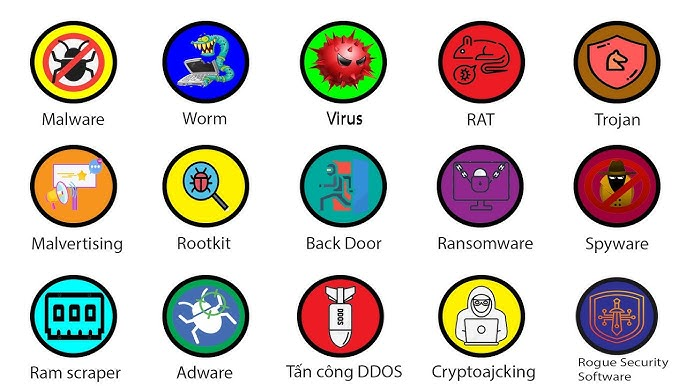
Mã độc rất đa dạng về hình thức lẫn phương thức hoạt động. Dựa vào cách thức xâm nhập, lây lan và tác động đến hệ thống, chúng ta có thể phân loại mã độc thành một số nhóm chính:
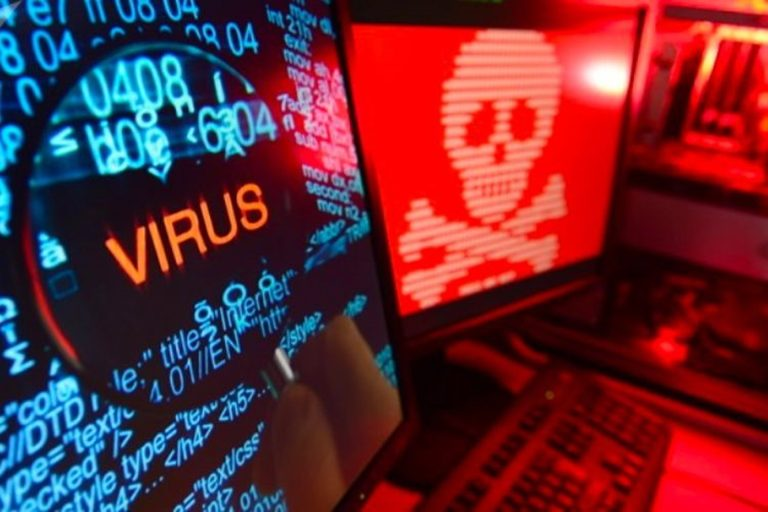
- Virus: Đây là loại mã độc phổ biến và lâu đời nhất. Virus lây nhiễm vào các tệp thực thi (.exe, .com) hoặc tài liệu (Word, Excel) và nhân bản mã độc khi tệp bị nhiễm được mở. Virus cần sự tương tác của người dùng mới có thể kích hoạt và gây hại. Tuy nhiên chúng lại có khả năng lây lan rất nhanh qua việc chia sẻ tệp bị nhiễm.
- Worm: Khác với virus, worm có thể tự lây lan qua mạng mà không cần sự can thiệp của người dùng. Chúng khai thác lỗ hổng bảo mật hoặc sử dụng kỹ thuật lừa đảo để xâm nhập và nhân rộng với tốc độ chóng mặt, gây quá tải cho hệ thống. Worm còn có thể phát tán qua email bằng cách tự gửi bản sao đính kèm đến các địa chỉ có trong sổ địa chỉ của nạn nhân.
- Trojan: Trojan ngựa thành Tơ roa được đặt tên theo mưu kế của người Hy Lạp cổ đại. Chúng nguỵ trang dưới vỏ bọc của các phần mềm hữu ích để đánh lừa người dùng cài đặt. Khi đã xâm nhập, Trojan mở cửa hậu cho kẻ tấn công truy cập và kiểm soát máy tính nạn nhân từ xa nhằm đánh cắp dữ liệu, theo dõi hoặc cài đặt thêm các phần mềm độc hại khác.
- Spyware: Như tên gọi của chúng, spyware hoạt động âm thầm để theo dõi, ghi lại thông tin cá nhân và thói quen của người dùng mà không được sự đồng ý. Spyware lấy cắp dữ liệu nhạy cảm như thông tin tài chính, mật khẩu, lịch sử duyệt web,… và gửi về cho tin tặc. Chúng còn tạo điều kiện cho việc cài đặt thêm các loại mã độc khác.
- Adware: Adware thường đi kèm khi tải các phần mềm miễn phí. Chúng hiển thị các quảng cáo không mong muốn, liên kết độc hại dưới dạng pop-up, banner trên trình duyệt nhằm lừa người dùng nhấp vào. Nếu bạn vô tình truy cập, mã độc sẽ lây nhiễm vào máy tính.
- Ransomware: Đây là loại mã độc tinh vi và nguy hiểm nhất hiện nay. Ransomware mã hoá toàn bộ dữ liệu trên máy tính hoặc mạng và yêu cầu nạn nhân trả tiền chuộc để giải mã. Việc này khiến bạn không thể truy cập vào dữ liệu, gây gián đoạn hoạt động, thậm chí có thể phá sản doanh nghiệp.
[Tường lửa là gì? Vai trò và chức năng trong bảo mật mạng]
Ngoài những nhóm chính trên, mã độc còn có thể biểu hiện dưới nhiều dạng khác nhau. Tuy nhiên, dù thuộc loại nào, chúng đều có chung mục đích là gây thiệt hại cho hệ thống, đánh cắp tin mật và trục lợi bất chính.
Tổng hợp 12 loại mã độc phổ biến hiện nay
Để có cái nhìn chi tiết hơn về thế giới mã độc, dưới đây là danh sách 12 loại mã độc đang hoành hành và gây ra nhiều thiệt hại nhất hiện nay:
Boot virus
Boot virus có khả năng xâm nhập vào phần khởi động của ổ cứng (MBR) hoặc boot sector của thiết bị lưu trữ. Chúng kích hoạt trước cả hệ điều hành, khiến việc khắc phục vô cùng phức tạp và tiêu tốn thời gian.
Macro virus
Loại virus này được viết bằng ngôn ngữ macro của ứng dụng Microsoft Office. Chúng lây lan qua việc chèn macro độc vào tài liệu Word, Excel. Khi người dùng vô tình mở tệp tin, macro sẽ được kích hoạt và thực hiện mục đích phá hoại.
Scripting virus
Script virus dùng các ngôn ngữ lập trình như JS, VBS để thực thi mã độc. Chúng phổ biến trên trình duyệt web và gây ra nhiều hậu quả khó lường, từ việc đánh cắp dữ liệu cho đến làm sập trang web.
File Virus
Loại virus này gắn mã độc của chúng vào các tệp thực thi (.exe, .com), tập lệnh (.bat) và lây nhiễm mỗi khi tệp bị nhiễm được mở. Chúng có thể xóa, sửa đổi hoặc mã hoá tệp tin, làm sai lệch chức năng của hệ thống và các ứng dụng.
Trojan horse – ngựa thành Tơ roa
Trò mèo đuôi kín nhân Trojan ngụy trang dưới dạng các phần mềm, tệp tin hấp dẫn để lừa người dùng cài đặt. Trojan không tự lây lan nhưng lại mở cửa hậu cho kẻ tấn công truy cập và điều khiển máy tính từ xa.
BackDoor
"Cửa hậu" Backdoor cho phép truy cập trái phép vào hệ thống. Chúng được cài cắm bởi tin tặc nhằm duy trì quyền điều khiển ngay cả khi lỗ hổng bảo mật đã được vá. Backdoor thường đi kèm với các loại mã độc khác như Trojan hoặc worm.
Adware và Spyware
Adware tấn công người dùng bằng cách hiển thị quảng cáo tràn lan. Nó không chỉ gây khó chịu mà còn thu thập dữ liệu cá nhân để bán cho bên thứ ba, phục vụ cho việc quảng cáo có mục tiêu. Spyware hoạt động ngầm để do thám người dùng, ghi lại thông tin và hành vi truy cập của họ mà không được phép.
Worm – sâu máy tính
Worm tự sao chép và lan truyền với tốc độ chóng mặt mà không cần thao tác của người dùng. Chúng khai thác lỗ hổng hệ thống, làm quá tải mạng và ảnh hưởng đến hiệu suất của cơ sở hạ tầng. Worm còn có khả năng vận chuyển các gói mã độc khác, tấn công DDoS và phá hoại dữ liệu.
Rootkit
Rootkit được thiết kế để che giấu sự hiện diện của mã độc trên hệ thống bằng cách lẩn sâu vào nhân hệ điều hành. Dò tìm và loại bỏ rootkit là một thử thách, đòi hỏi kiến thức chuyên sâu và công cụ chuyên biệt. Tin tặc sử dụng rootkit để duy trì quyền truy cập vào hệ thống một cách bí mật.
Botnet
Botnet bao gồm hàng nghìn máy tính bị nhiễm (zombies), nối mạng và chịu sự điều khiển của tin tặc qua một máy chủ C&C. Chúng có thể được huy động để gửi spam, phát tán malware hay tấn công DDoS. Mạng botnet là công cụ đắc lực của tội phạm mạng trong các chiến dịch nguy hiểm.
Biến thể
Một trong những thách thức lớn của công tác đảm bảo an ninh mạng là sự biến đổi không ngừng của mã độc. Khi một loại mã được phát hiện và đối sách, tin tặc lại tạo ra các biến thể mới với sự thay đổi về mã nguồn, hành vi để né tránh phần mềm diệt virus. Điều này tạo áp lực không nhỏ cho các nhà nghiên cứu bảo mật và đòi hỏi cập nhật liên tục từ phía người dùng.
Virus Hoax
Cuối cùng, virus hoax là dạng tin đồn có nội dung cảnh báo về một loại siêu virus mới có khả năng phá hủy cực kỳ nghiêm trọng. Mục đích của chúng là tạo hoang mang dư luận về an ninh mạng. Tuy không phải mã độc thật nhưng việc lan truyền các virus hoax gây lãng phí thời gian của người dùng và quá tải mạng không cần thiết.
Giải pháp phòng chống mã độc
Khi mã độc đang ngày một tinh vi và gây nhiều tổn thất, việc thực hiện các biện pháp phòng ngừa là điều vô cùng cần thiết. Dưới đây là một số hướng dẫn giúp bạn bảo vệ máy tính và dữ liệu trước nguy cơ tấn công:
Cài đặt phần mềm diệt virus
Lựa chọn và cài đặt phần mềm diệt virus tin cậy, được cập nhật thường xuyên là tuyến phòng thủ đầu tiên chống lại mã độc. Hãy kích hoạt chế độ dò quét email và các tệp tải về để hạn chế nguy cơ lây nhiễm qua nguồn này. Chạy quét toàn bộ hệ thống định kỳ ít nhất mỗi tháng để rà soát và loại bỏ các tác nhân đe dọa.
Cập nhật hệ điều hành và phần mềm
Tin tặc thường lợi dụng lỗ hổng bảo mật trên hệ điều hành hay các phần mềm để phát tán mã độc. Do đó, luôn cập nhật các bản vá lỗi bảo mật mới nhất cho Windows, macOS, các trình duyệt và ứng dụng quan trọng khác. Bên cạnh đó, nên tắt tính năng tự động chạy (autorun) trên thiết bị di động để ngăn chặn mã độc tấn công.
Không truy cập vào các trang web đáng ngờ
Hãy cẩn trọng trước các liên kết lạ, trang web mờ ám và email từ nguồn không xác định. Chúng có thể chứa mã độc nguy hiểm. Chỉ truy cập các trang web có giao thức HTTPS để đảm bảo an toàn. Không nên tải về phần mềm crack, keygen hay các tệp đính kèm đáng ngờ vì đây là phương thức phổ biến để mã độc xâm nhập vào máy tính.
Sử dụng mật khẩu mạnh
Tin tặc luôn tìm cách đánh cắp tài khoản người dùng nhằm chiếm quyền kiểm soát thiết bị. Một trong những cách hiệu quả để ngăn chặn điều này là sử dụng mật khẩu đủ dài (ít nhất 8 ký tự), có sự kết hợp của chữ cái (hoa, thường), số và ký tự đặc biệt. Hãy đặt mật khẩu riêng cho từng tài khoản quan trọng và thay đổi thường xuyên.
Sao lưu dữ liệu quan trọng thường xuyên
Thực hiện sao lưu dữ liệu quan trọng là biện pháp thiết yếu để tránh bị mất mát do tác động của mã độc. Bạn nên sao lưu theo định kỳ, tốt nhất hàng tuần, và lưu trữ bản sao ở vị trí an toàn như ổ cứng ngoài hay dịch vụ điện toán đám mây. Khi gặp sự cố, bạn có thể phục hồi nhanh chóng để giảm thiểu gián đoạn và thiệt hại.
{{< test-result title="So sanh cac loai ma doc pho bien" headers="Loai|Cach lay lan|Can nguoi dung?|Muc do nguy hiem|Vi du" row1="Virus|Gan vao tep tin|Co|Trung binh|File virus, Macro virus" row2="Worm|Qua mang tu dong|Khong|Cao|WannaCry, Conficker" row3="Trojan|Nguy trang phan mem|Co|Cao|Emotet, Zeus" row4="Ransomware|Email, exploit|Khac nhau|Rat cao|CryptoLocker, LockBit" row5="Rootkit|Exploit, Trojan|Khong|Rat cao|Necurs, TDSS" />}}
Ma doc la moi de doa thuong truc trong the gioi so. Ket hop phan mem diet virus, cap nhat he dieu hanh, thoi quen luot web an toan va sao luu du lieu dinh ky la cach hieu qua nhat de bao ve he thong.
Ket luan: Ma doc la phan mem doc hai da dang ve hinh thuc va cach thuc hoat dong, tu virus, worm, trojan den ransomware va rootkit. Chung lay lan qua email, trang web doc hai, USB va lo hong bao mat, gay thiet hai nghiem trong ve du lieu va tai chinh. De phong chong, can ket hop cai phan mem diet virus uy tin, cap nhat he thong thuong xuyen, su dung mat khau manh va sao luu du lieu dinh ky.