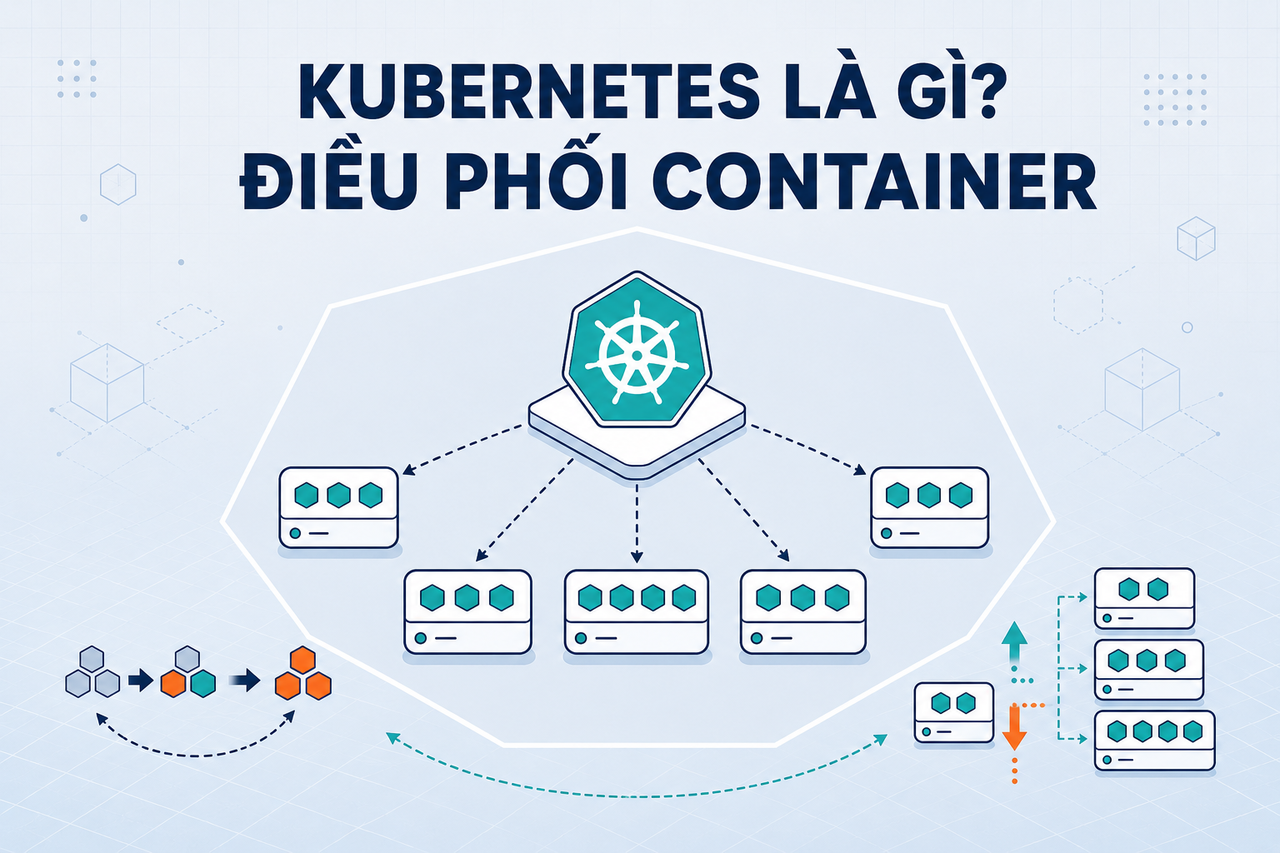
When the number of containers in a system grows from a handful to hundreds or thousands, manual management becomes impossible. Kubernetes was built to solve exactly that problem — automatically scheduling, scaling, and recovering containers across an entire server cluster without requiring human intervention at every step. This article explains what Kubernetes is, how its architecture works, and when you truly need it.
What is Kubernetes?
Kubernetes (or K8s — abbreviated because there are 8 letters between K and s) is an open-source platform for container orchestration — automatically deploying, scaling, and managing the lifecycle of containers across a cluster of multiple servers. Google developed it internally from their Borg system, then open-sourced it in 2014 and handed it over to the Cloud Native Computing Foundation (CNCF) to manage.
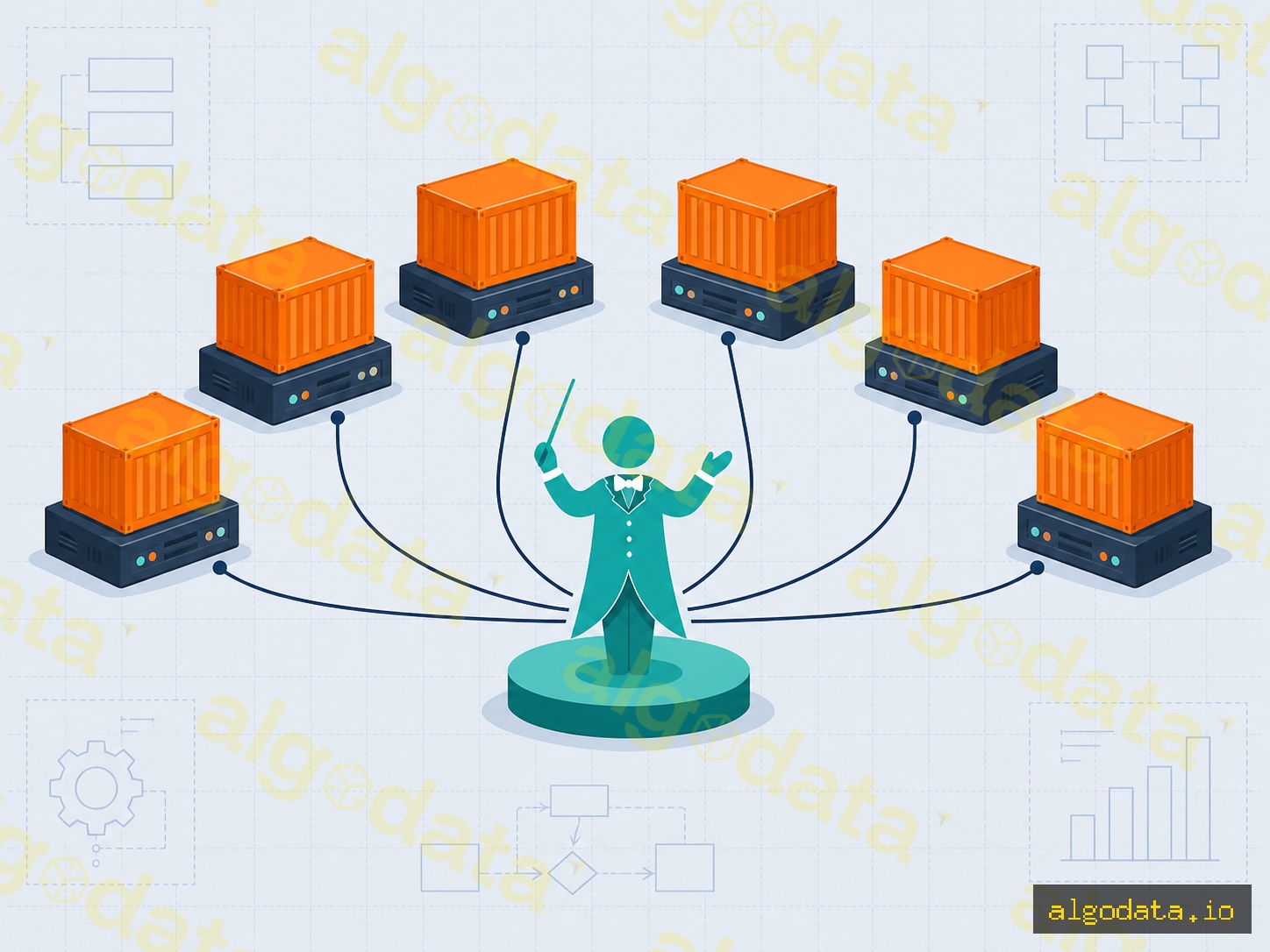
Think of Kubernetes as the conductor of a container orchestra. Each instrument (container) knows its own part, but needs a conductor to assign who plays when, replace a musician who falls ill, and ensure the whole ensemble stays in time. Kubernetes does exactly that: assigns containers to nodes, restarts them when they crash, and scales up replicas when load increases.
2019Trusted since
B2BData solutions
Data·AIExpertise
Need data solutions for your business?
AlgoData has helped businesses with data engineering, analytics & AI since 2019.
When you only have a small application, Docker is perfectly sufficient. But with a microservices architecture spanning dozens of services, each running multiple replicas across many servers, you quickly run into these problems:
Manual scheduling: Which service runs on which machine? Which machines still have resources? Doing this by hand is extremely time-consuming.
No self-healing: A container crashes at 3 AM — who restarts it? Kubernetes does this automatically.
Complex scaling: Traffic spikes and you need to scale from 2 to 10 replicas immediately — you can't SSH into each machine one by one.
Risky rolling updates: Deploying a new version without downtime requires a complex strategy.
Service discovery: Container A needs to call Container B — the IP changes constantly after every restart, so how do you know the address?
Kubernetes solves all of this with a declarative API: you describe the desired state, and K8s takes care of bringing the system to that state and maintaining it.
Docker and Kubernetes are not competing
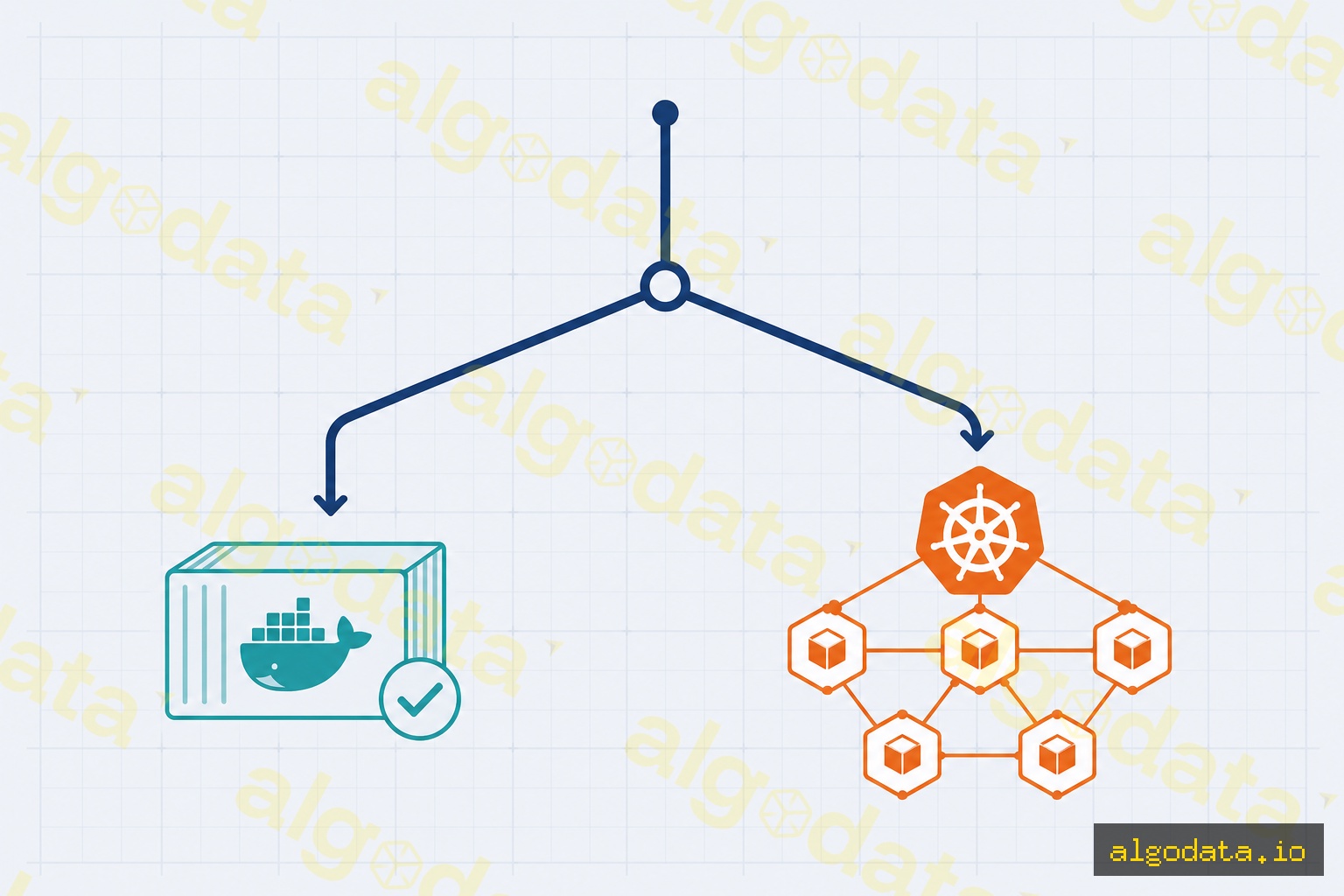
Docker packages applications into container images. Kubernetes orchestrates those containers across a cluster. In practice, you use Docker to build images, push them to a registry, and then Kubernetes pulls the images and runs them. The two tools complement each other.
Kubernetes Architecture
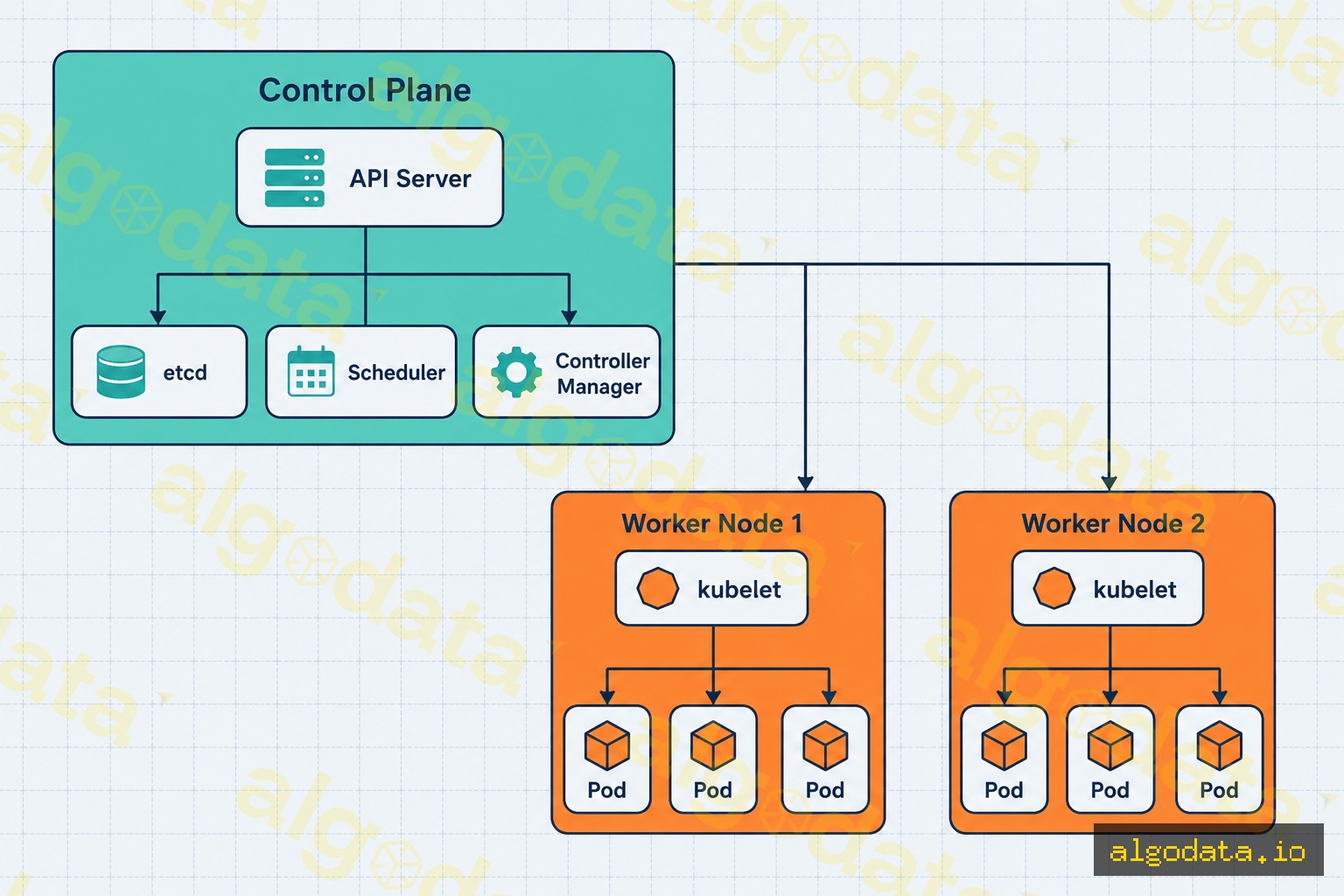
A Kubernetes cluster consists of two main layers: the Control Plane and Worker Nodes.
Control Plane
The Control Plane is the brain of the cluster, consisting of:
API Server: The single entry point for all interactions with the cluster. Every kubectl command, webhook, or CI/CD pipeline call goes through here.
etcd: A distributed key-value database that stores the entire cluster state. This is the most critical component — lose etcd and you lose the cluster.
Scheduler: Decides which Worker Node a new Pod will run on, based on available resources, affinity rules, and priority.
Controller Manager: A set of control loops that continuously compare the current state with the desired state and take necessary actions (restarting crashed Pods, creating new Pods when scaling, etc.).
Worker Nodes
Worker Nodes are the actual servers that run containers, consisting of:
kubelet: An agent running on each node that receives instructions from the API Server and ensures containers run according to their spec.
kube-proxy: Handles networking and routes traffic to the correct Pod according to Service rules.
Container Runtime: The component that actually runs containers (containerd, CRI-O — not necessarily Docker).
Core Concepts
Pod
A Pod is the smallest deployable unit in Kubernetes. Each Pod contains one or more containers that share the same IP address, network namespace, and storage volumes. In practice, 90% of Pods contain just one container. Kubernetes does not manage containers directly — it always works through Pods.
Deployment
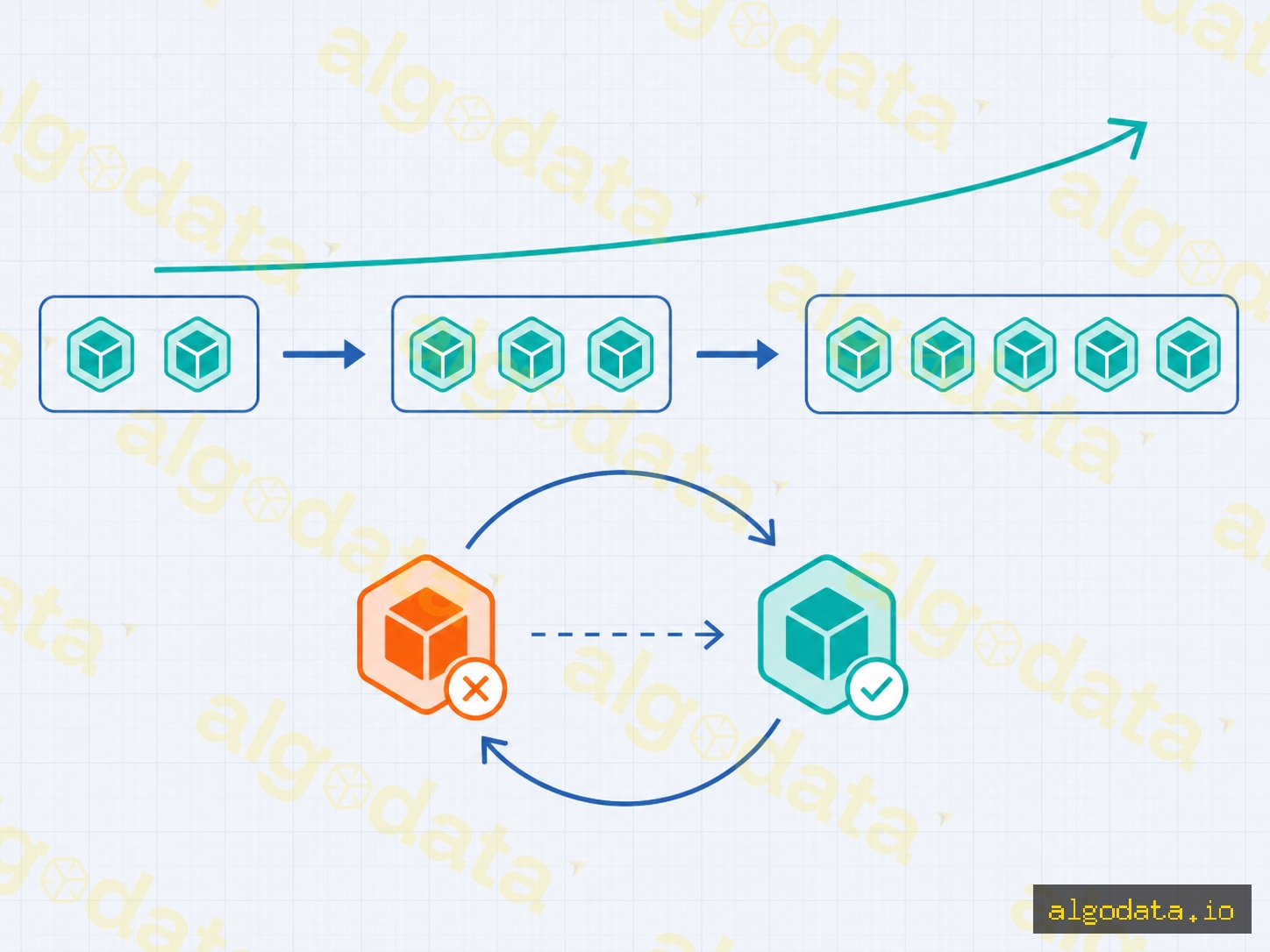
A Deployment is an object that declares the number of replicas of a Pod to run and how to update them. When you deploy a new version, the Deployment performs a rolling update — gradually replacing old Pods with new ones, ensuring no downtime. If the new version has issues, kubectl rollout undo reverts it immediately.
Service
A Service provides a stable IP address and DNS name for a group of Pods, so that even when Pods restart or change IPs, the Service address remains the same. There are three main types: ClusterIP (internal to the cluster), NodePort (opens a port on the node), and LoadBalancer (integrates with the cloud's load balancer).
Ingress
Ingress is an HTTP/HTTPS routing layer from outside the cluster into it, supporting virtual hosting and path-based routing. For example: api.example.com/users → Service A, api.example.com/orders → Service B, all through a single entry point.
Namespace
A Namespace is a mechanism for logical partitioning within a single cluster, used to separate environments (dev, staging, production) or separate teams within the same physical cluster.
Automation: Scaling, Updates, Self-Healing
Auto-Scaling
Kubernetes provides three levels of auto-scaling:
HPA (Horizontal Pod Autoscaler): Increases or decreases the number of Pods based on CPU, memory, or custom metrics.
VPA (Vertical Pod Autoscaler): Automatically adjusts the CPU/memory requests of a Pod.
Cluster Autoscaler: Automatically adds or removes physical Nodes when the cluster needs more or has excess resources (integrates with GKE, EKS, AKS).
Rolling Update and Rollback
Bash
1# Update the image of a Deployment2kubectl set image deployment/my-app app=my-app:v2.1.0
34# Monitor the rolling update progress5kubectl rollout status deployment/my-app
67# Rollback to the previous version if there is an issue8kubectl rollout undo deployment/my-app
Self-Healing
The Controller Manager continuously checks: if a Pod crashes, it immediately creates a replacement Pod on a node with available resources. If an entire node goes down, all Pods on that node are rescheduled to other nodes — automatically, with no human intervention required.
Liveness and Readiness Probes
Kubernetes uses liveness probes to detect hung containers and restart them, and readiness probes to know when a container is ready to receive traffic. Configuring these two probes correctly is a critical step for self-healing to work effectively.
Tools: kubectl and Helm
kubectl
kubectl is the primary CLI for interacting with a cluster. Here is an example YAML manifest declaring a simple Deployment:
1kubectl apply -f deployment.yaml
2kubectl get pods -n production
3kubectl describe pod <pod-name> -n production
Helm — Package Manager for Kubernetes
Helm is a package management tool (packages are called charts) for Kubernetes, similar to npm for Node.js. Instead of writing dozens of separate YAML files, Helm bundles them into a parameterized, reusable chart. A Helm chart consists of YAML templates with variables filled in through a values.yaml file, allowing the same chart to be deployed across dev, staging, and production environments simply by swapping values.yaml.
Bash
 1# Install nginx-ingress via Helm
 2helm repo add ingress-nginx https://kubernetes.github.io/ingress-nginx
 3helm install ingress-nginx ingress-nginx/ingress-nginx \
 4  --namespace ingress-nginx \
 5  --create-namespace
 6
 7# Override default values for the production environment
 8helm upgrade --install my-app ./chart \
 9  -f values.production.yaml \
10  --namespace production
Helm also stores release history, allowing helm rollback my-app 1 to revert to a previous version — similar to kubectl rollout undo but applied to an entire stack of multiple resources. Combining Helm with a CI/CD pipeline is the most common way to automate deployments to Kubernetes in production environments.
ConfigMap and Secret
These two objects separate configuration from the container image. ConfigMap stores non-sensitive configuration (database host, feature flags); Secret stores sensitive data (passwords, API keys) in base64-encoded form. Both are injected into Pods via environment variables or volume mounts, allowing the same image to run across multiple environments without needing to rebuild.
Your system has 5+ microservices that need to be deployed independently.
You need auto-scaling based on real traffic (e.g., traffic spikes in the evening).
You require zero-downtime deployments and fast rollbacks.
Your DevOps team already has experience operating clusters.
Your infrastructure is on a cloud server that supports managed K8s.
Kubernetes is overkill when:
It's an early-stage startup project with 1-3 services.
The team is small with no one dedicated to operating K8s.
Traffic is low and stable, with no need for auto-scaling.
Budget is tight — the overhead of a cluster (at least 3 nodes) is more expensive than a single VPS.
For small projects, Docker Compose or a simple CI/CD pipeline deploying to a VPS is sufficient. Kubernetes is a powerful tool but comes with high complexity — only invest in it when it is truly necessary.
Conclusion:Kubernetes solves the container orchestration problem at scale better than any other tool available today. Understanding the Control Plane architecture, the concepts of Pod/Deployment/Service, and knowing when to use it will help you make the right decision — rather than applying K8s to every project simply because it is popular.
Docker is a tool for packaging and running individual containers on a single machine. Kubernetes is the orchestration layer on top, managing hundreds of containers distributed across many servers simultaneously. The two technologies complement each other: Docker creates containers, and Kubernetes handles scheduling, scaling, and self-healing when containers fail.
QWhat is a Pod in Kubernetes?
A Pod is the smallest deployable unit in Kubernetes, consisting of one or more containers that share the same IP address and storage. Typically each Pod contains one main container; secondary containers (sidecars) within the same Pod are used for logging, proxying, or config injection. When a Pod fails, Kubernetes automatically creates a new Pod to replace it.
QDo small projects need Kubernetes?
Most small projects with fewer than 5 services don't need Kubernetes. The operational overhead of running a cluster (configuration, monitoring, security) outweighs the benefits. Docker Compose or a simple VPS is usually sufficient. Kubernetes delivers real value when you have many microservices, need auto-scaling, or frequently require zero-downtime deployments.
QHow does managed Kubernetes (GKE/EKS/AKS) differ from self-hosted?
Managed Kubernetes has the cloud provider operating the Control Plane, handling automatic upgrades, security patches, and providing uptime SLAs. Self-hosted gives full customization control but the DevOps team must manage etcd backups, certificate rotation, and upgrades themselves. For most organizations, managed is the more practical starting point.
QWhere should I start when learning Kubernetes?
Start by getting a solid grasp of basic Docker first. Then install minikube or kind on your local machine to practice. Learn in sequence: Pod → Deployment → Service → Ingress → ConfigMap/Secret. The official documentation at kubernetes.io/docs is very comprehensive and includes interactive tutorials you can run directly in your browser.