DHCP (Dynamic Host Configuration Protocol) is a network protocol that automatically assigns IP addresses to devices. This article explains in detail the 4-step operating principle, the main components, security threats, and effective countermeasures.
2019Trusted since
B2BData solutions
Data·AIExpertise
Need data solutions for your business?
AlgoData has helped businesses with data engineering, analytics & AI since 2019.
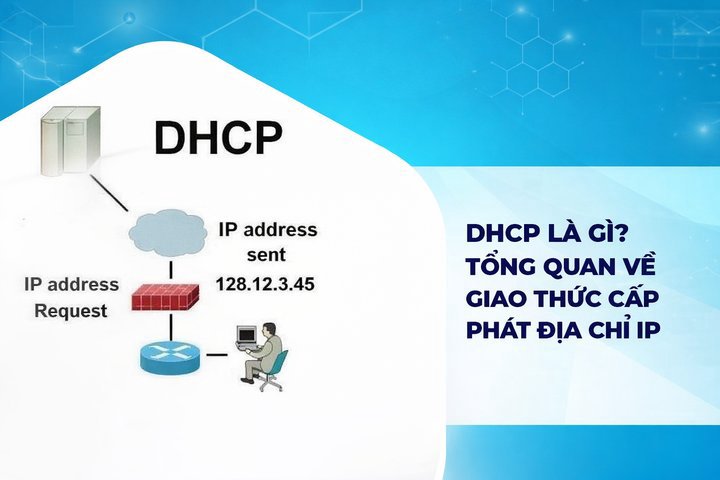
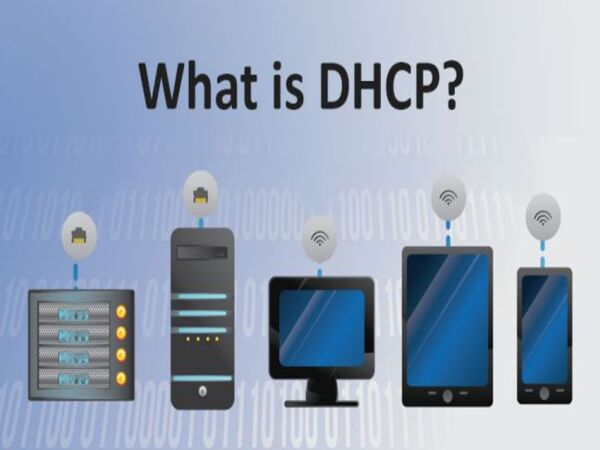
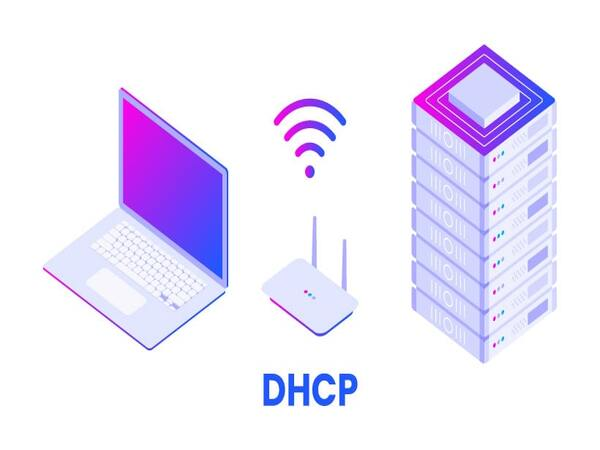
What is DHCP? DHCP (Dynamic Host Configuration Protocol) is a network protocol used to automatically assign IP addresses and other network parameters to devices on an IP network. Instead of manually configuring IP addresses for each device, DHCP automates this process, simplifying IP address management on local area networks (LANs). DHCP provides important configuration information to devices, including IP addresses, subnet masks, default gateways, and DNS servers.
DHCP Server
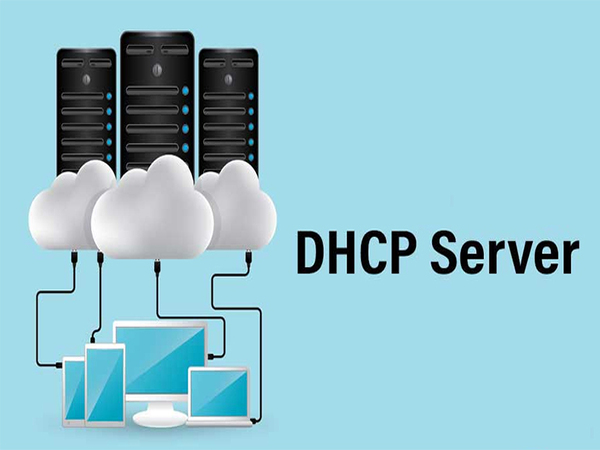
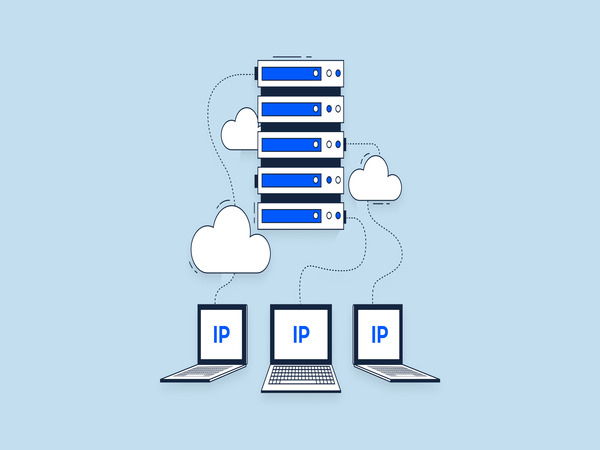
What is a DHCP Server? A DHCP Server is a server responsible for managing and dynamically assigning IP addresses to devices on the network. When a new device connects to the network, the DHCP server distributes an unused IP address from a specific address range that it manages.
The DHCP server ensures that there are no IP address conflicts (duplicate addresses) on the network, while also reducing the burden of manually configuring each device. These servers can operate on devices such as routers, switches, or dedicated servers.
How DHCP Works
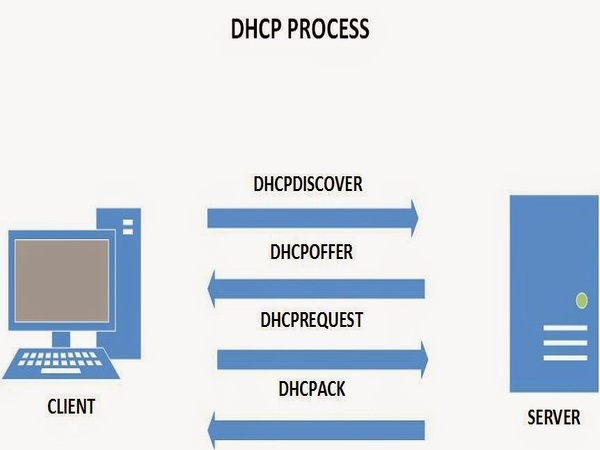
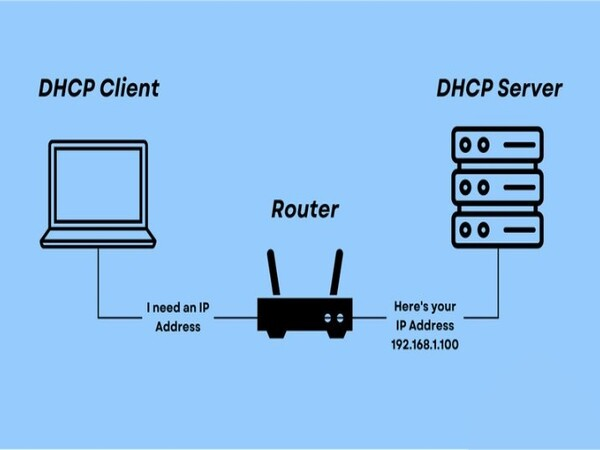
How does DHCP work? The DHCP protocol operates on the principle of automating the IP address assignment process for devices on the network. When a new device connects to the network, it sends a request to the DHCP server to find an available IP address. DHCP operates on a client-server model through 4 main steps:
DHCP Discover: When a new device connects to the network (called a DHCP client), it sends a DHCP Discover packet as a broadcast to find DHCP servers on the network.
DHCP Offer: After receiving the request, the DHCP server responds with a DHCP Offer packet, providing an available IP address along with other network parameters such as subnet mask, gateway, and DNS.
DHCP Request: The DHCP client then sends back a DHCP Request packet to formally request the IP address proposed in the Offer packet from the server.
DHCP Acknowledge: Finally, the DHCP server sends a DHCP Acknowledge packet, confirming that the IP address has been assigned to the device and that the device can use it to communicate on the network.
After receiving the IP address, the device can use it for a defined period (called the "lease time"). When the lease time is about to expire, the device can request a renewal of the IP address from the DHCP server.
Why Should You Use the DHCP Protocol?
Why should you use the DHCP protocol? Using the DHCP protocol offers many benefits for network management and operation, especially in large-scale networks. Here are some reasons why you should use DHCP:
Automated IP assignment: DHCP eliminates the need to manually configure IP addresses for each device on the network, saving time and effort.
Reduced configuration errors: The automatic assignment and management of IP addresses by DHCP reduces the risk of IP address conflicts (duplicate addresses), as well as errors caused by incorrect manual configuration.
More efficient management: DHCP allows administrators to easily monitor, adjust, and reuse IP addresses on the network, enabling efficient network resource management, especially in environments with many mobile devices.
Mobile device support: DHCP is very useful in network environments with many mobile devices (such as laptops, smartphones), allowing these devices to quickly connect to the network without manual configuration.
Security and flexibility: DHCP can be integrated with security features like IP binding (binding IP addresses to MAC addresses) to enhance network system management and security.
DHCP is an ideal solution for network management, helping minimize configuration error risks while enhancing flexibility and efficiency in assigning and managing IP addresses on network systems.
Advantages and Disadvantages of DHCP
In network management, the DHCP protocol offers significant benefits but also has its limitations. This section provides a detailed analysis of the advantages and disadvantages of DHCP, giving you a comprehensive view of this protocol in network management.
Advantages
In a computer network, managing IP addresses can become a complex task, especially in large organizations with hundreds or thousands of connected devices. DHCP helps automate the IP address assignment process for devices on the network, making connection and configuration simpler and more efficient. Below are the notable advantages of DHCP:
Automatic IP address assignment: DHCP eliminates the need for manual IP address configuration, making network setup quick and easy.
Minimized IP address conflicts: The DHCP server ensures that no two devices on the network are assigned the same IP address, preventing conflicts.
Centralized management: DHCP provides centralized IP address management, making it easy to monitor and adjust network configurations.
Mobile device support: Devices such as laptops and smartphones can easily connect to the network and receive dynamic IP addresses without manual configuration.
Easy network expansion: When adding new devices to the network, DHCP automatically assigns IP addresses, making network expansion flexible and requiring minimal administrator intervention.
In summary, the advantages of DHCP not only simplify IP address management but also enhance network operational efficiency. Thanks to these benefits, DHCP has become an indispensable part of most modern networks.
Disadvantages
Although DHCP offers many benefits for network management, it also has some disadvantages that cannot be overlooked. These drawbacks can affect network performance and security, especially in environments that require high stability or have many connected devices.
Server dependency: If the DHCP server encounters issues, new devices cannot receive IP addresses, resulting in an inability to connect to the network.
Lower security: Since DHCP automatically assigns IP addresses to devices, hackers can exploit this to infiltrate the network by requesting IPs from the DHCP server.
Lack of precise control: With automatic IP assignment, administrators may lose precise control over which IP address each device receives if specific settings are not configured.
Difficulty tracking IP addresses: In large networks, identifying exactly which device is using a specific IP address can become more complex.
Overall, the disadvantages of DHCP need to be carefully considered to ensure that network solutions are set up safely and efficiently. While DHCP can provide convenience and flexibility, instability and security issues can lead to significant risks if not properly managed.
Main Components of the DHCP Protocol
What are the main components of the DHCP protocol? These components not only help maintain stable network connectivity but also ensure that devices receive configuration information quickly and efficiently. Below are the main components of DHCP that you need to understand to gain a better grasp of this protocol.
DHCP Client
A DHCP Client is any device or computer that requests an IP address from the DHCP server to join the network. When a device connects to the network, it sends a request to the DHCP server to receive an IP address and other network configurations (subnet mask, gateway, DNS). DHCP clients can be devices such as PCs, laptops, mobile phones, printers, or any device that needs an IP address to connect to the network.
DHCP Server
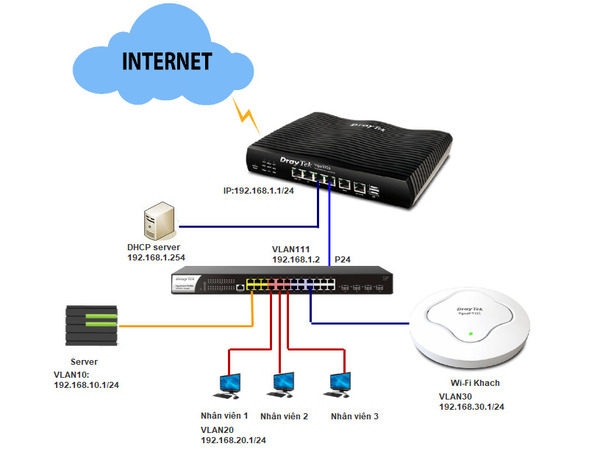
A DHCP Server is the server responsible for managing and assigning IP addresses to devices on the network. This server tracks available IP addresses and distributes them to newly connected devices. In addition to IP addresses, the DHCP server also provides other network configuration information such as subnet mask, default gateway, and DNS server. The DHCP server can be installed on network devices like routers or dedicated servers.
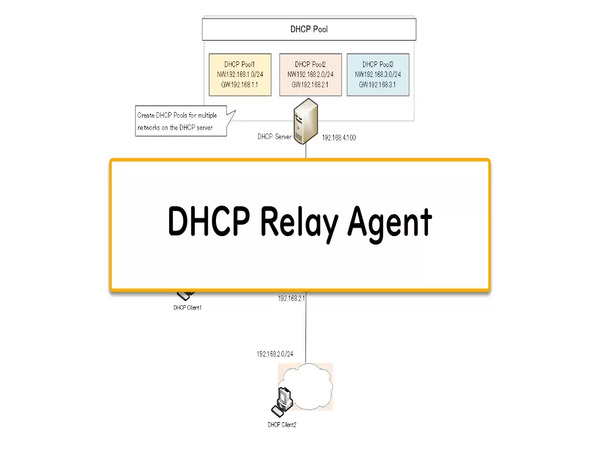
DHCP Relay Agents
DHCP Relay Agents are devices or services used to forward DHCP messages between DHCP servers and client devices on different networks. DHCP Relay Agents are necessary when the DHCP server is not on the same physical network as the DHCP clients. The relay agent receives requests from the DHCP client and forwards them to the DHCP server, then sends the server's response back to the client. This allows large networks with multiple segments to use a single DHCP server to manage the entire system.
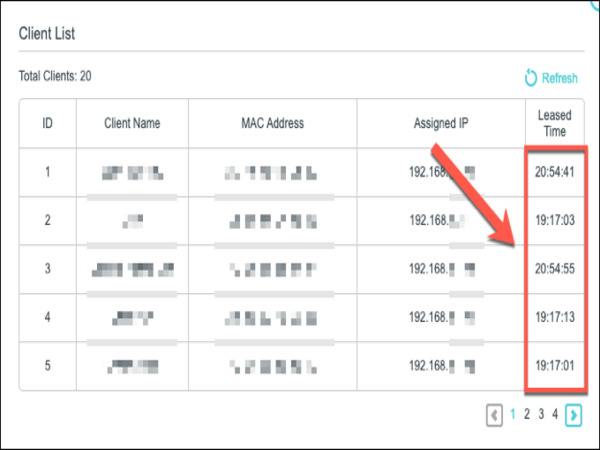
DHCP Lease
A DHCP Lease is the period of time during which an IP address is assigned to a specific device (DHCP client). After the lease expires, the device must request a renewal of the IP address or will be assigned a new one. The lease period ensures that IP addresses are not permanently used by devices that are no longer active on the network, enabling more efficient network resource management. If the device requests a lease renewal before expiration, the DHCP server can extend the current lease.
DHCP Binding
DHCP Binding is the process of associating an assigned IP address with the device that received it (typically based on the MAC address). The DHCP server stores information about these connections in the DHCP Binding table. This table includes the IP address, the device's MAC address, lease time, and other information. DHCP Binding helps the DHCP server track the status of IP addresses, knowing which addresses have been assigned and to which devices. This is crucial for avoiding IP address conflicts and better network management.
Main Messages of the DHCP Protocol
What are the main messages of the DHCP protocol? The DHCP protocol uses a series of messages to carry out the IP address assignment and network configuration process for devices. Each message plays an important role in ensuring that devices can receive IP addresses and configuration information accurately.
Below are the main messages of the DHCP protocol and their roles in the IP address assignment process.
DHCP Discover
DHCP Discover is the first message sent by the DHCP Client when a new device connects to the network and needs an IP address. This is a broadcast packet, meaning it is sent to all devices on the network. The purpose of DHCP Discover is to find available DHCP servers on the network to begin the IP address assignment process.
DHCP Offer
After receiving the Discover packet, the DHCP Server responds with a DHCP Offer packet, providing an available IP address and network configuration information such as subnet mask, gateway, and DNS server. The DHCP Offer is also a broadcast packet because, at this stage, the client does not yet have a fixed IP address.
DHCP Request
When the DHCP Client receives one or more DHCP Offer packets, it selects one offer and sends a DHCP Request packet to formally request the proposed IP address. This message confirms that the client wants to use the specific IP address from the received Offer packet.
DHCP Acknowledge
DHCP Acknowledge (ACK) is the final message in the IP address assignment process. When receiving the DHCP Request from the client, the DHCP server sends back a DHCP ACK packet to confirm that the IP address has been successfully assigned and the device can begin using it.
DHCP Nak
DHCP Nak is a response from the DHCP Server, indicating that the DHCP Client's request cannot be fulfilled. The reason could be that the IP address the client requested is no longer available or the client's network configuration is invalid. Upon receiving a DHCP Nak, the client must send a new request with correct information.
DHCP Decline
DHCP Decline is a message sent by the DHCP Client to indicate that the IP address proposed by the server is invalid (for example, due to an IP address conflict). This can occur when the client detects that the IP address is already being used by another device on the network.
DHCP Release
DHCP Release is a message sent by the DHCP Client when the device stops using the IP address it was assigned, freeing the IP address so the DHCP server can reassign it to another device. This message is typically sent when the device shuts down or disconnects from the network.
Security Threats to the DHCP Protocol
These threats can affect the security and stability of the network, creating significant risks for organizations. This section of the article covers the main threats to DHCP, from attacks on the DHCP Client side to attacks on the DHCP Server side.
Attacks from the DHCP Client Side
Attacks from the DHCP Client side are one of the ways attackers can exploit the DHCP protocol for malicious purposes. In these scenarios, attackers can impersonate a legitimate device to receive IP addresses or other network configuration information from the DHCP server. This not only disrupts the network but can also lead to data theft or create serious security vulnerabilities.
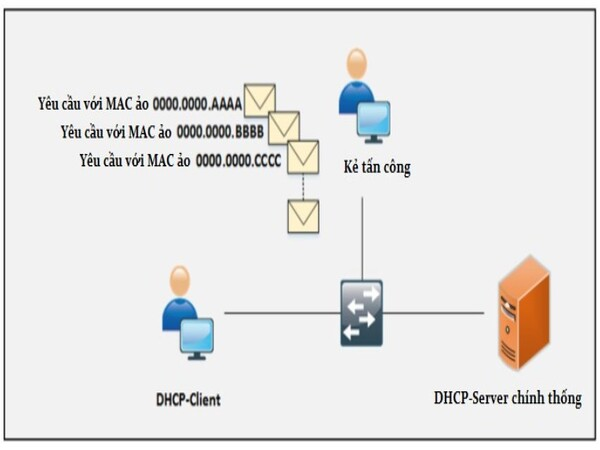
IP Address Exhaustion Attack (DHCP Starvation): In this attack, the attacker uses a tool to send many spoofed DHCP Discover packets, impersonating multiple different devices. This causes the DHCP Server to exhaust all available IP addresses, preventing legitimate devices from receiving an IP address and connecting to the network.
Rogue DHCP Client: An attacker can impersonate a DHCP Client to receive an invalid IP address or access network resources without authorization. This can weaken security and cause issues in network management.
Overall, attacks from the DHCP Client side can have serious consequences for network security. Early identification and deployment of protective measures such as DHCP authentication and network traffic analysis can help prevent these attacks and protect the network infrastructure from potential threats.
Attacks from the DHCP Server Side
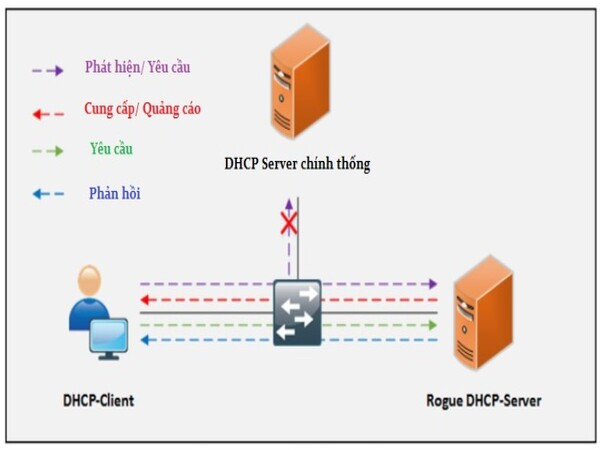
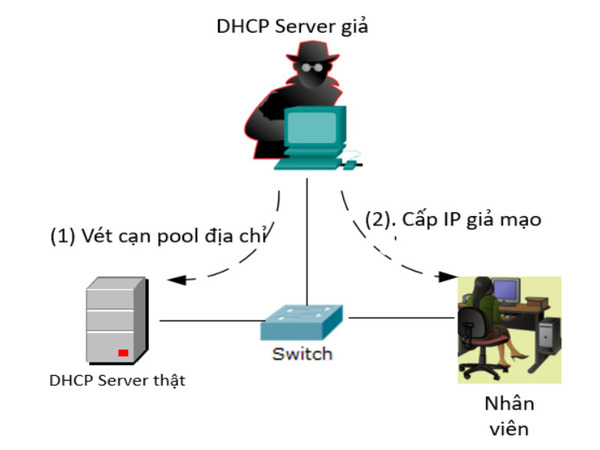
Attacks from the DHCP Server side are a serious threat that can undermine the entire network. Attackers can set up a rogue DHCP server, providing false information to devices on the network. This can lead to devices receiving invalid IP addresses, incorrect configuration information, or even being redirected to malicious servers.
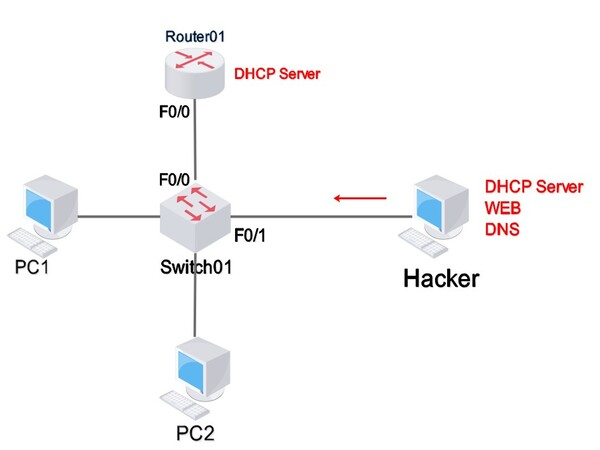
Rogue DHCP Server: An attacker can set up a rogue DHCP server on the network, providing incorrect or invalid IP addresses to devices. When devices receive network configuration from the rogue DHCP server, they can be redirected to malicious servers, leading to Man-in-the-Middle attacks.
Service Disruption Attack: A rogue DHCP server or Denial of Service (DoS) attack can disrupt the operation of the legitimate DHCP server, preventing devices from receiving IP addresses and disrupting the entire network.
Attacks from the DHCP Server side can have serious consequences for network security and data integrity. To protect the network from these threats, implementing security measures such as DHCP server authentication, network traffic monitoring, and maintaining software updates is essential.
Security Measures for the DHCP Protocol
What are the security measures for DHCP? Although DHCP offers many benefits in IP address management, there are also significant security risks associated with this protocol. To protect the network from potential attacks such as rogue DHCP servers or attacks from the DHCP Client side, implementing security measures is critical.
Below are effective security measures for the DHCP protocol, helping you maintain the safety of your network system.
Countering DHCP Client Attacks
Attacks from the DHCP Client side can exhaust IP addresses or cause address conflicts. To counter this, the following measures can be applied:
Limiting the number of DHCP requests: Network devices such as switches can be configured to limit the number of DHCP requests a port can send within a specific time period. This prevents DHCP Starvation attacks, where attackers deliberately send numerous DHCP requests to exhaust IP addresses.
Using DHCP Snooping: By enabling DHCP Snooping, the network can block DHCP requests from untrusted ports, helping reduce the risk from rogue clients.
Port Security: By configuring port security features on switches, only devices with valid MAC addresses are allowed to connect, preventing rogue clients from requesting invalid IP addresses.
In addition to the above countermeasures, monitoring network traffic and detecting abnormal behavior is also crucial for timely identification and prevention of attacks before they cause damage.
Countering Man-in-the-Middle Attacks
Man-in-the-Middle (MitM) attacks are one of the major threats when using the DHCP protocol, where attackers can intercept communication between client and server to collect information or falsify data. To counter this attack, the following measures should be implemented:
DHCP Snooping combined with Dynamic ARP Inspection (DAI): DHCP Snooping records information about legitimate clients (MAC addresses and IP addresses), then DAI uses this information to prevent ARP spoofing attacks, protecting the network from MitM attacks.
Port-based Authentication (802.1X): This protocol requires every device connecting to the network to undergo authentication before accessing network resources. This helps prevent rogue devices from infiltrating the network and carrying out MitM attacks.
VPN (Virtual Private Network): Using a VPN to encrypt all network traffic ensures that even if an attacker intercepts the data transmission, they cannot read or tamper with the data.
Maintaining strong authentication mechanisms between devices on the network along with regular monitoring also helps detect and prevent potential attacks. Additionally, educating users to recognize signs of being attacked plays an important role in maintaining network security.
Security Solutions for DHCP Server
To protect the DHCP server from attacks and ensure continuous network operation, the following security solutions should be implemented:
Limiting the number of DHCP Servers: In a network, there should only be a limited number of trusted DHCP servers to avoid conflicts and reduce the risk of attacks from rogue DHCP servers.
Using Firewall and ACL: Firewalls and Access Control Lists (ACLs) can be configured to limit which devices or IP addresses can access and use the DHCP service, protecting the server from external attacks.
Physical protection: Ensuring that DHCP servers are located in secure areas, not easily accessible by potential attackers, while having backup and data recovery mechanisms in case the server encounters issues.
Using network monitoring tools to track DHCP Server activity helps detect abnormal behavior early, thereby protecting the network infrastructure more effectively and securely.
When Should You Use a Router/Switch as a DHCP Server?
Using a Router/Switch as a DHCP server is a common solution in small networks or home networks, where setting up a dedicated server is unnecessary. Below are some cases where you should use a Router/Switch as a DHCP server:
Small or home networks: In small-scale networks with few devices, a router or switch can easily handle DHCP requests without the need for a dedicated server.
Cost savings: Using a router or switch as a DHCP server helps save on hardware and software investment costs when a separate server deployment is not needed.
Easy management: Router or switch devices usually come with user-friendly interfaces that are easy to configure and manage, especially for users without deep technical expertise.
Networks without complex feature requirements: If your network does not require complex DHCP features like address segmentation by device groups, using a router or switch as a DHCP server is a simple and effective solution.
However, in large networks, using a dedicated DHCP server will provide better performance and more flexible management.
{{< test-result
title="IP Assignment Method Comparison"
columns="Method | Automation | Management | Security | Suitable For"
rows="DHCP (Dynamic) | Fully automatic | Easy | Medium | Large networks, many devices;Static IP | Manual | Complex | High | Servers, fixed network devices;DHCP Reservation | Semi-automatic | Medium | High | Printers, NAS, internal servers;APIPA (169.254.x.x) | Automatic fallback | No management | Low | Temporary LAN when DHCP is unavailable"
/>}}
DHCP Security
Always enable DHCP Snooping on switches to prevent Rogue DHCP Servers. Combine Dynamic ARP Inspection (DAI) and 802.1X to counter Man-in-the-Middle attacks. Set lease time appropriate to your network scale.
Conclusion: DHCP is an essential protocol that automates IP address assignment in modern networks. With the 4-step Discover-Offer-Request-Acknowledge process, DHCP minimizes manual configuration errors and enhances network management efficiency. However, security measures such as DHCP Snooping should be implemented to prevent attacks.
ISC DHCP — The most popular open-source DHCP server software
Frequently Asked QuestionsQ&A
QWhat is DHCP?
DHCP (Dynamic Host Configuration Protocol) is a network protocol that automatically assigns IP addresses and configuration parameters (subnet mask, gateway, DNS) to devices on a network, instead of requiring manual configuration.
QHow many steps does DHCP operate in?
DHCP operates in 4 steps: DHCP Discover (client finds server), DHCP Offer (server proposes an IP), DHCP Request (client requests the IP), and DHCP Acknowledge (server confirms the assignment).
QWhat is a DHCP Lease?
A DHCP Lease is the period of time during which an IP address is assigned to a device. When the lease expires, the device must renew it or receive a new IP. This mechanism helps reclaim IP addresses when devices are no longer connected.
QWhat is a DHCP Starvation attack?
DHCP Starvation is an attack that sends a flood of spoofed DHCP Discover requests to exhaust the entire IP address pool of the server, preventing legitimate devices from obtaining an IP address.
QHow does DHCP Snooping enhance security?
DHCP Snooping is a switch feature that distinguishes between trusted and untrusted ports, only allowing DHCP responses from legitimate servers, thereby preventing Rogue DHCP Servers and Man-in-the-Middle attacks.