cURL (Client URL) is an open-source command-line tool for transferring data via HTTP, FTP, SMTP, and over 20 other protocols. This article provides a detailed guide on using cURL in PHP and essential cURL commands on Linux.
2019Trusted since
B2BData solutions
Data·AIExpertise
Need data solutions for your business?
AlgoData has helped businesses with data engineering, analytics & AI since 2019.
This article will take you on a journey to discover what cURL is, from basic concepts to advanced applications in web development.
What is cURL?
What is cURL? cURL (Client URL) is an open-source command-line tool used to transfer data from or to a server using common protocols such as HTTP, HTTPS, FTP, and many others. cURL is primarily used to make HTTP(S) requests, such as downloading files, sending data through APIs, or interacting with web services from the command line without needing a graphical interface.
cURL supports powerful features such as user authentication, sending data via POST, PUT, or PATCH methods, handling cookies, SSL certificates, and even downloading multiple files simultaneously. Thanks to its flexibility and broad compatibility, cURL is widely used in software development, API testing, and system administration.
History of cURL Development
cURL was developed by Daniel Stenberg in 1997 and was originally called "httpget", a simple tool for downloading files via the HTTP protocol. Later, as Stenberg expanded the tool's capabilities to support FTP and other protocols, the name "cURL" was chosen to reflect its ability to transfer data across multiple URL protocols.
Throughout its development, cURL has become an essential part of many systems and applications. The first stable version was released in March 1998, and since then, cURL has been continuously updated to support new features, including HTTP/2 authentication, WebSocket, and advanced security protocols. With over 20 years of development, cURL has become an indispensable tool in the open-source community and the IT industry.
Protocols Supported by the cURL Command
cURL supports a wide range of protocols for data transfer, making it extremely versatile in interacting with different types of servers and services. The main protocols supported by cURL include:
HTTP/HTTPS: cURL fully supports both HTTP and HTTPS, including GET, POST, PUT, DELETE, PATCH requests, and advanced options such as authentication, cookie management, and SSL certificate verification.
FTP/SFTP: cURL allows file transfer via FTP and SFTP (Secure FTP) protocols, enabling secure remote file management.
SMTP/POP3/IMAP: cURL can also be used to send emails via SMTP or retrieve emails from POP3 and IMAP servers.
LDAP: cURL can connect to and interact with LDAP directory services, a common protocol in enterprise network systems.
Telnet: With Telnet protocol support, cURL can connect and send commands directly to a remote server via the command line.
WebSocket: The WebSocket protocol is also supported, enabling cURL to interact with real-time services.
Additionally, cURL supports many other protocols such as SCP (Secure Copy), RTSP (Real-Time Streaming Protocol), and SMB (Server Message Block), extending data transfer capabilities across various applications and systems.
Main Features of cURL
cURL has many useful features, especially when you need to communicate and transfer data between client and server over the internet or local network. The main features of cURL include:
Making HTTP/HTTPS requests: cURL can send and receive data from websites or APIs using HTTP or HTTPS protocols. You can make GET requests to retrieve data, POST to send data, PUT to update data, and DELETE to remove data.
Downloading files from the Internet: cURL allows you to download files from web servers or FTP easily. You simply provide the file URL, and cURL will automatically handle the download.
Sending data through forms (POST requests): cURL allows you to send data to a server just like submitting a form on a website. This is very useful for testing or sending requests to APIs.
Handling SSL certificates: When working with HTTPS websites, cURL can verify SSL certificates to ensure your connection is secure. It also allows you to skip certificate verification in special cases, such as during system testing.
Managing sessions with cookies: cURL supports storing and sending cookies when making HTTP requests, allowing you to maintain sessions when communicating with websites that require login.
User authentication: cURL supports multiple authentication methods such as Basic Auth, Digest Auth, NTLM, and OAuth, making it easy to access APIs or websites that require special access permissions.
Transferring data across different protocols: Beyond HTTP/HTTPS, cURL supports many other protocols such as FTP, SFTP, LDAP, SMTP, and more, allowing you to transfer data between different services efficiently.
Automatically following redirects: When a website redirects to a new URL, cURL can automatically follow and make requests to the new URL without manual intervention.
Using cURL offers many benefits in managing data and interacting with web services, APIs, and network systems. Here are some key benefits:
Easy to use and flexible: cURL has a simple and easy-to-understand command-line syntax. You can specify parameters and perform various types of requests quickly, from basic HTTP requests to complex ones like file downloads or cookie handling.
Cross-platform: cURL works on many different operating systems such as Linux, macOS, and Windows. This allows users to use the same tool across different environments without changing their workflow.
Supports multiple protocols: cURL supports over 20 different protocols, from HTTP, HTTPS, FTP to SMTP and SFTP. This provides flexibility when you need to transfer data or interact with various types of services.
Convenient for API testing: cURL is an ideal tool for testing RESTful or SOAP APIs. You can send POST, PUT, PATCH requests to check server responses, as well as verify status codes and returned data quickly.
Automation: cURL can be integrated into scripts or automate your workflows. This is very useful for downloading files, testing APIs, or performing system administration tasks without manual intervention.
Free and open-source: cURL is an open-source tool and completely free, helping developers, system administrators, and general users save costs when they need a powerful tool to communicate with servers and APIs.
Easy integration: cURL can be easily integrated with programming languages such as Python, PHP, and Ruby, allowing developers to use it to interact with APIs from within their applications without needing to find or develop additional tools.
Extensive community support: Due to its popularity and widespread use, cURL has a large support community. You can find documentation, examples, and community help very easily.
Thanks to these benefits, cURL has become an extremely useful tool for developers, network administrators, and those who frequently work with online data.
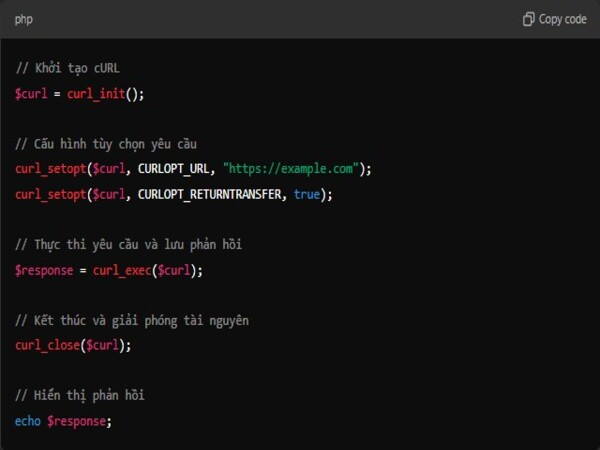
cURL is a powerful library supported by PHP to help make HTTP requests and other protocol requests. With cURL, you can send GET, POST, PUT, DELETE requests from a server to another API or URL easily. In PHP, cURL is commonly used to fetch web page content, send data to RESTful APIs, or check responses from other servers. Below are the basic steps for using cURL in PHP.
Initializing cURL in PHP
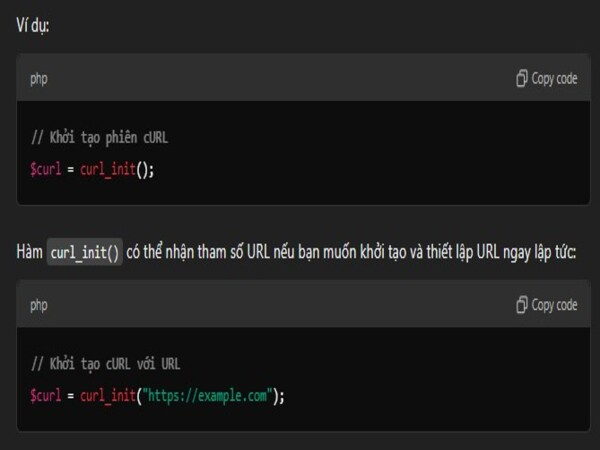
In PHP, to start a cURL request, you must initialize a cURL session using the "curl_init()" function. This function creates a cURL session and returns a resource pointer for use in subsequent steps. If you don't initialize the cURL session, the configuration and execution steps cannot be performed. The "curl_init()" function can accept a URL parameter if you want to initialize and set the URL immediately:
Example: $curl = curl_init("https://example.com");
If you don't pass a URL to curl_init(), you will need to use curl_setopt() to specify the URL later.
Configuring Request Options
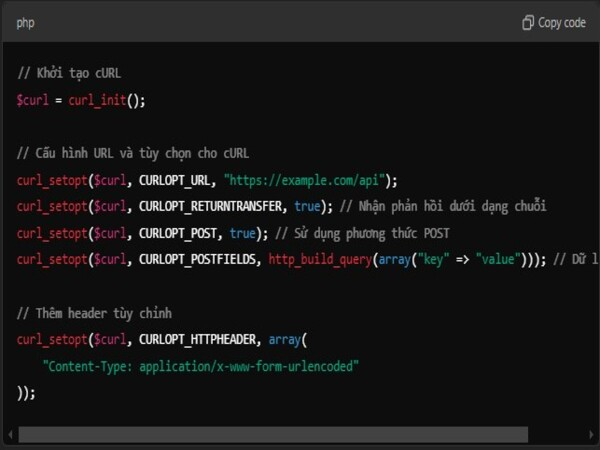
After initializing the cURL session, you need to configure request options using the "curl_setopt()" function. This function allows you to adjust settings such as the HTTP method, URL, sent data, and how to handle the response.
Some common options:
CURLOPT_URL: Specifies the URL to send the request to.
CURLOPT_RETURNTRANSFER: If set to true, the response will be returned as a string instead of being printed to the screen.
CURLOPT_POST: Used for POST requests.
CURLOPT_POSTFIELDS: Specifies the data to send as POST data.
CURLOPT_HTTPHEADER: Sets custom headers for the request.
You can configure many additional options depending on your needs, such as adding cookies, setting up proxies, or configuring timeouts.
Executing the cURL Request
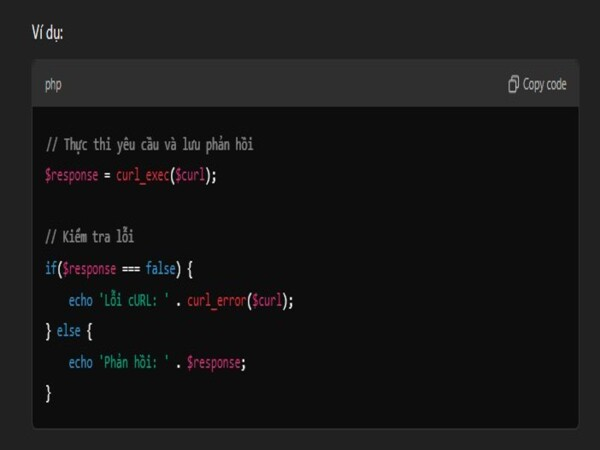
Once all options for the cURL request have been configured, you need to execute the request using the "curl_exec()" function. This function sends the request to the specified URL and returns the server's response.
The "curl_exec()" function returns the server's response as a string (if CURLOPT_RETURNTRANSFER is set). In case of an error, this function returns false, and you can use the "curl_error()" function to get detailed information about the error.
Closing the Request and Releasing Resources
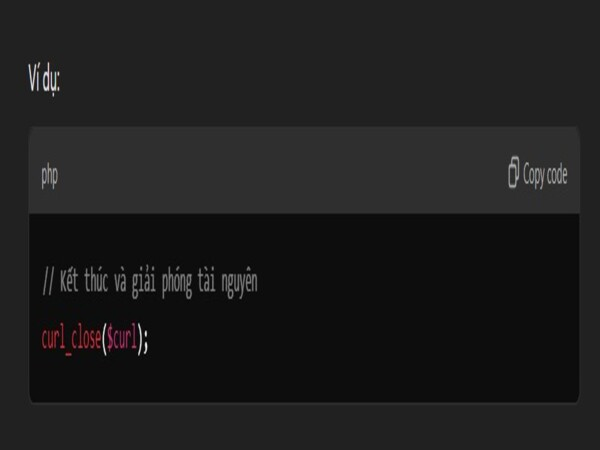
After completing the cURL request, you need to close the cURL session and release resources using the "curl_close()" function. This helps prevent memory leaks or resource management issues.
Example: curl_close($curl);
Closing the session is an important step after completing the request, as it ensures the system doesn't hold unnecessary resources and cURL operates more efficiently in subsequent sessions.
Essential cURL Commands in Linux
In Linux, cURL is a powerful command-line tool for sending and receiving data through various protocols such as HTTP, HTTPS, FTP, and more. cURL is commonly used to download files, send HTTP requests, manage cookies, and perform data transfer tasks. Some essential cURL commands include:
Checking the cURL Version
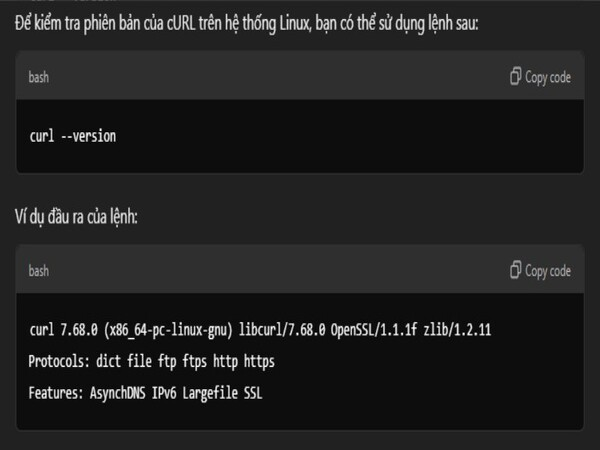
This command returns the version information of the installed cURL, along with the protocols it supports such as HTTP, HTTPS, FTP, SCP, SFTP, and many others. This is an important first step to verify that cURL has been successfully installed on your system and to know the specific version. To check the cURL version on a Linux system, you can use the following command: "curl --version"
cURL Command Syntax
The basic syntax of the cURL command involves using cURL with options and a target URL. The general syntax is: curl [options] [URL]
Some common options:
-O: Download a file and save it to the current directory.
-L: Follow redirects.
-X: Specify the HTTP method (GET, POST, PUT, DELETE).
-d: Send data with the request (commonly used for POST).
Understanding cURL syntax is the foundation for using this tool effectively. With this knowledge, you can customize cURL commands to meet your specific needs.
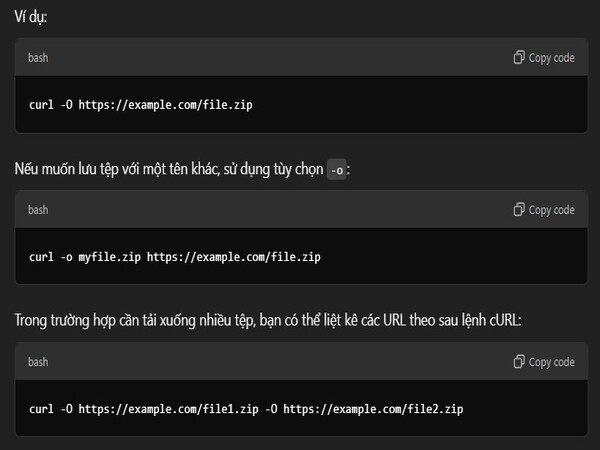
You can use cURL to download a file from a URL. The "-O" option saves the file to the current directory with the same name as on the server.
Example: curl -O https://example.com/file.zip
If you want to save the file with a different name, use the -o option:
Example: curl -o myfile.zip https://example.com/file.zip
To download multiple files, you can list the URLs after the cURL command:
Example: curl -O https://example.com/file1.zip -O https://example.com/file2.zip
cURL's file downloading capability makes it an indispensable tool for managing and transferring data. By using the options and techniques learned, you can optimize the file download process for various situations.
HTTP Commands with cURL
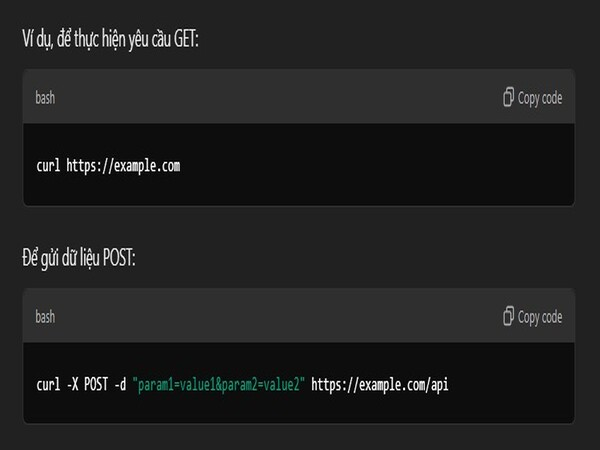
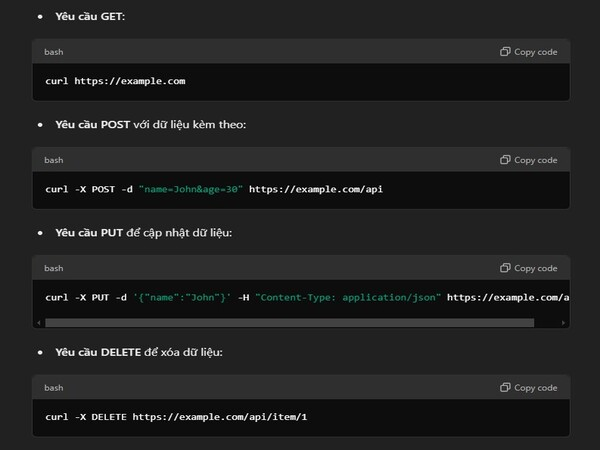
cURL supports multiple HTTP methods, including GET, POST, PUT, and DELETE. By default, cURL performs a GET request. To make other types of requests, use the -X option.
GET request: curl https://example.com
POST request with data: curl -X POST -d "name=John&age=30" https://example.com/api
PUT request to update data: curl -X PUT -d '{"name":"John"}' -H "Content-Type: application/json" https://example.com/api
DELETE request: curl -X DELETE https://example.com/api/item/1
By using cURL for HTTP requests, you can interact with the web powerfully and flexibly. This opens up many possibilities for testing, debugging, and automating web-related tasks.
Managing Cookies with cURL
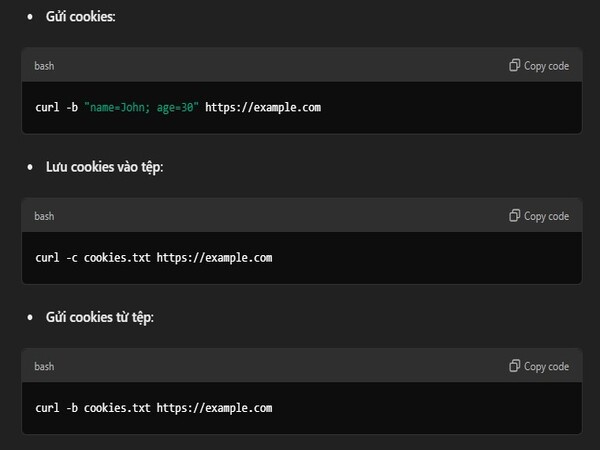
cURL allows you to send and receive cookies when communicating with a server. To send cookies, use the -b option, and to save cookies from the server, use -c.
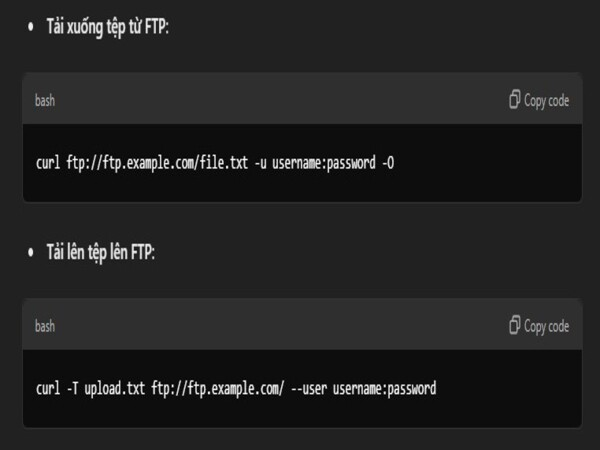
curl -T upload.txt ftp://ftp.example.com/ --user username:password
You can use cURL to perform other FTP tasks such as listing files, deleting files, or checking file sizes.
Limiting cURL Output
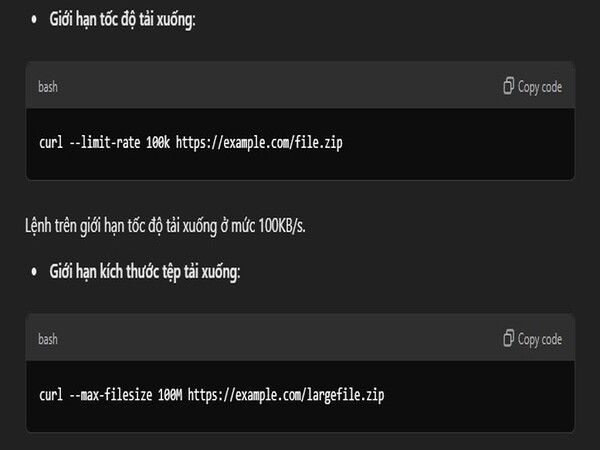
In some cases, you may want to limit the data downloaded or displayed. cURL provides the --limit-rate option to limit download speed and --max-filesize to limit the downloaded file size.
curl --max-filesize 100M https://example.com/largefile.zip
By controlling cURL output, you can focus on important information and optimize the performance of scripts using cURL. This is especially useful when working with large amounts of data or in resource-constrained environments.
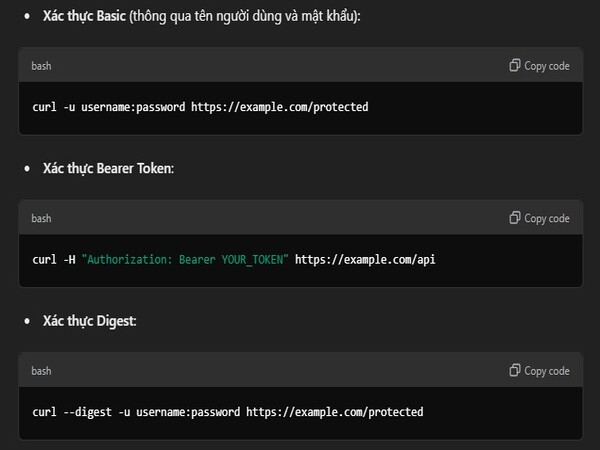
HTTP Authentication with cURL
When working with APIs or websites that require authentication, you can use cURL to send login credentials through various authentication methods.
Basic authentication (with username and password):
Thanks to its support for multiple authentication methods, cURL can be used flexibly when accessing services that require security, such as APIs or websites requiring login.
cURL or Postman?
cURL is suitable for automation, scripting, and CI/CD pipelines. Postman is better for exploring APIs with a graphical interface. Master cURL first — you can convert Postman requests to cURL at any time.
Conclusion:cURL is a versatile data transfer tool that supports over 20 protocols, works on all platforms, and integrates easily into PHP, Python, and shell scripts. Mastering cURL helps developers test APIs, automate workflows, and process data more efficiently.
cURL (Client URL) is an open-source command-line tool used to transfer data via network protocols such as HTTP, HTTPS, FTP, SFTP, and SMTP. cURL supports sending/receiving data, downloading files, and testing APIs from the terminal.
QWhat protocols does cURL support?
cURL supports over 20 protocols including HTTP, HTTPS, FTP, SFTP, SMTP, POP3, IMAP, LDAP, Telnet, WebSocket, SCP, RTSP, SMB, and many more.
QHow do you use cURL in PHP?
In PHP, use curl_init() to initialize a session, curl_setopt() to configure options (URL, method, headers), curl_exec() to execute the request, and curl_close() to release resources.
QHow is cURL different from Wget?
cURL supports more protocols (20+), can upload data, and integrates with programming languages. Wget specializes in file downloads, supports recursive downloads, and handles interrupted downloads better.
QHow do you send a POST request with cURL?
Use the command: curl -X POST -d 'key=value' URL. To send JSON: curl -X POST -H 'Content-Type: application/json' -d '{"key":"value"}' URL.