Cloud Server là gì? Tính năng, lợi ích và ứng dụng Cloud Server
Cloud and Server

Cloud Server là gì? Tính năng, lợi ích và ứng dụng Cloud Server

Cloud Server là máy chủ đám mây cung cấp tài nguyên tính toán, lưu trữ qua internet. Tìm hiểu tính năng, lợi ích và ứng dụng Cloud Server cho doanh nghiệp.

Trong series: Cloud Computing
  1. 1 Cloud là gì? Ý nghĩa, lợi ích và ứng dụng của Cloud Server
  2. 2 Cloud Server là gì? Tính năng, lợi ích và ứng dụng Cloud Server
  3. 3 Cloud Hosting là gì? Tổng hợp kiến thức cần biết về Cloud Hosting
✦ Tóm tắt nhanh
Cloud Server là máy chủ đám mây cung cấp tài nguyên tính toán, lưu trữ qua internet. Tìm hiểu tính năng, lợi ích và ứng dụng Cloud Server cho doanh nghiệp.
Bài này thế nào?

Cloud Server (Máy chủ đám mây) là loại máy chủ ảo cung cấp tài nguyên tính toán, lưu trữ và băng thông qua dịch vụ điện toán đám mây. Bài viết giúp bạn hiểu rõ Cloud Server, tính năng nổi bật, lợi ích và ứng dụng thực tế cho doanh nghiệp.

Cloud Server là gì?

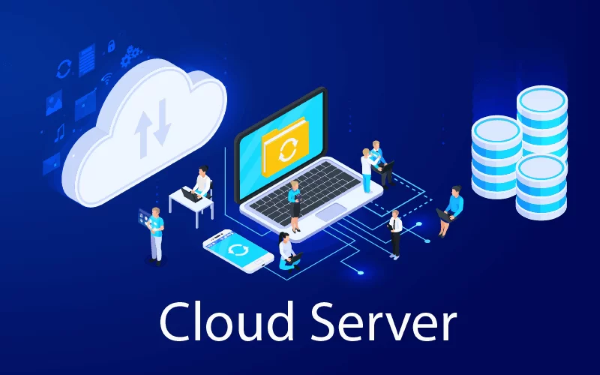
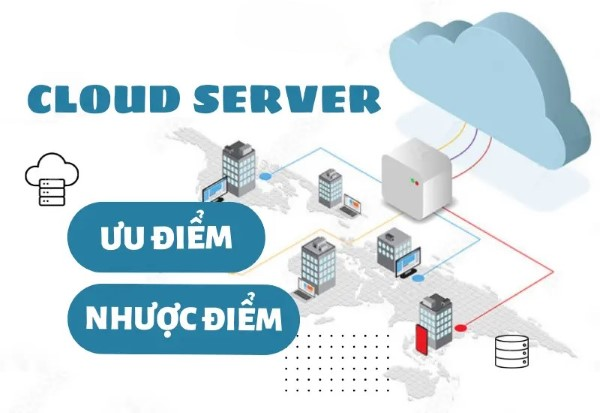
Cloud Server (Máy chủ đám mây) được định nghĩa là một loại máy chủ ảo, nơi các nguồn lực như CPU, RAM, dung lượng lưu trữ, băng thông và hệ điều hành được cung cấp qua dịch vụ điện toán đám mây. Thay vì phải sở hữu và quản lý một hệ thống máy chủ vật lý cồng kềnh, người dùng có thể thuê một phần hoặc toàn bộ tài nguyên từ nhà cung cấp dịch vụ đám mây. Điều này giúp tiết kiệm chi phí đầu tư ban đầu cũng như thời gian bảo trì, giảm thiểu rủi ro hỏng hóc thiết bị vật lý.

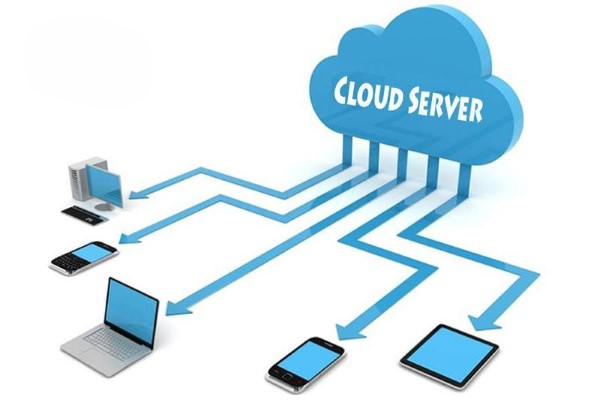
Các tài nguyên của cloud server được chia sẻ trên một hạ tầng đám mây lớn. Người dùng chỉ cần truy cập vào bảng điều khiển quản lý thông qua internet để sử dụng các tài nguyên này. Nhờ vào sự phân tán và tính linh hoạt của mô hình này, người dùng có thể dễ dàng nâng cấp hoặc giảm cấp tài nguyên theo nhu cầu thực tế mà không gặp phải quá nhiều khó khăn.

Tính năng nổi bật của Cloud Server
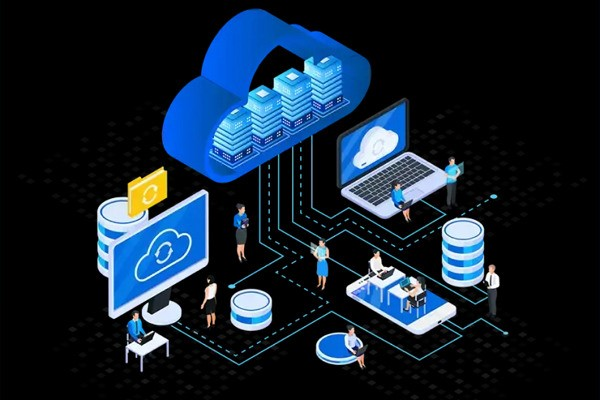
Cloud Server không chỉ đơn thuần là một máy chủ ảo mà còn mang đến rất nhiều tính năng nổi bật giúp đáp ứng nhu cầu đa dạng của người dùng:

  • Tính linh hoạt cao: Cloud Server có thể thay đổi cấu hình tài nguyên như CPU, RAM, dung lượng lưu trữ tùy theo nhu cầu sử dụng của người dùng.

  • Khả năng mở rộng: Cloud Server có thể mở rộng dễ dàng khi có nhu cầu tăng trưởng về lưu trữ hoặc xử lý dữ liệu mà không cần phải thay đổi phần cứng.

  • Chi phí hợp lý: Dịch vụ Cloud Server tính phí theo mức sử dụng thực tế, giúp doanh nghiệp chỉ phải trả tiền cho tài nguyên đã dùng mà không phải lo chi phí cố định.

  • Tính bảo mật cao: Cloud Server thường có các tính năng bảo mật như mã hóa dữ liệu, tường lửa, và hệ thống sao lưu tự động để bảo vệ dữ liệu người dùng.

  • Khả năng truy cập từ xa: Người dùng có thể truy cập vào Cloud Server từ bất kỳ đâu, chỉ cần có kết nối Internet.

  • Khả năng khôi phục sau sự cố: Cloud Server cung cấp tính năng sao lưu và phục hồi dữ liệu nhanh chóng, giảm thiểu thời gian gián đoạn khi có sự cố xảy ra.

  • Hiệu suất ổn định: Dịch vụ Cloud Server được phân phối trên nhiều máy chủ khác nhau, giúp duy trì hiệu suất cao và ổn định.

Tại sao Cloud Server lại quan trọng?
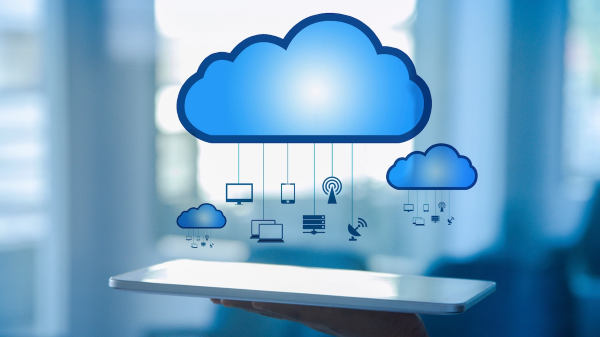
Cloud Server là một dịch vụ lưu trữ và xử lý dữ liệu trực tuyến, cho phép người dùng truy cập và sử dụng tài nguyên máy chủ qua internet. Dưới đây là những lý do chi tiết:

  • Tiết kiệm chi phí: Cloud Server giúp giảm chi phí đầu tư vào phần cứng, vì bạn không cần mua và bảo trì máy chủ vật lý.
  • Tính linh hoạt cao: Bạn có thể tăng hoặc giảm dung lượng, băng thông của Cloud Server theo nhu cầu.
  • Khả năng mở rộng dễ dàng: Khi doanh nghiệp phát triển, bạn có thể mở rộng Cloud Server một cách nhanh chóng mà không cần thay đổi cấu trúc hạ tầng.
  • Bảo mật tốt: Các nhà cung cấp dịch vụ Cloud Server thường có hệ thống bảo mật mạnh mẽ, với các biện pháp bảo vệ dữ liệu như mã hóa, sao lưu định kỳ và phòng chống tấn công mạng.
  • Truy cập từ bất cứ đâu: Cloud Server cho phép người dùng truy cập vào dữ liệu và ứng dụng từ mọi nơi có kết nối internet.

Wireshark là gì? Hướng dẫn cài đặt và sử dụng Wireshark

Lợi ích Cloud Server cho doanh nghiệp

Cloud Server mang lại rất nhiều ưu điểm cho các doanh nghiệp, đặc biệt là trong bối cảnh cạnh tranh khốc liệt như hiện nay:

  • Tiết kiệm chi phí: Doanh nghiệp không cần đầu tư vào phần cứng và bảo trì máy chủ, giúp giảm chi phí ban đầu và chi phí vận hành.
  • Dễ dàng mở rộng: Cloud server có thể dễ dàng mở rộng tài nguyên như băng thông, dung lượng lưu trữ mà không cần thay đổi phần cứng.
  • Khả năng truy cập từ xa: Nhân viên có thể truy cập dữ liệu và ứng dụng từ bất kỳ đâu, hỗ trợ làm việc linh hoạt.
  • Tăng tính bảo mật: Dữ liệu trên Cloud server được bảo vệ bằng các biện pháp bảo mật hiện đại như mã hóa, tường lửa, và sao lưu định kỳ.
  • Tính sẵn sàng cao: Cloud server thường có khả năng chịu lỗi cao, đảm bảo hoạt động liên tục ngay cả khi xảy ra sự cố.
  • Quản lý dễ dàng: Các nhà cung cấp dịch vụ Cloud server thường cung cấp các công cụ quản lý đơn giản và trực quan.
  • Tự động cập nhật phần mềm: Các bản cập nhật phần mềm và hệ thống được tự động triển khai, giúp giảm thiểu công việc bảo trì.

Ứng dụng Cloud Server

Cloud Server hiện đang được ứng dụng rộng rãi trong nhiều lĩnh vực và ngành nghề khác nhau:

  • Lưu trữ dữ liệu: Cloud server giúp lưu trữ và quản lý lượng lớn dữ liệu một cách an toàn, dễ dàng truy cập từ bất kỳ đâu.
  • Chạy ứng dụng web: Cloud server là nơi lý tưởng để triển khai các ứng dụng web, cho phép người dùng truy cập vào ứng dụng bất kỳ lúc nào.
  • Chạy các dịch vụ email: Các dịch vụ email của doanh nghiệp thường được lưu trữ trên cloud server, giúp tăng khả năng quản lý và bảo mật email.
  • Chạy phần mềm quản lý doanh nghiệp: Cloud server cung cấp môi trường để các hệ thống ERP hoạt động, giúp quản lý tài chính, nhân sự hiệu quả.
  • Phát triển ứng dụng di động: Các nhà phát triển sử dụng cloud server để lưu trữ dữ liệu và chạy các ứng dụng di động.
  • Tổ chức hội nghị trực tuyến: Cloud server cũng được sử dụng để tổ chức các cuộc họp, hội nghị trực tuyến.

Backend là gì? Khám phá vai trò của lập trình viên Backend

Các mô hình triển khai Cloud Server

Cloud Server có thể được triển khai trong nhiều mô hình công nghệ khác nhau, mỗi mô hình đều có những ưu điểm và hạn chế riêng:

  • Mô hình hạ tầng (IaaS): Dịch vụ cung cấp cơ sở hạ tầng máy chủ ảo, mạng, và bộ lưu trữ. Người dùng có thể thuê máy chủ ảo và quản lý hệ điều hành, phần mềm.
  • Mô hình nền tảng (PaaS): Nhà cung cấp cung cấp môi trường phát triển phần mềm, bao gồm hệ điều hành, cơ sở dữ liệu và các công cụ phát triển.
  • Mô hình phần mềm (SaaS): Mô hình cung cấp phần mềm qua Internet. Người dùng có thể truy cập và sử dụng phần mềm mà không cần cài đặt.
  • Mô hình hybrid cloud: Kết hợp giữa môi trường đám mây công cộng và đám mây riêng, cho phép doanh nghiệp linh hoạt trong việc lưu trữ và xử lý dữ liệu.

Các loại Cloud Server phổ biến

Cloud Server có thể được phân loại thành ba loại chính: Public Cloud, Private Cloud và Hybrid Cloud.

Public Cloud Server
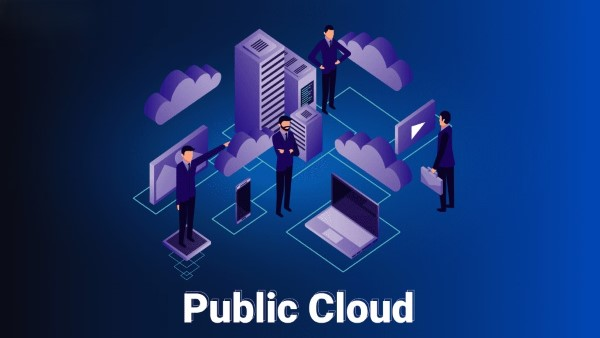
Public Cloud Server là dịch vụ được cung cấp bởi các nhà cung cấp bên thứ ba, nơi mà tài nguyên được chia sẻ giữa nhiều người dùng. Điều này giúp giảm thiểu chi phí cho từng người dùng do tài nguyên được sử dụng chung. Tuy nhiên, người dùng cần cân nhắc về vấn đề bảo mật dữ liệu khi sử dụng mô hình này.

Private Cloud Server
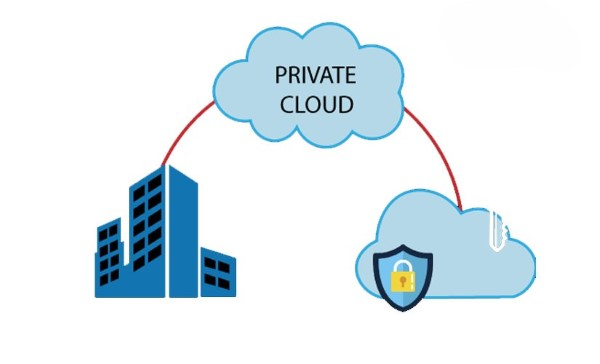
Private Cloud Server là dịch vụ được cung cấp riêng cho một tổ chức hoặc doanh nghiệp, giúp họ có quyền kiểm soát hoàn toàn các tài nguyên. Mặc dù chi phí đầu tư sẽ cao hơn so với public cloud, nhưng doanh nghiệp sẽ nhận được sự bảo mật và quản lý tối ưu hơn.

Hybrid Cloud Server
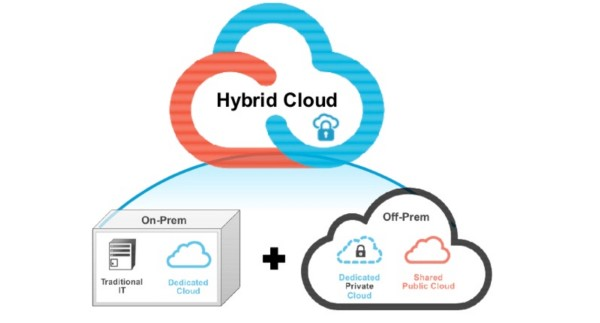
Hybrid Cloud Server kết hợp giữa Public và Private Cloud. Mô hình này cho phép doanh nghiệp tận dụng cả hai loại hình, rất phù hợp cho các doanh nghiệp có nhu cầu biến đổi linh hoạt giữa việc sử dụng tài nguyên đám mây công cộng và riêng tư.

Mẹo chọn Cloud Server phù hợp

Đối với doanh nghiệp nhỏ, Public Cloud là lựa chọn tiết kiệm nhất. Doanh nghiệp có dữ liệu nhạy cảm nên cân nhắc Private Cloud. Hybrid Cloud phù hợp khi cần linh hoạt giữa bảo mật và chi phí.

So sánh Cloud Server và máy chủ vật lý
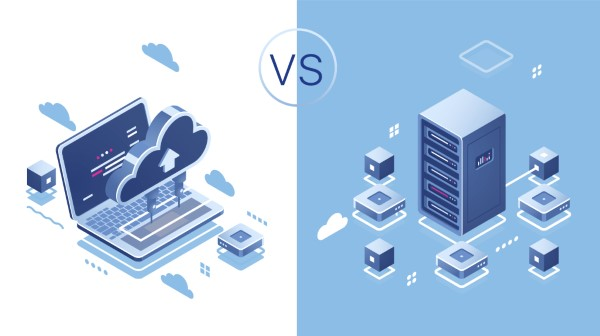
Khi so sánh Cloud Server và máy chủ vật lý, có nhiều yếu tố cần xem xét:

  • Chi phí: Cloud Server thường có chi phí thấp hơn so với việc đầu tư vào máy chủ vật lý.
  • Tính linh hoạt: Cloud Server cho phép mở rộng tài nguyên một cách dễ dàng, trong khi máy chủ vật lý thường rất tốn thời gian và chi phí để nâng cấp.
  • Khả năng bảo mật: Cloud Server thường được các nhà cung cấp dịch vụ bảo vệ tốt hơn so với máy chủ vật lý mà doanh nghiệp tự quản lý.
Lưu ý khi thuê Cloud Server

Kiểm tra kỹ SLA (Service Level Agreement) của nhà cung cấp, đặc biệt về uptime cam kết (tối thiểu 99.9%), chính sách sao lưu dữ liệu và hỗ trợ kỹ thuật 24/7 trước khi ký hợp đồng.

Những thông số cần biết khi thuê Cloud Server
Khi thuê Cloud Server, bạn cần chú ý đến một số thông số quan trọng:

CPU (Central Processing Unit)

CPU là bộ xử lý trung tâm, quyết định tốc độ và khả năng xử lý của máy chủ. Khi chọn thuê Cloud Server, bạn cần xem xét loại CPU mà nhà cung cấp đang sử dụng và đảm bảo rằng nó phù hợp với nhu cầu xử lý của bạn.

RAM (Random Access Memory)

RAM ảnh hưởng đến khả năng xử lý đa nhiệm của Cloud Server. Nếu bạn chạy nhiều ứng dụng cùng một lúc, cần có đủ RAM để đảm bảo hiệu suất ổn định.

Storage (Bộ nhớ)

Dung lượng lưu trữ cần thiết cho việc lưu trữ dữ liệu và ứng dụng. Bạn cần xem xét dung lượng ổ cứng cũng như tốc độ truy cập dữ liệu để đảm bảo rằng nó đáp ứng được yêu cầu công việc của bạn.

Uptime (Thời gian hoạt động)

Uptime là tỷ lệ thời gian mà Cloud Server hoạt động mà không gặp sự cố. Một dịch vụ tốt nên đảm bảo uptime tối thiểu là 99,9%.

Kết luận: Cloud Server là giải pháp lưu trữ và xử lý dữ liệu hiệu quả cho doanh nghiệp trong kỷ nguyên số. Với chi phí thấp, tính linh hoạt, khả năng mở rộng và bảo mật cao, Cloud Server đang dần thay thế các giải pháp máy chủ vật lý truyền thống.

Nguồn tham khảo

Câu hỏi thường gặp

Câu hỏi thường gặpQ&A
Cloud Server là gì?
Cloud Server (Máy chủ đám mây) là loại máy chủ ảo cung cấp tài nguyên CPU, RAM, lưu trữ và băng thông qua dịch vụ điện toán đám mây, thay vì sử dụng máy chủ vật lý.
Cloud Server khác máy chủ vật lý như thế nào?
Cloud Server có chi phí thấp hơn, linh hoạt mở rộng tài nguyên, truy cập từ xa qua internet. Máy chủ vật lý đòi hỏi đầu tư phần cứng lớn, bảo trì phức tạp nhưng kiểm soát hoàn toàn.
Có những loại Cloud Server nào?
Có 3 loại chính: Public Cloud (chia sẻ tài nguyên, giá rẻ), Private Cloud (riêng biệt, bảo mật cao), và Hybrid Cloud (kết hợp cả hai, linh hoạt tối đa).
Cloud Server có an toàn không?
Có, Cloud Server được bảo vệ bằng mã hóa dữ liệu, tường lửa, sao lưu tự động và xác thực đa yếu tố. Các nhà cung cấp lớn như AWS, Google Cloud, Azure đều đạt chứng nhận bảo mật quốc tế.
Chi phí thuê Cloud Server bao nhiêu?
Chi phí Cloud Server phụ thuộc vào cấu hình (CPU, RAM, storage) và nhà cung cấp. Thường từ vài USD/tháng cho cấu hình cơ bản, với mô hình pay-as-you-go chỉ trả cho tài nguyên đã dùng.

A Cloud Server is a type of virtual server that provides computing resources, storage, and bandwidth through cloud computing services. This article helps you understand Cloud Servers, their key features, benefits, and practical applications for businesses.

What is a Cloud Server?

A Cloud Server is defined as a type of virtual server where resources such as CPU, RAM, storage capacity, bandwidth, and operating systems are provided through cloud computing services. Instead of owning and managing a bulky physical server system, users can rent part or all of the resources from a cloud service provider. This helps save initial investment costs as well as maintenance time, and minimizes the risk of physical equipment failure.

Cloud server resources are shared across a large cloud infrastructure. Users only need to access the management control panel through the internet to use these resources. Thanks to the distributed nature and flexibility of this model, users can easily scale resources up or down according to actual needs without encountering too many difficulties.

Key Features of Cloud Servers

Cloud Servers are not just simple virtual servers — they also offer many outstanding features to meet the diverse needs of users:

  • High flexibility: Cloud Servers can adjust resource configurations such as CPU, RAM, and storage capacity according to user needs.
  • Scalability: Cloud Servers can be easily scaled when there is a need for growth in storage or data processing without requiring hardware changes.
  • Reasonable cost: Cloud Server services charge based on actual usage, so businesses only pay for the resources they use without worrying about fixed costs.
  • High security: Cloud Servers typically have security features such as data encryption, firewalls, and automatic backup systems to protect user data.
  • Remote access: Users can access Cloud Servers from anywhere, as long as they have an internet connection.
  • Disaster recovery: Cloud Servers provide quick backup and data recovery features, minimizing downtime when incidents occur.
  • Stable performance: Cloud Server services are distributed across multiple different servers, helping maintain high and stable performance.

Why Are Cloud Servers Important?

A Cloud Server is an online data storage and processing service that allows users to access and use server resources over the internet. Here are the detailed reasons:

  • Cost savings: Cloud Servers help reduce hardware investment costs since you don't need to buy and maintain physical servers.
  • High flexibility: You can increase or decrease the capacity and bandwidth of your Cloud Server based on demand.
  • Easy scalability: As your business grows, you can expand your Cloud Server quickly without changing the infrastructure structure.
  • Strong security: Cloud Server service providers typically have robust security systems with data protection measures such as encryption, regular backups, and cyber attack prevention.
  • Access from anywhere: Cloud Servers allow users to access data and applications from anywhere with an internet connection.

What is Wireshark? Installation and Usage Guide for Wireshark

Benefits of Cloud Servers for Businesses

Cloud Servers offer numerous advantages for businesses, especially in today's fiercely competitive environment:

  • Cost savings: Businesses don't need to invest in hardware and server maintenance, reducing initial costs and operational expenses.
  • Easy scalability: Cloud servers can easily scale resources such as bandwidth and storage capacity without hardware changes.
  • Remote access: Employees can access data and applications from anywhere, supporting flexible work arrangements.
  • Enhanced security: Data on cloud servers is protected by modern security measures such as encryption, firewalls, and regular backups.
  • High availability: Cloud servers typically have high fault tolerance, ensuring continuous operation even when incidents occur.
  • Easy management: Cloud server service providers usually offer simple and intuitive management tools.
  • Automatic software updates: Software and system updates are automatically deployed, reducing maintenance workload.

Cloud Server Applications

Cloud Servers are currently being widely used across many different fields and industries:

  • Data storage: Cloud servers help store and manage large amounts of data securely, with easy access from anywhere.
  • Running web applications: Cloud servers are an ideal place to deploy web applications, allowing users to access applications at any time.
  • Running email services: Enterprise email services are often hosted on cloud servers, improving email management and security capabilities.
  • Running enterprise management software: Cloud servers provide an environment for ERP systems to operate, enabling efficient financial and human resource management.
  • Mobile application development: Developers use cloud servers to store data and run mobile applications.
  • Hosting online conferences: Cloud servers are also used to organize online meetings and conferences.

What is Backend? Exploring the Role of Backend Developers

Cloud Server Deployment Models

Cloud Servers can be deployed in various technology models, each with its own advantages and limitations:

  • Infrastructure as a Service (IaaS): A service providing virtual server infrastructure, networking, and storage. Users can rent virtual servers and manage the operating system and software.
  • Platform as a Service (PaaS): The provider offers a software development environment, including the operating system, database, and development tools.
  • Software as a Service (SaaS): A model that delivers software over the internet. Users can access and use software without installation.
  • Hybrid Cloud model: A combination of public cloud and private cloud environments, allowing businesses flexibility in data storage and processing.

Common Types of Cloud Servers

Cloud Servers can be classified into three main types: Public Cloud, Private Cloud, and Hybrid Cloud.

Public Cloud Server

A Public Cloud Server is a service provided by third-party providers where resources are shared among multiple users. This helps reduce costs for each user since resources are shared. However, users need to consider data security concerns when using this model.

Private Cloud Server

A Private Cloud Server is a service provided exclusively for a single organization or business, giving them complete control over resources. Although the investment cost is higher compared to public cloud, businesses receive better security and management optimization.

Hybrid Cloud Server

A Hybrid Cloud Server combines Public and Private Cloud. This model allows businesses to leverage both types and is well-suited for businesses that need flexible switching between public and private cloud resource usage.

Tips for Choosing the Right Cloud Server

For small businesses, Public Cloud is the most cost-effective option. Businesses with sensitive data should consider Private Cloud. Hybrid Cloud is suitable when you need flexibility between security and cost.

Comparing Cloud Servers and Physical Servers

When comparing Cloud Servers and physical servers, there are many factors to consider:

  • Cost: Cloud Servers typically have lower costs compared to investing in physical servers.
  • Flexibility: Cloud Servers allow easy resource scaling, while physical servers often require significant time and cost to upgrade.
  • Security: Cloud Servers are usually better protected by service providers compared to self-managed physical servers.
Important Considerations When Renting a Cloud Server

Carefully review the provider's SLA (Service Level Agreement), especially regarding committed uptime (minimum 99.9%), data backup policies, and 24/7 technical support before signing a contract.

Key Specifications to Know When Renting a Cloud Server

When renting a Cloud Server, you need to pay attention to several important specifications:

CPU (Central Processing Unit)

The CPU is the central processor that determines the speed and processing capability of the server. When choosing a Cloud Server, you need to consider the type of CPU the provider is using and ensure it matches your processing needs.

RAM (Random Access Memory)

RAM affects the multitasking capability of a Cloud Server. If you run multiple applications simultaneously, you need sufficient RAM to ensure stable performance.

Storage

The storage capacity needed for storing data and applications. You need to consider the disk capacity as well as data access speed to ensure it meets your work requirements.

Uptime

Uptime is the percentage of time the Cloud Server operates without incidents. A good service should guarantee a minimum uptime of 99.9%.

Conclusion: Cloud Servers are an effective data storage and processing solution for businesses in the digital era. With low costs, flexibility, scalability, and high security, Cloud Servers are gradually replacing traditional physical server solutions.

Sources

Frequently Asked Questions

Frequently Asked QuestionsQ&A
What is a Cloud Server?
A Cloud Server (cloud-based server) is a type of virtual server that provides CPU, RAM, storage, and bandwidth resources through cloud computing services, instead of using a physical server.
How is a Cloud Server different from a physical server?
Cloud Servers have lower costs, flexible resource scaling, and remote access via the internet. Physical servers require large hardware investments and complex maintenance but offer complete control.
What types of Cloud Servers are there?
There are 3 main types: Public Cloud (shared resources, low cost), Private Cloud (dedicated, high security), and Hybrid Cloud (combines both, maximum flexibility).
Are Cloud Servers secure?
Yes, Cloud Servers are protected by data encryption, firewalls, automatic backups, and multi-factor authentication. Major providers like AWS, Google Cloud, and Azure all hold international security certifications.
How much does it cost to rent a Cloud Server?
Cloud Server costs depend on the configuration (CPU, RAM, storage) and provider. Prices typically start from a few USD/month for basic configurations, with a pay-as-you-go model where you only pay for the resources you use.